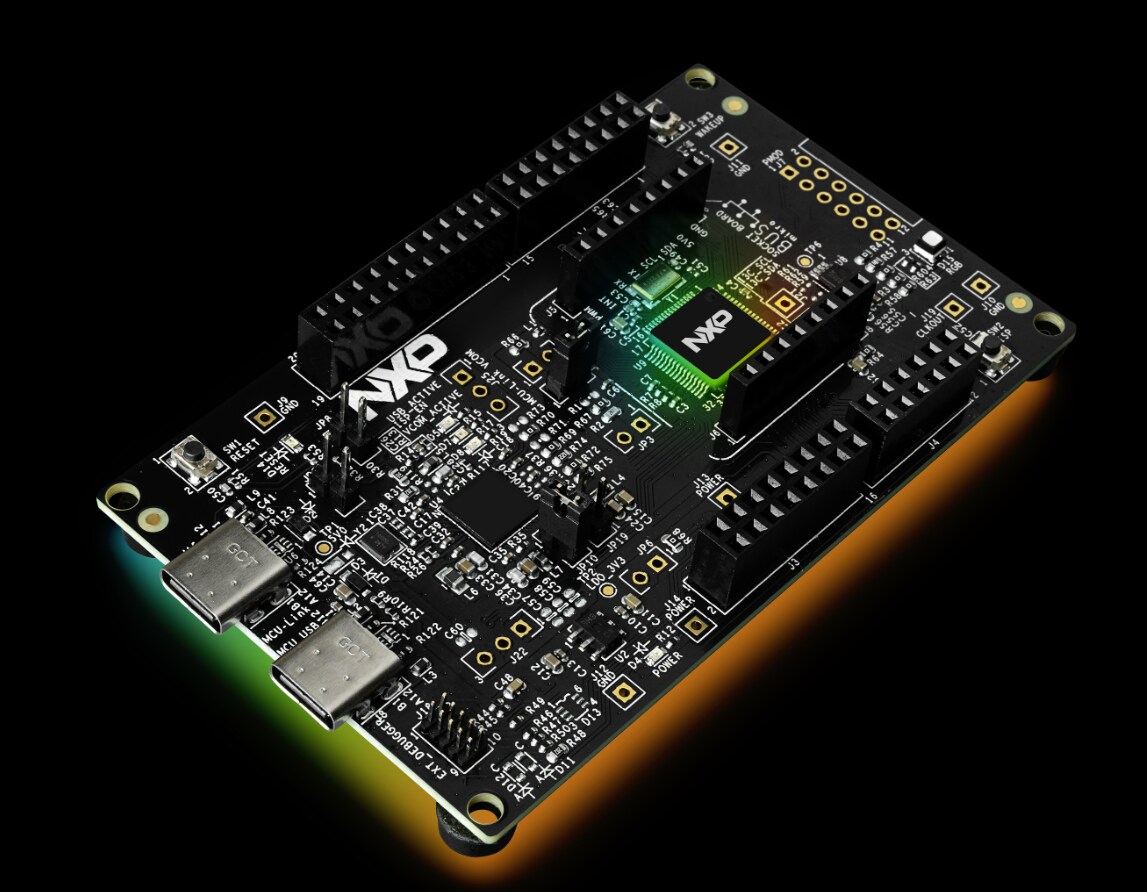
FRDM Training Hub

cancel
Showing results for 
Show  only  | Search instead for 
Did you mean: 

FRDM Training Hub

FRDM Training Hub


Restricted Beta Program

  • Comprehensive software and tools for seamless prototyping and rapid development
  • Scale your project with modular, quick-start FRDM and expansion boards
  • Leverage our application code hub or GoPoint to access 180+ code snippets and demos

  • Leverage FRDM Training Hub to learn from the experts
  • Not sure where to start ?

Discussions

Sort by:
FRDM-IMX93 development boards are the first FRDM development board with i.MX MPUs and include Wi-Fi and Bluetooth modules and support for Debian, Yocto and GoPoint which will help you to develop your industrial and IoT applications quickly with NXP's developer experience.   FRDM-IMX93 Applications Low-cost development board usage, Bi-annual BSP release for Debian Yearly BSP release for Yocto.   Get to know FRDM-IMX 93 Development Board       Specifications 2x Arm Cortex®-A55 + Cortex®-M33 Wi-Fi 6 + BT + 802.15.4 Module on-board, IW612 2x GB Ethernet (1xETER, 1xTSN) MIPI-CSI/DSI, HDMI M.2 Connector LPDDR4X 16-bit 2GB eMMC 5.1, 32GB MicroSD 3.0 card slot 3x USB 2.0 Type-C connector (one for Debug, one PD only) + 1x USB 2.0 Type-A RTC, Buttons and LED     Feature FRDM-IMX93 eMMC 32GB DRAM Micron 2GB PMIC PCA9451A WiFi Module u-blox MAYA-W276 on-board USB TYPE C Type-C+Type-A ENET 2xGbE M.2 (Key E) SDIO WiFi / BT Y (rework needed) HDMI IT6263/Y MIPI DSI Panel 22 Pins FPC HDR LVDS Panel N MIPI CSI camera 22 Pins FPC HDR 2x20 Expansion Interface Y CAN BUS Y MicroSD Y UART Y Audio  MQS Remote Debug N NXP Connector (CAN,ADC, I2C) Y Power Connector Type-C PCB layers 10 Base Board DIM 6.5x10.5cm   NXP Devices On-Board PMIC PCA9451A USB PD TCPC PHY IC PTN5110 High-Voltage USB PD Power Switch NX20P5090UK IIC  Extends  GPIO PCAL6524/PCAL6408A CAN Transceiver TJA1051T/3 USB Sink & Source combo power switch  NX20P3483UK USB Type-C CC and SBU Protection IC  NX20P0407 Real-time clock/calendar PCF2131 Wi-Fi, BT, 802.15.4 Tri-Radio IW612 (in u-blox Module)   Expansion Boards   RPI-CAM-MIPI: IAS camera to 22 Pins FPC camera adapter TM050RDH03-41: LCD display module 5” TFT 800X480, RGB, 120.7 mm x75.8 mm7inch Waveshare 7'' DSI LCD: (English language link) 7inch Capacitive Touch, 1024×600 MX93AUD-HAT: Audio expansion board with multiple features ​8MIC-RPI-MX8: 8-microphone array proto board for voice enablement   FRDM-IMX93 web page Getting Started Guide Out of the Box Get Software Build and Run Developer Experience   Projects and Tutorials Debug Terminal in Linux & Windows Cortex-M33 Enablement Deploy ML models on NPU Graphics Security and Integrity Fast Boot Trainings   FRDM-IMX93 Web Page Training. Recorded video trainings  Generic FRDM-IMX93 SW Release Package FRDM-IMX93 Board Flashing Guide How to use J-link on FRDM-IMX93 Software and Enablement GoPoint Demo On FRDM-IMX93 Connectivity FRDM-IMX93 Connectivity training FRDM-IMX93 Connectivity WiFi Basic Hands-on FRDM-IMX93 Bluetooth A2DP Source and Sink Profile Demo FRDM-IMX93 Connectivity OpenThread Hands-on FRDM-IMX93 Connectivity WiFi Bluetooth and OT COEX ML / IA eIQ Toolkit Import NVIDIA TAO model and run on FRDM i.MX93 and i.MX93EVK   Documentation  −FRDM-IMX93 Quick Start Guide −FRDM-IMX93 Board User Manual -FRDM-IMX93 Software User Guide   Useful Links i.MX Yocto Project User’s Guide​ i.MX Linux User’s Guide i.MX Linux Reference Manual​ i.MX Porting Guide i.MX Debian Linux SDK User Guide Run Zephyr on A55 with FRDM-IMX93 and FRDM-IMX91 i.MX 93 Memory Compatibility Guide
View full article
Prerequisites  Hardware  FRDM-RW612 evaluation board  USB-C Cable Software Visual Studio Code VS Code Serial Terminal Software: Tera Term You can use any serial terminal you have, but we are using Tera Term for the training slides LCD-PAR-S035 display  Step by Step instructions document is here  Step by Step video:
View full article
Prerequisites  Hardware  FRDM-RW612 evaluation board  USB-C Cable Mobile phone (Android or IOS) Software Visual Studio Code VS Code Serial Terminal Software: Tera Term You can use any serial terminal you have, but we are using Tera Term for the training slides IoT Toolboox App Available for Android and iPhone app stores. Step by Step instructions document is here Step by Step video:
View full article
Prerequisites  Hardware  FRDM-RW612 evaluation board  USB-C cable Software Visual Studio Code VS Code FRDM-RW612 SDK Serial Terminal Software: Tera Term You can use any serial terminal you have, but we are using Tera Term for the training slides Step by Step instructions document is here Step by Step video:
View full article
Prerequisites  Hardware  FRDM-RW612 evaluation board  USB-C Cable Software Visual Studio Code VS Code Serial Terminal Software: Tera Term You can use any serial terminal you have, but we are using Tera Term for the training slides Step by Step instructions document is here Step by Step video:    
View full article
    Step by Step video:
View full article
  The RW61x is a highly integrated, low-power tri-radio wireless MCU with an integrated MCU and Wi-Fi ®  6 + Bluetooth ®  Low Energy (LE) 5.4 / 802.15.4 radios designed for a broad array of applications, including connected smart home devices, enterprise and industrial automation, smart accessories and smart energy. The RW612 MCU subsystem includes a 260 MHz Arm ®  Cortex ® -M33 core with Trustzone ™ -M, 1.2 MB on-chip SRAM and a high-bandwidth Quad SPI interface with an on-the-fly decryption engine for securely accessing off-chip XIP flash. The RW612 includes a full-featured 1x1 dual-band (2.4 GHz/5 GHz) 20 MHz Wi-Fi 6 (802.11ax) subsystem bringing higher throughput, better network efficiency, lower latency and improved range over previous generation Wi-Fi standards. The Bluetooth LE radio supports 2 Mbit/s high-speed data rate, long range and extended advertising. The on-chip 802.15.4 radio can support the latest Thread mesh networking protocol. In addition, the RW612 can support Matter over Wi-Fi or Matter over Thread offering a common, interoperable application layer across ecosystems and products. Hands-On Trainings Introduction to RW61x and FRDM-RW612 Quick introduction to RW61x family, module offering and FRDM-RW612 evaluation board FRDM-RW612 Out of the Box Experience Wi-Fi CLI (Command Line Interface) demo provides the user with a menu with different commands to explore the Wi-Fi capabilities of the FRDM RW612 board. When the board is powered on for the first time, the green RGB LED should be blinking indicating that the demo is loaded into the board. FRDM-RW612 Getting Started. Wi-Fi CLI on VS Code This lab guides you step by step on how to get started with FRD-RW612 board using Visual Studio Code  FRDM-RW612 BLE Sensors over Zephyr This demo shows the temperature from the i2c temperature sensor integrated in the board. This demo is based on Zephyr RTOS. The information can be monitored in the UART terminal or in the IoT Toolbox app. FRDM-RW612 Kitchen Timer using Low-cost LCD This lab shows how to modify a Kitchen Timer graphical application using LCD-PAR-S035 display Changing the date and button colors. The timer can also be viewed on a serial terminal.   Community Support If you have questions regarding this training or RW61x series, please leave your comments in our Wireless MCU Community! here 
View full article
MCX W series are secure, wireless MCUs designed to enable more compact, scalable and innovative designs for the next generation of smart and secure connected devices. The MCX W series, based on the Arm® Cortex®-M33, offers a unified range of pin-compatible multiprotocol wireless MCUs for Matter™, Thread®, Bluetooth® Low Energy and Zigbee®. MCX W enables interoperable and innovative smart home devices, building automation sensors and controls and smart energy products.   MCX W71 Hands on Training   FRDM-MCXW71: NBU and User Firmware Update Using ISP:   This hands-on describes how to update the code in NBU and the User firmware using the ISP. FRDM-MXCW71: Recognize NBU Incompatible Versions            The objective in this hands-on, is to learn how to recognize when the NBU firmware does not match with the SDK version. FRDM-MCXW71: Run Hello World SDK Demo           In this lab we will first import the MCUXpresso SDK for the MCX W71 Freedom board into MCUXpresso IDE and then we will build, flash and debug the hello world project to make sure the environment is set for the following Labs. FRDM-MCXW71: Run Blinky LED SDK Demo          In this lab we make some experience with the FRDM-MCXW71 board using the SDK project to implement a simple LED blinking. Once we will get familiar with the example project, we will integrate simple modifications FRDM-MCXW71: Wireless UART IoT Toolbox Demo          Goal of this lab is to show the SDK example implementing the wireless UART profile and we will move forward in making some meaningful modifications to the example itself with the goal to show where in the code the end user should enter the relevant application software for the application. FRDM-MCXW71: Low Power Reference Desing SDK Demo          This hands-on describes how to run the Low Power Reference Design demo on FRDM-MCXW71. Two low-power reference design applications are provided in the SDK reference_design folder, these applications aim at providing: • A reference design application for low power/timing optimization on a Bluetooth Low Energy application. These can be used in first intent for porting a new application on low power. • A way for measuring the power consumption, wake-up time, and active time in various power modes.   MCX W72 Hands on Training  Coming Soon!   MCX W23 Hands on Training  FRDM-MCXW23: LED Blinky In this lab we make some experience with the FRDM-MCXW23 board using the SDK project to implement a simple LED blinking. Once we will get familiar with the example project, we will integrate simple modifications. FRDM-MCXW23: Wireless UART IoT ToolBox the Goal of this lab is to show the SDK example implementing the wireless UART profile and we will move forward in making some meaningful modifications to the example itself with the goal to show where in the code the end user should enter the relevant application software for the application. FRDM-MCXW23: Hello World In this lab we will first import the MCUXpresso for Visual Studio Code SDK for the MCX W23 Freedom board into the MCUXpresso extension for Visual Studio Code and then we will build, flash and debug the hello world project to make sure the environment is set for the following Labs. FRDM-MCCXW23: Low Power Reference Design This hands-on describes how to run the Low Power Reference Design demo on FRDM-MCXW23. Two low-power reference design applications are provided in the reference design folder for the MCXW23: Low power peripheral application demonstrating the low power feature on an advertiser peripheral Bluetooth LE device. Low power central application demonstrating the low power feature on a scanner central Bluetooth LE device. Wireless Connectivity Trainings Bluetooth Low Energy  Introduction to Thread Network
View full article