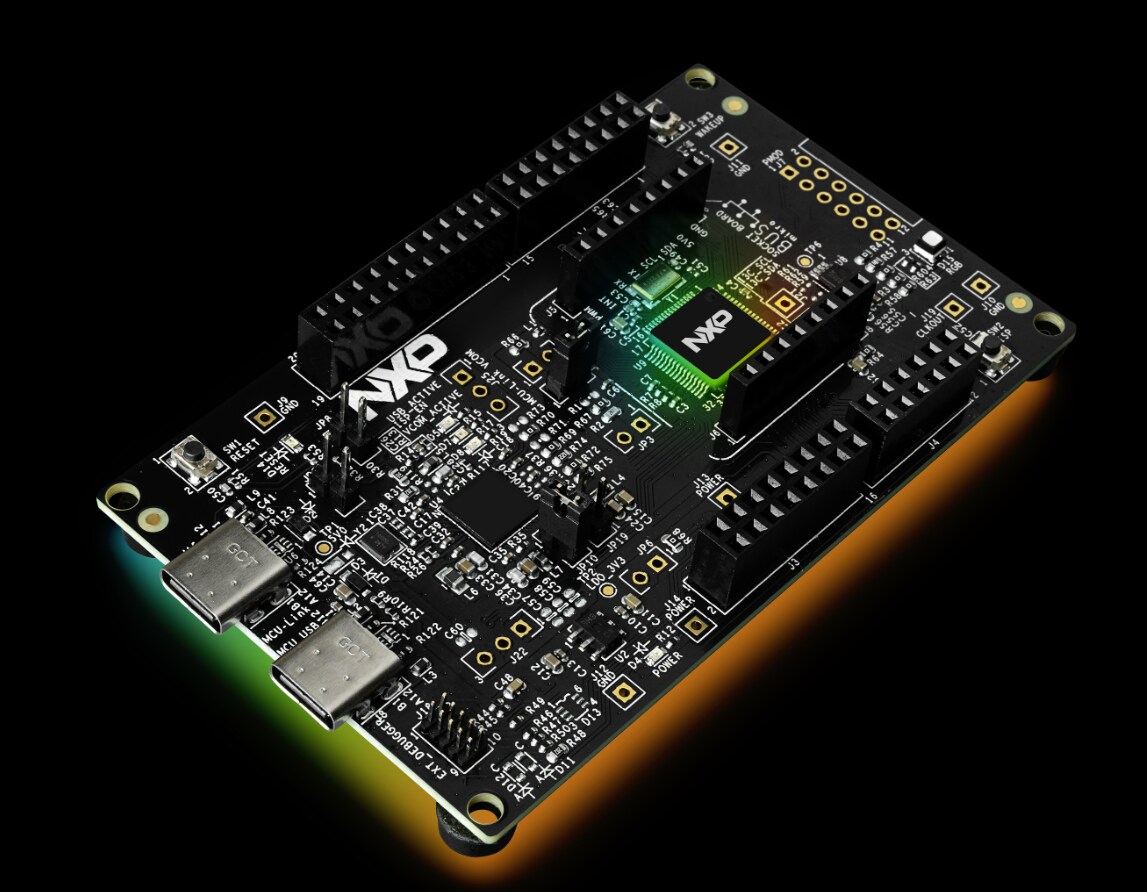
This article will give a brief introduction of FRDM-IMX8MPLUS software release, including Yocto BSP release and Debian release.
FRDM-IMX Yocto BSP Release
i.MX FRDM Development software release contains prebuilt images, documentation, and i.MX FRDM Yocto layer for FRDM-IMX boards. It also includes support for Matter.
Based on i.MX SW 2024 Q3 BSP release
Linux kernel: 6.6.36_2.1.0
u-boot: 2024.04
i.MX FRDM Yocto layer source: https://github.com/nxp-imx-support/meta-imx-frdm
For more details, please check i.MX FRDM Software User Guide.
FRDM-IMX8MPLUS accessories and corresponding dtb:
7-inch Waveshare LCD: imx8mp-frdm-waveshare.dtb
DY1212W-4856 LVDS: imx8mp-frdm-boe-wxga-lvds0-panel.dtb imx8mp-frdm-boe-wxga-lvds1-panel.dtb
RPI-CAM-MIPI MIPI CSI: imx8mp-frdm-ap1302.dtb imx8mp-frdm-dual-ap1302.dtb
IMX-OS08A20 MIPI CSI: imx8mp-frdm-os08a20.dtb imx8mp-frdm-dual-os08a20.dtb
8MIC-RPI-MX8: imx8mp-frdm-8mic.dtb
2EL M.2 Module: imx8mp-frdm-iw612-otbr.dtb
Build FRDM-IMX8MPLUS Yocto image:
Download i.MX SW 2024 Q3 release:
$ repo init -u https://github.com/nxp-imx/imx-manifest -b imx-linux-scarthgap -m imx-6.6.36-2.1.0.xml
$ repo sync
Integrate meta-imx-frdm layer into Yocto code base:
$ cd ${MY_YOCTO}/sources
$ git clone https://github.com/nxp-imx-support/meta-imx-frdm.git
Yocto project setup:
$ cd ${MY_YOCTO}
$ MACHINE=imx8mpfrdm DISTRO=fsl-imx-xwayland source sources/meta-imx-frdm/tools/imx-frdm-setup.sh -b frdm-imx8mp
Build images:
$ bitbake imx-image-full
Flash SD card image using dd:
$ zstdcat imx-image-full-imx8mpfrdm.rootfs.wic.zst | sudo dd of=/dev/sdx bs=1M && sync
Or use uuu to burn image to SD card:
$ uuu -b sd_all imx-image-full-imx8mpfrdm.rootfs.wic.zst
FRDM-IMX8MPLUS Matter Support
Based on i.MX Matter 2024 Q3
To include Matter support, please follow below steps to include Matter layer into Yocto build.
Download i.MX SW 2024 Q3 BSP Release:
$ repo init -u https://github.com/nxp-imx/imx-manifest -b imx-linux-scarthgap -m imx-6.6.36-2.1.0.xml
$ repo sync
Download i.MX Matter Yocto layer:
$ cd ${MY_YOCTO}/sources/meta-nxp-connectivity $ git remote update $ git checkout imx_matter_2024_q3
Integrate meta-imx-frdm layer into Yocto code base:
$ cd ${MY_YOCTO}/sources $ git clone https://github.com/nxp-imx-support/meta-imx-frdm.git
Yocto Project Setup:
$ cd ${MY_YOCTO} $ MACHINE=imx8mpfrdm-matter DISTRO=fsl-imx-xwayland source sources/meta-imx-frdm/tools/imx-frdm-matter-setup.sh bld-xwayland-imx8mpfrdm
Build images:
$ bitbake imx-image-multimedia
FRDM-IMX8MPLUS Debian Release
FRDM-IMX8MPLUS has support on Debian 12 OS. i.MX Debian Linux SDK distribution is a combination of NXP-provided kernel and boot loaders with a Debian distro user-space image, which includes:
Debian-based rootfs
Debian Base (basic packages)
Debian Server (more packages without GUI Desktop)
Debian Desktop (with GNOME GUI Desktop)
Linux kernel
BSP components
various applications (graphics, multimedia, networking, connectivity, security, and AI/ML)
For more details of NXP Debian Linux SDK Distribution, please check NXP Debian Linux SDK User Guide.
Quick Start with Debian:
To create an SD card with Debian for FRDM-IMX8MPLUS, please follow below steps.
Download flex-installer on the Linux host
$ wget http://www.nxp.com/lgfiles/sdk/lsdk2412/flex-installer $ chmod +x flex-installer $ sudo mv flex-installer /usr/bin
Plug the SD card into the Linux host and install the images as below
# format SD card $ flex-installer -i pf -d /dev/sdx # automatically download and install images into SD card $ flex-installer -i auto -d /dev/mmcblk1 -m imx8mpfrdm
Plug the SD card into FRDM-IMX8MPLUS board and install the extra packages as below
1. Setup Ethernet network interface by DHCP or setting it manually
$ dhclient -i end0
2. Set correct system time, for example
$ date -s "22 Nov 2024 09:00:00"
3. Install extra packages for GNOME GUI Desktop version
$ debian-post-install-pkg desktop
4. Or install extra packages for Server version without GUI Desktop
$ debian-post-install-pkg server
5. After finishing the installation, run the reboot command to boot up the Debian Desktop/Server system
Building Debian Images with Flexbuild:
To build Debian image with Flexbuild for FRDM-IMX8MPLUS, please follow below steps.
Set up the build environment
$ git clone https://github.com/nxp/flexbuild $ cd flexbuild && source setup.env #Continue to run commands below in case you need to build in Docker due to lack of Ubuntu 22.04 or Debian 12 host $ bld docker $ source setup.env
Build image with Flexbuild
$ bld -m imx8mpfrdm
Flexbuild usage:
To build individual part of the image, please check below command list for Flexbuild usage.
$ bld uboot -m imx8mpfrdm (compile u-boot image for imx8mpfrdm) $ bld linux (compile linux kernel for all arm64 i.MX machines) $ bld bsp -m imx8mpfrdm (generate BSP firmware) $ bld boot (generate boot partition tarball including kernel, dtb, modules, distro bootscript for iMX machines) $ bld multimedia (build multimedia components for i.MX platforms) $ bld rfs -r debian:server (generate Debian server rootfs) $ bld apps -r debian:server (compile apps against runtime dependencies of Debian server RootFS) $ bld merge-apps -r debian:server (merge iMX-specific apps into target Debian server RootFS) $ bld packrfs -r debian:server (pack and compress target debian server rootfs)
Related Documentation
i.MX FRDM Software User Guide
i.MX Debian Linux SDK User Guide
More information about i.MX productions can be found at(http://www.nxp.com/imxlinux)
i.MX Yocto Project User’s Guide
i.MX Linux User’s Guide
i.MX Linux Reference Manual
i.MX Porting Guide
Debian documents at http://www.nxp.com/nxpdebian
View full article