
- Forums
- Product Forums
- General Purpose MicrocontrollersGeneral Purpose Microcontrollers
- i.MX Forumsi.MX Forums
- QorIQ Processing PlatformsQorIQ Processing Platforms
- Identification and SecurityIdentification and Security
- Power ManagementPower Management
- Wireless ConnectivityWireless Connectivity
- RFID / NFCRFID / NFC
- Advanced AnalogAdvanced Analog
- Neural Processing UnitsNeural Processing Units
- MCX Microcontrollers
- S32G
- S32K
- S32V
- MPC5xxx
- Other NXP Products
- S12 / MagniV Microcontrollers
- Powertrain and Electrification Analog Drivers
- Sensors
- Vybrid Processors
- Digital Signal Controllers
- 8-bit Microcontrollers
- ColdFire/68K Microcontrollers and Processors
- PowerQUICC Processors
- OSBDM and TBDML
- S32M
- S32Z/E
-
- Solution Forums
- Software Forums
- MCUXpresso Software and ToolsMCUXpresso Software and Tools
- CodeWarriorCodeWarrior
- MQX Software SolutionsMQX Software Solutions
- Model-Based Design Toolbox (MBDT)Model-Based Design Toolbox (MBDT)
- FreeMASTER
- eIQ Machine Learning Software
- Embedded Software and Tools Clinic
- S32 SDK
- S32 Design Studio
- GUI Guider
- Zephyr Project
- Voice Technology
- Application Software Packs
- Secure Provisioning SDK (SPSDK)
- Processor Expert Software
- Generative AI & LLMs
-
- Topics
- Mobile Robotics - Drones and RoversMobile Robotics - Drones and Rovers
- NXP Training ContentNXP Training Content
- University ProgramsUniversity Programs
- Rapid IoT
- NXP Designs
- SafeAssure-Community
- OSS Security & Maintenance
- Using Our Community
-
- Cloud Lab Forums
-
- Knowledge Bases
- ARM Microcontrollers
- i.MX Processors
- Identification and Security
- Model-Based Design Toolbox (MBDT)
- QorIQ Processing Platforms
- S32 Automotive Processing Platform
- Wireless Connectivity
- CodeWarrior
- MCUXpresso Suite of Software and Tools
- MQX Software Solutions
- RFID / NFC
- Advanced Analog
- Neural Processing Units
-
- NXP Tech Blogs
- Home
- :
- 基于模型的设计工具箱(MBDT)
- :
- 基于模型的设计工具箱(MBDT)
- :
- How to export Generated Code to S32 Design Studio IDE (applicable for MBDT for MPC5744P v2.0)
How to export Generated Code to S32 Design Studio IDE (applicable for MBDT for MPC5744P v2.0)
How to export Generated Code to S32 Design Studio IDE (applicable for MBDT for MPC5744P v2.0)

 Daniel_Popa
In case you need to export the generated code to S32 Design Studio for PA IDE, now there is an easy way. No more painful job of reconstruction the project manually and setting all sort of compiler flags. Here is what you need to do in just a few steps.
Prerequisite:
Toolbox for MPC5744P rev2.0: Model Based Design Toolbox For Panther (MPC574xP) Family of Processors 2.0 IS NOW AVAILABLE!
HotFix_4 for MPC5744P rev2.0: https://community.nxp.com/thread/451804#comment-925214
S32DS IDE v1.2 or newer: S32 Design Studio for Power v1.2.
How to:
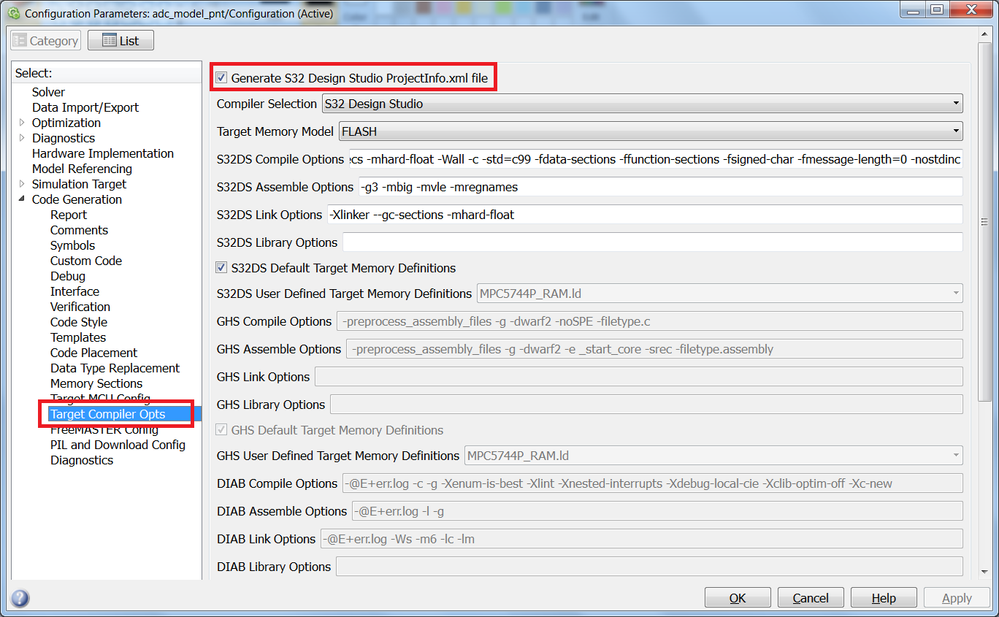
#1: make sure the HotFix_4 is installed successfully and the "Generated S32 Design Studio ProjectInfo.xml file" option is visible and selected
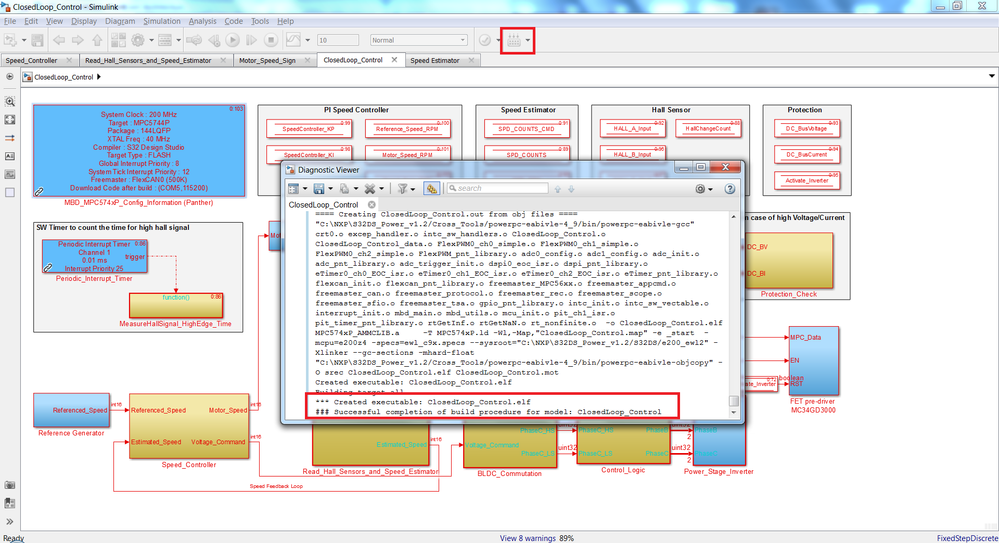
#2: build the Simulink model as normal (e.g. Motor Control System example from Motor Control Class: Lecture 12 - Motor Control System since it is the most complex application we built so far on this community) and wait until is completed successfully.
#3: Open S32DS for PA and select Import/S32 Design Studio/ProjectInfo.xml Importer

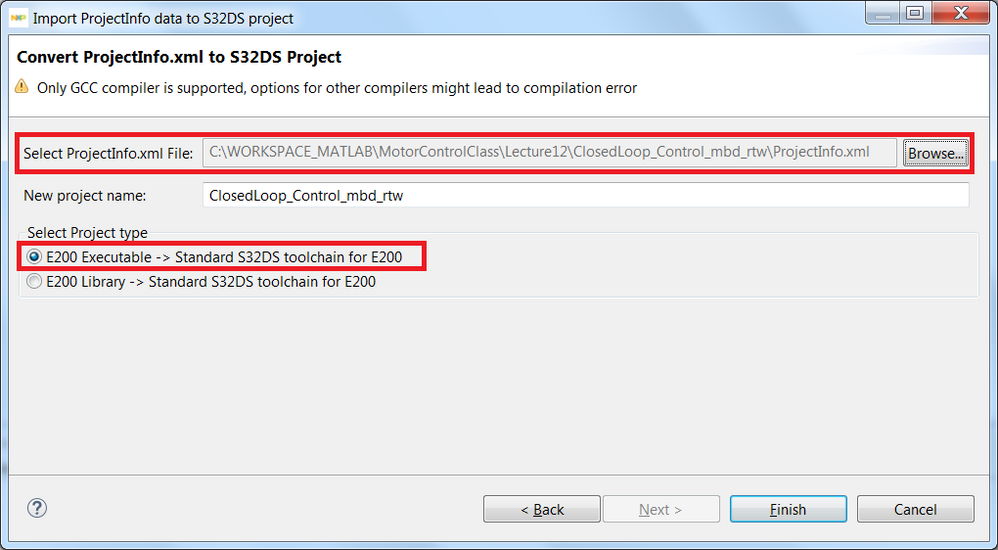
#4: Press Next and select the ProjectInfo.xml from the location used to generated the C-code for the Simulink model. Also, select the E200 Executable option
#5: Click on Finish button to have the project imported into the S32 Design Studio workspace.
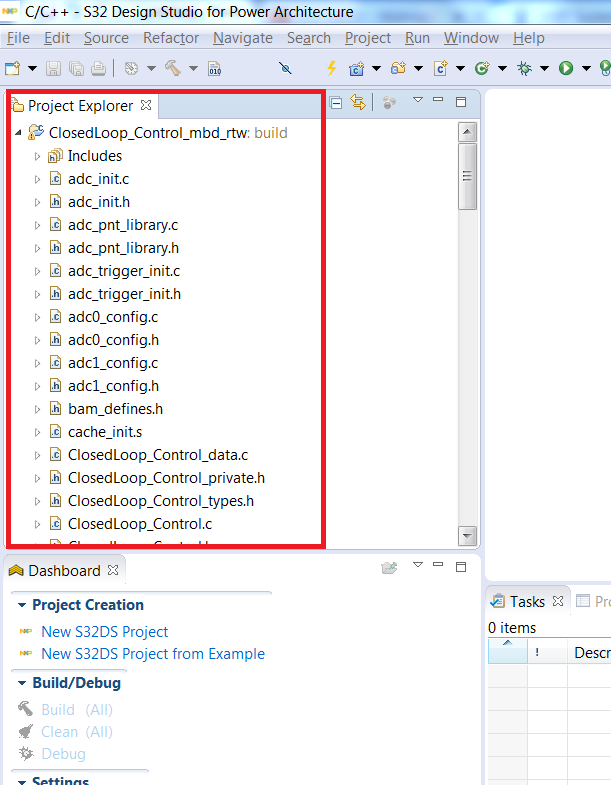
#6: Applicable for S32DS v1.2 (due to a bug in IDE): Open the Project Properties and go to Settings/Target Processor and select "generate code for E200Z4" as Target Processor and re=select the option shown near the Libraries Support. These will force the IDE to update the toolchain properties correctly. These limitations will be addressed in the newer versions of S32DS for PA.
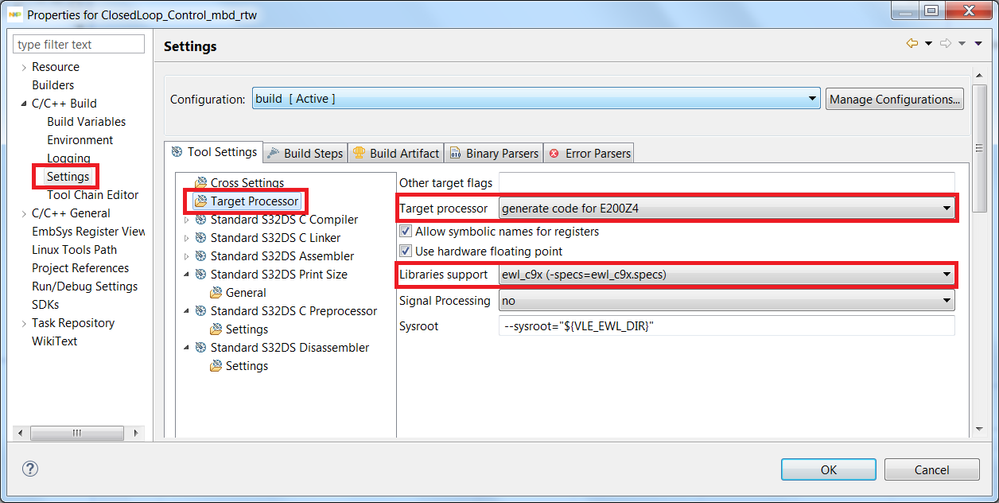
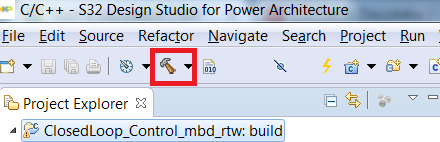
#7: Build the project
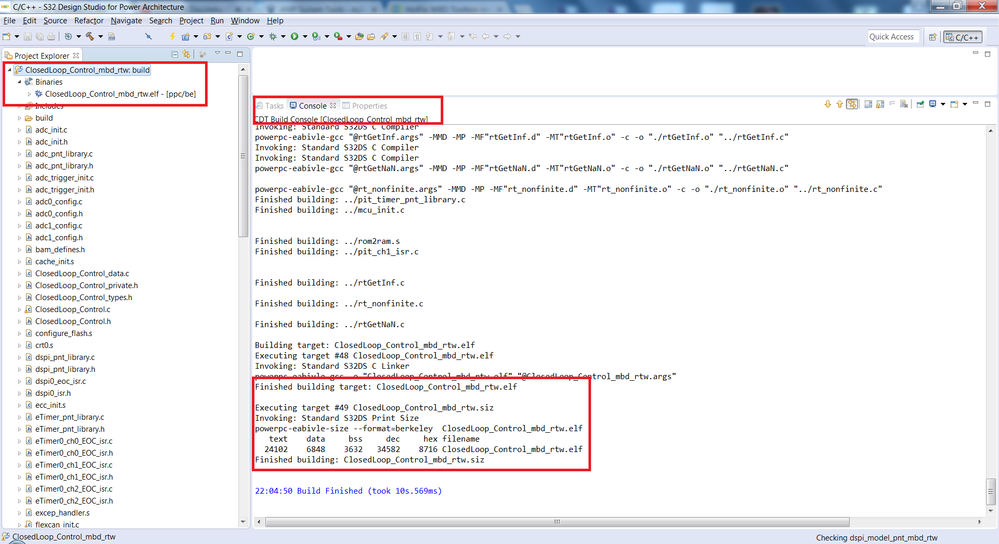
Expected result: The executable file should be produced without any errors. In case of errors - please recheck #6.

There is no target compiler opts in my code generation configuration

Where exactly can I set up to open the generated project in the S32K DS!!!
Hi @Daniel_Popa @mariuslucianand
After I follow the instruction above, the build process cannot success.
The building environment is as follow,
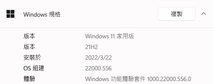
*OS : Windows 11 21H2
*Matlab : R2018a with MBD Toolbox v3.2


*S32DS : v2.1
*MPC5744P : rev B
The Simulink model I build to test is【uart_hello_world_mpc574xP.mdl】from MBD Toolbox v3.2, I attached the file as【uart_hello_world_mpc574xP.zip】.
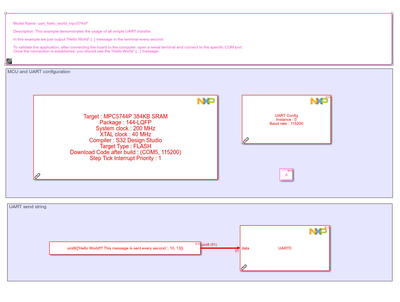
The build process of model is shown as attached file 【uart_hello_world_mpc574xP_matlab_build_20220411.txt】, in short, it build completely as figure below.
The generated file is attached as【uart_hello_world_mpc574xP_mbd_rtw.zip】.

Then I load the xml of this project to S32DS for building, the result is as figure below,
However, the building result is failed because of the issue as figure below,
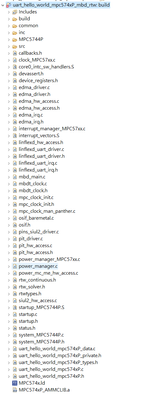
log of detailed building is shown in attached file【uart_hello_world_mpc574xP_s32_build_20220411.txt】.

By the way, if I build model with CAN, it will show that 【can_message.h】is missing, I found it at Matlab installation directory.
I copy it to the directory where the project is build ( should it be automatically access with xml of project ? ),
the error is eliminated but it still cannot be successfully build for the same reason as【uart_hello_world_mpc574xP】.
Please give me guidance, thank you!!
 mariuslucianand
Hello @p_a_u_darshana,
As @hbhnhbnhj1 mentioned in a comment, you have to rename the extension of those 3 files from the capital ".S" into lower ".s". You shall do that inside the ProjectInfo.xml also, just before importing it into S32DS.
As for the can_message.h, you have to add that file manually after importing the ProjectInfo.xml into S32DS, as you already mention that this process solves this error. In my generated code for some CAN examples, I was not able to find this file. Are you using some custom code or external can files?
Hope this helps,
Marius
Hello @mariuslucianand
Sorry for the late reply.
We have to have this "can_message.h" file when we use CAN pack/ CAN unpack blocks in our model. In your case, NXP examples do not use this block to Pack/Unpack individual signals into/from CAN messages.
We have to go to the Matlab folder in C drive to find this "can_message.h". It is coming with
In my case I have found this "can_message.h" file in the "MATLAB\R2021b\toolbox\shared\can\src\scanutil" folder
thank you
Hi @dumitru-daniel_ @mariuslucianand,
This issue was raised before, it was solved as follow, sorry to bother you.
Re: How to export Generated Code to S32 Design Stu... - NXP Community
hi @p_a_u_darshana ,
I modifed the filename extension from .S to .s, then the error is cleared.
Hi @hbhnhbnhj1
How about the [can_message.h]? I also have the same error. I could not find this file.
Can you give me more details about the way you solve this error?
Thank you
Hi @mariuslucianand @Daniel_Popa
I followed all the steps as mentioned in this post but I cannot build the project.
After I export the generated code to the S32DS the build option is disabled automatically.
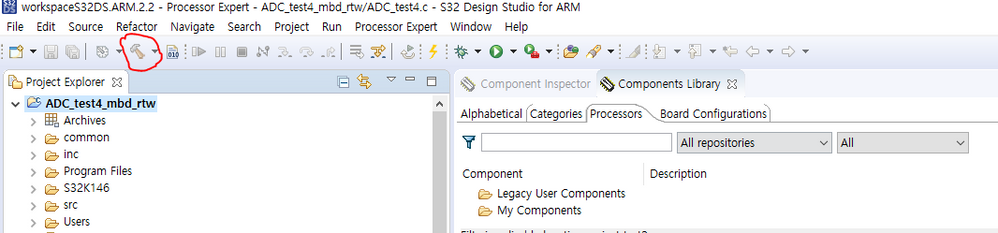
Maybe this is due to the spaces in the MBD toolbox path.
C:\Users\user\AppData\Roaming\MathWorks\MATLAB Add-Ons\Toolboxes\NXP_MBDToolbox_S32K1xx(3)
Can you please let me know how to change the installation path? There are no options to select the installation path when we install the toolbox.
Thank you.
Hi @Daniel_Popa @constantinrazva
My S32 is not able to build after importing xml project file generated by Simulink.
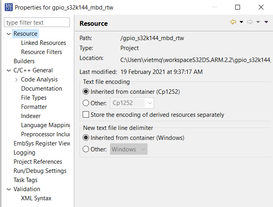

Below are details what i did,
i checked the installation path of NXP MBD, whether it has "space" in the directory of not :
C:\Users\vietmq\AppData\Roaming\MathWorks\MATLAB Add-Ons\Toolboxes\NXP_MBDToolbox_S32K1xx ==> Should be OK, no space.
Open MBD GPIO example for S32K144, and configure for exporting xml project file:
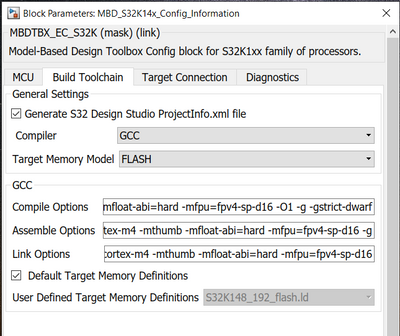
Generate the code, no error, see log file : gpio_s32k144_build_20210219_103350.txt (attached in the post)
Open S32SD and import xml file :
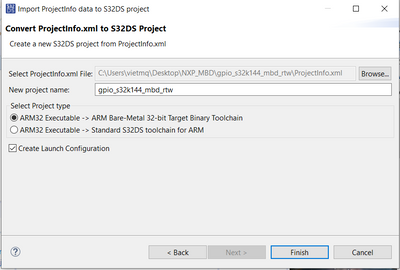
i ticked on the first option, can not build, then i tried second option but can not build too.
Please help !!!
thanks.

Hello daniel
When I export Generated Code( MBDT for MPC5744P v3.2) to S32 Design Studio for Power Architecture Version 2017.R1, I can't build the project! The details are as follows.
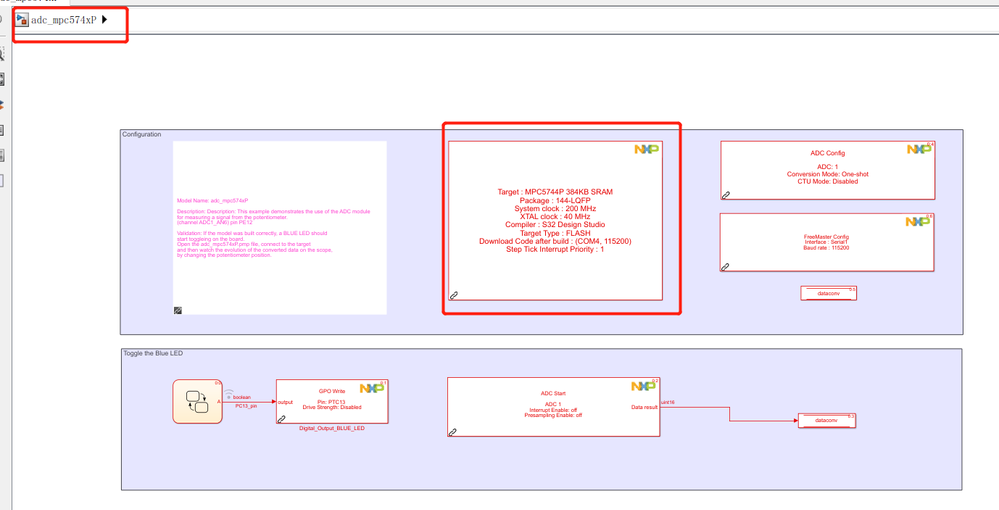

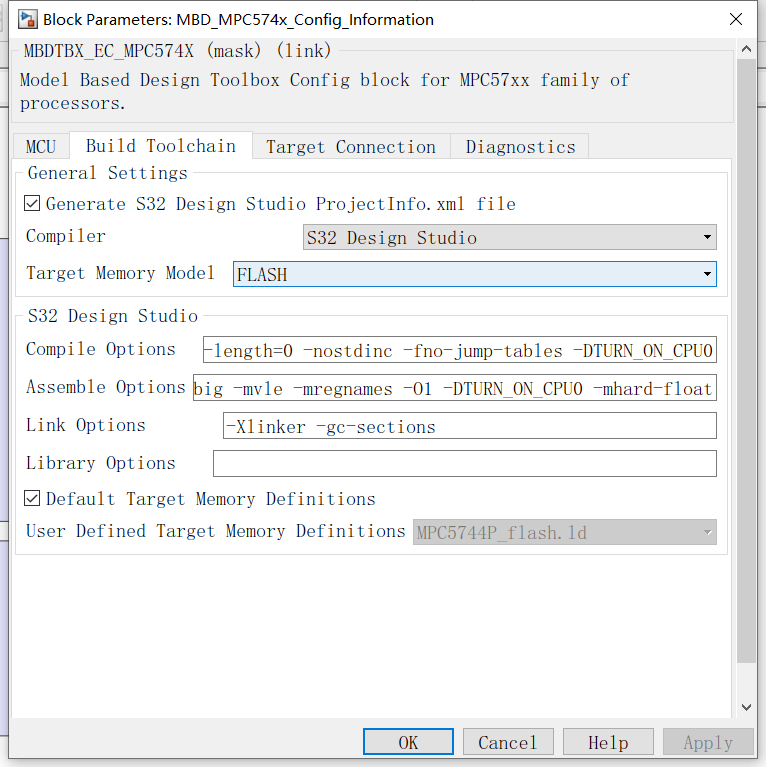
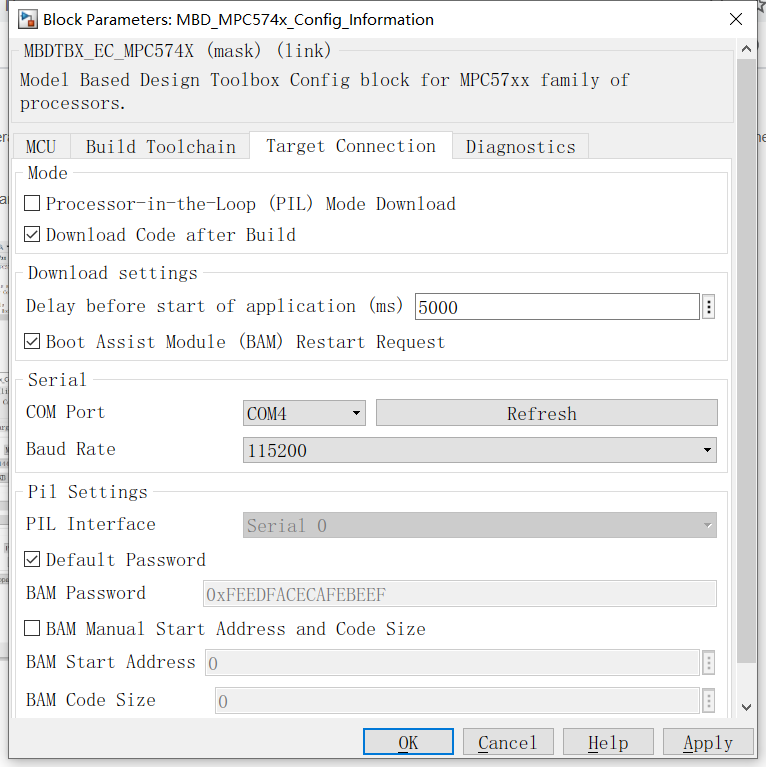
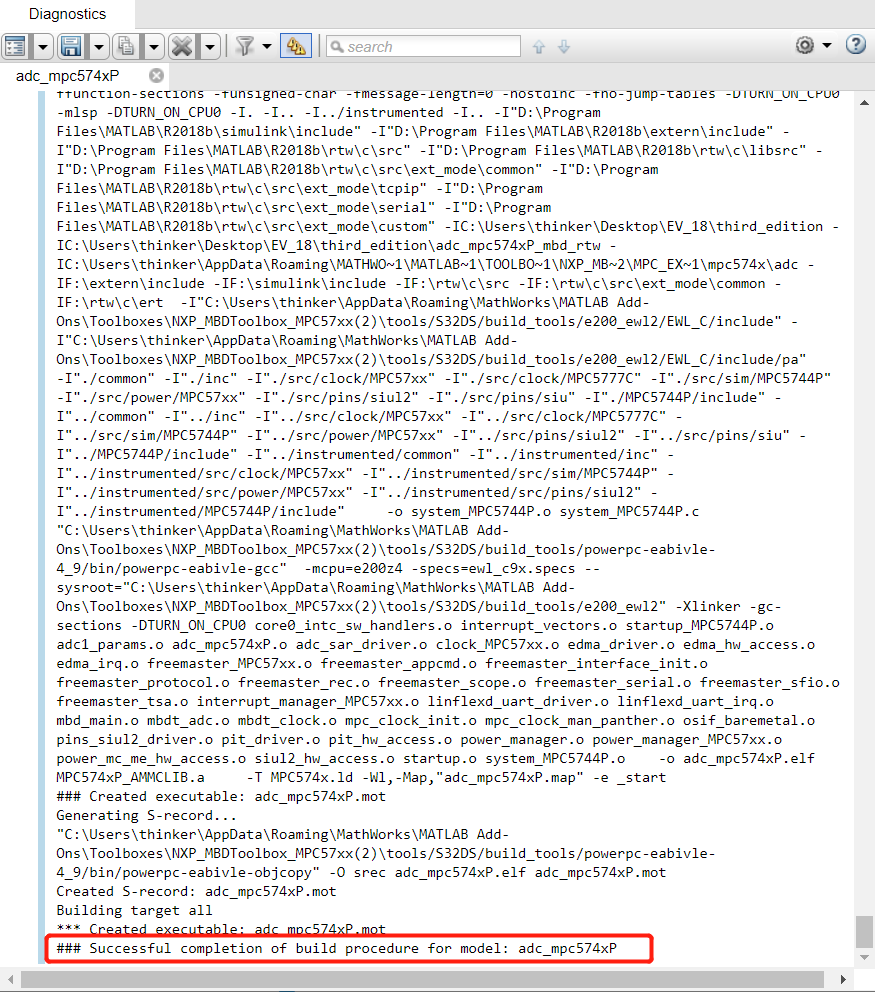
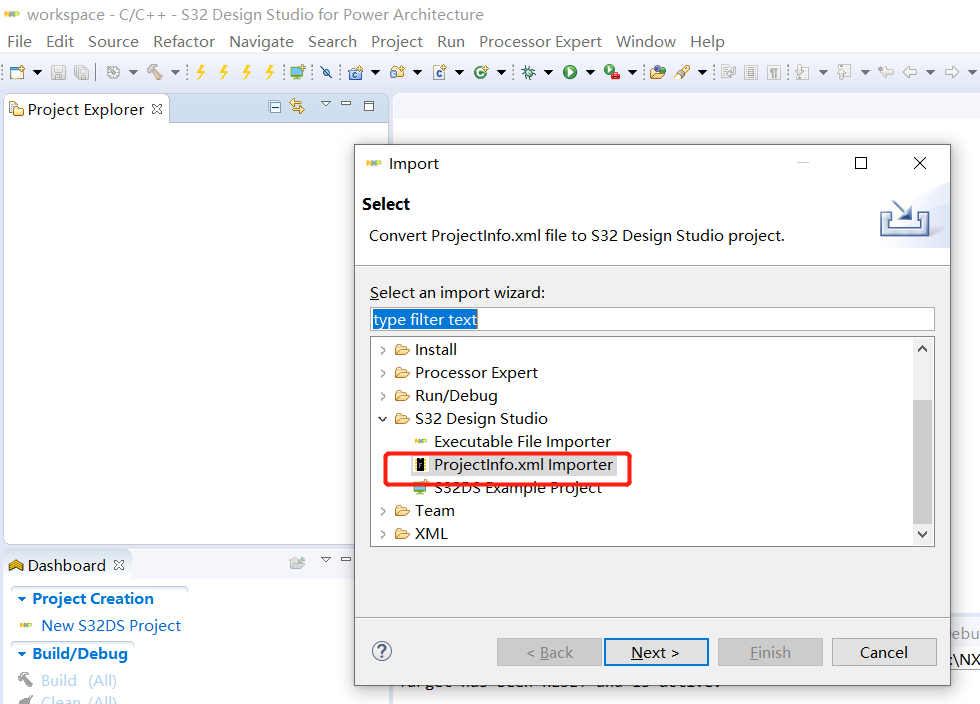
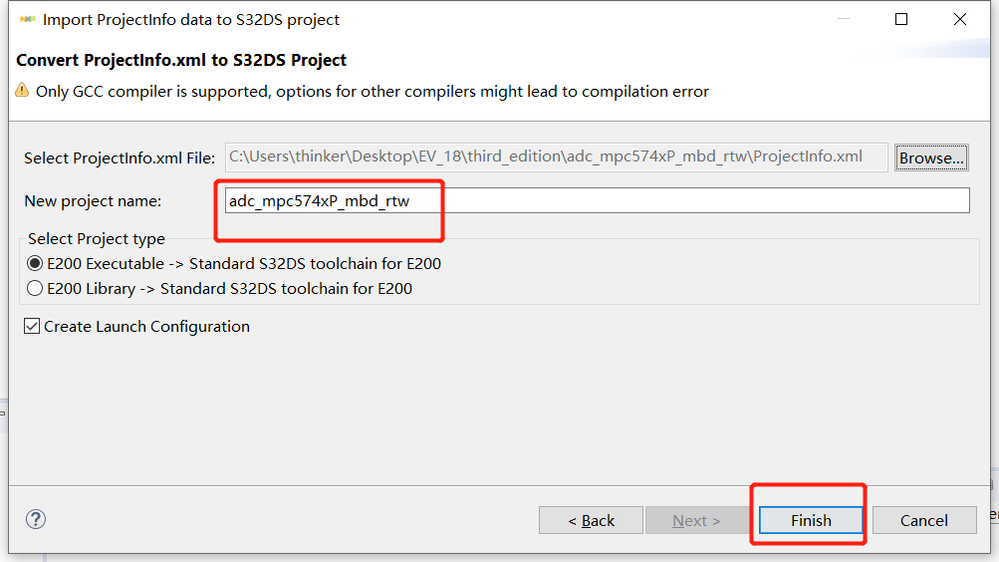
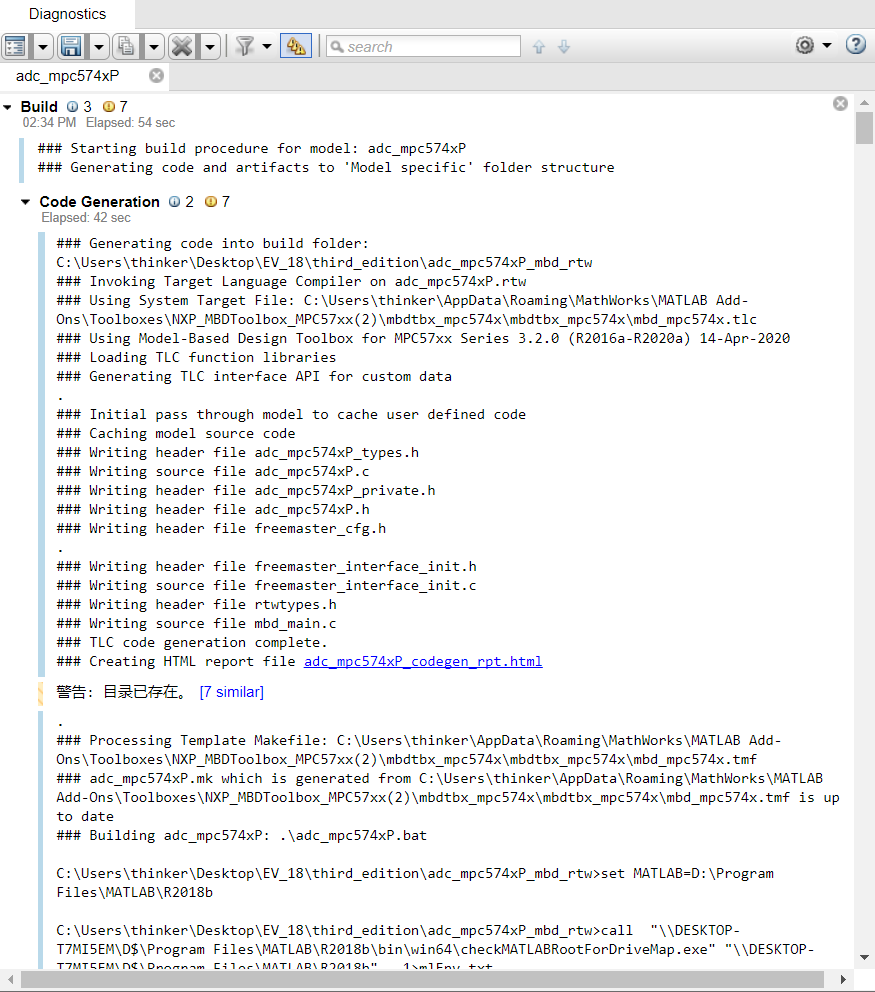
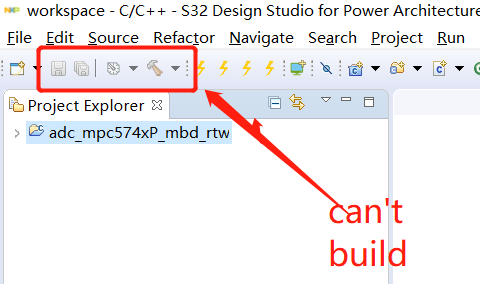
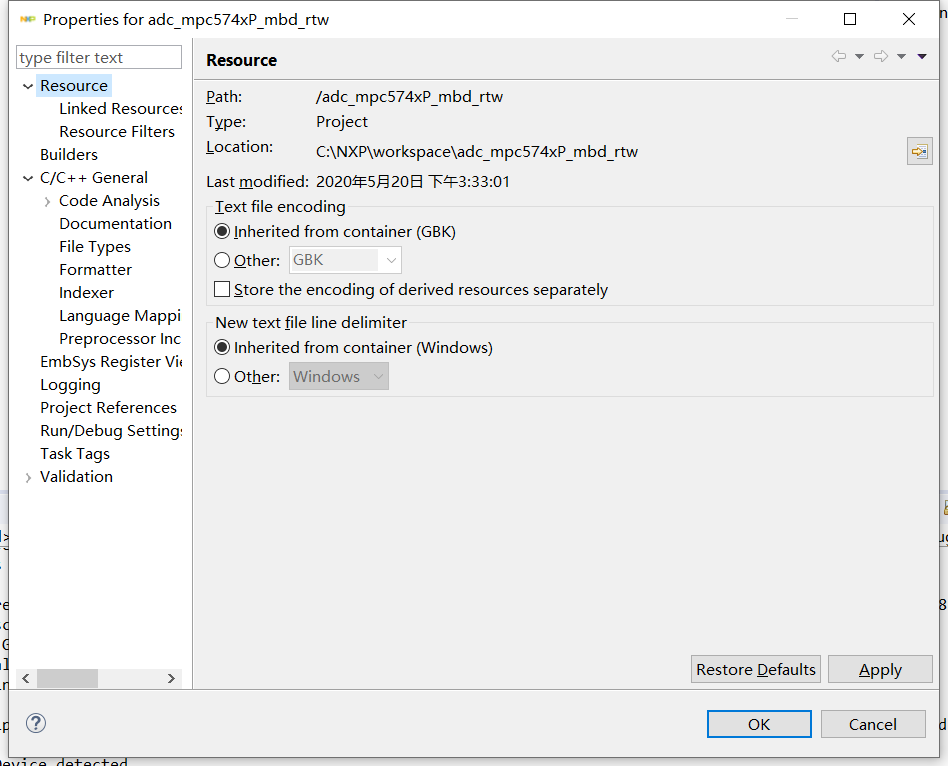

 constantinrazva
Hello [email protected],
S32Design Studio has some hick-ups when it comes to paths with spaces -- and when you are trying to import the project generated by our toolbox, you'll be generating ProjectInfo.xml file which is then used as input for S32Design Studio importer. This XML file will contain a path to your toolbox, so it will contain spaces, and S32DS crashes somewhere.
To fix this, you should install your toolbox in a path with no spaces - this is a general recommendation for everything (I guess).
Please let us know if you have any issues with it after installing it into a new path with no spaces.
Kind regards,
Razvan.
Hello!
Thank you, reinstall the toolbox in the path without spaces according to your prompt,the problem is solved,. It turns out that there is a matlab add-on in the default path with spaces. However, the 3.0 version I installed before, there is no problem to install in that path.
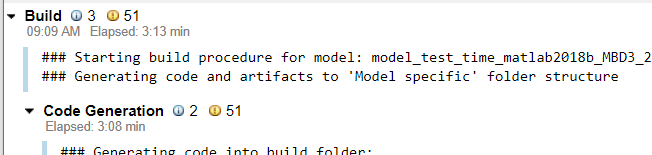
Also I would like to ask, after installing version 3.2, compiling programs in matlab becomes very slow, the same program is significantly faster in version 3.0, can I change the settings to speed up compilation?
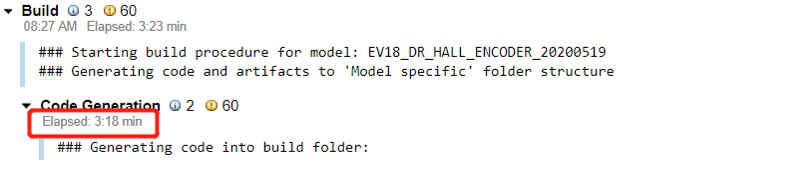
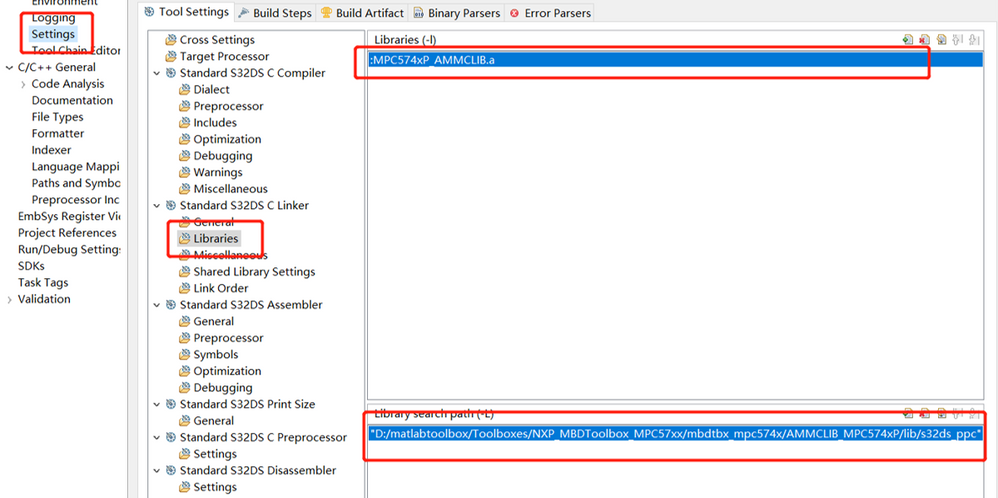
There is another problem. When I use the motor program in the toolbox, I need to add two paths each time I import it into S32. Is there any setting that can permanently solve this problem?
use this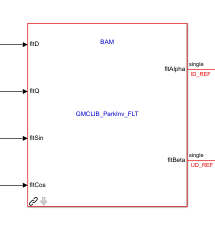
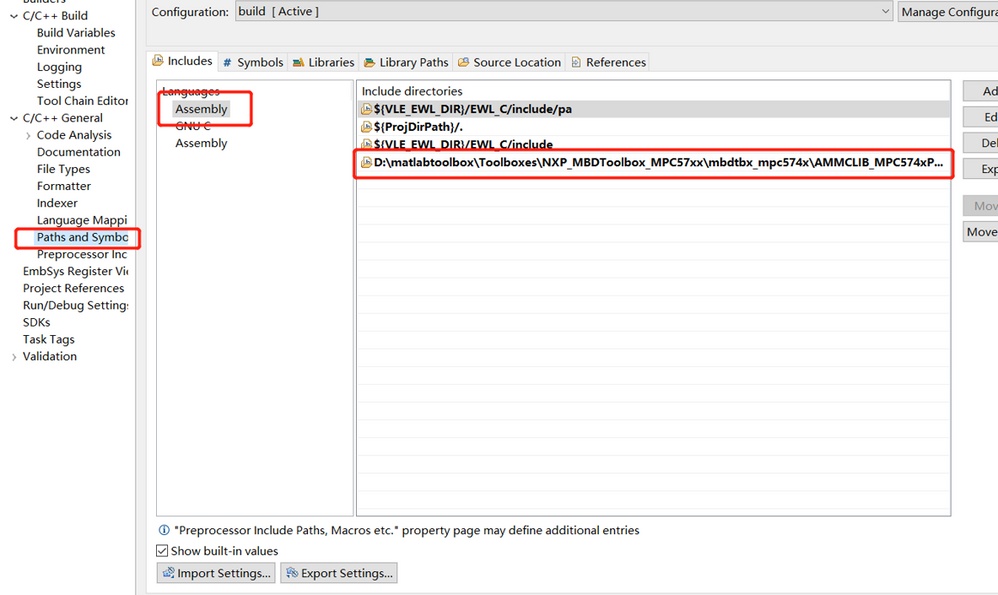
Best regards,
Jiantao
constantinrazva
Hello [email protected],
I'm glad everything worked out with the importer -- as for the default toolbox path, it depends on what MATLAB/Simulink version you are running - they will be slightly different (+ some will generate an extra folder named code, others will not).
Now for the compile time -- did you test the 2 versions of the toolbox on the same Simulink version? If you did, could you send us the model that you are running? It goes without saying that the build depends on the complexity of the model itself -- so it would be best if we could run some tests on the model you have here (the one which takes you 3m+ to build).
Kind regards,
Razvan.
Hello!
MBD3.2
MBD3.0
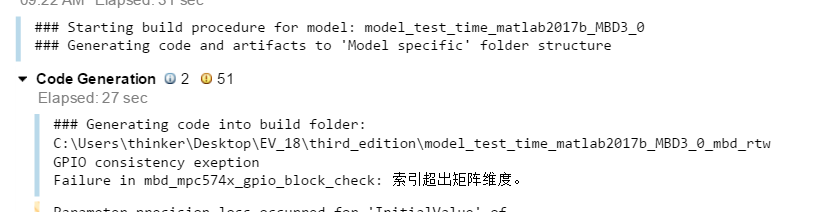
Detailed test information
Notebook:CPU i7-9750H RAM 16G
Best regards
Jiantao
Hi
I try to build the project, but there is three errors like following,
I used the latest version of MBD and S32.

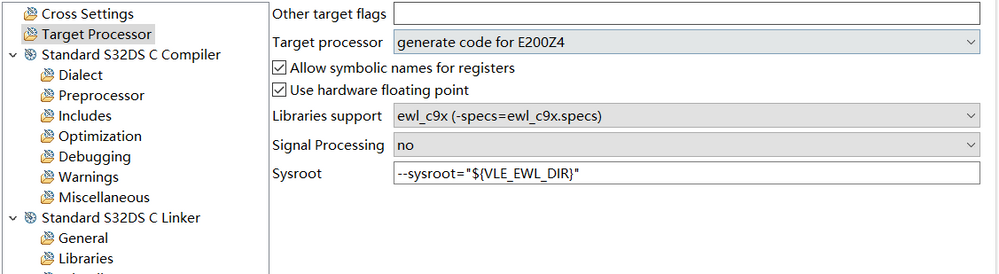
I also try to delete the following including paths
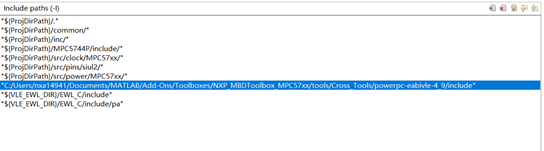
but still have errors
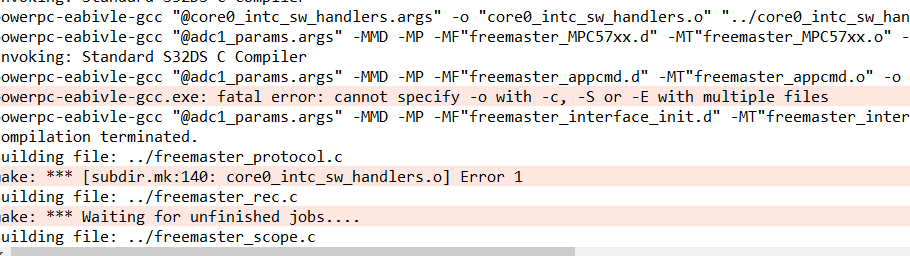
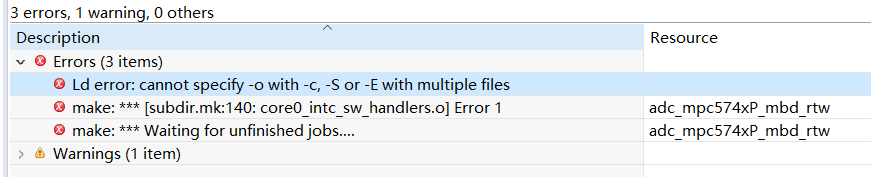
the defualt optio" for E20072"of target processor is the same errors.
May I have your help.
best regards
hao
constantinrazva
Hello [email protected],
Unfortunately that is an issue with S32 Design Studio (latest version). It will be fixed in the next update I think.
You can try a workaround for the moment, or with the S32 Design Studio version 2017.R1 (older version).
For the workaround, you should rename all .S files to .s files (so they don't use capital letter S)
e.g.:
core0_intc_sw_handlers.S - to core0_intc_sw_handlers.s
interrupt_vectors.S - to interrupt_vectors.s
startup_MPC5744P.S - to startup_MPC5744P.s
If this alone does not work, you should also rename the files in ProjectInfo.xml (generated by our toolbox).
If you try the workaround please let us know if you are facing issues.
If you just try the older version (2017.R1), it should work without any errors.
Kind regards,
Razvan.
