
- Forums
- Product Forums
- General Purpose MicrocontrollersGeneral Purpose Microcontrollers
- i.MX Forumsi.MX Forums
- QorIQ Processing PlatformsQorIQ Processing Platforms
- Identification and SecurityIdentification and Security
- Power ManagementPower Management
- Wireless ConnectivityWireless Connectivity
- RFID / NFCRFID / NFC
- Advanced AnalogAdvanced Analog
- MCX Microcontrollers
- S32G
- S32K
- S32V
- MPC5xxx
- Other NXP Products
- S12 / MagniV Microcontrollers
- Powertrain and Electrification Analog Drivers
- Sensors
- Vybrid Processors
- Digital Signal Controllers
- 8-bit Microcontrollers
- ColdFire/68K Microcontrollers and Processors
- PowerQUICC Processors
- OSBDM and TBDML
- S32M
- S32Z/E
-
- Solution Forums
- Software Forums
- MCUXpresso Software and ToolsMCUXpresso Software and Tools
- CodeWarriorCodeWarrior
- MQX Software SolutionsMQX Software Solutions
- Model-Based Design Toolbox (MBDT)Model-Based Design Toolbox (MBDT)
- FreeMASTER
- eIQ Machine Learning Software
- Embedded Software and Tools Clinic
- S32 SDK
- S32 Design Studio
- GUI Guider
- Zephyr Project
- Voice Technology
- Application Software Packs
- Secure Provisioning SDK (SPSDK)
- Processor Expert Software
- Generative AI & LLMs
-
- Topics
- Mobile Robotics - Drones and RoversMobile Robotics - Drones and Rovers
- NXP Training ContentNXP Training Content
- University ProgramsUniversity Programs
- Rapid IoT
- NXP Designs
- SafeAssure-Community
- OSS Security & Maintenance
- Using Our Community
-
- Cloud Lab Forums
-
- Knowledge Bases
- ARM Microcontrollers
- i.MX Processors
- Identification and Security
- Model-Based Design Toolbox (MBDT)
- QorIQ Processing Platforms
- S32 Automotive Processing Platform
- Wireless Connectivity
- CodeWarrior
- MCUXpresso Suite of Software and Tools
- MQX Software Solutions
- RFID / NFC
- Advanced Analog
-
- NXP Tech Blogs
- Home
- :
- Product Forums
- :
- S32K
- :
- Application Update in AB Swap configuration - HSE
Application Update in AB Swap configuration - HSE
- Subscribe to RSS Feed
- Mark Topic as New
- Mark Topic as Read
- Float this Topic for Current User
- Bookmark
- Subscribe
- Mute
- Printer Friendly Page
Application Update in AB Swap configuration - HSE

- Mark as New
- Bookmark
- Subscribe
- Mute
- Subscribe to RSS Feed
- Permalink
- Report Inappropriate Content
Hi all,
I try to follow the 11.5 Application update (AB_SWAP) chapter of HSE-B Firmware Reference Manual. And I get stuck at the first sentence: "Programming the new application image in the passive partition".
My question is that: how to program the passive partition from S32 Design studio? All I see in the examples was something like this: Program the active partition -> copy it to the passive -> Request the HSE for active / passive partition swapping -> reset.
Can I directly program the passive partition from or should I do something like this.:
- Switch A-> B
- reset
- Program B
- Switch B -> A
- reset
Or should I create a linker file to the passive area and program it?
...
MEMORY {
    int_pflash              : ORIGIN = 0x00600000, LENGTH = 0x003D4000    /* BLOCK 2 ; 4096KB - 176KB (sBAF + HSE)*/
    int_dflash              : ORIGIN = 0x10000000, LENGTH = 0x00020000    /* 128KB */
    int_itcm                : ORIGIN = 0x00000000, LENGTH = 0x00010000    /* 64KB */
    int_dtcm                : ORIGIN = 0x20000000, LENGTH = 0x0001F000    /* 124KB */
    int_stack_dtcm          : ORIGIN = 0x2001F000, LENGTH = 0x00001000    /* 4KB */
    int_sram                : ORIGIN = 0x20400000, LENGTH = 0x0002FF00    /* 184KB, needs to include int_sram_fls_rsv */
    int_sram_fls_rsv        : ORIGIN = 0x2042FF00, LENGTH = 0x00000100
    int_sram_no_cacheable   : ORIGIN = 0x20430000, LENGTH = 0x0000FF00    /* 64KB, needs to include int_sram_results  */
    int_sram_results        : ORIGIN = 0x2043FF00, LENGTH = 0x00000100
    int_sram_shareable      : ORIGIN = 0x20440000, LENGTH = 0x00004000    /* 16KB */
    ram_rsvd2               : ORIGIN = 0x20444000, LENGTH = 0             /* End of SRAM */
}
...
Thanks in advance
Regards,
Sandor

 anita_maliverne
- Mark as New
- Bookmark
- Subscribe
- Mute
- Subscribe to RSS Feed
- Permalink
- Report Inappropriate Content
Hello Sandor,
to prepare the new application in the passive partition you can can directly program the higher address range to which the passive are is mapped to with the new code with the help of an uploader function in your existing application . On the K344 it would be addresses 0x0060_0000 onwards. Due to the automatic address translation the passive partition is always mapped to this higher address range , independant which physical block it is.

The method with the linker file is relevant, if you wnt to update for example the AB Swap firmware itself with a new FW image. This can be done by definition of a memory section for the new pink image as shown below. But his is not relevant when you update the passive area with the new application version.

Hope this helps
- Mark as New
- Bookmark
- Subscribe
- Mute
- Subscribe to RSS Feed
- Permalink
- Report Inappropriate Content
Hi Anita.
Thanks for your reply
Can yo check my solution and train of thought.
So I try to do this:
Install S32K344 HSE FW 0.2.40.0 SR Release with S32K344_HSE_FW_INSTALL provided by NXP
Reset 2 times (Power Off - Power On)
Flash my application and start debug
Reset
Try to reattach
My Application
I used HSE_FW_S32K344_0_2_40_0 and the following files form S32K3_HSE_DemoExamples_1_0_0: hse_host.h, hse_host.c, hse_mu.h, hse_mu.c.
Linker file:
...
MEMORY
{
    int_pflash              : ORIGIN = 0x00400000, LENGTH = 0x001D4000    /* 2048KB - 176KB (sBAF + HSE)*/
    int_pflash_passive      : ORIGIN = 0x00600000, LENGTH = 0x001D4000    /* 2048KB - 176KB (sBAF + HSE)*/
    int_dflash              : ORIGIN = 0x10000000, LENGTH = 0x00020000    /* 128KB */
    int_itcm                : ORIGIN = 0x00000000, LENGTH = 0x00010000    /* 64KB */
    int_dtcm                : ORIGIN = 0x20000000, LENGTH = 0x0001F000    /* 124KB */
    int_stack_dtcm          : ORIGIN = 0x2001F000, LENGTH = 0x00001000    /* 4KB */
    int_sram                : ORIGIN = 0x20400000, LENGTH = 0x0002FF00    /* 184KB, needs to include int_sram_fls_rsv */
    int_sram_fls_rsv        : ORIGIN = 0x2042FF00, LENGTH = 0x00000100
    int_sram_no_cacheable   : ORIGIN = 0x20430000, LENGTH = 0x0000FF00    /* 64KB, needs to include int_sram_results  */
    int_sram_results        : ORIGIN = 0x2043FF00, LENGTH = 0x00000100
    int_sram_shareable      : ORIGIN = 0x20440000, LENGTH = 0x00004000    /* 16KB */
    ram_rsvd2               : ORIGIN = 0x20444000, LENGTH = 0             /* End of SRAM */
}
...

TARGET(binary) /* specify the file format of binary file */
INPUT (C:\Projects\Torc\AB_SWAP\bhutorc-adl-mcu-evb\source\adl-main-D_52c6b06a.bin) /*Temporary dummy path*/
OUTPUT_FORMAT(default) /* restore the out file format */

SECTIONS
{
...

    .new_application_image :
      {
        . = ALIGN (0x4);
        __new_application_image_start__ = .;
        C:\Projects\Torc\AB_SWAP\bhutorc-adl-mcu-evb\source\adl-main-D_52c6b06a.bin /*Temporary dummy path*/
        . = ALIGN (0x4);
        __new_application_image_end__ = .;
      } > int_pflash_passive

...
The pflash was split into A and B partitions
A binary file was created for testing purpose:
the binary file has only only A partition of the pflash
main function
...
    (void)HSE_GetVersion_Example(&gHseFwVersion);
...
    pHseSrvDesc->srvId = HSE_SRV_ID_ACTIVATE_PASSIVE_BLOCK;
    srvResponse = HSE_Send(MuInstance, MuChannel, gSyncTxOption, pHseSrvDesc);
...
- HSE_SRV_ID_ACTIVATE_PASSIVE_BLOCK serviceis called
It seems to work because if flash my image after a reset the DCMOTAR value of DCMSTAT (0x402AC000) register changed to 1 → 0
- Before reset:

- After reset


Problems
If I try to get the HSE FW version I’ve got the following return value: HSE_SRV_RSP_INVALID_ADDR (0x55a5a26a)
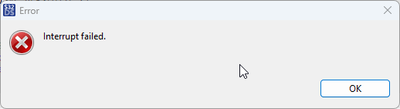
If I attach right after a reset an I try to push the suspend button I’ve got Interrupt Failer error message:
Questions:
- Is the thought process I'm following good or completely wrong?
- How can I attach to the device with S32 device studio after an A/B SWAP?
- How can I test if the app update was successful?
