
- Forums
- Product Forums
- General Purpose MicrocontrollersGeneral Purpose Microcontrollers
- i.MX Forumsi.MX Forums
- QorIQ Processing PlatformsQorIQ Processing Platforms
- Identification and SecurityIdentification and Security
- Power ManagementPower Management
- Wireless ConnectivityWireless Connectivity
- RFID / NFCRFID / NFC
- Advanced AnalogAdvanced Analog
- Neural Processing UnitsNeural Processing Units
- MCX Microcontrollers
- S32G
- S32K
- S32V
- MPC5xxx
- Other NXP Products
- S12 / MagniV Microcontrollers
- Powertrain and Electrification Analog Drivers
- Sensors
- Vybrid Processors
- Digital Signal Controllers
- 8-bit Microcontrollers
- ColdFire/68K Microcontrollers and Processors
- PowerQUICC Processors
- OSBDM and TBDML
- S32M
- S32Z/E
-
- Solution Forums
- Software Forums
- MCUXpresso Software and ToolsMCUXpresso Software and Tools
- CodeWarriorCodeWarrior
- MQX Software SolutionsMQX Software Solutions
- Model-Based Design Toolbox (MBDT)Model-Based Design Toolbox (MBDT)
- FreeMASTER
- eIQ Machine Learning Software
- Embedded Software and Tools Clinic
- S32 SDK
- S32 Design Studio
- GUI Guider
- Zephyr Project
- Voice Technology
- Application Software Packs
- Secure Provisioning SDK (SPSDK)
- Processor Expert Software
- Generative AI & LLMs
-
- Topics
- Mobile Robotics - Drones and RoversMobile Robotics - Drones and Rovers
- NXP Training ContentNXP Training Content
- University ProgramsUniversity Programs
- Rapid IoT
- NXP Designs
- SafeAssure-Community
- OSS Security & Maintenance
- Using Our Community
-
- Cloud Lab Forums
-
- Knowledge Bases
- ARM Microcontrollers
- i.MX Processors
- Identification and Security
- Model-Based Design Toolbox (MBDT)
- QorIQ Processing Platforms
- S32 Automotive Processing Platform
- Wireless Connectivity
- CodeWarrior
- MCUXpresso Suite of Software and Tools
- MQX Software Solutions
- RFID / NFC
- Advanced Analog
- Neural Processing Units
-
- NXP Tech Blogs
- Home
- :
- Software Forums
- :
- S32 Design Studio Knowledge Base
- :
- HOWTO: Setup S32V234 EVB2 for debugging with S32DS and Linux BSP
HOWTO: Setup S32V234 EVB2 for debugging with S32DS and Linux BSP
- Subscribe to RSS Feed
- Mark as New
- Mark as Read
- Bookmark
- Subscribe
- Printer Friendly Page
- Report Inappropriate Content
HOWTO: Setup S32V234 EVB2 for debugging with S32DS and Linux BSP
HOWTO: Setup S32V234 EVB2 for debugging with S32DS and Linux BSP
Before you can start debugging an S32DS project for S32V234 Cortex-A53 APEX2/ISP Linux target on the S32V234-EVB2, we must first setup the hardware connections and start the Linux BSP OS.
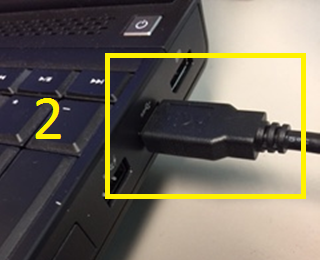
1) Connect (1) S32V234 USB Micro B port to (2) USB A port on your PC. This allow you to connect to the Linux BSP OS via a terminal program to issue commands and to obtain the IP address.
2) Insert microSDHC card (with U-boot, Linux kernel, devicetree, and root file system loaded*) into (3) the S32V234 EVB2 microSD card slot
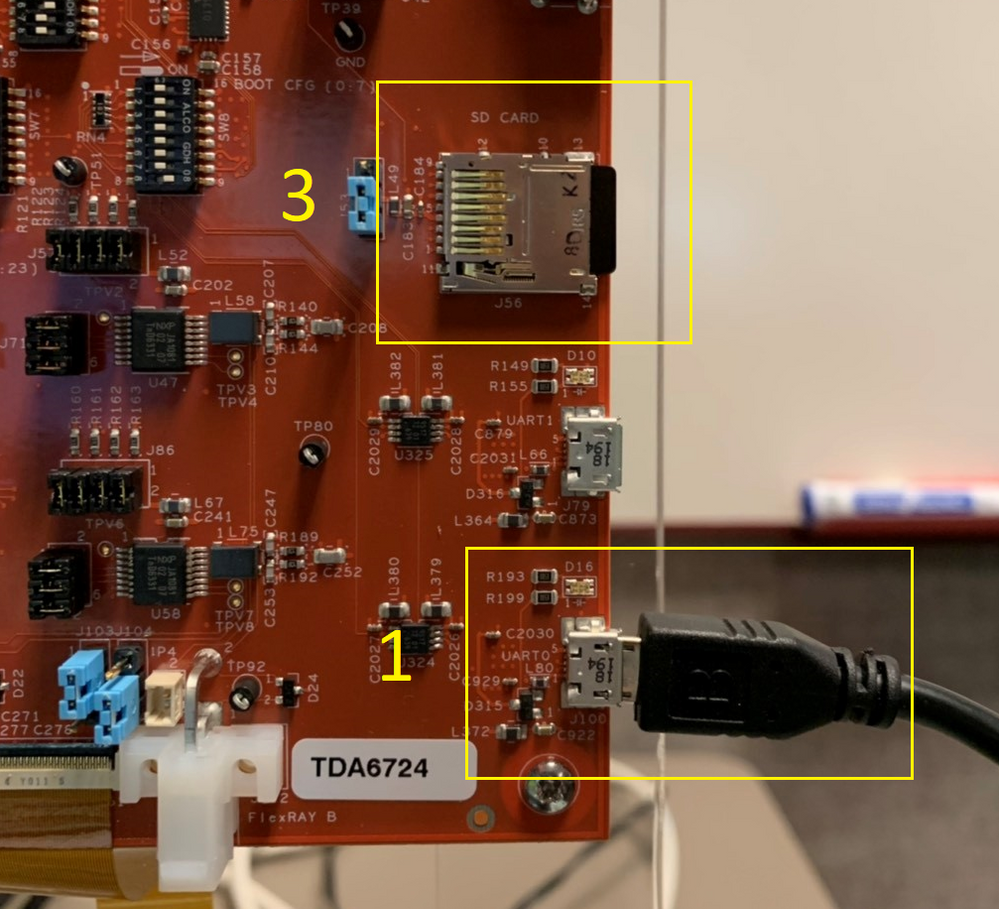
3) Connect (1) Ethernet port on S32V234 daughter card to (2) LAN**. This will allow S32DS to communicate with the Linux BSP OS for flashing and GDB debugging.
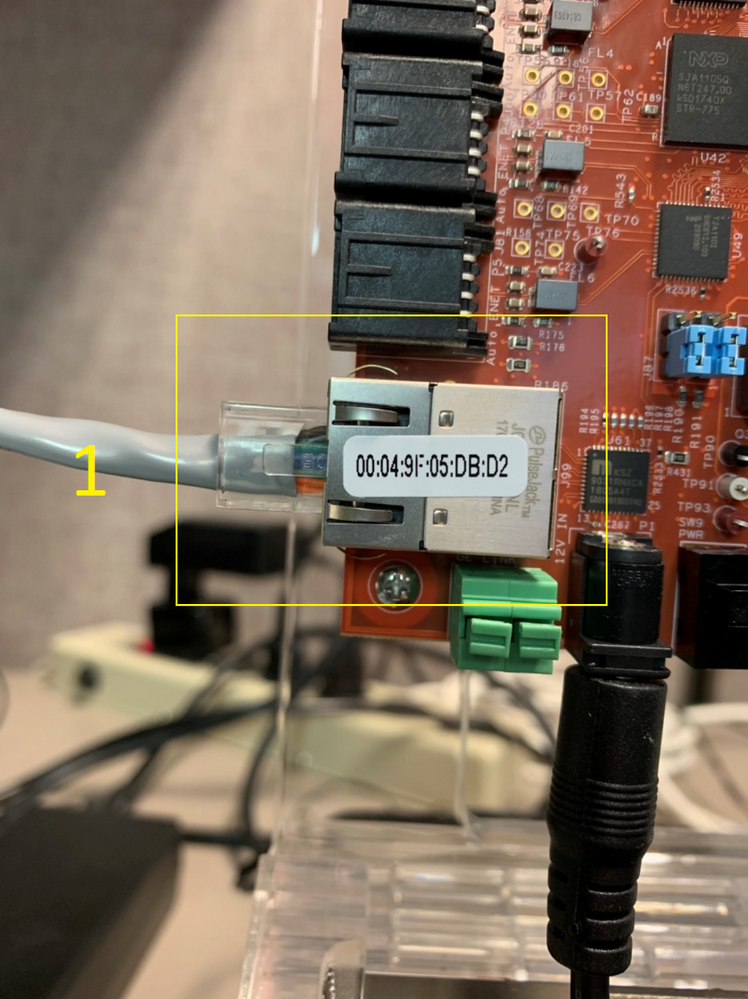
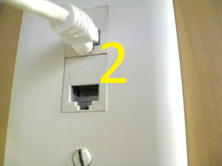
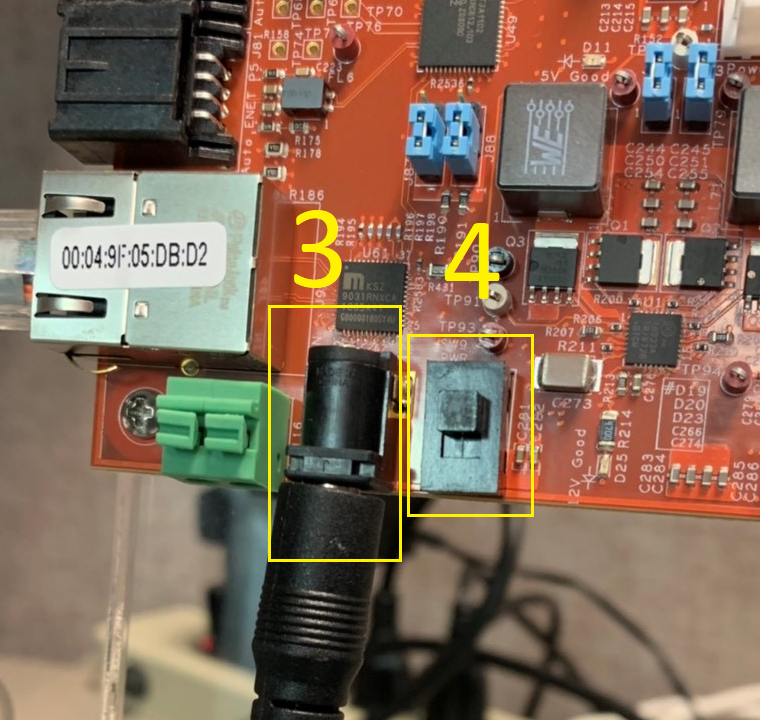
4) Connect the power supply to (3) S234V234 EVB
5) Turn on the (4) power switch, this will start the Linux BSP OS
*Instructions for preparing the SD card are provided in the VisionSDK document: ..\S32DS.x.x\S32DS\software\VSDK_S32V2_RTM_x_x_x\s32v234_sdk\docs\vsdk\S32V234-EVB_SetupGuide.pdf or refer to HOWTO: Prepare A SD Card For Linux Boot Of S32V234-EVB2 Using BSP For VisionSDK
**Ensure PC is connected to LAN as well (either hardwired or wireless)
