
- Forums
- Product Forums
- General Purpose MicrocontrollersGeneral Purpose Microcontrollers
- i.MX Forumsi.MX Forums
- QorIQ Processing PlatformsQorIQ Processing Platforms
- Identification and SecurityIdentification and Security
- Power ManagementPower Management
- Wireless ConnectivityWireless Connectivity
- RFID / NFCRFID / NFC
- Advanced AnalogAdvanced Analog
- Neural Processing UnitsNeural Processing Units
- MCX Microcontrollers
- S32G
- S32K
- S32V
- MPC5xxx
- Other NXP Products
- S12 / MagniV Microcontrollers
- Powertrain and Electrification Analog Drivers
- Sensors
- Vybrid Processors
- Digital Signal Controllers
- 8-bit Microcontrollers
- ColdFire/68K Microcontrollers and Processors
- PowerQUICC Processors
- OSBDM and TBDML
- S32M
- S32Z/E
-
- Solution Forums
- Software Forums
- MCUXpresso Software and ToolsMCUXpresso Software and Tools
- CodeWarriorCodeWarrior
- MQX Software SolutionsMQX Software Solutions
- Model-Based Design Toolbox (MBDT)Model-Based Design Toolbox (MBDT)
- FreeMASTER
- eIQ Machine Learning Software
- Embedded Software and Tools Clinic
- S32 SDK
- S32 Design Studio
- GUI Guider
- Zephyr Project
- Voice Technology
- Application Software Packs
- Secure Provisioning SDK (SPSDK)
- Processor Expert Software
- Generative AI & LLMs
-
- Topics
- Mobile Robotics - Drones and RoversMobile Robotics - Drones and Rovers
- NXP Training ContentNXP Training Content
- University ProgramsUniversity Programs
- Rapid IoT
- NXP Designs
- SafeAssure-Community
- OSS Security & Maintenance
- Using Our Community
-
- Cloud Lab Forums
-
- Knowledge Bases
- ARM Microcontrollers
- i.MX Processors
- Identification and Security
- Model-Based Design Toolbox (MBDT)
- QorIQ Processing Platforms
- S32 Automotive Processing Platform
- Wireless Connectivity
- CodeWarrior
- MCUXpresso Suite of Software and Tools
- MQX Software Solutions
- RFID / NFC
- Advanced Analog
- Neural Processing Units
-
- NXP Tech Blogs
- Home
- :
- 通用微控制器
- :
- Kinetis微控制器
- :
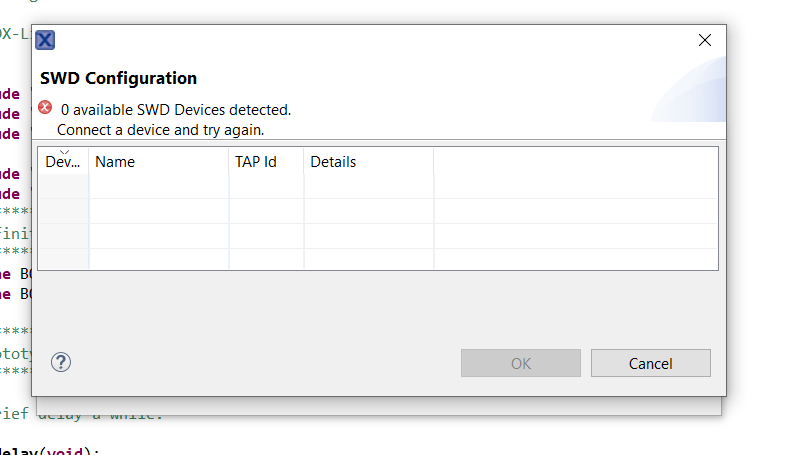
- 0 available SWD Devices detected.
0 available SWD Devices detected.


Hi notanivipul
In fact, if the JLINK commander can find the ARM core, it means the hardware has no issues.
When the IDE can't recognize it, still need to check the log details, check which steps failed.
If you have another K38 board, you totally can check it directly, don't worry, the board won't be damaged.
If you still have questions about it, please kindly let me know!
Best Regards,
Kerry
-------------------------------------------------------------------------------
Note:
- If this post answers your question, please click the "Mark Correct" button. Thank you!
- We are following threads for 7 weeks after the last post, later replies are ignored
Please open a new thread and refer to the closed one, if you have a related question at a later point in time.
-----------------------------------------------------------------------------
Hi notanivipul,
That's really a little strange, you are using the same IDE version as me.
What's the SDK version you are using? SDK2.6.7?
Please check this picture:
When you import the SDK project, please use the UART instead of the console, then try it again.

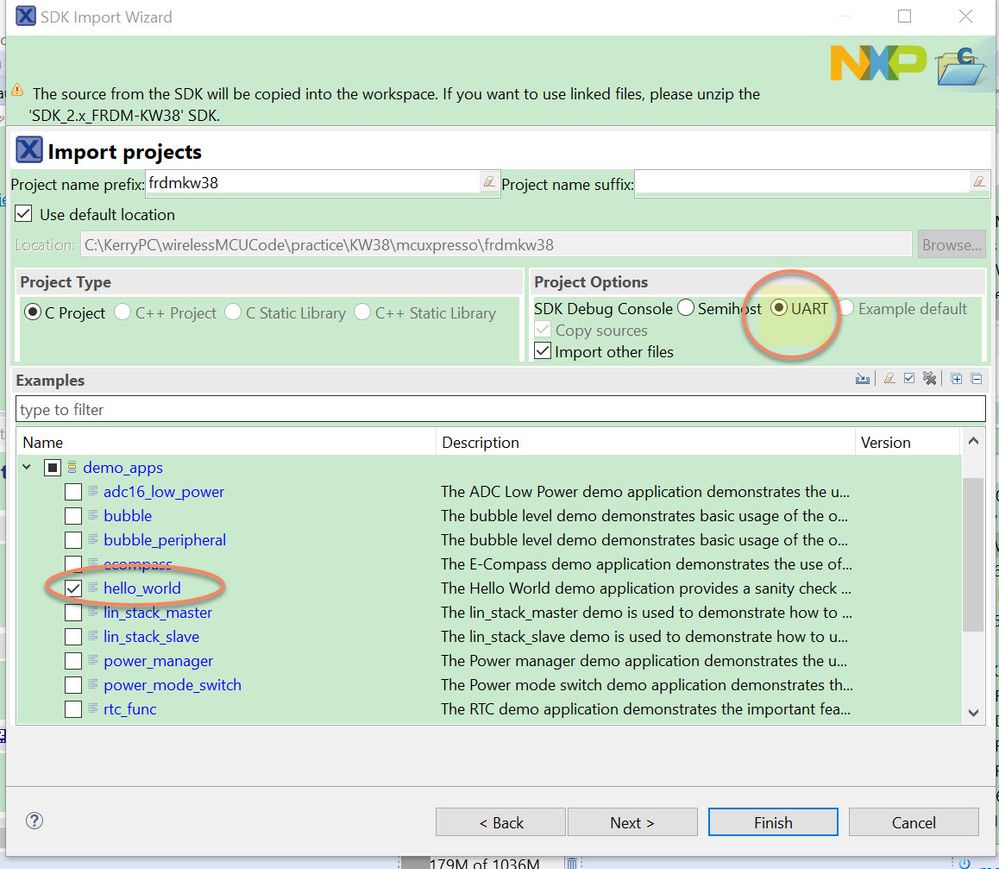
If you still have download issue, please also give me your MCUXPresso JLINK debug log, you can find the log like my attached picture: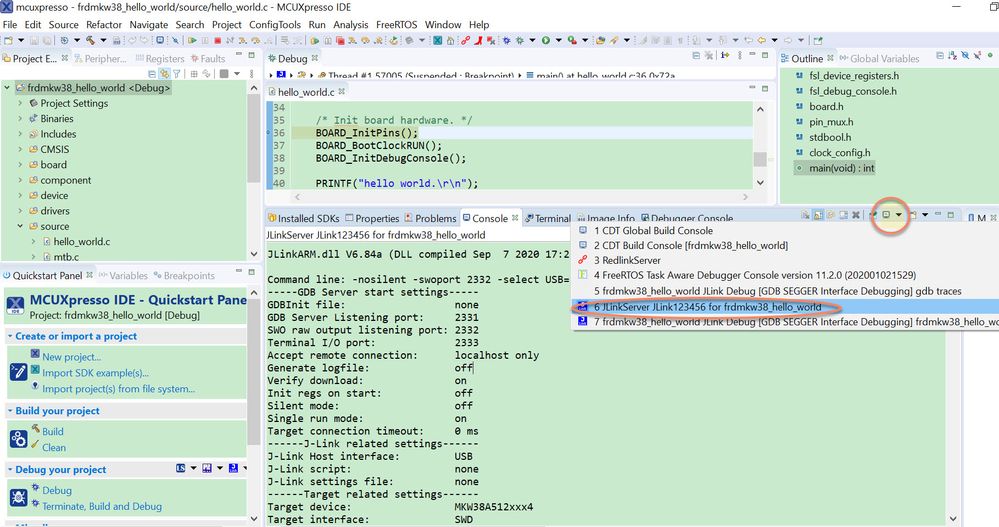
You can find my log in the attachment, you also can compare your own log with my log.
Except MCUXPresso IDE, do you have any other IDE, eg, IAR
The following picture is my IAR project test result, as you know, the SDK also contains the IAR project.
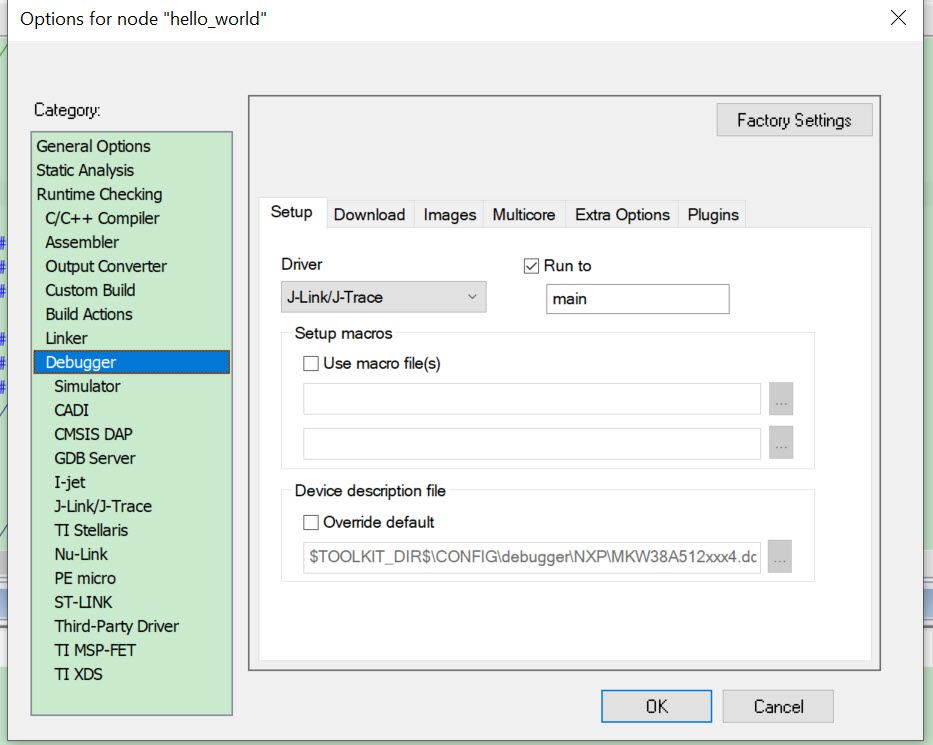
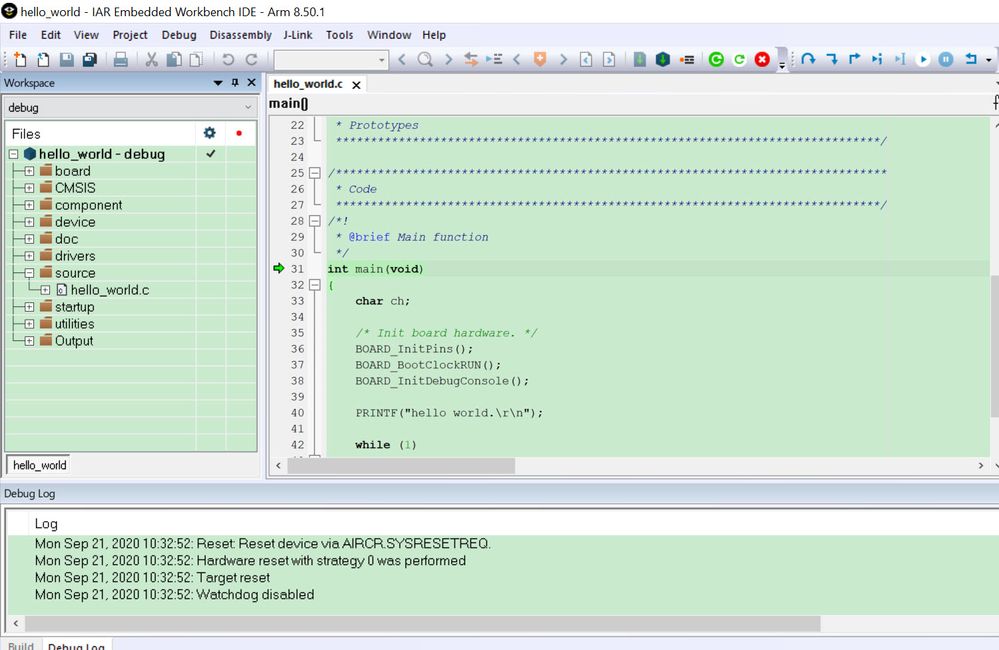
We still have another way, you can download the code without the IDE, we can use the JLINK commander to download the app firmware .bin file directly.
Before you download the code, you can also erase it.
1. Connect the board, and find the arm core
2. use commander: unlock kinetis
to erase all the chip flash
3. commander: usb
to reconnect the chip, and find the ARM core
4. copy my attached frdmkw38_hello_world.bin to the JLINK install path:
C:\Program Files (x86)\SEGGER\JLink
5. use commander: loaderfile frdmkw38_hello_world.bin
You will find the app.bin is downloaded, please check my attached picture.
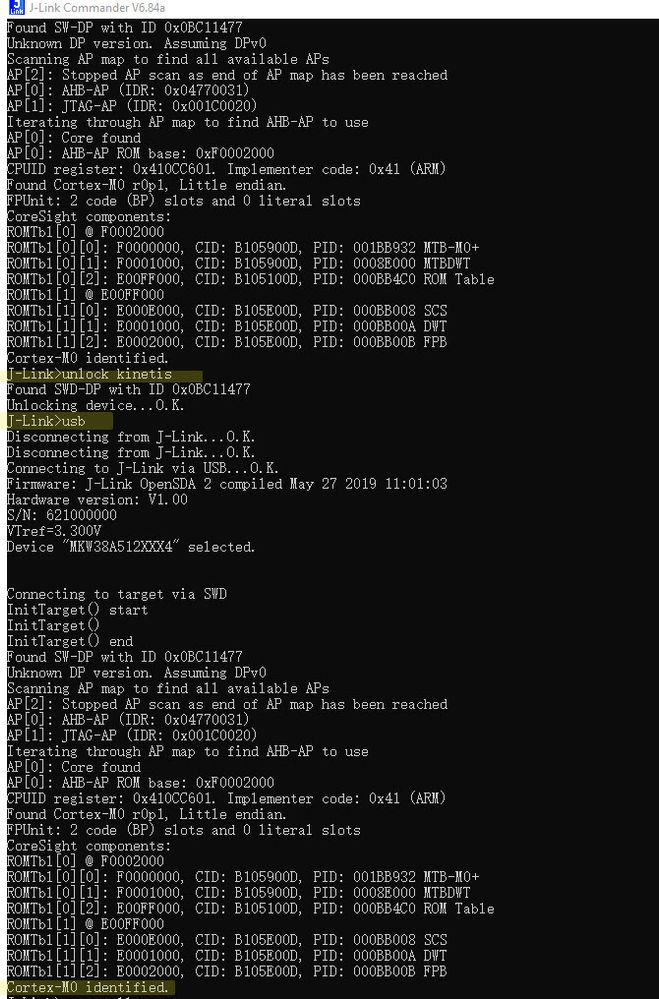
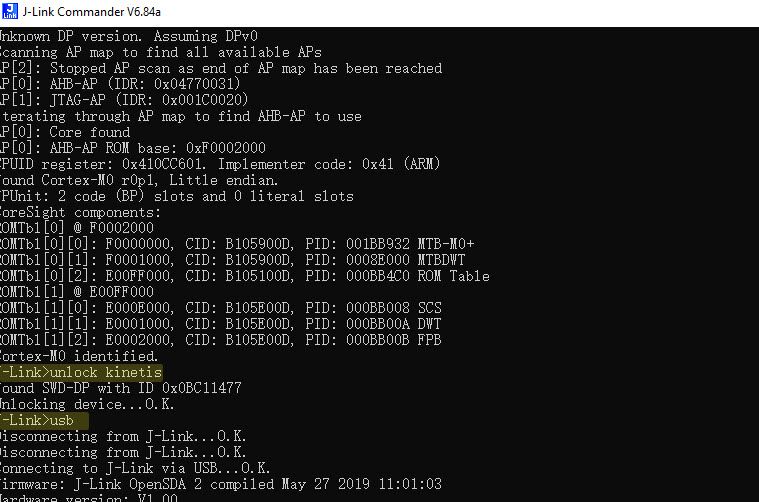
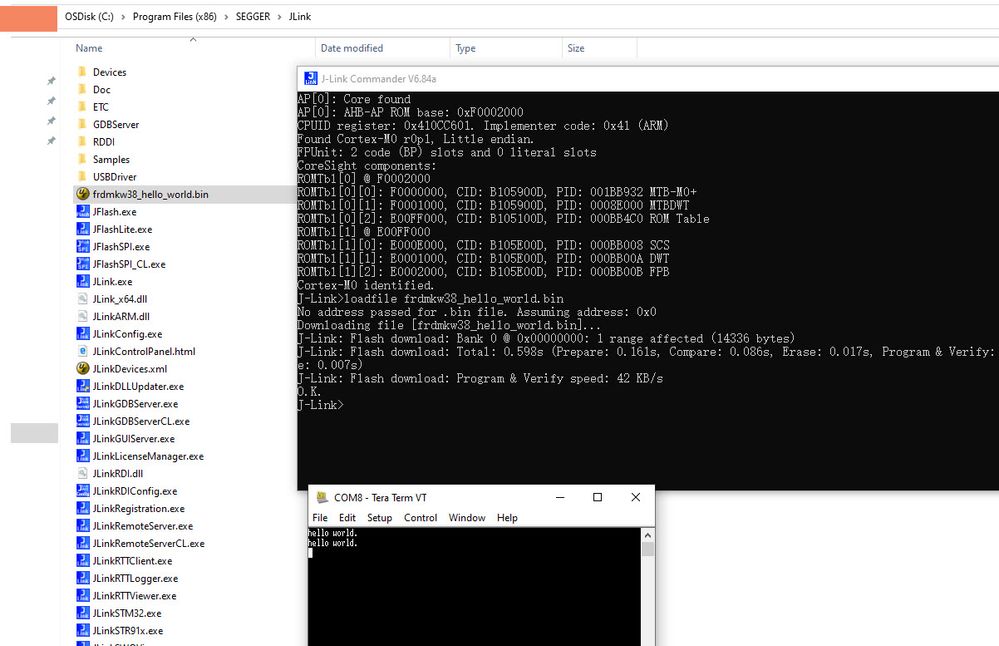
Any updated information, please kindly let me know.
Wish it helps you!
If you still have questions about it, please kindly let me know!
Best Regards,
Kerry
-------------------------------------------------------------------------------
Note:
- If this post answers your question, please click the "Mark Correct" button. Thank you!
- We are following threads for 7 weeks after the last post, later replies are ignored
Please open a new thread and refer to the closed one, if you have a related question at a later point in time.
-----------------------------------------------------------------------------

Hi @kerryzhou
Thanks for your reply.
When I tried uploading the code today, I was able to do that successfully, I didn't make any changes but it worked.
Thanks for your support.
Just one more question, what could be the possible list of reasons that I faced this issue because I have one more KW38 evaluation board and I would like to avoid this happening again.
Thanks and regards,
Vipul
Hi notanivipul
In fact, if the JLINK commander can find the ARM core, it means the hardware has no issues.
When the IDE can't recognize it, still need to check the log details, check which steps failed.
If you have another K38 board, you totally can check it directly, don't worry, the board won't be damaged.
If you still have questions about it, please kindly let me know!
Best Regards,
Kerry
-------------------------------------------------------------------------------
Note:
- If this post answers your question, please click the "Mark Correct" button. Thank you!
- We are following threads for 7 weeks after the last post, later replies are ignored
Please open a new thread and refer to the closed one, if you have a related question at a later point in time.
-----------------------------------------------------------------------------
Hi notanivipul,
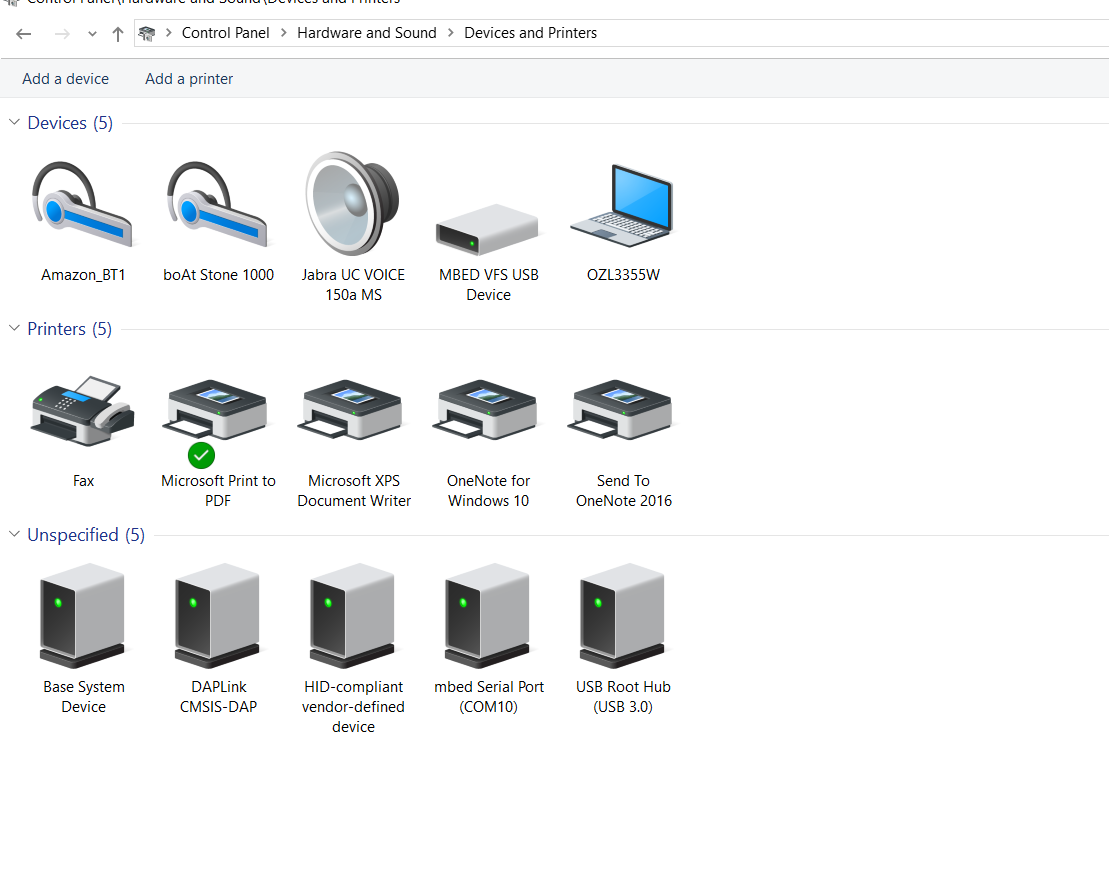
After you connect the FRDM-KW38 to your PC, please check the control panel:
Control Panel\Hardware and Sound\Devices and Printers
Can you find the CMSIS DAP?
Please check my side result:
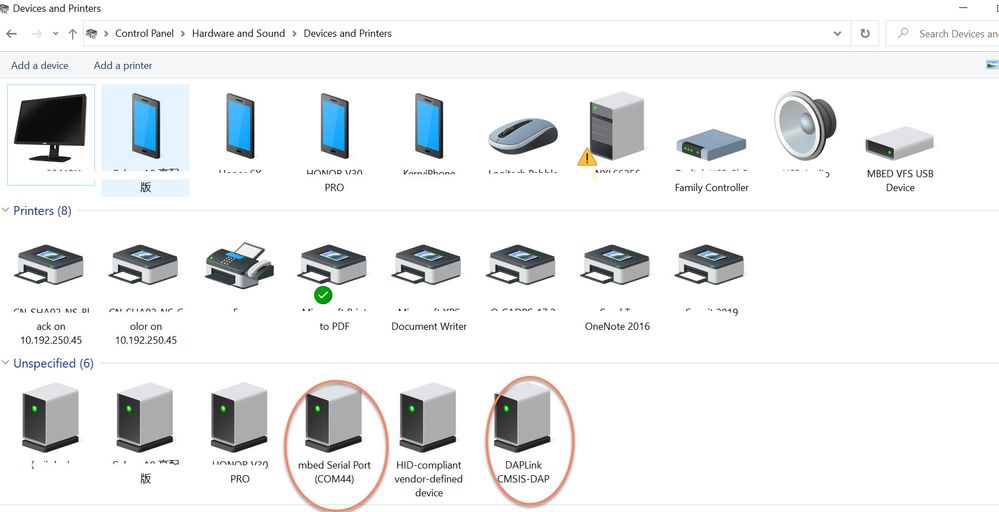
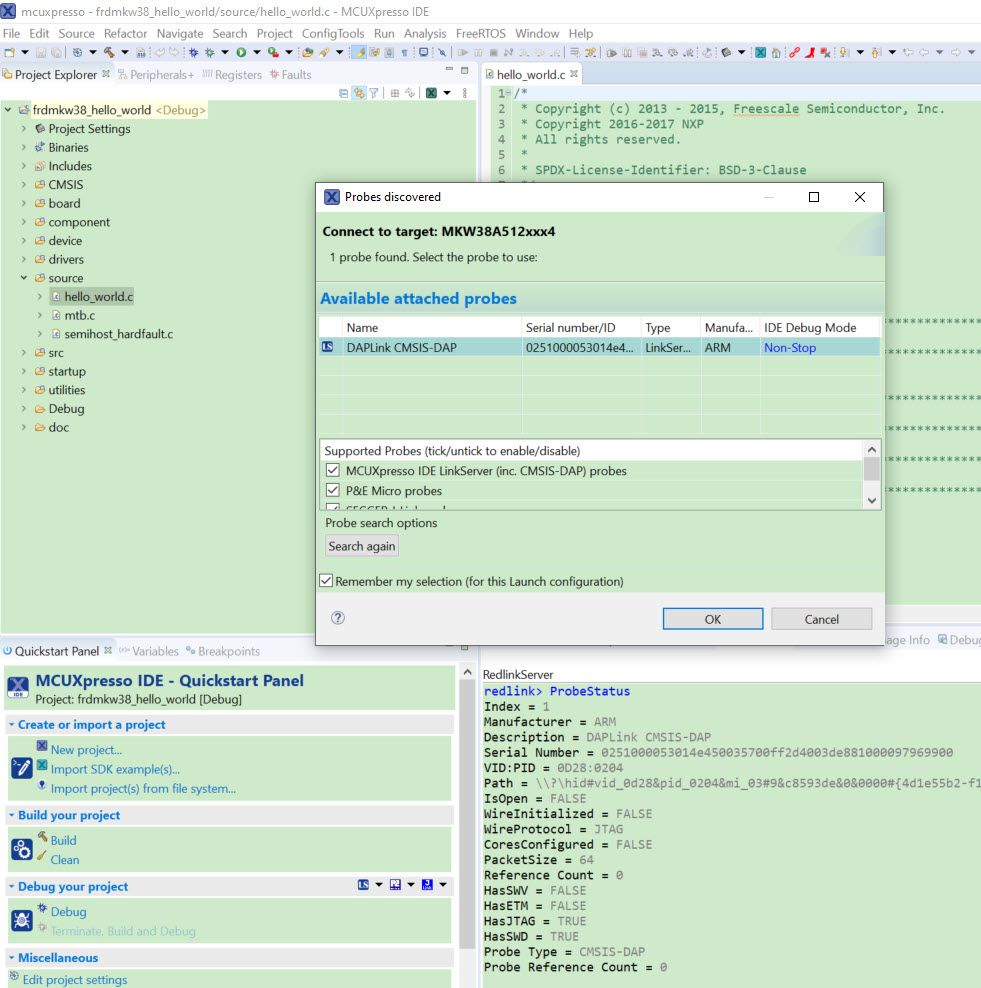
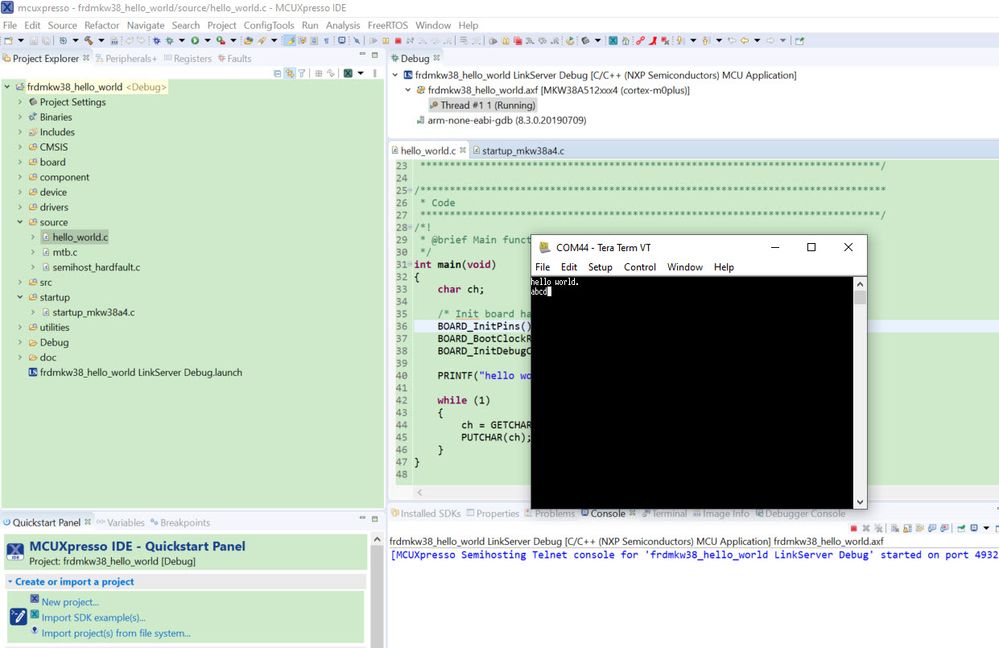
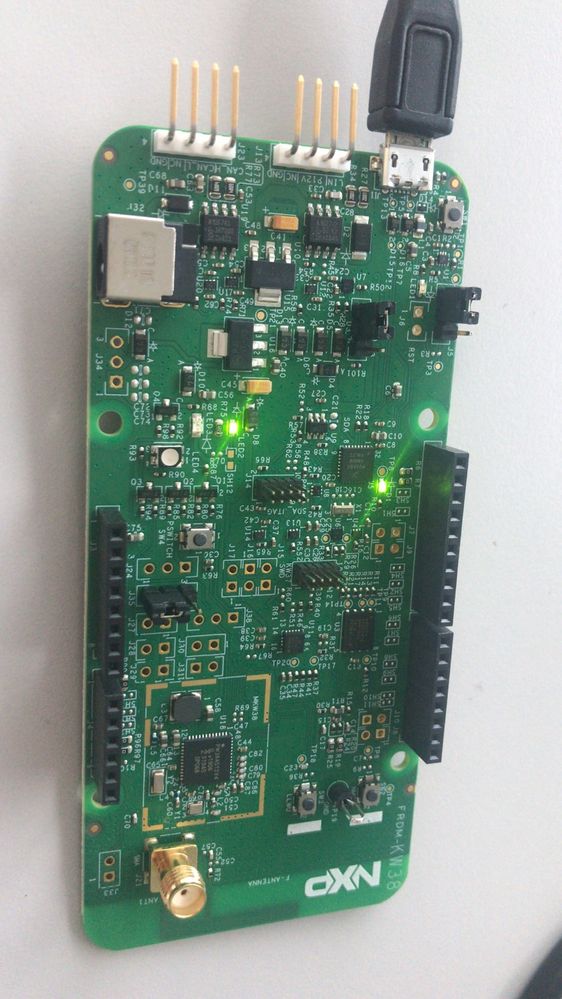
So, you need to check your on board debugger at first.
If you still have issues, you can enter the bootloader mode, and download the cmsis dap bootloader again, more details, please check this link:
Wish it helps you!
If you still have questions about it, please kindly let me know!
Best Regards,
Kerry
-------------------------------------------------------------------------------
Note:
- If this post answers your question, please click the "Mark Correct" button. Thank you!
- We are following threads for 7 weeks after the last post, later replies are ignored
Please open a new thread and refer to the closed one, if you have a related question at a later point in time.
-----------------------------------------------------------------------------
Hi @kerryzhou
Thanks for your reply.
I can find CMSIS DAP in my control panel devices.
I am having trouble in following the steps in the link provided could you help me with that as I am new to micro-controllers
Thanks and regards
Vipul Notani
Hi notanivipul,
Thanks for your updated information.
From your picture, you already have the CMSIS DAP, you should can debug the chip through the SWD interface.
Please tell me which IDE you are using now?
Do you use the MCUXPresso IDE project like me?
If you still have issues, please also give me some screenshot about your issues, then I can help you check more details.
Wish it helps you!
If you still have questions about it, please kindly let me know!
Best Regards,
Kerry
-------------------------------------------------------------------------------
Note:
- If this post answers your question, please click the "Mark Correct" button. Thank you!
- We are following threads for 7 weeks after the last post, later replies are ignored
Please open a new thread and refer to the closed one, if you have a related question at a later point in time.
-----------------------------------------------------------------------------
Hi @kerryzhou
Thanks for your reply.
Yes I am using MCUXPresso IDE for frdmkw38 board.
I have attached the screenshots of steps that i am Following, please check if you can find the issues .
Please let me know if you need screenshot of any specific step or any other information.
Thanks and regards
Vipul

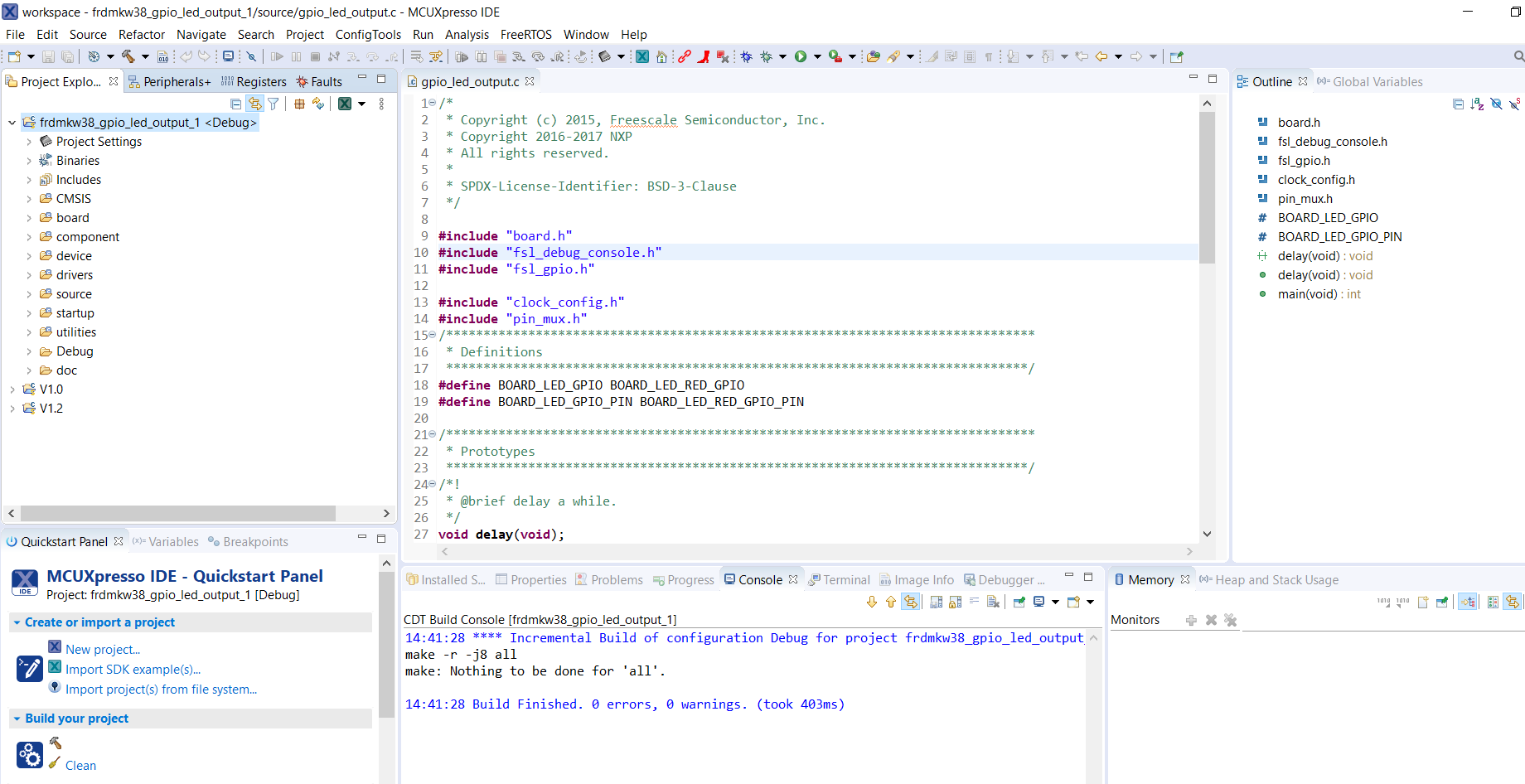
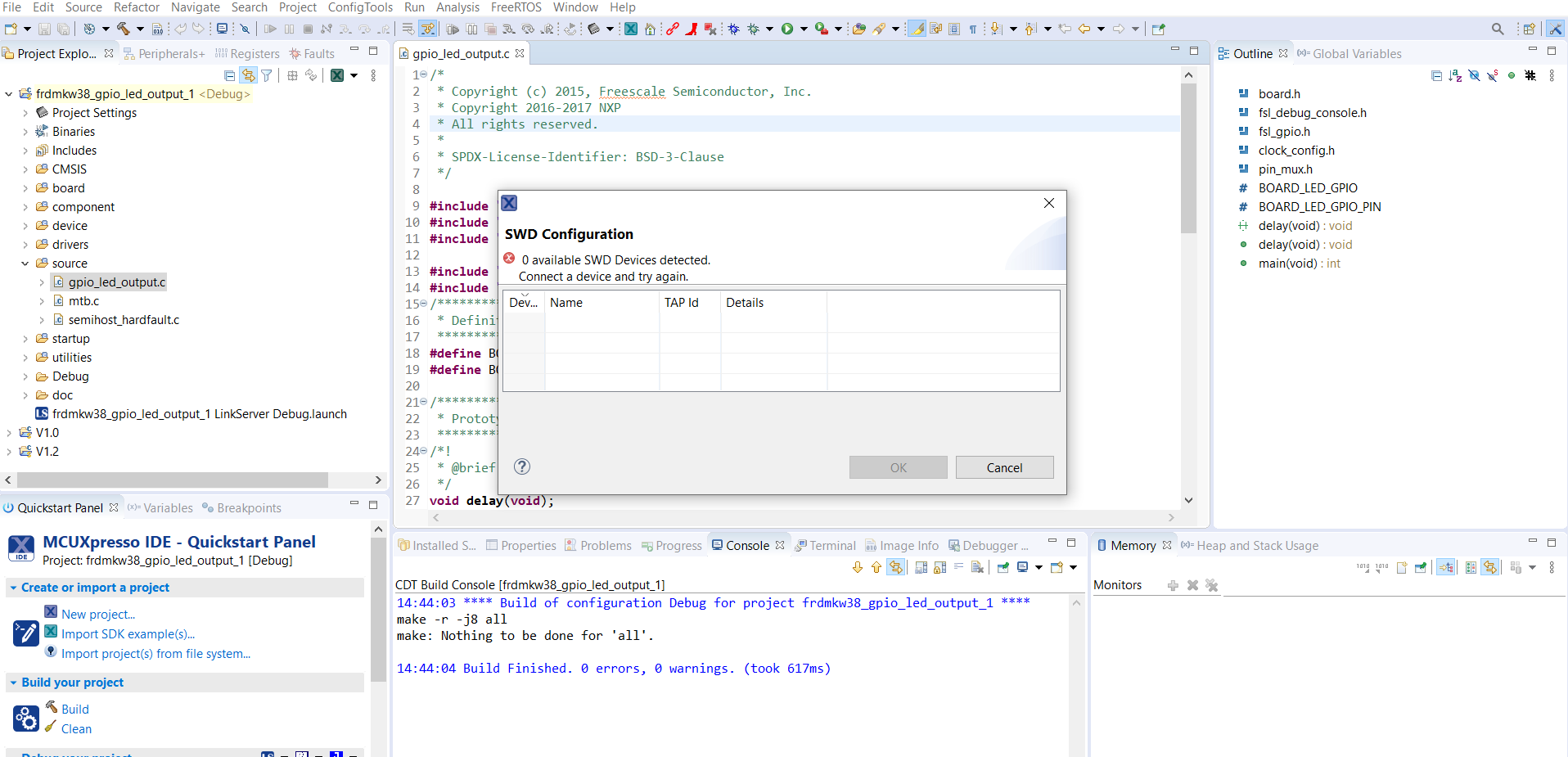
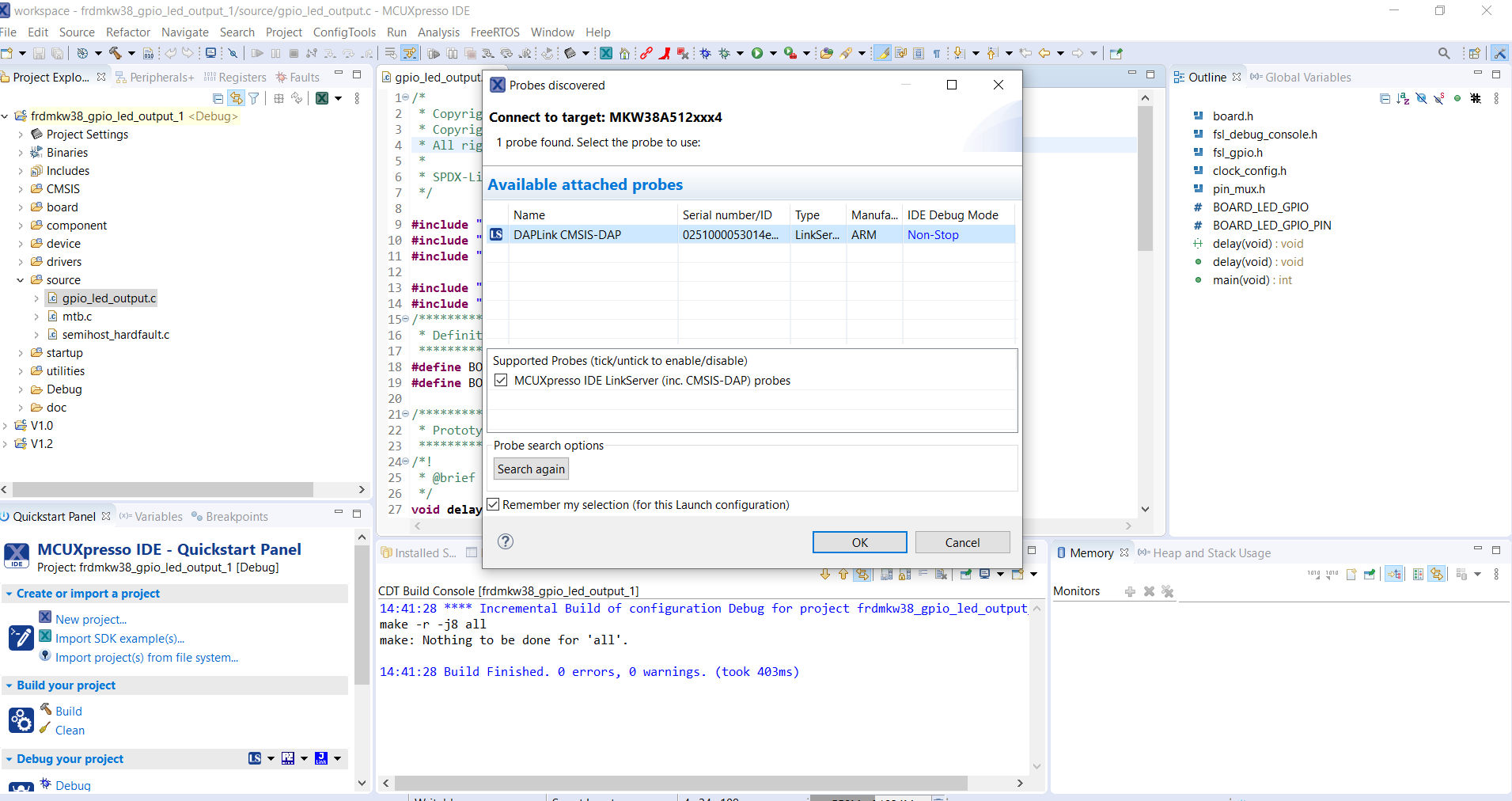
Hi notanivipul
img3.PNG is also from your side?
That can find the DAPLink CMSIS-DAP.
If it is not your picture, please just img4.PNG is yours.
Then, please delete the frdmkw38_gpio_led_output_1 LinkServer Debug.launch, clean the project, and debug it again.
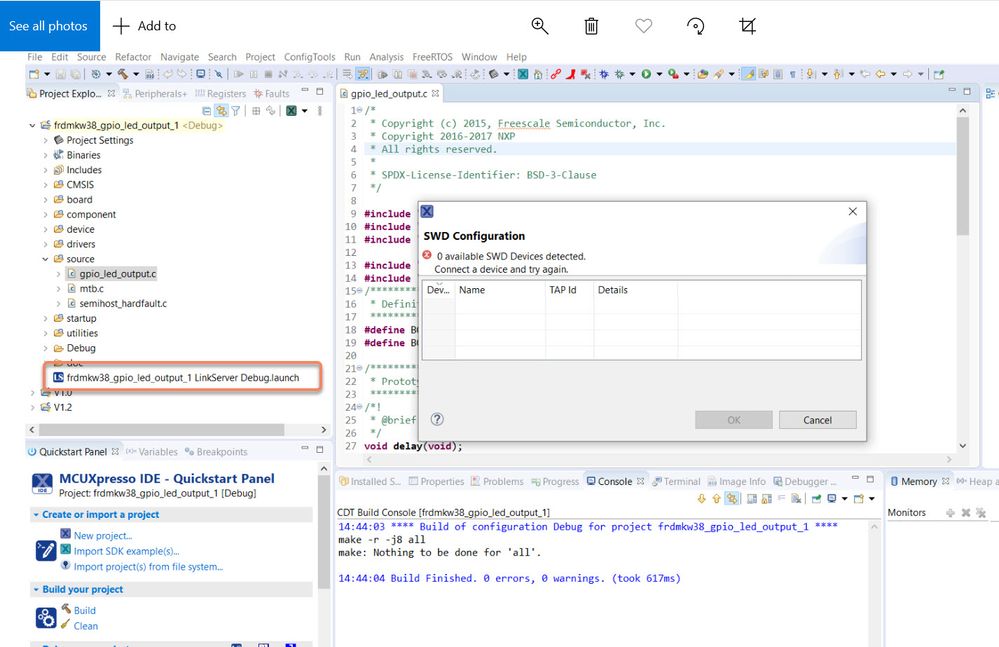
BTW, next time, please use insert photo to insert your picture to the post, instead of attach it, then I can see your question and picture more easily.
Wish it helps you!
If you still have questions about it, please kindly let me know!
Best Regards,
Kerry
-------------------------------------------------------------------------------
Note:
- If this post answers your question, please click the "Mark Correct" button. Thank you!
- We are following threads for 7 weeks after the last post, later replies are ignored
Please open a new thread and refer to the closed one, if you have a related question at a later point in time.
-----------------------------------------------------------------------------
Hi @kerryzhou
Yes, img3.PNG is from my side.
I deleted frdmkw38_gpio_led_output_1 LinkServer Debug.launch as you said and and tried debug again after cleaning the project but I am still getting the same error.
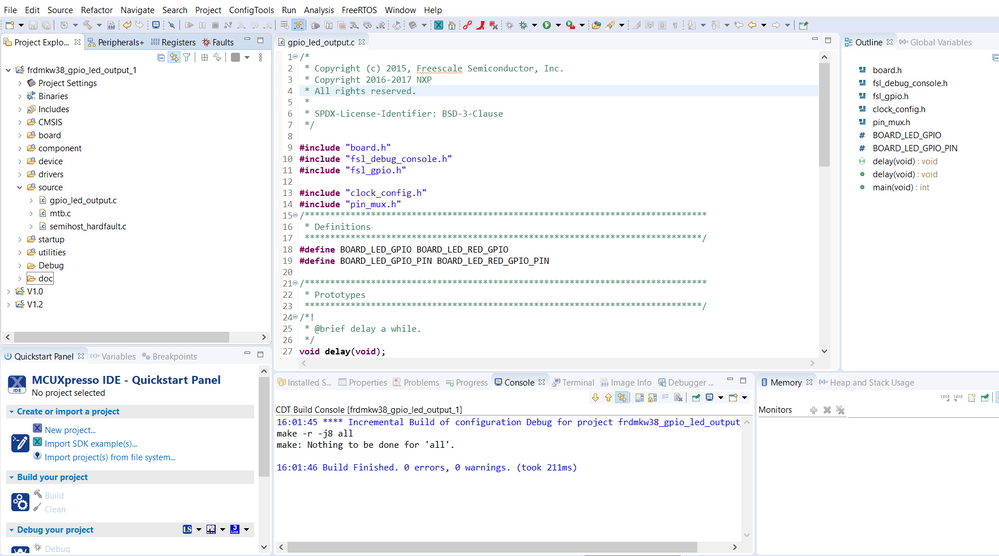
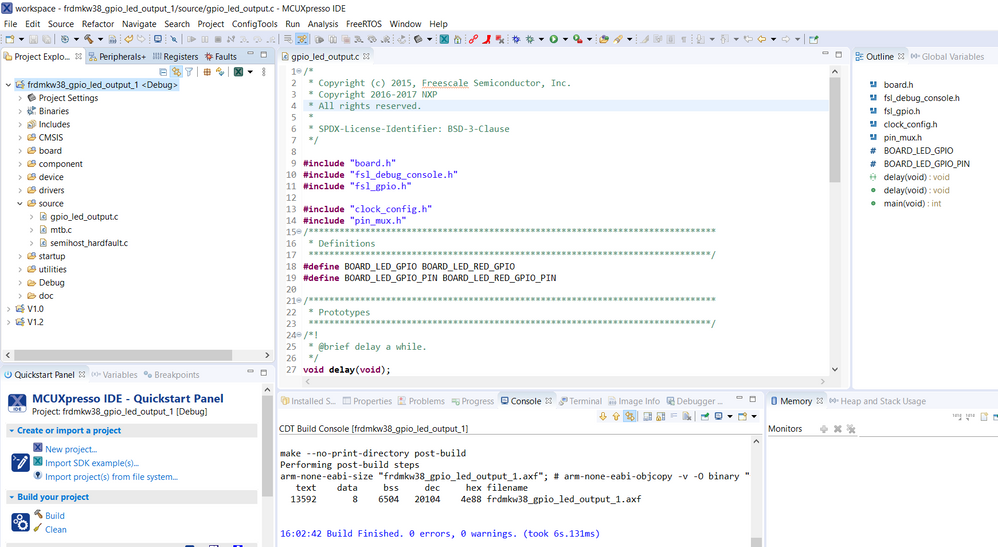
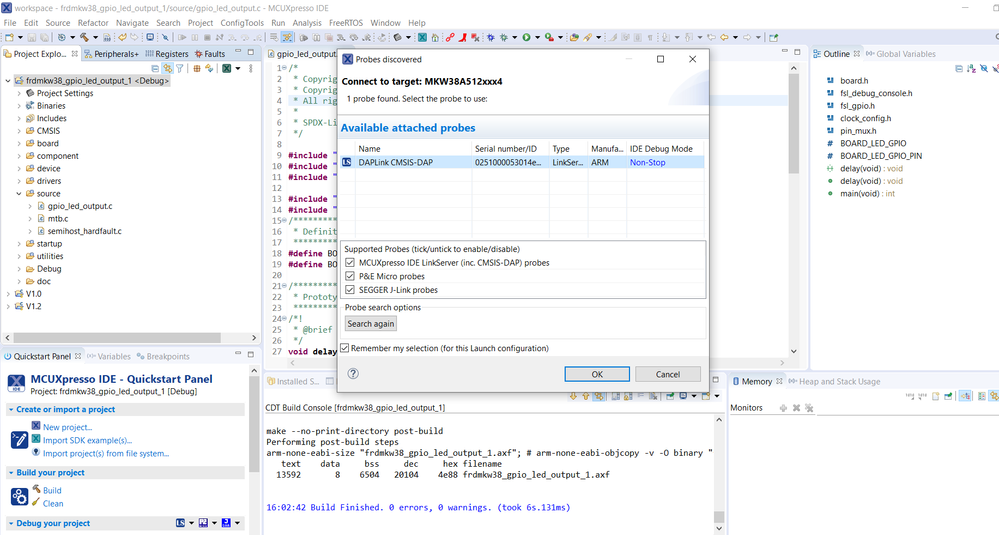
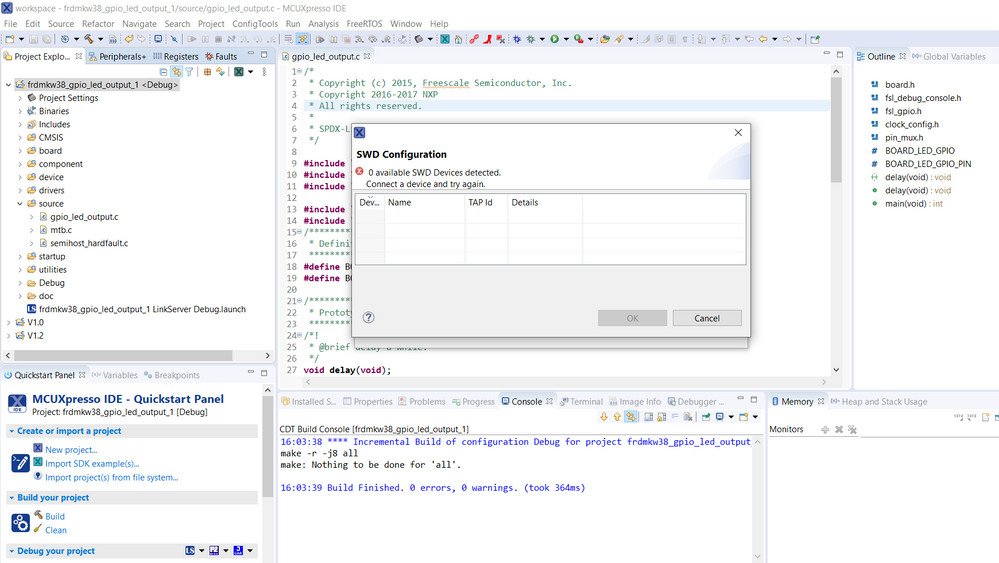
Hi notanivipul
Thanks for your updated information.
Do you modify your FRDM-KW38 board hardware or not after you get it?
If not, follow my steps do more deep checking.
We need to update your onboard debugger to JLINK, then use the JLINK commander to check your core with the SWD interface at first.
1. Download the JLINK driver and install it.
https://www.segger.com/downloads/jlink/JLink_Windows.exe
Download the JLINK bootloader firmware: 53_OpenSDA_FRDM-KW38.bin , will be used later.
https://www.segger.com/downloads/jlink/53_OpenSDA_FRDM-KW38
2. Enter bootloader mode
Power off the board, press the reset button SW1, and hold on it,at the same time, plug usb cable to J11, then release the reset button, now you will find your board is the device named as "DAPLINKBOOT"
3. Send 53_OpenSDA_FRDM-KW38.bin to your "DAPLINKBOOT", and wait the sending finished
4. Power off the board and power on it again.
ok, now, open the JLINK commander from your PC start area, check the following picture and follow it:
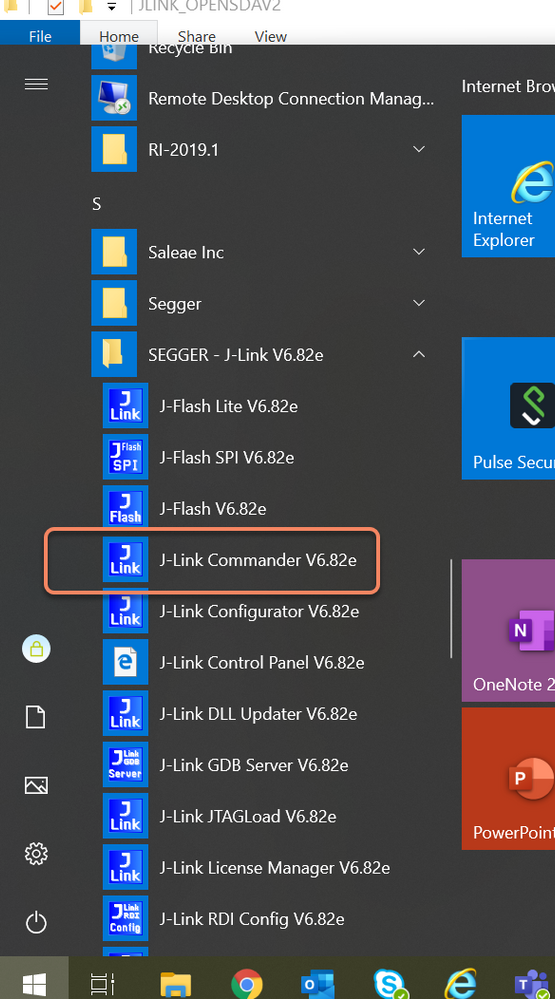
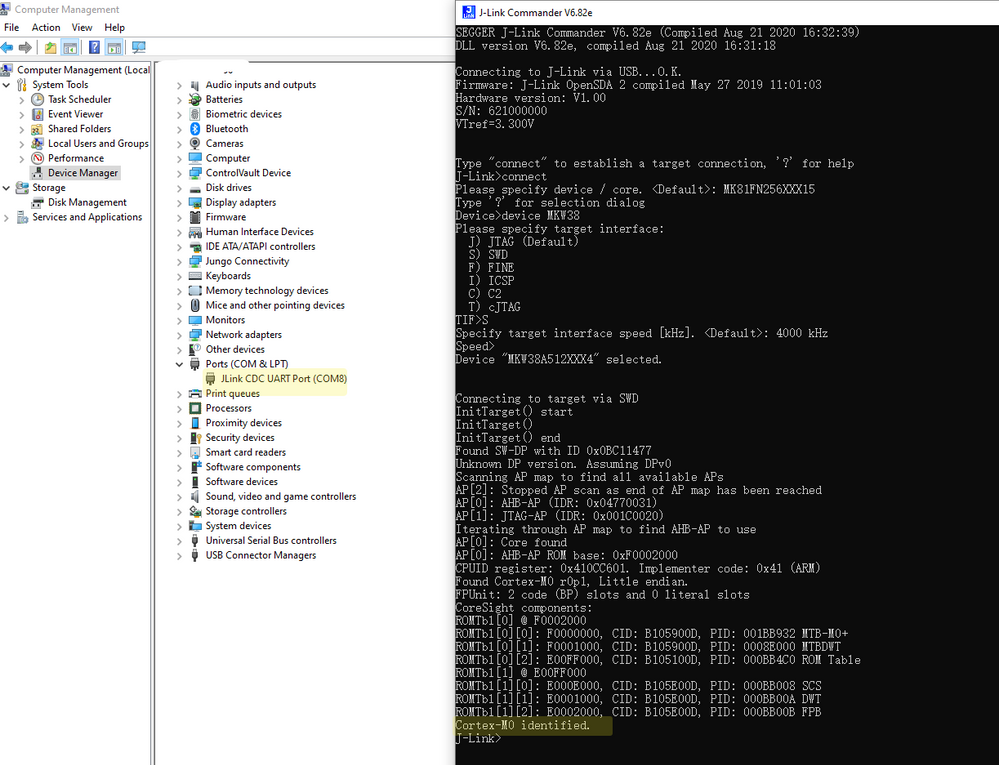
Now, can you find the Cortex-M0 like me?
Please check it?
Then you can delete your .launch , and use the JLINK to download the code again.
You can find I also can use the JLINK to download code.
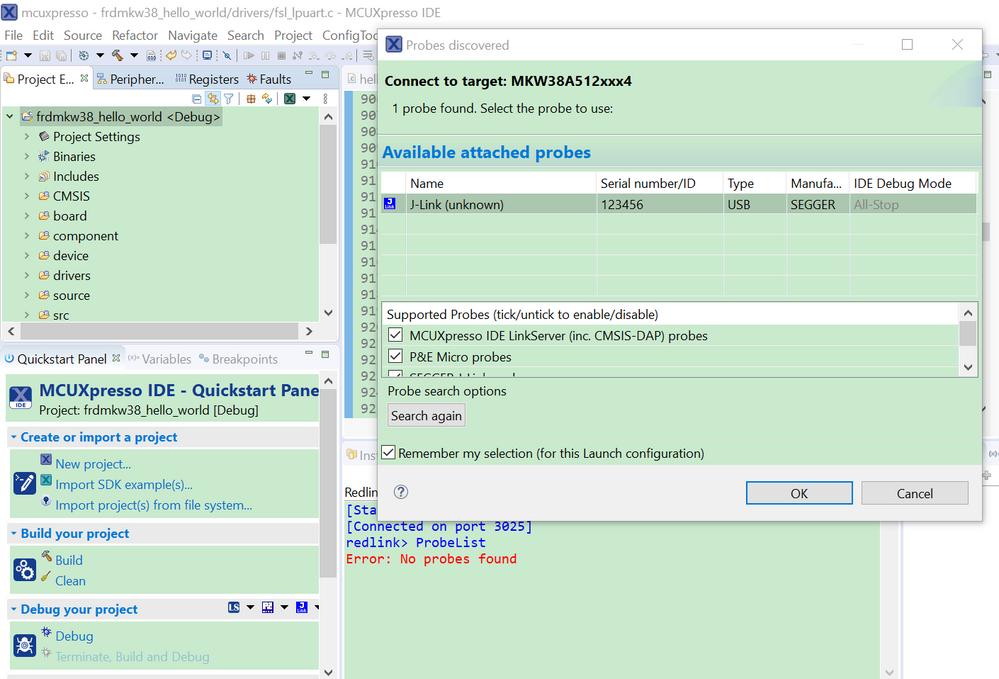
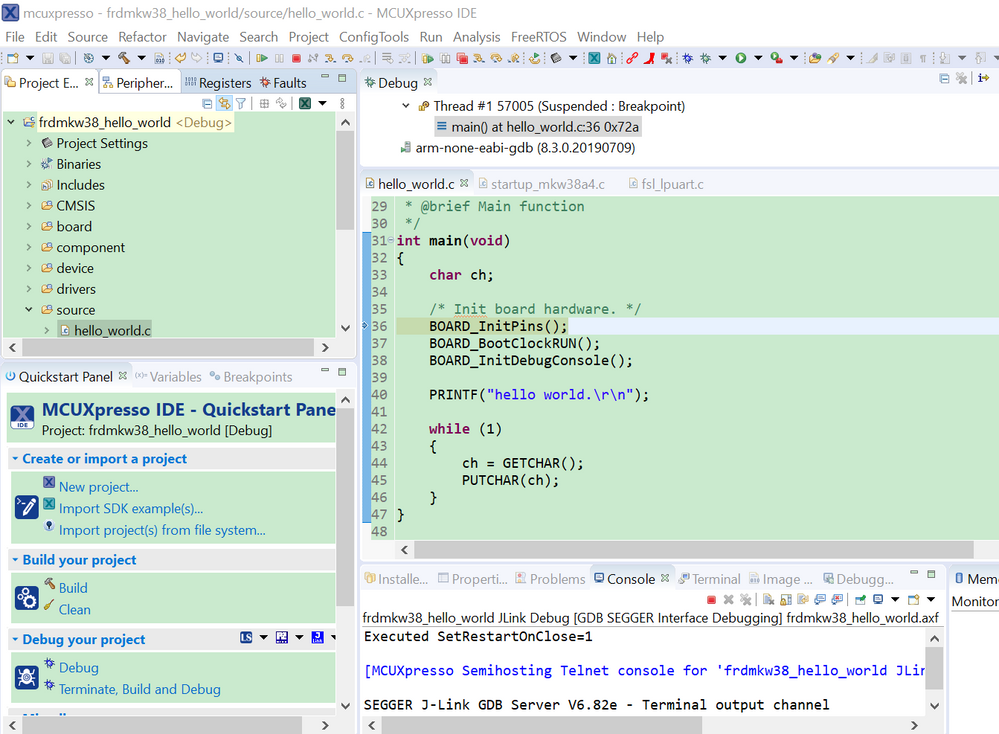
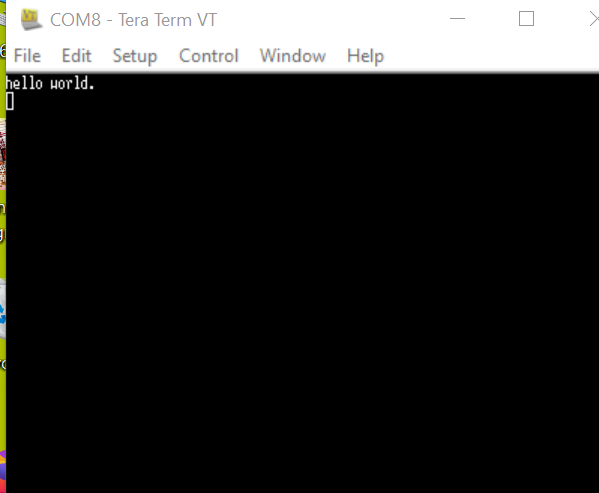
Please also let me know your MCUXPresso version, I am using V11.2.0
Wish it helps you!
Any updated information from your side, please kindly let me know.
Best Regards,
Kerry
Hi @kerryzhou
Thanks for your reply.
Answering to your first question -> No I haven't made any changes to the hardware after I got it.
I am also using MCUXPresso version V11.2.0 like you.
As mentioned I updated the onboard debugger to JLINK. Following are the screenshot and I am stuck where I have to enter the speed
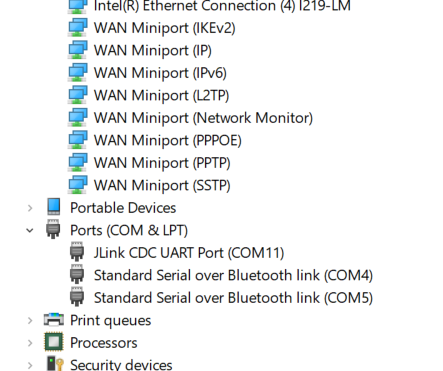
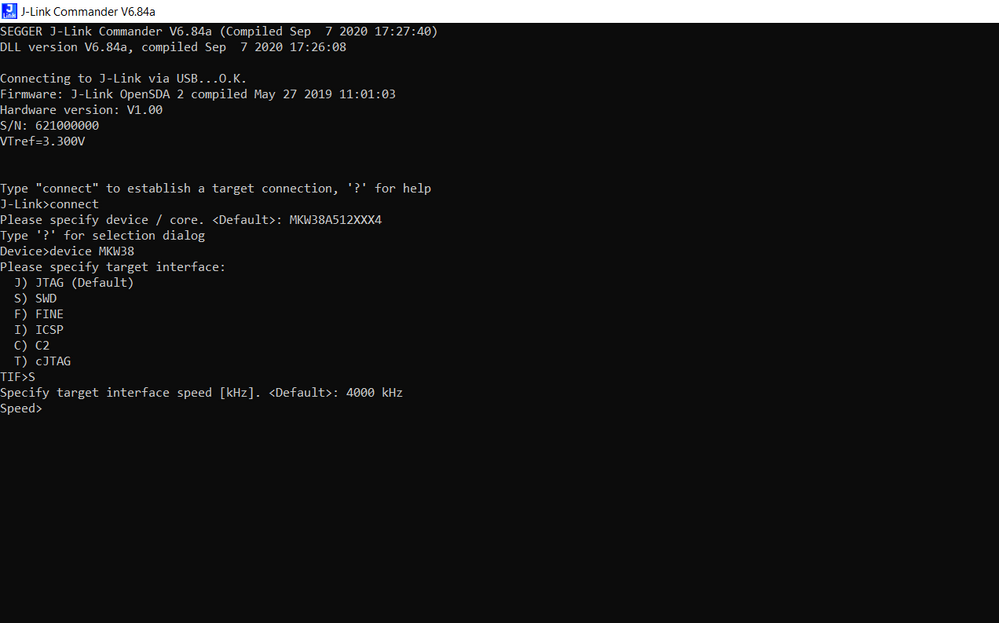
Please let me know what steps are to be followed next.
Thanks and regards
Vipul
Hi @kerryzhou
I followed the steps as you suggested.
Following are the screenshots, but I am still unable to upload the code.
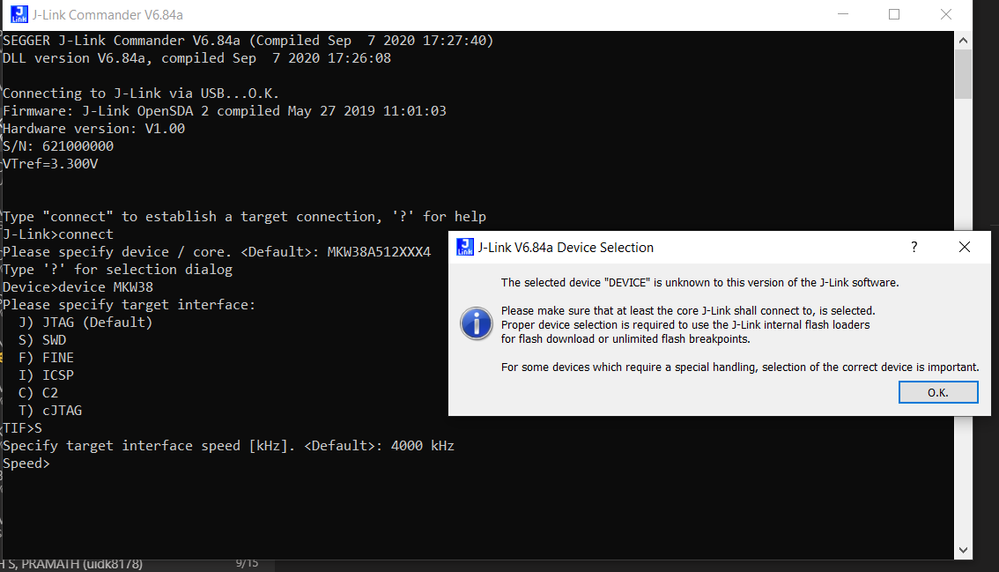
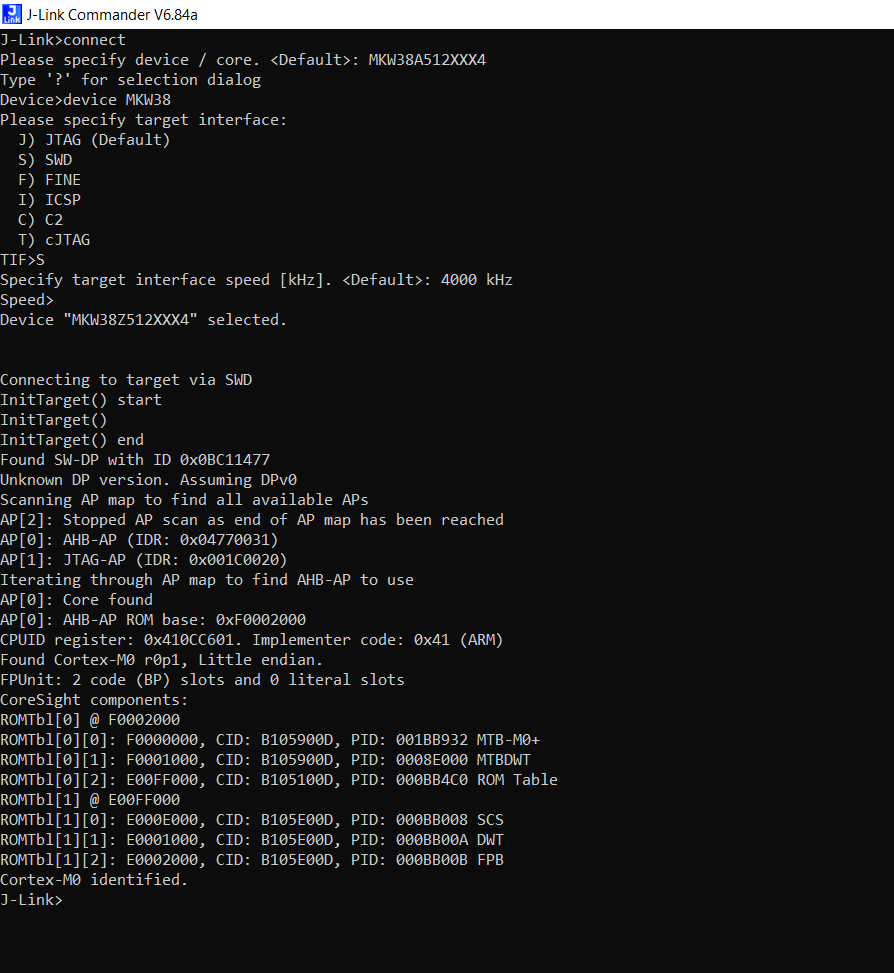
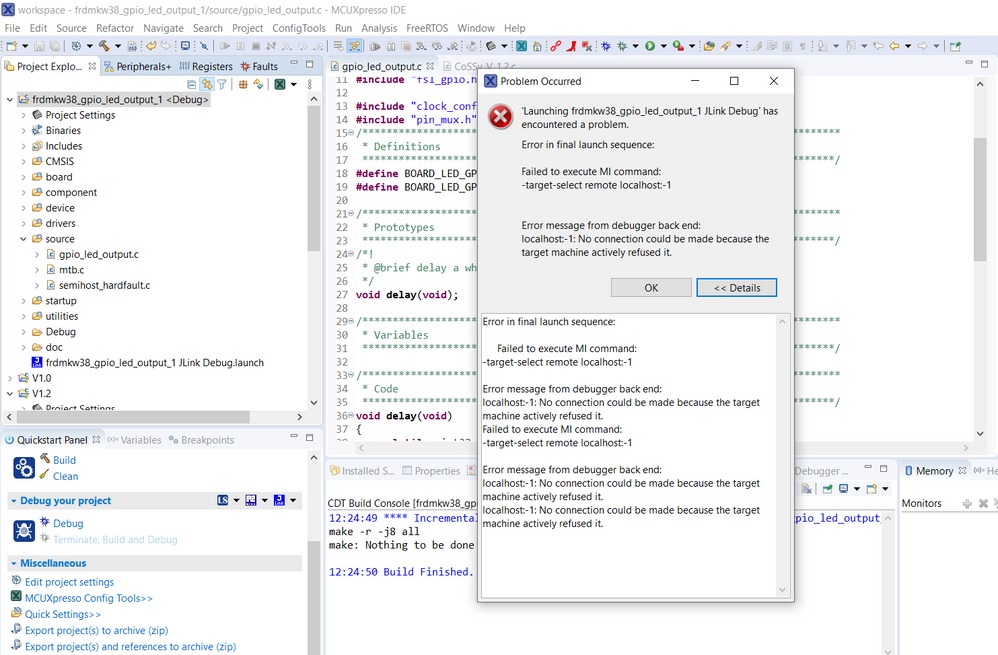
Please let me know what could be done next.
Thanks and regards
Vipul
Hi notanivipul
Your JLINK already can find the ARM core, that's strange you still can't use the MCUXPresso IDE to download.
Please tell me your MCUXPress IDE version, do you use the newest version?
Best Regards,
Kerry
Good morning,
I am using the frdm-mcxc242.
I tried to program the flash using the console, but the console crashed and then could no longer find the device.

If I try to delete the .launch file, I can see the target, but then it doesn't work.

I tried both a mass erase and reloading the firmware on the LPC55S69 using jp1. Neither worked.

Could you advise me on what to do?
Thank you in advance.
