
- Forums
- Product Forums
- General Purpose MicrocontrollersGeneral Purpose Microcontrollers
- i.MX Forumsi.MX Forums
- QorIQ Processing PlatformsQorIQ Processing Platforms
- Identification and SecurityIdentification and Security
- Power ManagementPower Management
- Wireless ConnectivityWireless Connectivity
- RFID / NFCRFID / NFC
- Advanced AnalogAdvanced Analog
- Neural Processing UnitsNeural Processing Units
- MCX Microcontrollers
- S32G
- S32K
- S32V
- MPC5xxx
- Other NXP Products
- S12 / MagniV Microcontrollers
- Powertrain and Electrification Analog Drivers
- Sensors
- Vybrid Processors
- Digital Signal Controllers
- 8-bit Microcontrollers
- ColdFire/68K Microcontrollers and Processors
- PowerQUICC Processors
- OSBDM and TBDML
- S32M
- S32Z/E
-
- Solution Forums
- Software Forums
- MCUXpresso Software and ToolsMCUXpresso Software and Tools
- CodeWarriorCodeWarrior
- MQX Software SolutionsMQX Software Solutions
- Model-Based Design Toolbox (MBDT)Model-Based Design Toolbox (MBDT)
- FreeMASTER
- eIQ Machine Learning Software
- Embedded Software and Tools Clinic
- S32 SDK
- S32 Design Studio
- GUI Guider
- Zephyr Project
- Voice Technology
- Application Software Packs
- Secure Provisioning SDK (SPSDK)
- Processor Expert Software
- Generative AI & LLMs
-
- Topics
- Mobile Robotics - Drones and RoversMobile Robotics - Drones and Rovers
- NXP Training ContentNXP Training Content
- University ProgramsUniversity Programs
- Rapid IoT
- NXP Designs
- SafeAssure-Community
- OSS Security & Maintenance
- Using Our Community
-
- Cloud Lab Forums
-
- Knowledge Bases
- ARM Microcontrollers
- i.MX Processors
- Identification and Security
- Model-Based Design Toolbox (MBDT)
- QorIQ Processing Platforms
- S32 Automotive Processing Platform
- Wireless Connectivity
- CodeWarrior
- MCUXpresso Suite of Software and Tools
- MQX Software Solutions
- RFID / NFC
- Advanced Analog
- Neural Processing Units
-
- NXP Tech Blogs
- Home
- :
- ソフトウェア・フォーラム
- :
- FreeMASTER
- :
- Re: [NTBMS Evaluation Board] Error in FreeMaster java script
[NTBMS Evaluation Board] Error in FreeMaster java script
- RSS フィードを購読する
- トピックを新着としてマーク
- トピックを既読としてマーク
- このトピックを現在のユーザーにフロートします
- ブックマーク
- 購読
- ミュート
- 印刷用ページ
[NTBMS Evaluation Board] Error in FreeMaster java script

- 新着としてマーク
- ブックマーク
- 購読
- ミュート
- RSS フィードを購読する
- ハイライト
- 印刷
- 不適切なコンテンツを報告
I am using the NTBMS evaluation board.
Use FreeMASTER File provided by NXP.
(File Download Link : https://www.nxp.com/webapp/Download?colCode=NTBMS_SW)
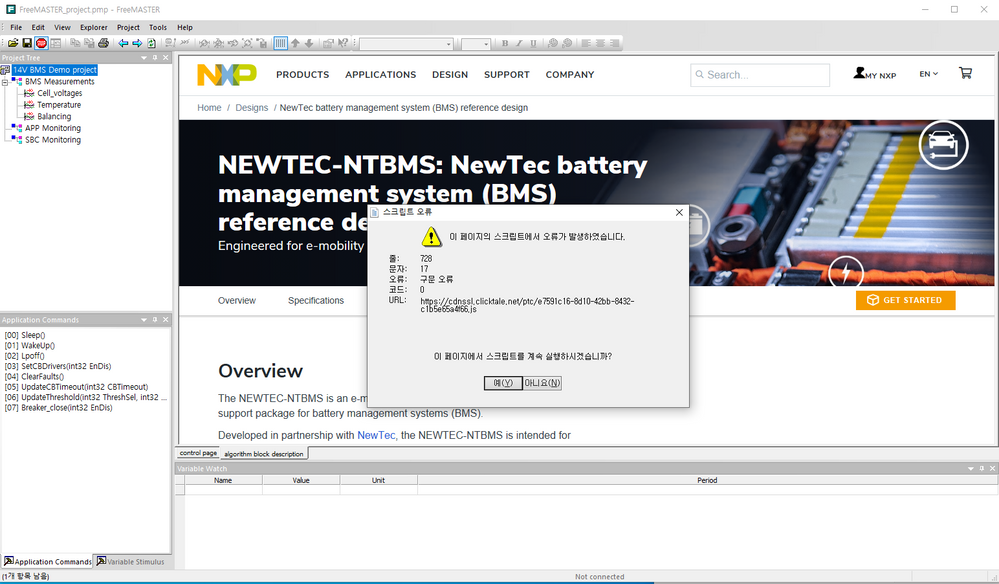
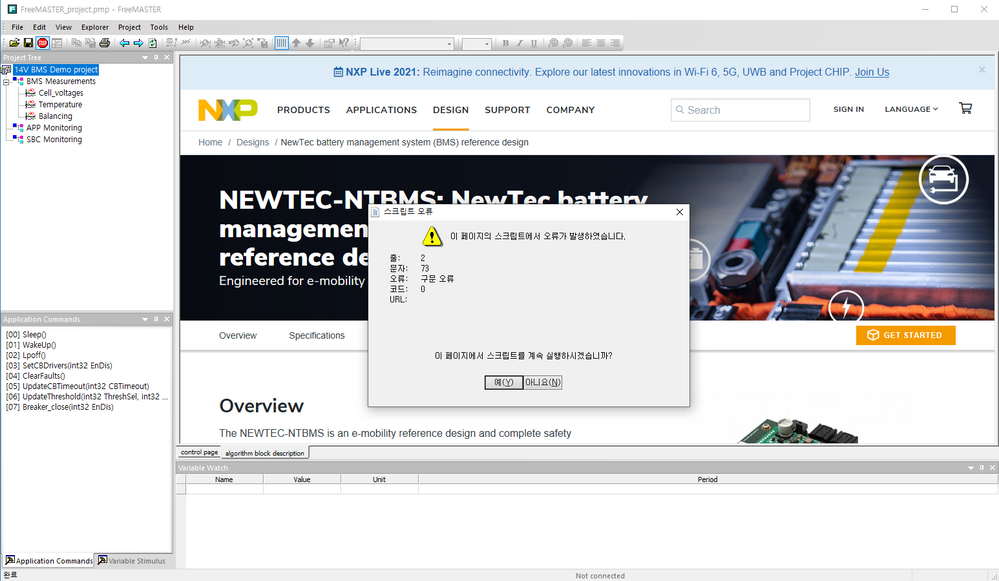
However, when I load the project file, a script error occurs.
Click Yes to the various error messages and run the demo.
The demo program stops shortly after.
I need your help..
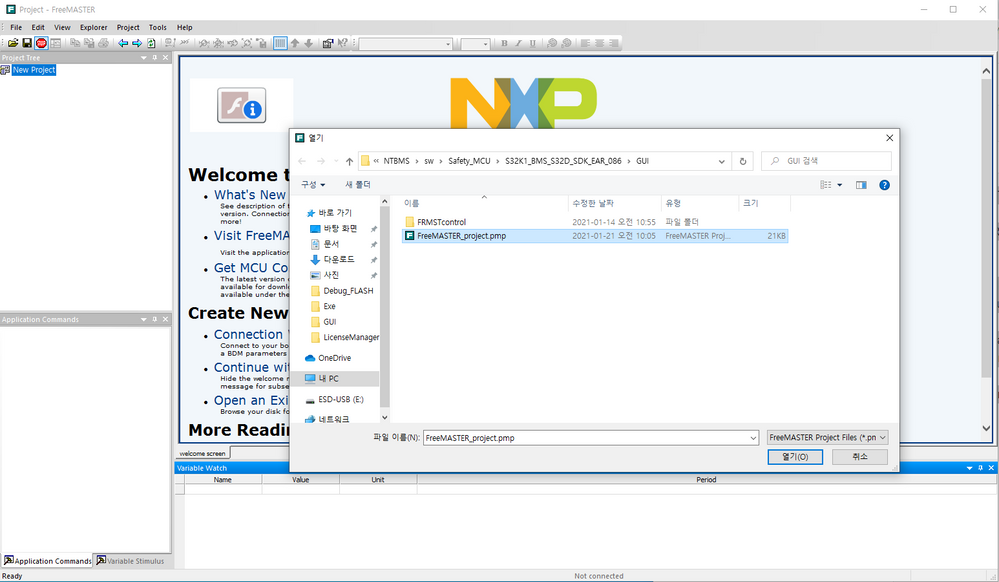
URL : https://cdnssl.clicktale.net/ptc/e7591c16-8d10-42bb-8432-c1b5e65a4f66.js
 iulian_stan
- 新着としてマーク
- ブックマーク
- 購読
- ミュート
- RSS フィードを購読する
- ハイライト
- 印刷
- 不適切なコンテンツを報告
Hi @testyoung,
After running this example on my side (note: I'm not familiar with this application nor BMS systems), I noticed that the first page displayed in FreeMASTER is actually application home page from NXP site. FreeMASTER is not a fully featured web browser, thus some JS scripts are failing, to avoid this behavior I would recommend removing that page:
1. Right click on root element in Project tree, and open properties (it may be a bit annoying because you need first to close those popup errors)
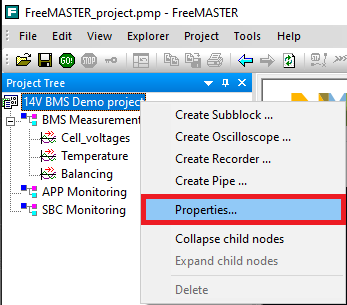
2. Clear the "Description URL" input field (you can open that link in a web browser if you need it)
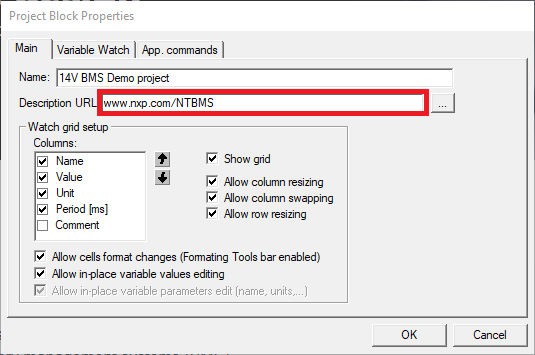
3. Confirm the change
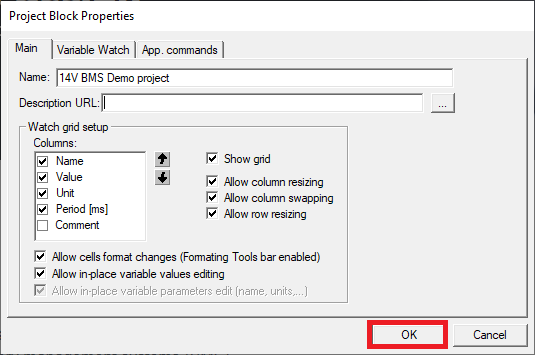
Now you should see the BMS application control page. I don't have the setup to confirm the functionality but, after removing the link to NXP site I had no more JS errors.
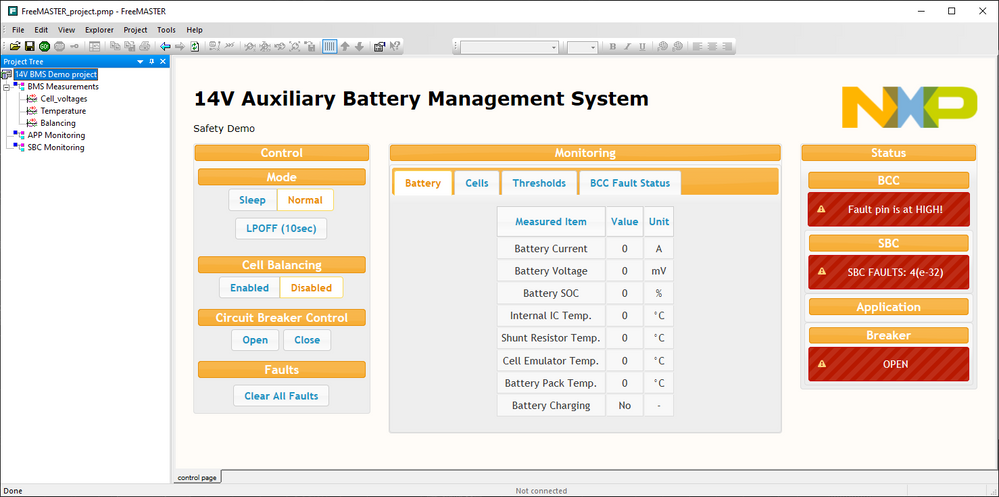
To persist this change make sure to save the project.
Regards,
Iulian
- 新着としてマーク
- ブックマーク
- 購読
- ミュート
- RSS フィードを購読する
- ハイライト
- 印刷
- 不適切なコンテンツを報告
Thank you.
The above problem has been resolved.
