- Forums
- Product Forums
- General Purpose MicrocontrollersGeneral Purpose Microcontrollers
- i.MX Forumsi.MX Forums
- QorIQ Processing PlatformsQorIQ Processing Platforms
- Identification and SecurityIdentification and Security
- Power ManagementPower Management
- Wireless ConnectivityWireless Connectivity
- RFID / NFCRFID / NFC
- Advanced AnalogAdvanced Analog
- Neural Processing UnitsNeural Processing Units
- MCX Microcontrollers
- S32G
- S32K
- S32V
- MPC5xxx
- Other NXP Products
- S12 / MagniV Microcontrollers
- Powertrain and Electrification Analog Drivers
- Sensors
- Vybrid Processors
- Digital Signal Controllers
- 8-bit Microcontrollers
- ColdFire/68K Microcontrollers and Processors
- PowerQUICC Processors
- OSBDM and TBDML
- S32M
- S32Z/E
-
- Solution Forums
- Software Forums
- MCUXpresso Software and ToolsMCUXpresso Software and Tools
- CodeWarriorCodeWarrior
- MQX Software SolutionsMQX Software Solutions
- Model-Based Design Toolbox (MBDT)Model-Based Design Toolbox (MBDT)
- FreeMASTER
- eIQ Machine Learning Software
- Embedded Software and Tools Clinic
- S32 SDK
- S32 Design Studio
- GUI Guider
- Zephyr Project
- Voice Technology
- Application Software Packs
- Secure Provisioning SDK (SPSDK)
- Processor Expert Software
- Generative AI & LLMs
-
- Topics
- Mobile Robotics - Drones and RoversMobile Robotics - Drones and Rovers
- NXP Training ContentNXP Training Content
- University ProgramsUniversity Programs
- Rapid IoT
- NXP Designs
- SafeAssure-Community
- OSS Security & Maintenance
- Using Our Community
-
- Cloud Lab Forums
-
- Knowledge Bases
- ARM Microcontrollers
- i.MX Processors
- Identification and Security
- Model-Based Design Toolbox (MBDT)
- QorIQ Processing Platforms
- S32 Automotive Processing Platform
- Wireless Connectivity
- CodeWarrior
- MCUXpresso Suite of Software and Tools
- MQX Software Solutions
- RFID / NFC
- Advanced Analog
- Neural Processing Units
-
- NXP Tech Blogs
- Home
- :
- CodeWarrior
- :
- CodeWarrior for MCU Knowledge Base
- :
- Flash two .elf files using CodeWarrior 10.6
Flash two .elf files using CodeWarrior 10.6
- Subscribe to RSS Feed
- Mark as New
- Mark as Read
- Bookmark
- Subscribe
- Printer Friendly Page
- Report Inappropriate Content
Flash two .elf files using CodeWarrior 10.6
Flash two .elf files using CodeWarrior 10.6
This document shows how to setup CodeWarrior project to flash two .elf files into micro.
At first, create empty project for required processor. New project has to be created, because you need debug setup.
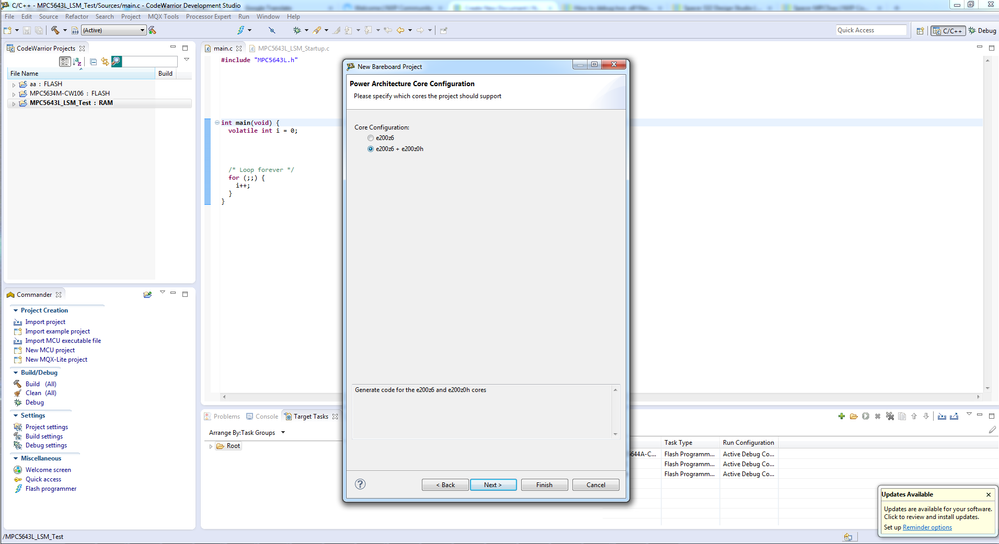
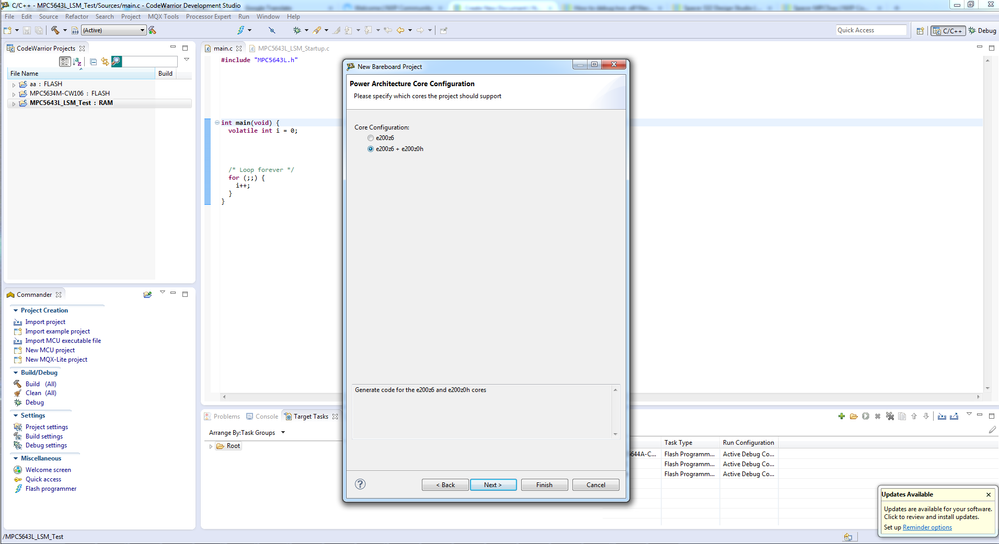
Second step is to create new target task.
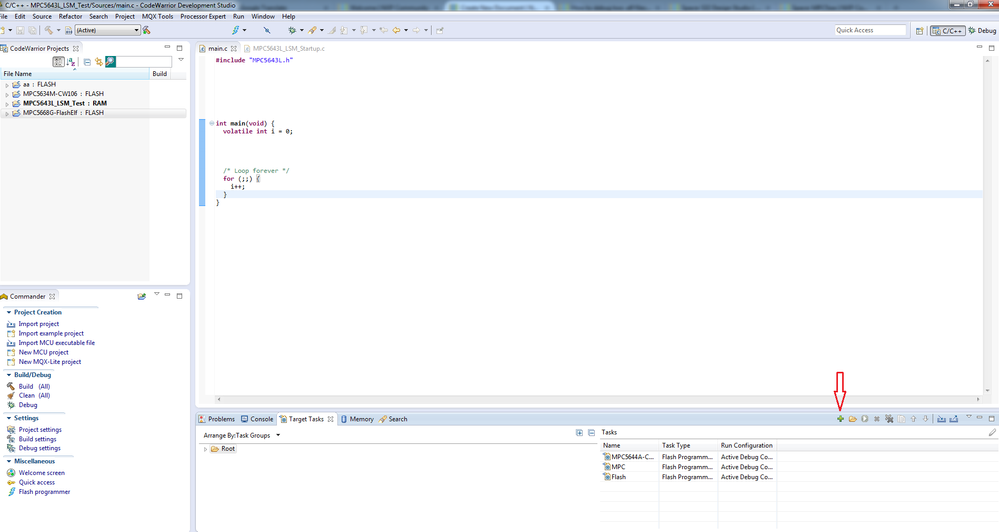
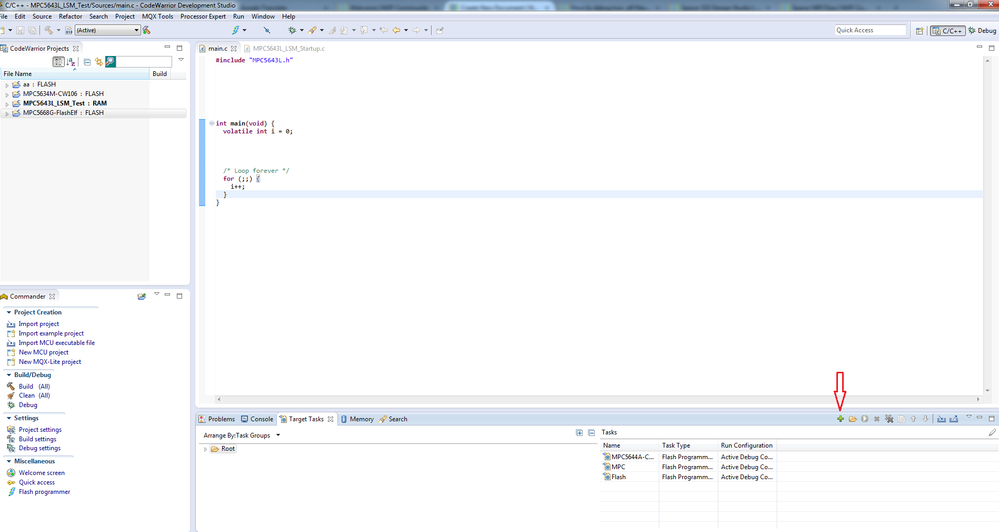
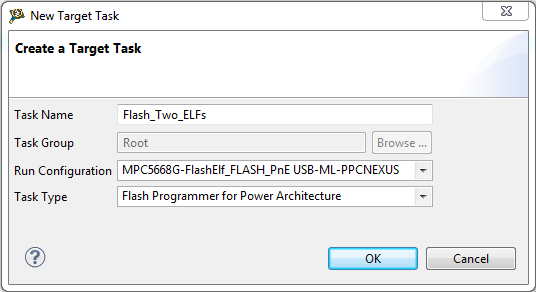
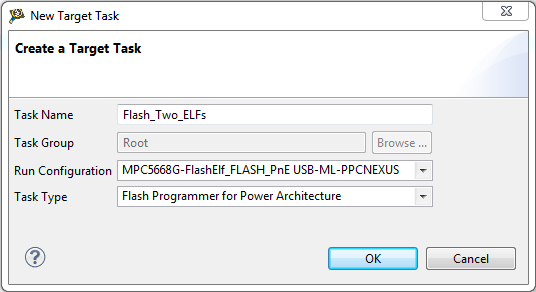
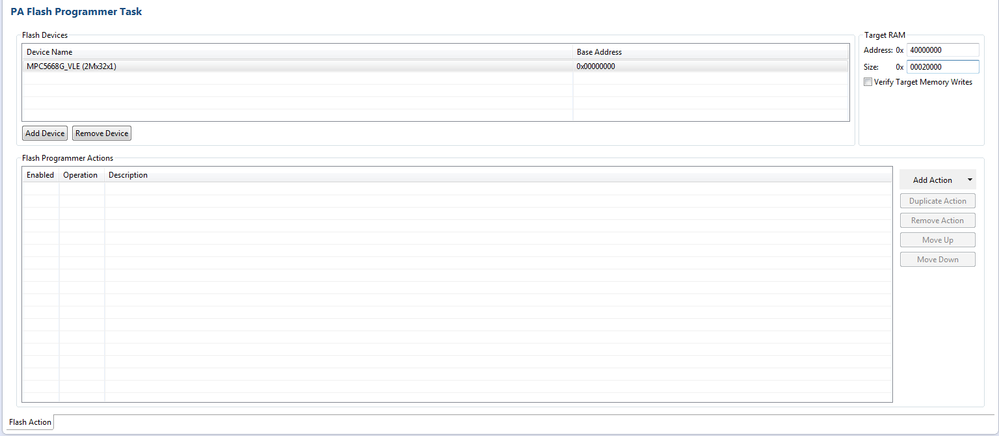
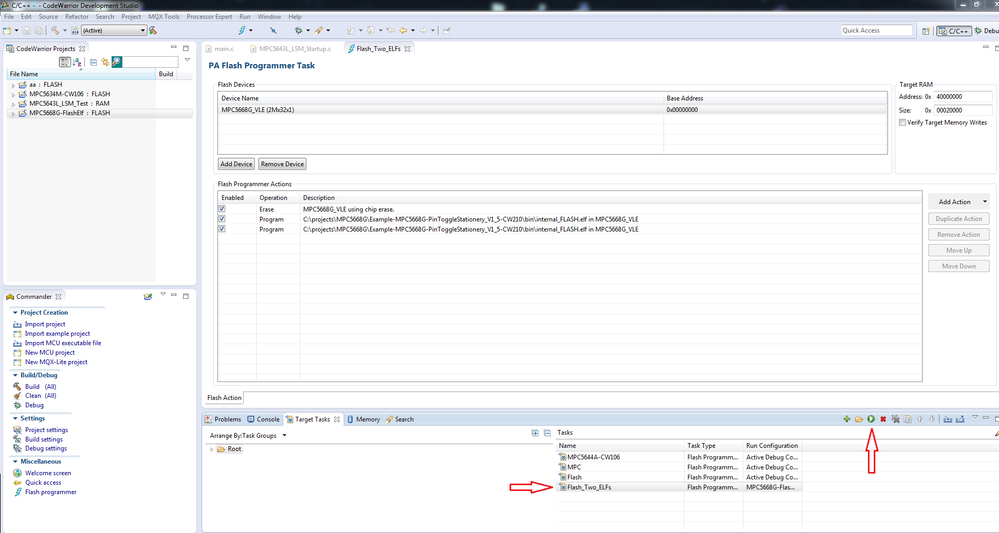
Type Task Name, as run configuration, choose Flash configuration of the created project and set Task Type to Flash Programmer for Power Architecture.
On the next screen add device MPC5568G_VLE or MPC5668G_BOOKE and set base RAM address to 0x40000000 and size of the RAM at least 128KB (0x00020000)
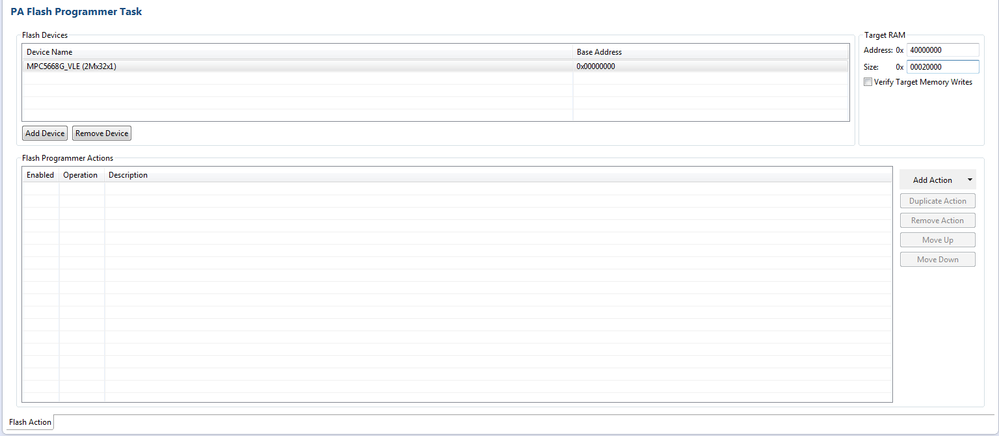
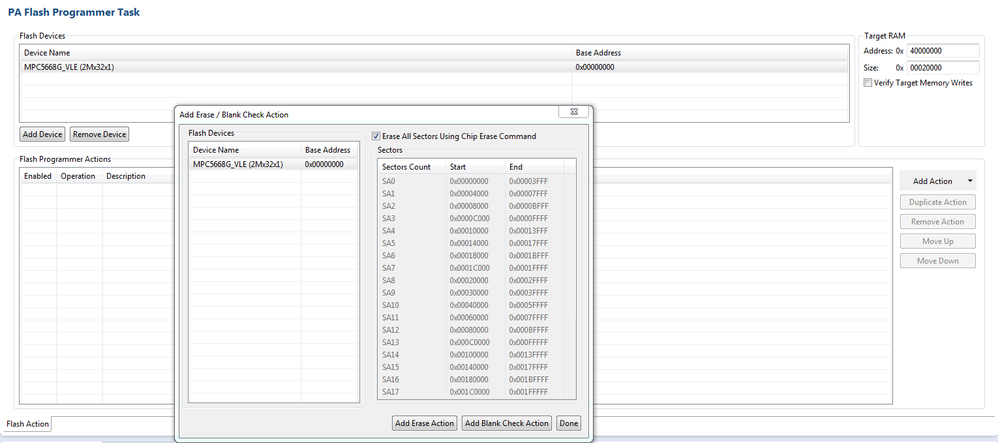
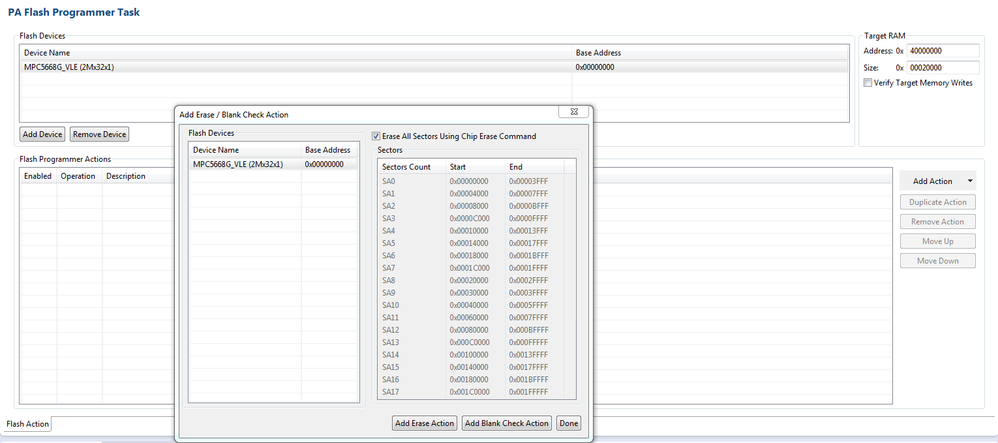
Add first action Erase/Blank. You can choose, which sectors you want erase or you can choose all sectors.
Add two Program/Verify action. In each action, choose one of the .ELF file, which you want to flash.
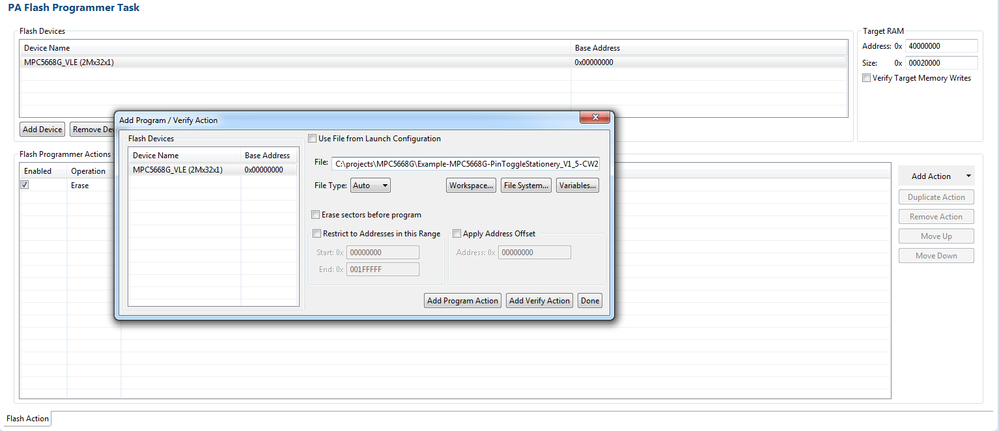
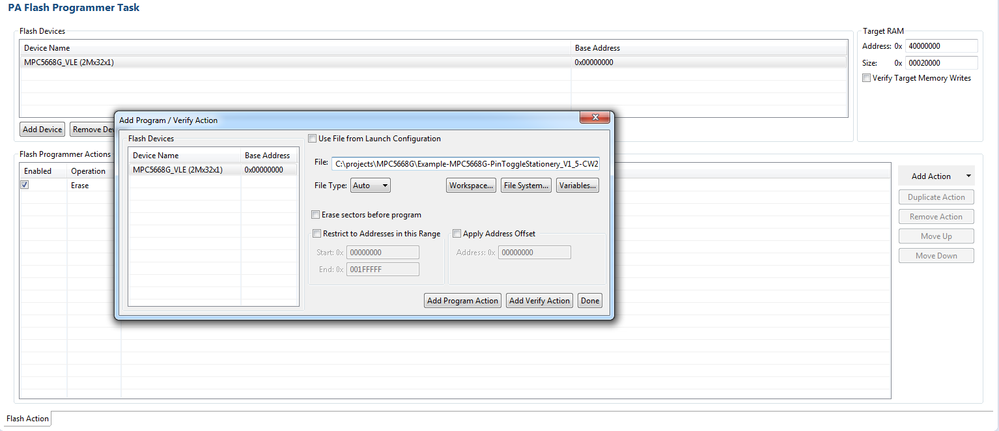
If you have prepared these actions, click on the button Save All.
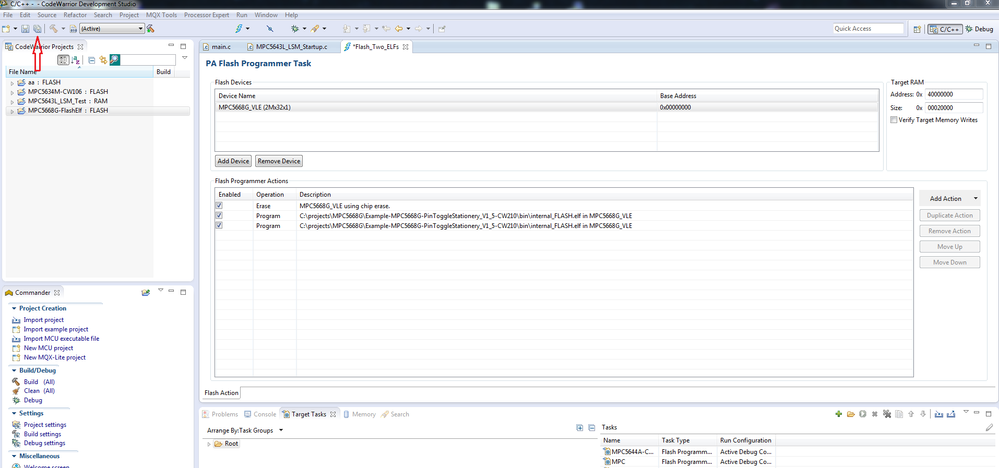
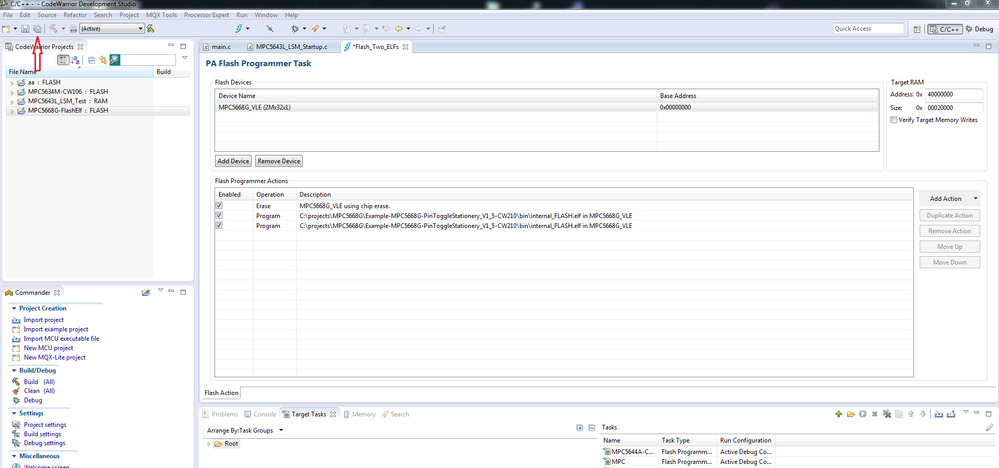
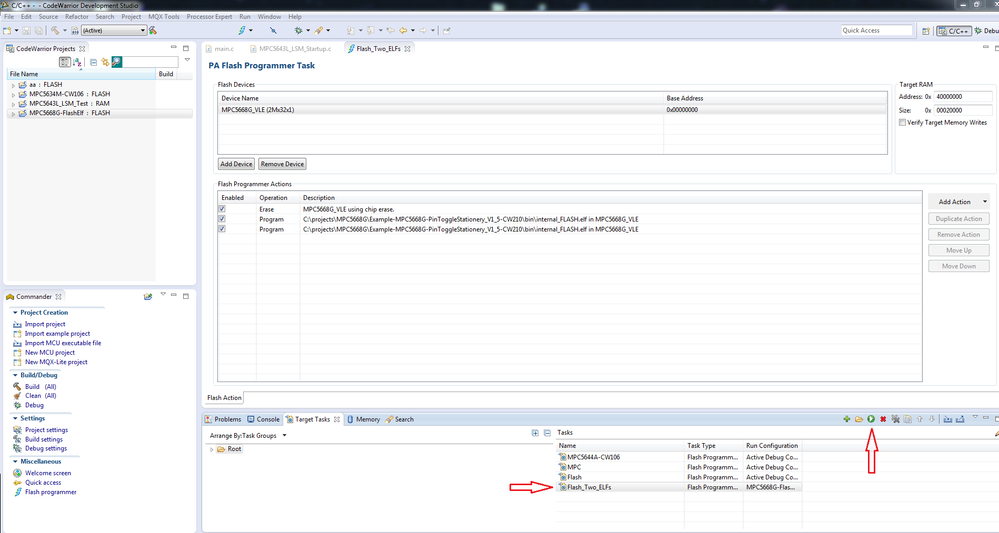
Save the Flash Action to the framework. Then choose the Target Task and click the Execute button.

- Mark as Read
- Mark as New
- Bookmark
- Permalink
- Report Inappropriate Content
Mandar QSPI flash programming under CW10.x for MPC5645s/MPC5606s
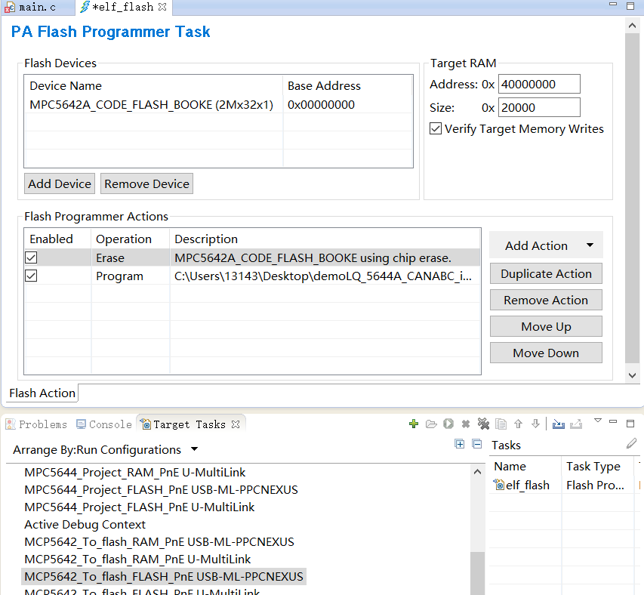
我用CW2.10编写了MPC5644的工程,已经能在MPC5644开发板上成功运行,但是现在想把此工程移植到MPC5642芯片上运行,直接通过CW2.10把工程下载到MPC5642开发板时不能下载成功,下载工程停在了“loading programming algorithm....”,我查到CW2.10没有MPC5642的芯片驱动,就官网下载了最新的CW11.0,通过CW11.0新建了 MPC5642的工程(编写了几行代码验证可以下载到5642的目标板,且能正常运行),然后通过“target tasks”下载CW2.10上生成的MPC5644的*.elf文件,配置如下
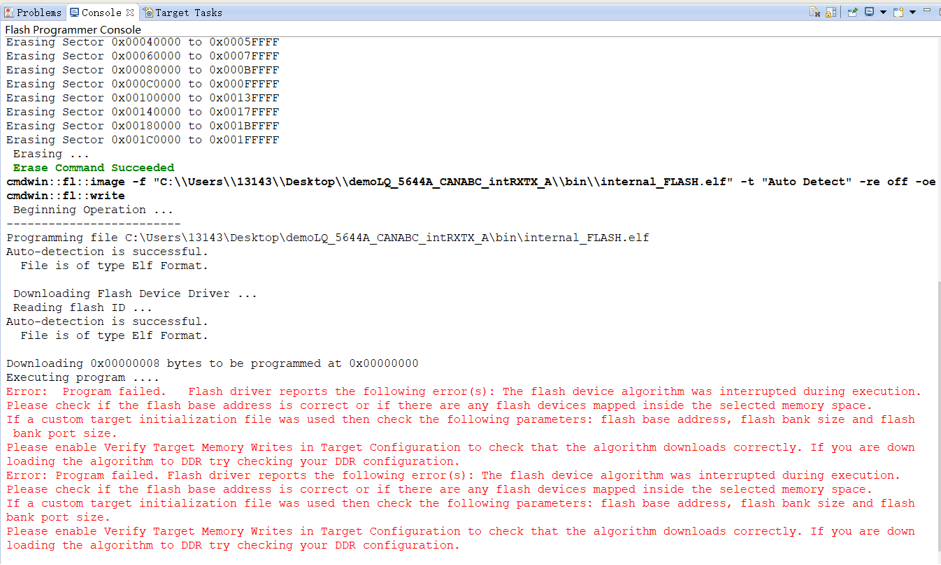
但下载过程中报了如下的错误,