
- Forums
- Product Forums
- General Purpose MicrocontrollersGeneral Purpose Microcontrollers
- i.MX Forumsi.MX Forums
- QorIQ Processing PlatformsQorIQ Processing Platforms
- Identification and SecurityIdentification and Security
- Power ManagementPower Management
- Wireless ConnectivityWireless Connectivity
- RFID / NFCRFID / NFC
- Advanced AnalogAdvanced Analog
- Neural Processing UnitsNeural Processing Units
- MCX Microcontrollers
- S32G
- S32K
- S32V
- MPC5xxx
- Other NXP Products
- S12 / MagniV Microcontrollers
- Powertrain and Electrification Analog Drivers
- Sensors
- Vybrid Processors
- Digital Signal Controllers
- 8-bit Microcontrollers
- ColdFire/68K Microcontrollers and Processors
- PowerQUICC Processors
- OSBDM and TBDML
- S32M
- S32Z/E
-
- Solution Forums
- Software Forums
- MCUXpresso Software and ToolsMCUXpresso Software and Tools
- CodeWarriorCodeWarrior
- MQX Software SolutionsMQX Software Solutions
- Model-Based Design Toolbox (MBDT)Model-Based Design Toolbox (MBDT)
- FreeMASTER
- eIQ Machine Learning Software
- Embedded Software and Tools Clinic
- S32 SDK
- S32 Design Studio
- GUI Guider
- Zephyr Project
- Voice Technology
- Application Software Packs
- Secure Provisioning SDK (SPSDK)
- Processor Expert Software
- Generative AI & LLMs
-
- Topics
- Mobile Robotics - Drones and RoversMobile Robotics - Drones and Rovers
- NXP Training ContentNXP Training Content
- University ProgramsUniversity Programs
- Rapid IoT
- NXP Designs
- SafeAssure-Community
- OSS Security & Maintenance
- Using Our Community
-
- Cloud Lab Forums
-
- Knowledge Bases
- ARM Microcontrollers
- i.MX Processors
- Identification and Security
- Model-Based Design Toolbox (MBDT)
- QorIQ Processing Platforms
- S32 Automotive Processing Platform
- Wireless Connectivity
- CodeWarrior
- MCUXpresso Suite of Software and Tools
- MQX Software Solutions
- RFID / NFC
- Advanced Analog
- Neural Processing Units
-
- NXP Tech Blogs
- Home
- :
- CodeWarrior
- :
- CodeWarrior Development Tools
- :
- Does CodeWarrior for HCS12(X) Microcontrollers, v4.6 work with Win7 Pro? Or only support WinXP?
Does CodeWarrior for HCS12(X) Microcontrollers, v4.6 work with Win7 Pro? Or only support WinXP?
- Subscribe to RSS Feed
- Mark Topic as New
- Mark Topic as Read
- Float this Topic for Current User
- Bookmark
- Subscribe
- Mute
- Printer Friendly Page
Does CodeWarrior for HCS12(X) Microcontrollers, v4.6 work with Win7 Pro? Or only support WinXP?

- Mark as New
- Bookmark
- Subscribe
- Mute
- Subscribe to RSS Feed
- Permalink
- Report Inappropriate Content
Hi,
I purchase MotoHawk ECM‐S12X‐070‐1001. I was told that CodeWarrior for HCS12(X) Microcontrollers, v4.6 is the only compiler I can use to build the software.
I have a PC with Win7 Pro, Matlab 2014b and MotoHawk 2014b sp2. I wonder if v4.6 works with Win7, or it's just works with WinXP.
I wonder if this setup in the PC can work with the ECM.
Thanks
Zhen

 trytohelp
- Mark as New
- Bookmark
- Subscribe
- Mute
- Subscribe to RSS Feed
- Permalink
- Report Inappropriate Content
Hi,
In addition to my previous message.
I've re-installed CW for HC12 v4.6 on my Win 7 64 bit OS.
After to have build the project I've tried to launch the debugger.
You can got an error when the debugger is launched.
In some case you need to re-specifiy the path of debugger tool:
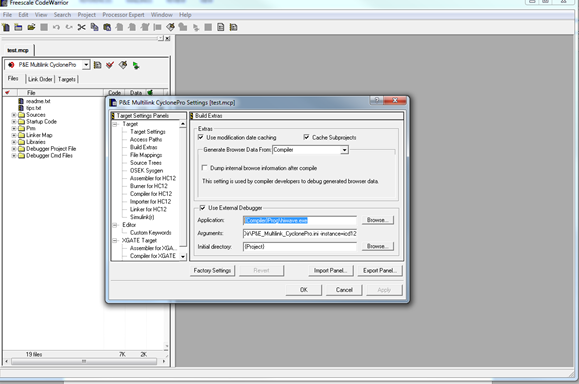
On my side I got some errors when I launch the debugger and the application is not loaded.
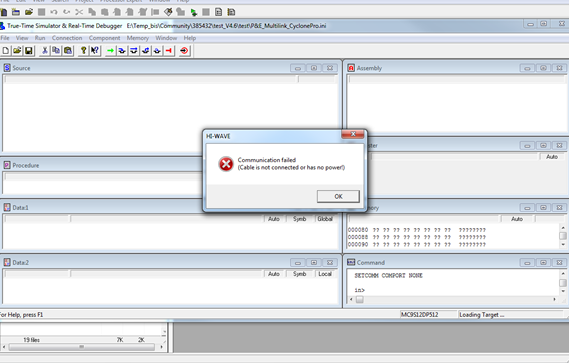
Similar project using same configuration (Hardware) is working fine with HC12 V5.1
Is there a problem with the P&E plugins used on HC12 V4.6 ?
Download the Patch for (S)12(X) 3rd Party Software, unzip it and refer to the readme.txt file.
On my side I backup the \Codewarrior for HC12 V4.6\Prog folder and extracted all files contained in the downloaded zip file.
After that I was able to launch the debug session and download the code on board using my P&E USBMultilink interface.
Have a great day,
Pascal
NXP Technical Support
-----------------------------------------------------------------------------------------------------------------------
Note: If this post answers your question, please click the Correct Answer button. Thank you!
-----------------------------------------------------------------------------------------------------------------------
trytohelp
- Mark as New
- Bookmark
- Subscribe
- Mute
- Subscribe to RSS Feed
- Permalink
- Report Inappropriate Content
Hi
CW for HC12 V4.6 is an old version released in 2006.
This tool was fully tested on Win XP 32 bit OS.
To avoid problem we recommend to use it under XP os.
CW for HC12 V5.1/V5.2 are lasted versions and these were tested under Host Platforms:
- Microsoft® Windows® 7 32- and 64-bit (Professional Edition)
- Microsoft Windows 7 32- and 64-bit (Home Premium)
- Microsoft Windows 8 32- and 64-bit
- Microsoft Windows 8.1 32- and 64-bit
- Microsoft Windows 10 32- and 64-bit
HC12 V4.6 under Win 7 ?
Sometimes ago I've performed some installation test see below:
+++++++++++++++++++++++++++++++++++++++++
- A- Try to install HC12 V4.6 using default installer configuration
Launch the CW12_V4_6.exe
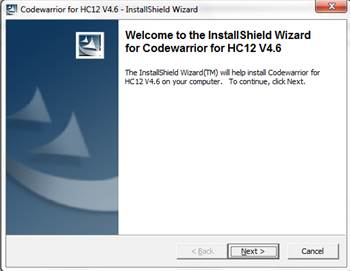
Next
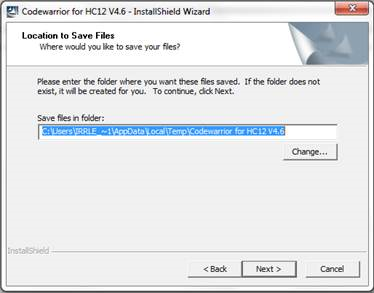
Next
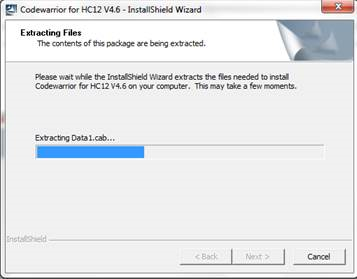
and
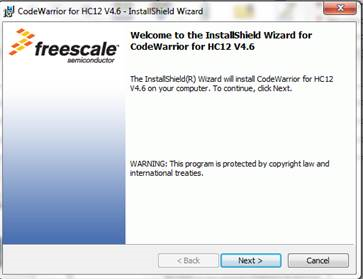
Next + Next + Next + Next
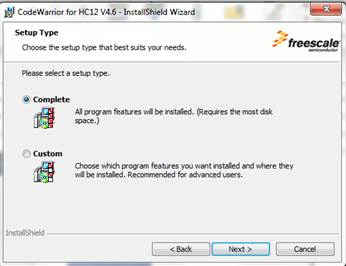
Select Complete and click on Next + Next and
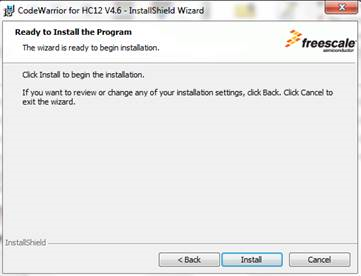
Install
The installation is launched.
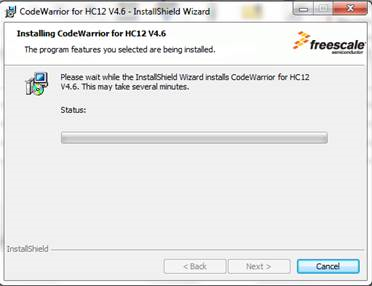
An error message appears
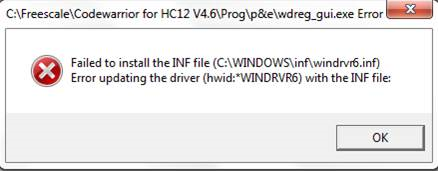
This is linked to a driver issue (P&E)
Click on OK and a second message
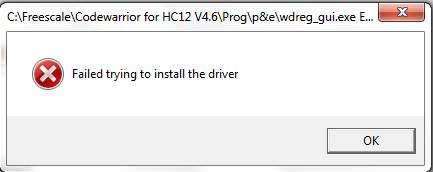
Click on OK
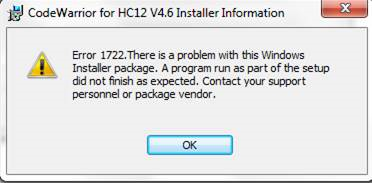
Click on OK
The installation is rolling back
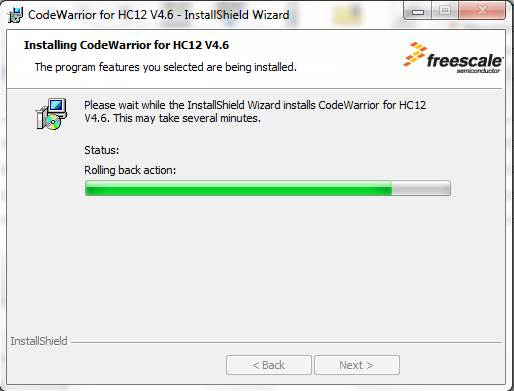
And …
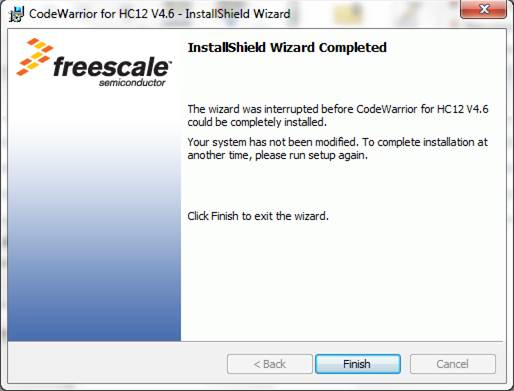
The tool is not installed.
- B- Try to install HC12 V4.6 using specific installer configuration
Executed exactly the same process excepted for the Setup type, select custom
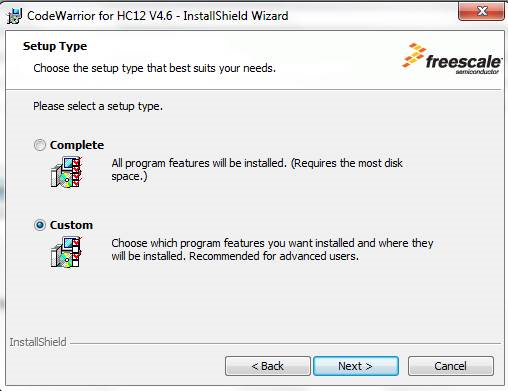
Next
Remove the driver from installer
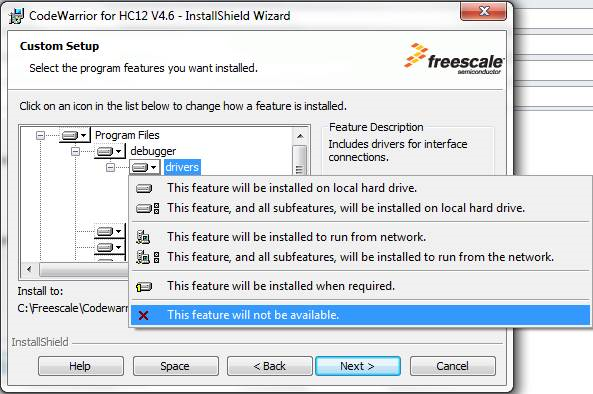
Click on Next + Next + install
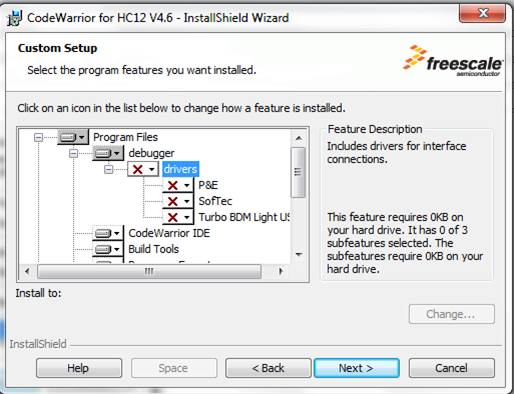
CW for HC12 V4.6 is now installed
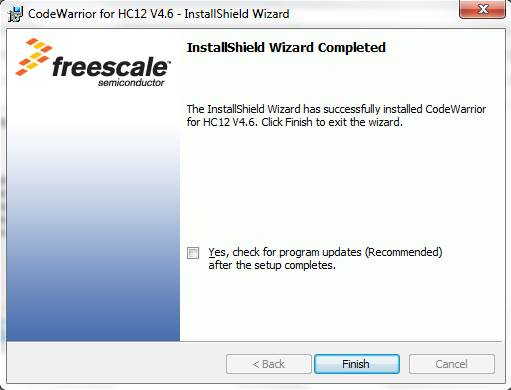
Finish
- C- Install new P&E drivers
Go to the P&E web site:
http://www.pemicro.com/products/product_viewDetails.cfm?product_id=33
Click on FAQs, Manuals & Downloads Tab
Under Download select: P&E Hardware Interface Drivers, Version 11 (Win XP/Vista/7/8)
PEDrivers_install.exe
Launch the installer
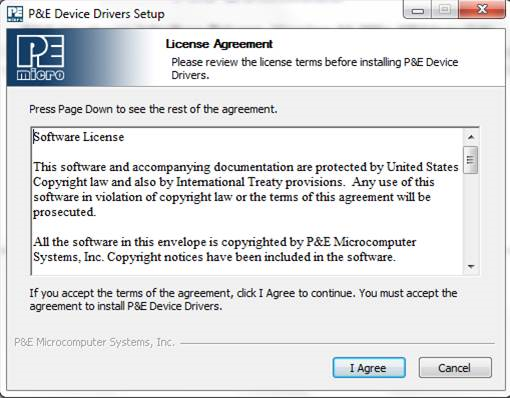
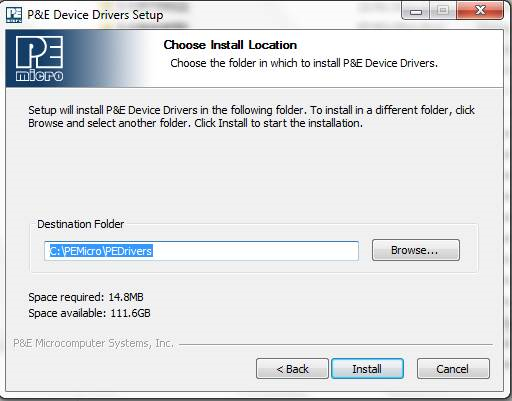
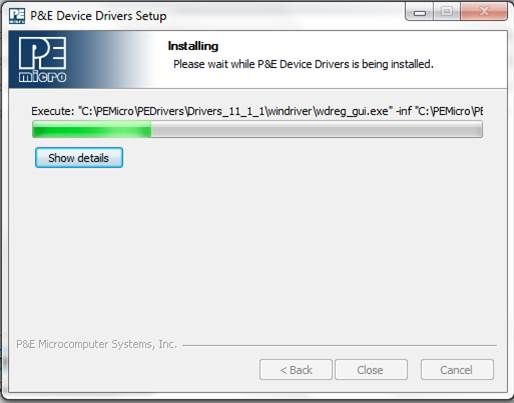
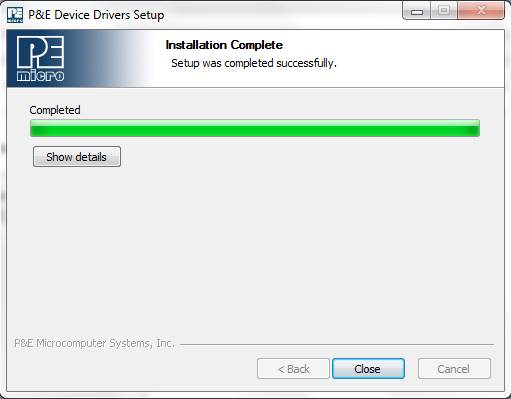
P&E drivers are installed.
+++++++++++++++++++++++++++++++++++++++++
At this point, the tool is installed.
I will check on my side how the tool is running (license) and debugger.
Not sure if it will work fine under Win 7.
Have a great day,
Pascal
NXP Technical Support
-----------------------------------------------------------------------------------------------------------------------
Note: If this post answers your question, please click the Correct Answer button. Thank you!
-----------------------------------------------------------------------------------------------------------------------
