- Forums
- Product Forums
- General Purpose MicrocontrollersGeneral Purpose Microcontrollers
- i.MX Forumsi.MX Forums
- QorIQ Processing PlatformsQorIQ Processing Platforms
- Identification and SecurityIdentification and Security
- Power ManagementPower Management
- Wireless ConnectivityWireless Connectivity
- RFID / NFCRFID / NFC
- Advanced AnalogAdvanced Analog
- Neural Processing UnitsNeural Processing Units
- MCX Microcontrollers
- S32G
- S32K
- S32V
- MPC5xxx
- Other NXP Products
- S12 / MagniV Microcontrollers
- Powertrain and Electrification Analog Drivers
- Sensors
- Vybrid Processors
- Digital Signal Controllers
- 8-bit Microcontrollers
- ColdFire/68K Microcontrollers and Processors
- PowerQUICC Processors
- OSBDM and TBDML
- S32M
- S32Z/E
-
- Solution Forums
- Software Forums
- MCUXpresso Software and ToolsMCUXpresso Software and Tools
- CodeWarriorCodeWarrior
- MQX Software SolutionsMQX Software Solutions
- Model-Based Design Toolbox (MBDT)Model-Based Design Toolbox (MBDT)
- FreeMASTER
- eIQ Machine Learning Software
- Embedded Software and Tools Clinic
- S32 SDK
- S32 Design Studio
- GUI Guider
- Zephyr Project
- Voice Technology
- Application Software Packs
- Secure Provisioning SDK (SPSDK)
- Processor Expert Software
- Generative AI & LLMs
-
- Topics
- Mobile Robotics - Drones and RoversMobile Robotics - Drones and Rovers
- NXP Training ContentNXP Training Content
- University ProgramsUniversity Programs
- Rapid IoT
- NXP Designs
- SafeAssure-Community
- OSS Security & Maintenance
- Using Our Community
-
- Cloud Lab Forums
-
- Knowledge Bases
- ARM Microcontrollers
- i.MX Processors
- Identification and Security
- Model-Based Design Toolbox (MBDT)
- QorIQ Processing Platforms
- S32 Automotive Processing Platform
- Wireless Connectivity
- CodeWarrior
- MCUXpresso Suite of Software and Tools
- MQX Software Solutions
- RFID / NFC
- Advanced Analog
- Neural Processing Units
-
- NXP Tech Blogs
- Home
- :
- i.MX Forums
- :
- i.MX RT Crossover MCUs
- :
- Fail Debug/Program with MCUxpresso and EVK-MIMXRT1020
Fail Debug/Program with MCUxpresso and EVK-MIMXRT1020
- Subscribe to RSS Feed
- Mark Topic as New
- Mark Topic as Read
- Float this Topic for Current User
- Bookmark
- Subscribe
- Mute
- Printer Friendly Page

- Mark as New
- Bookmark
- Subscribe
- Mute
- Subscribe to RSS Feed
- Permalink
- Report Inappropriate Content
Hello.
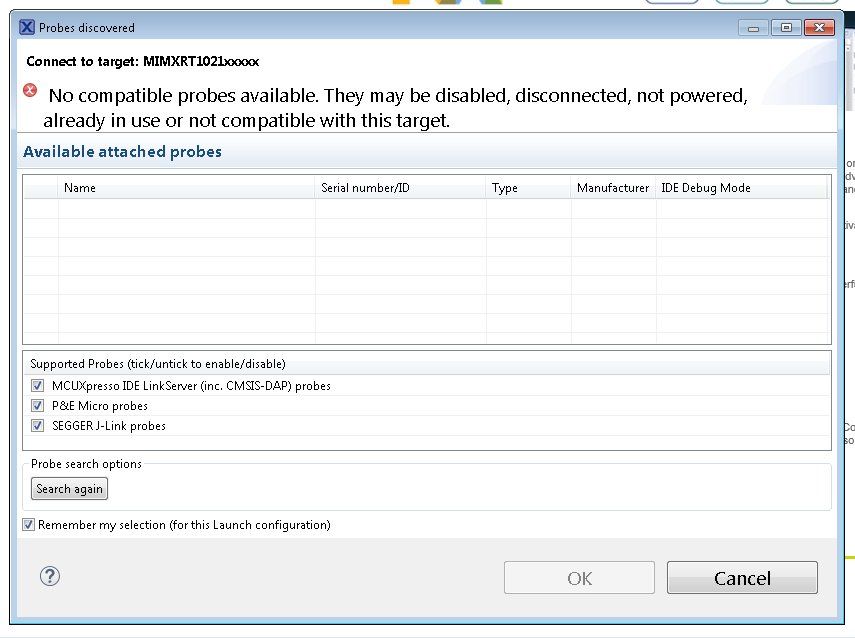
I start working with the EVK-MIMXRT1020, I follow all the instructions on the website, I install MCUXpresso, download and install SDK, install USB driver, open Hello_World source code example, Press Build and Debug to program, but it fails. Attached screenshot of MCUXpresso.
I have also reinstalled Java, but it always fails. I also have an evaluation board for the RT1050, and the problem is the same, none can program and run the program, following the instructions on the RT website.
Best Regards

Solved! Go to Solution.
- Mark as New
- Bookmark
- Subscribe
- Mute
- Subscribe to RSS Feed
- Permalink
- Report Inappropriate Content
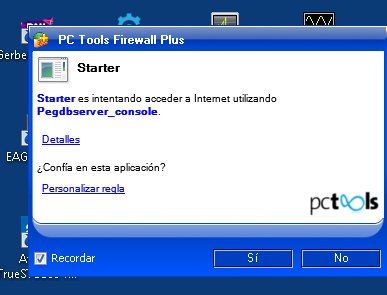
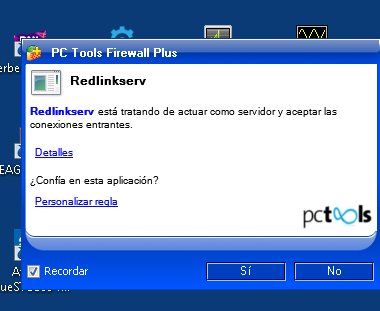
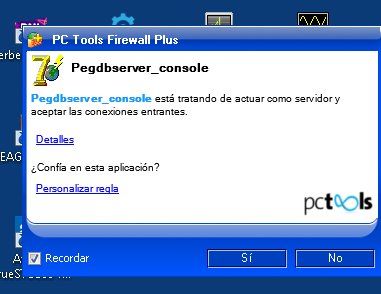
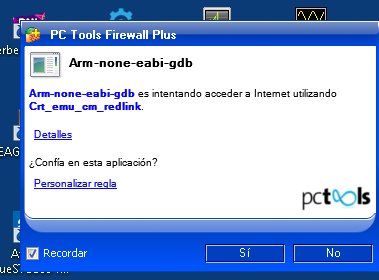
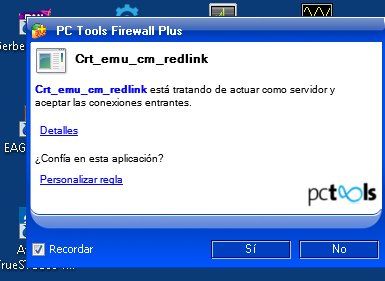
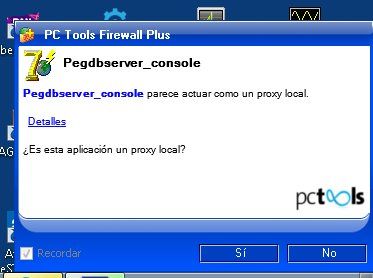
Problem totally solved, and now everything works perfectly. The solution was to simply remove the installation and the directory, and install again but in a NEW directory (in my before tests I always reinstalled in same directory name by default). Therefore, when it is executed from a new directory, the firewall warns about each new process and requests whether to accept the process to grant or not permissions.
Then, after running from a new directory and accepting all the warnings from the firewall, everything works perfectly, Jlink, Multilink and DAP-CMSIS via USB in both versions of MCUXpresso 10.1 and 10.2.
The only thing I did not like, is that NXP at no time they offered help on this problem, not a single suggestion about the problem of a FIREWALL server, and when I knew that the problem came from the firewall they did not give me a solution either to definitely solve the problem.
Thanks to Erich from "MCU on Eclipse" blog, without his suggestion about the firewall, I would not have been able to solve this problem.
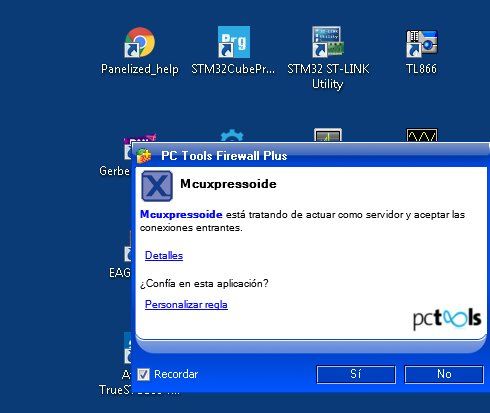
These are all messages from the firewall when MCUXpresso is running from a new installation and a new directory, for first time. I accept all the warnings, and in this way, the firewall grants permissions to all the MCUXpresso processes, and everything finally works fine.
- Mark as New
- Bookmark
- Subscribe
- Mute
- Subscribe to RSS Feed
- Permalink
- Report Inappropriate Content
Problem totally solved, and now everything works perfectly. The solution was to simply remove the installation and the directory, and install again but in a NEW directory (in my before tests I always reinstalled in same directory name by default). Therefore, when it is executed from a new directory, the firewall warns about each new process and requests whether to accept the process to grant or not permissions.
Then, after running from a new directory and accepting all the warnings from the firewall, everything works perfectly, Jlink, Multilink and DAP-CMSIS via USB in both versions of MCUXpresso 10.1 and 10.2.
The only thing I did not like, is that NXP at no time they offered help on this problem, not a single suggestion about the problem of a FIREWALL server, and when I knew that the problem came from the firewall they did not give me a solution either to definitely solve the problem.
Thanks to Erich from "MCU on Eclipse" blog, without his suggestion about the firewall, I would not have been able to solve this problem.
These are all messages from the firewall when MCUXpresso is running from a new installation and a new directory, for first time. I accept all the warnings, and in this way, the firewall grants permissions to all the MCUXpresso processes, and everything finally works fine.

 lpcxpresso_supp
- Mark as New
- Bookmark
- Subscribe
- Mute
- Subscribe to RSS Feed
- Permalink
- Report Inappropriate Content
Hi Luis,
I am pleased that you have made progress and are able to debug with MCUXpresso IDE version 10.2.
MCUXpresso IDE assumes it has localhost telnet access and will request the access it needs from the Windows firewall mechanism. If you make use of a third party firewall, then you will need to manage these requirements.
One thing to point out... if you have multiple installations of MCUXpresso IDE, then each installations copy of LinkServer (Redlinkserv) must have the required firewall access. Our only explanation for the difference in behaviours of versions 10.1 and 10.2 is that at some time in the past, LinkServer from the 10.1 installation had been given the required firewall access.
Yours,
MCUXpresso IDE Support
- Mark as New
- Bookmark
- Subscribe
- Mute
- Subscribe to RSS Feed
- Permalink
- Report Inappropriate Content
Both versions of MCUXpresso have the same firewall permissions, so that's not the problem. I think I'll have to solve everything by myself, you never made a single suggestion about the firewall, nor now any useful suggestions on how to solve the final problems with errors in version 10.2 using DAP-CMSIS and the Multilink programmer.
This publication will only be useful to prevent other users from losing their time also solving the same problem, but there is practically no support or solutions to the problem from you, on the contrary, I have solved the problem and I have given solution to the community.
You should know perfectly well that practically everyone installs a firewall on their computer, so this problem will be common in most people. But you seem to have never checked something so basic and never notice about it in user manuals or technical documents. And when someone claims you also totally ignore the firewall problems to work with MCUXpresso.
I am surprised in that respect, that a company like NXP of such a poor support, ignoring such basic things, and even more surprised that even then, now you do not give a final solution, about some problems that still persist.
I said, in the end I'll have to solve everything myself. From NXP I have not received the slightest support on this problem.
- Mark as New
- Bookmark
- Subscribe
- Mute
- Subscribe to RSS Feed
- Permalink
- Report Inappropriate Content
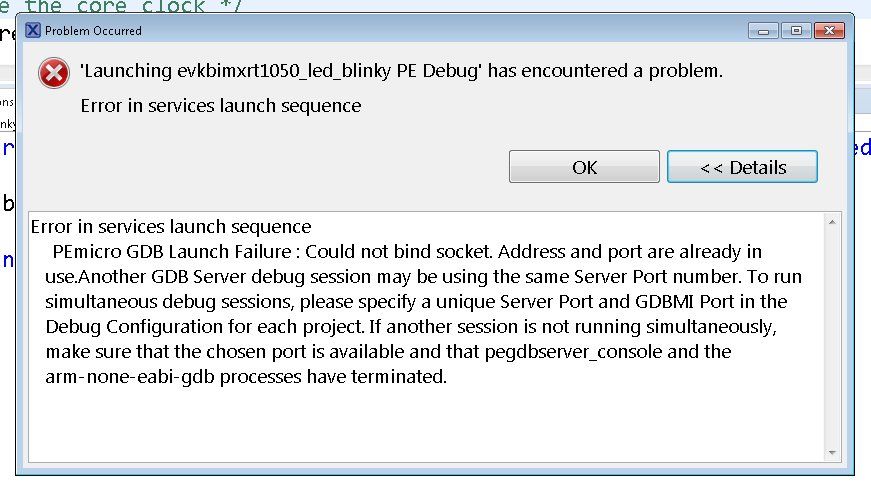
More tests, this with the Multilink PE programmer, fail with MCUXpresso 10.2 if I do not disable the firewall, work well if I disable the firewall. With MCUXpresso 10.1 it works well with or without the firewall enabled.
SEGGER Jlink programmer is currently working perfectly with MCUXpresso 10.1 and 10.2, after giving firewall permissions to Redlinkserv process. DAP-CMSIS by USB, works perfectly with MCUXpresso 10.1 and gives some errors in MCUXpresso 10.2 if the firewall is enabled, although if I press OK to the two errors it gives, it seems to work.
In summary, all the current problems have some relation with the firewall and the ports, but only with MCUXpresso 10.2, no problems with MCUXpresso 10.1.
- Mark as New
- Bookmark
- Subscribe
- Mute
- Subscribe to RSS Feed
- Permalink
- Report Inappropriate Content
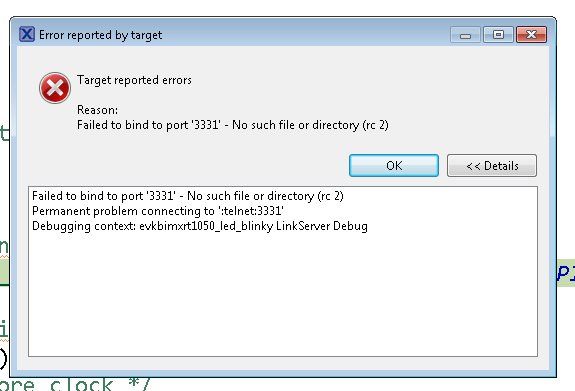
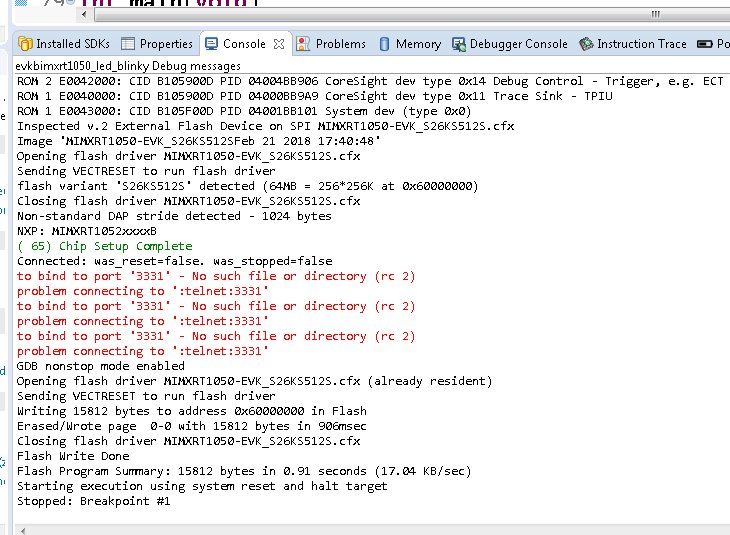
It's strange, now with MCUXpresso 10.1, it does not give any errors and everything works fine. I only get that error from port 3331 with MCUXpresso 10.2, although if I press OK on both errors, it continues and it works. Anyway I would like to eliminate that error.
to bind to port ‘3331’ – No such file or directory (rc 2)
problem connecting to ‘:telnet:3331’
to bind to port ‘3331’ – No such file or directory (rc 2)
problem connecting to ‘:telnet:3331’
to bind to port ‘3331’ – No such file or directory (rc 2)
problem connecting to ‘:telnet:3331’ “
- Mark as New
- Bookmark
- Subscribe
- Mute
- Subscribe to RSS Feed
- Permalink
- Report Inappropriate Content
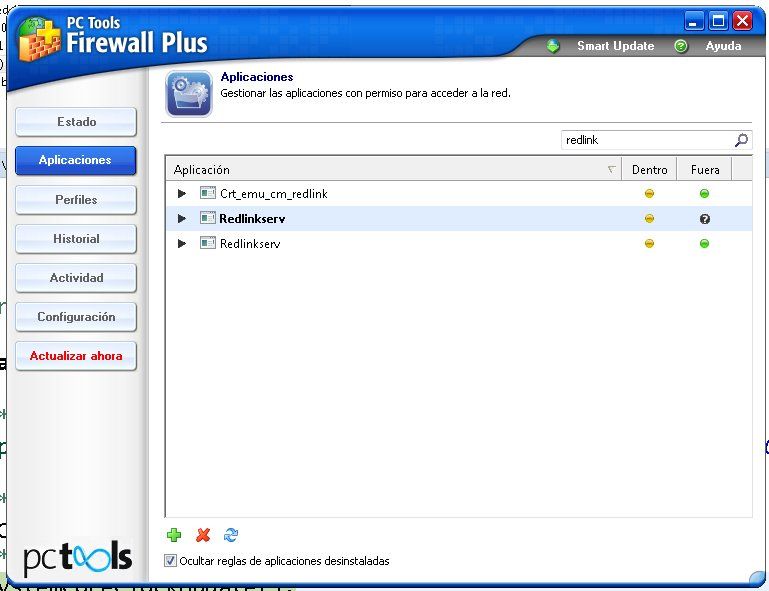
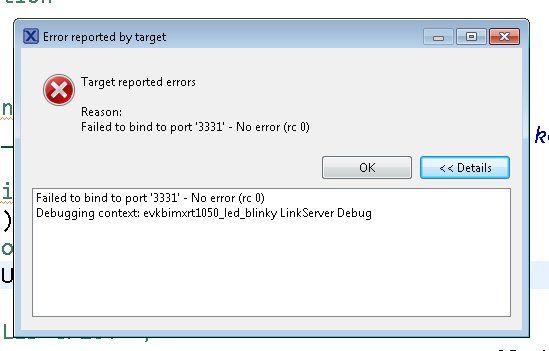
Finally, I think I solved the problem with DAP-CMSIS using a USB driver, although only partially. Erich from the blog "MCU in Eclipse" suggested me to disable the firewall, and indeed, that was the problem, the firewall.
I disabled it and it started to work, but if I activated it again, I lost access again. Then I opened the firewall and gave access permission to "Redlinkserv" as seen in the screenshot attached. In this way it starts, but it gives me two errors, although if I press the OK button on both, it continues and starts without problems.
The question now is how to avoid receiving those error messages, it is something of the firewall, because if I disable it, everything works fine, and if I activate it, although I have already given permission "Redlinkserv", I get those errors that seem related to the port 3331 of the firewall.
- Mark as New
- Bookmark
- Subscribe
- Mute
- Subscribe to RSS Feed
- Permalink
- Report Inappropriate Content
Today I have done more tests and it seems that something has advanced. I already did a completely new installation, deleting the MCUXpresso and the SDK, to install them again, and the failures remained the same, this did not solve anything.
What I saw, is that there are two icons of Debug, one with a violet cockroach, and another with a green cockroach. With the second, I can choose the interface that will be used to make Debug, I get options for CMSIS-DAP, Jlink and Multilink. Over here I have finally been able to start the Debug using Jlink or Multilink in MCUXpresso 10.2. If I use the icon of the violet cockroach, it does not work, a screen appears in which it seems that it is permanently looking for the USB CMSIS-DAP interface, which never finds it.
In summary, Debug definitely does not work for me using CMSIS-DAP via USB, in none of the two versions of MCUXpresso, 10.1 and 10.2, it does not find this interface via USB. I have seen the MCU on Eclipse blog, with the tests on the RT1050 evaluation board, and the only difference I have found is that Erich is using Windows 10, and I use Windows7.
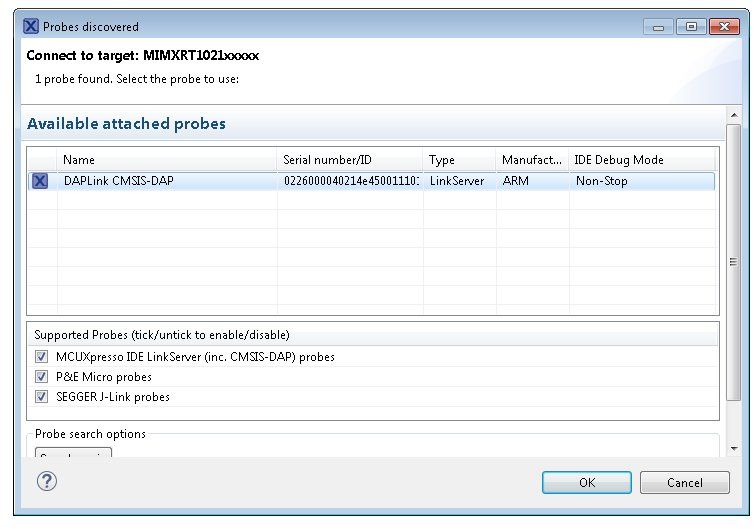
Screenshot, using the icon (green cockroach) that gives the option to choose which interface to use to Debug. With this option, I have finally been able to debug with MCUXpresso 10.2 using the Jlink or Multilink programmers, but it fails if I try to use CMSIS-DAP via USB.
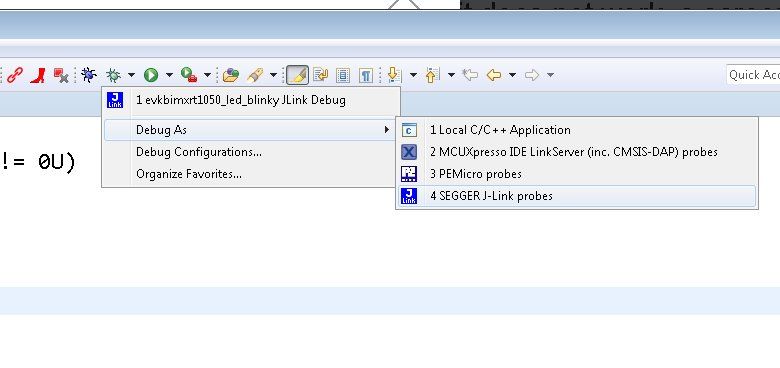
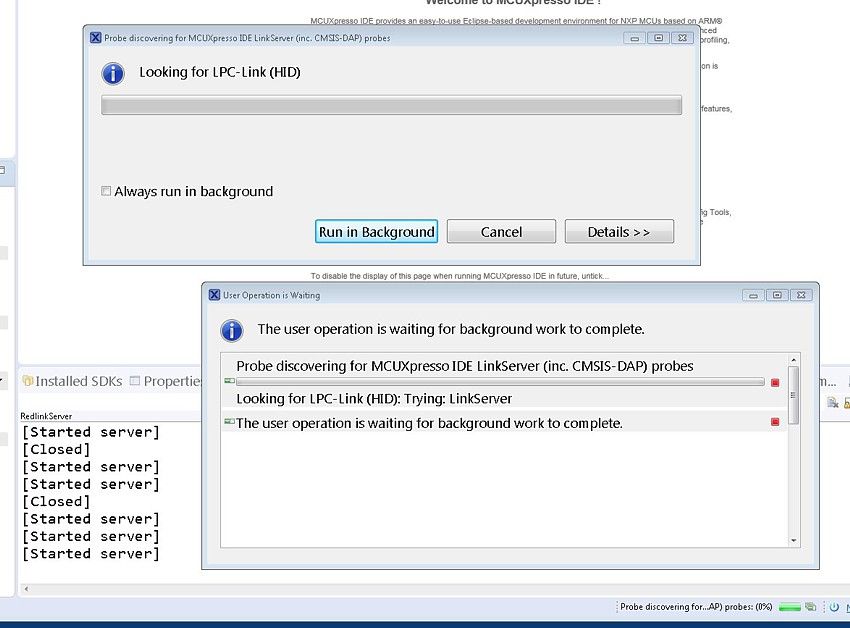
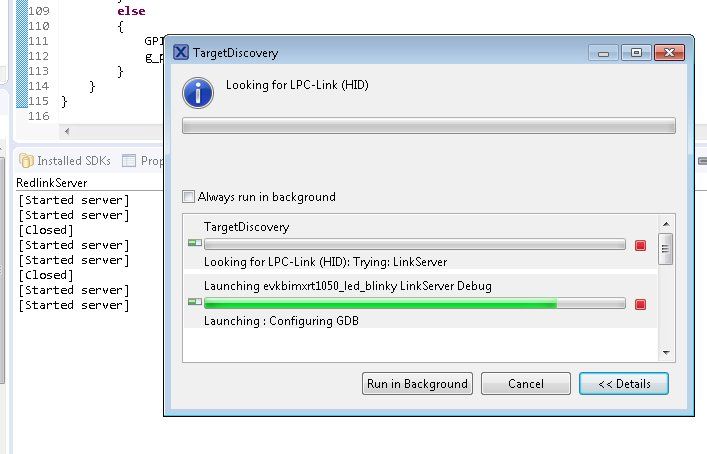
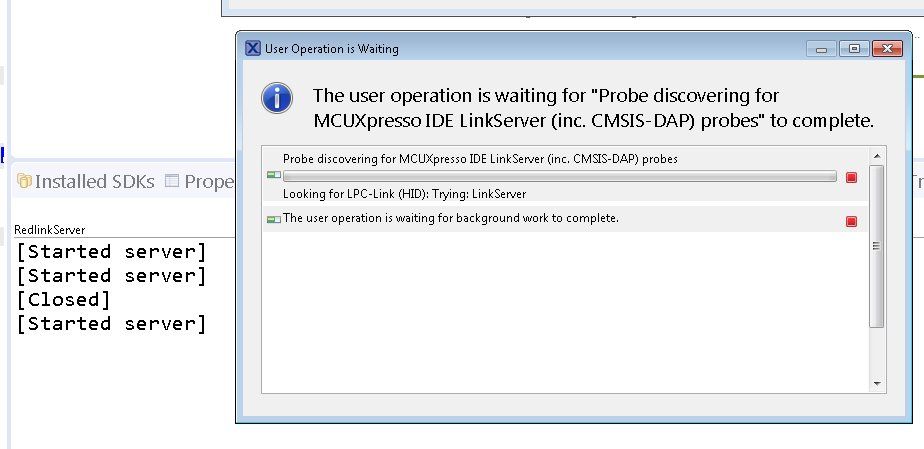
Screenshot, about what I see if I try to debug using CMSIS-DAP via USB, or by clicking on the violet cockroach icon. MCUXpresso remains locked on this screen, it seems that it is looking for a USB device but never finds it. The same happens with MCUXpresso 10.1. I work with Windows 7 64 bits, maybe this is the problem, because I see in the blog "MCU on Eclipse" that they try it with Windows 10. May be the USB drivers you provide are not compatible with Windows 7 64 bit, or something is wrong to work with this OS version using CMSIS-DAP by USB, or the firmware version of OpenSDA on my boards is wrong or outdated and is not compatible with current USB drivers.
- Mark as New
- Bookmark
- Subscribe
- Mute
- Subscribe to RSS Feed
- Permalink
- Report Inappropriate Content
All that I already did and it continues to fail exactly the same, and only works with the programmers and MCUXpresso version that I have indicated.
1.- OS ---> Windows 7 64 bit.
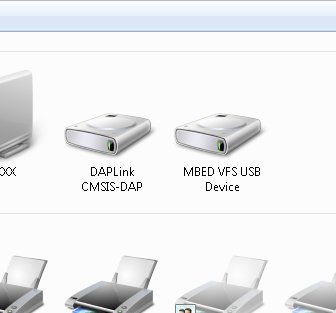
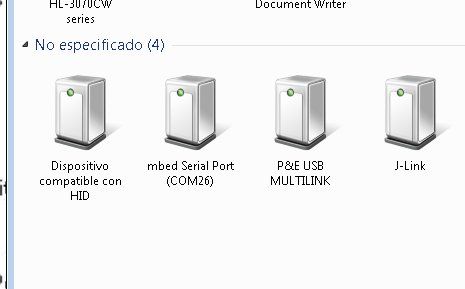
2 .-How the built in debug probe of your RT board appears to your OS in Device and Printers (or similar).
Here you can see Jlink, Multilink and mbed drivers when connect RT1050 by USB

This in Devices and Printers.
3.- Details of any dialogs you see.
Check my before messages, I have post capture screens of all error messages that show MCUXpresso in 10.1 and 10.2 versions.
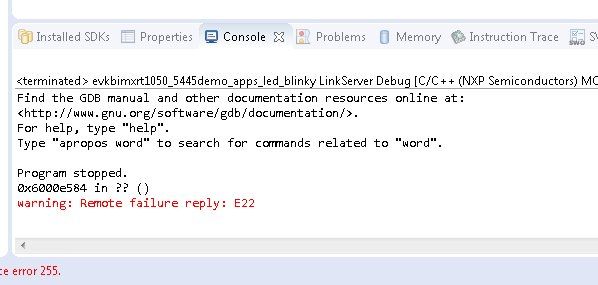
4.- The text content from the Debug Log in the console view. Details of how to get this can be found in section 18.8, "The Console View" of the MCUXpresso IDE v10.2 User Guide.
4.1.- With MCUXpresso 10.1, RT1050 board by USB (DAP LINK CMSIS-DAP Driver)
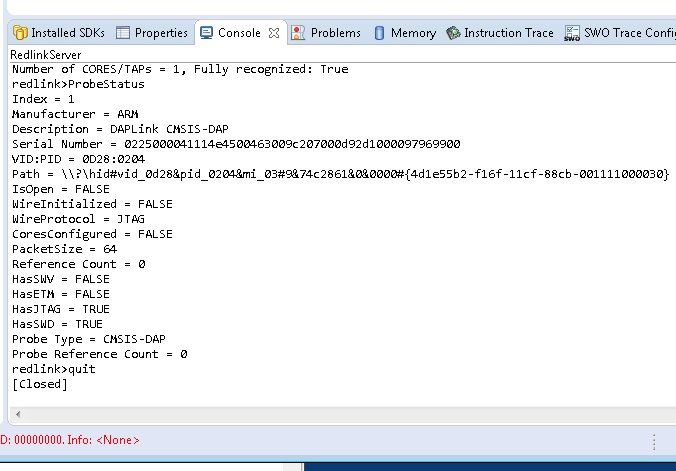
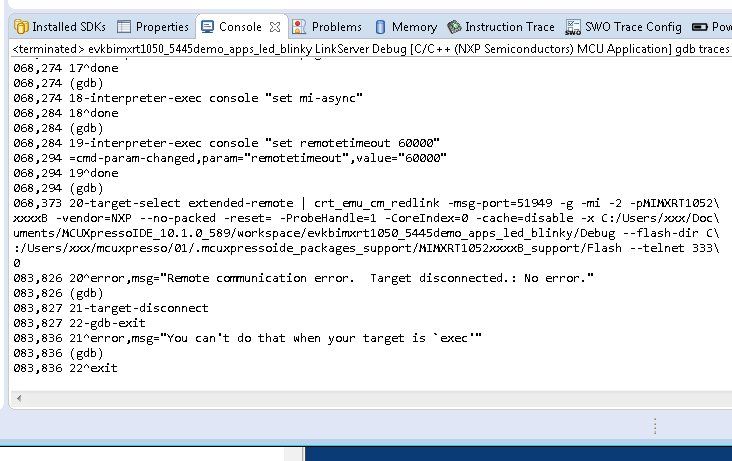
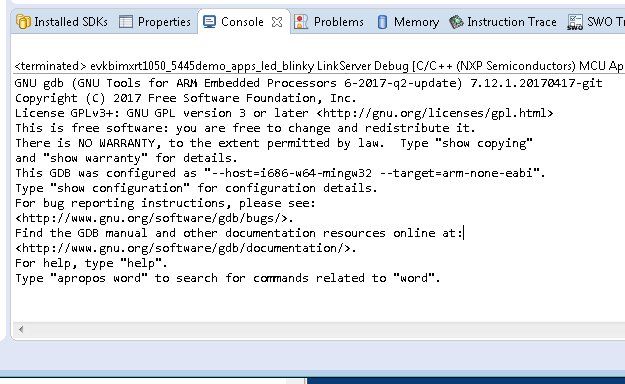
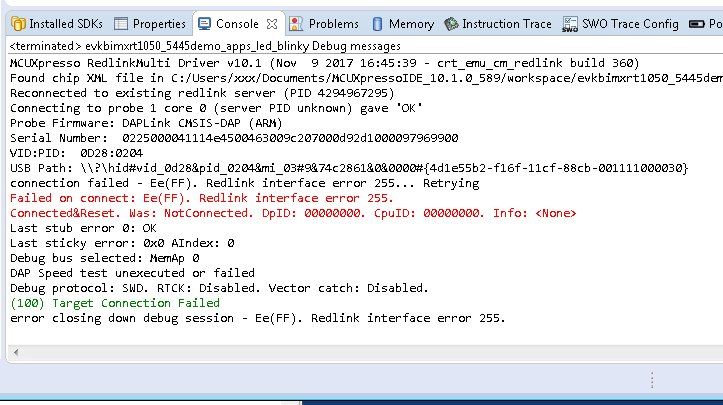
4.2.- With MCUXpresso 10.2, RT1050 and RT1020 boards.
Tested with Jlink, Multilink and USB (DAP LINK CMSIS-DAP driver). There is no option to choose a different console mode because MCUXpresso remains locked looking for programmers or USB card, and never finds anything, finally I must cancel. With MCUXpresso 10.2 everything fails, Jlink; Multilink and USB (DAP LINK CMSIS-DAP driver), impossible to do anything with this version of MCUXpresso.
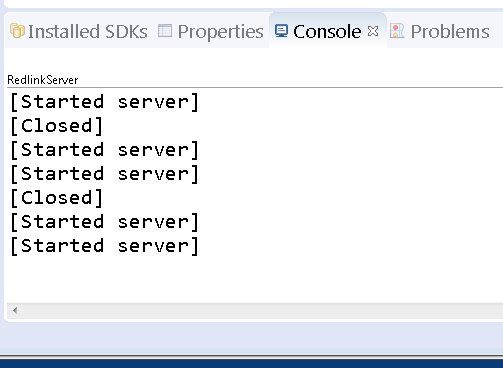
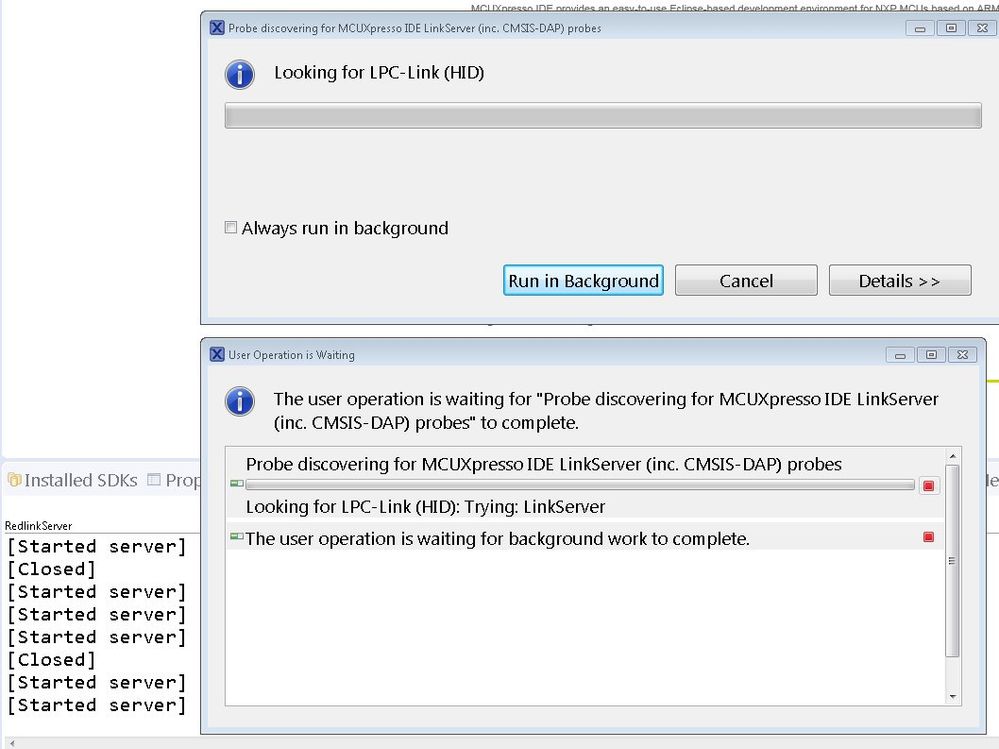
.
 art
art
- Mark as New
- Bookmark
- Subscribe
- Mute
- Subscribe to RSS Feed
- Permalink
- Report Inappropriate Content
Try to forcedly run the MCUXpresso IDE software in Administrator mode.
- Mark as New
- Bookmark
- Subscribe
- Mute
- Subscribe to RSS Feed
- Permalink
- Report Inappropriate Content
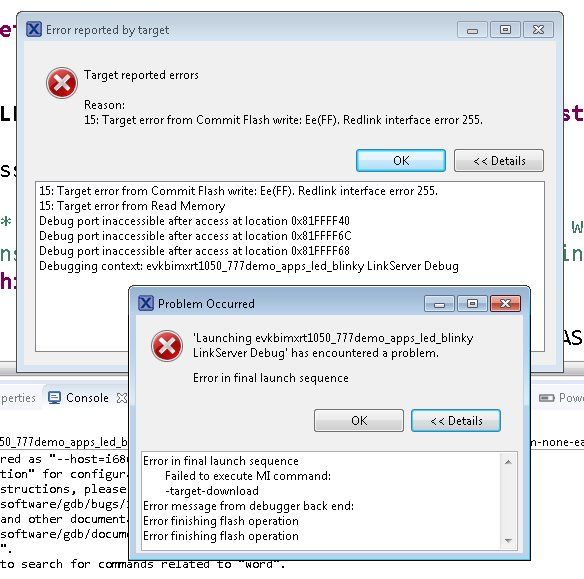
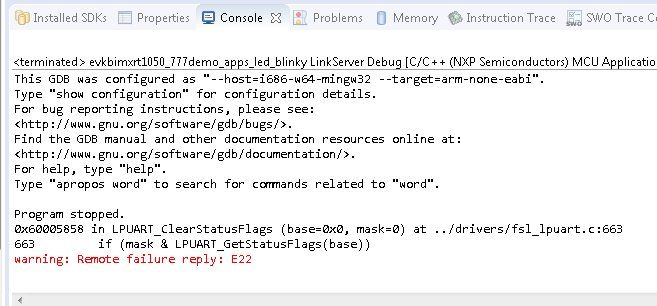
Just now testing again with RT1050 by USB CMSIS-DAP.
With MCUXpresso 10.2, the software seems to be looking for drivers or programmers, it never finds anything, and I have to cancel it.
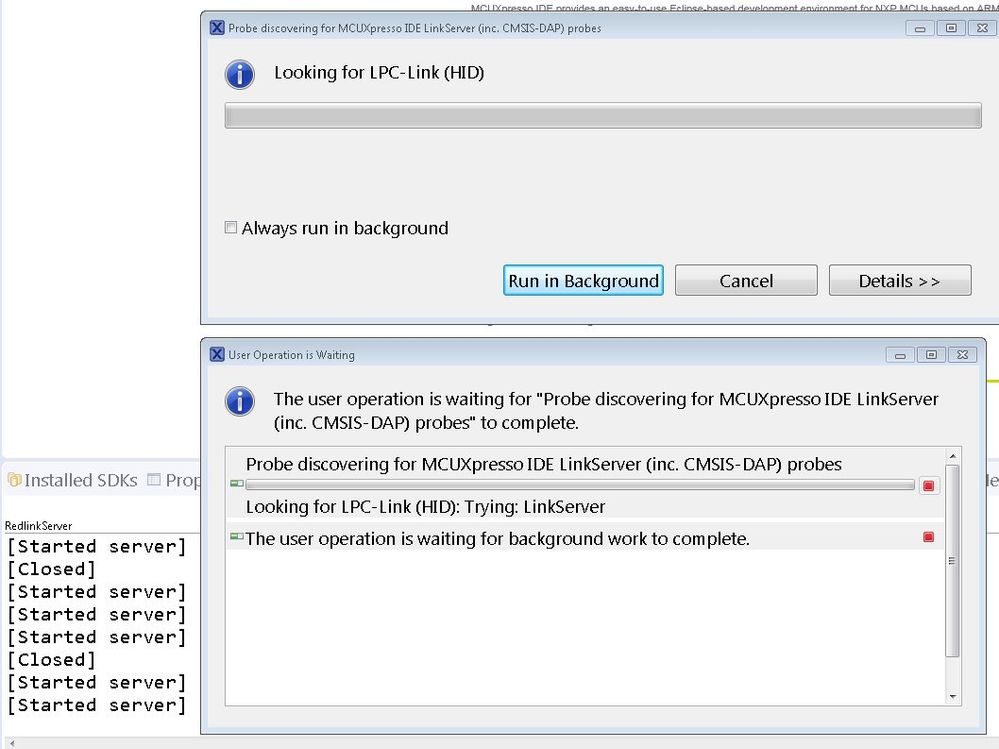
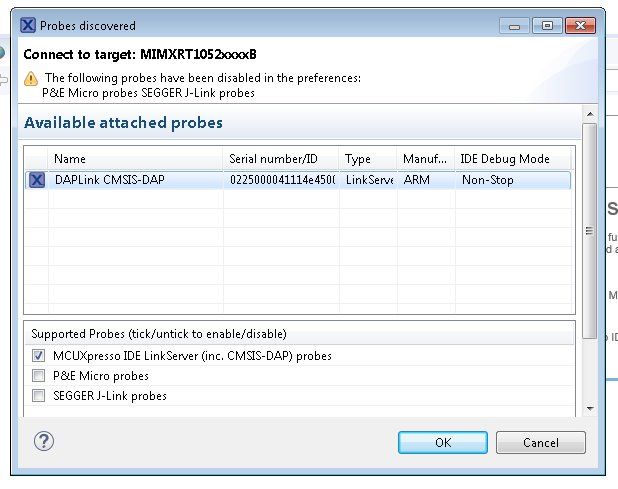
And with MCUXpresso 10.1, at least it finds the USB CMSIS-DAP drivers, but it ends up giving error.
- Mark as New
- Bookmark
- Subscribe
- Mute
- Subscribe to RSS Feed
- Permalink
- Report Inappropriate Content
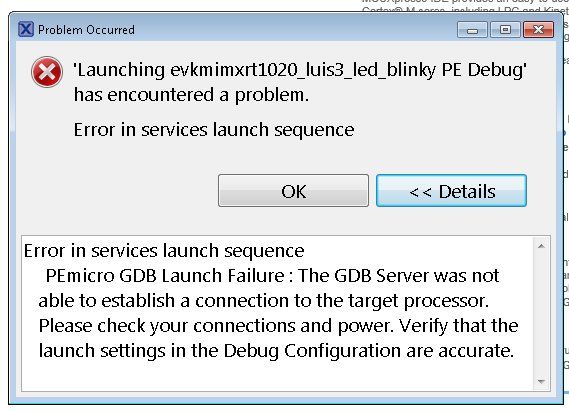
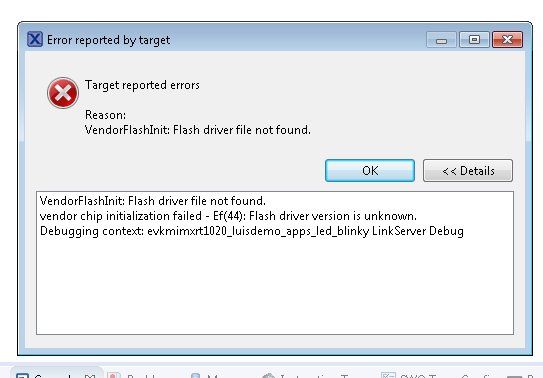
Its working in Administrator mode, and fail. Today I have check my RT1020 and RT1050 boards, with MCUxpresso 10.1 and 10.2, programmers Jlink and Multilink, also tested by USB with DAP LINK CMSIS-DAP Driver.
Only works RT1050 + Jlink or Multilink PE + MCUXpresso 10.1, and RT1020 + Jlink + MCUXpresso 10.1
RT1050 + MCUxpresso 10.1.0 + DAP LINK CMSIS-DAP Driver --> FAIL
RT1050 + MCUxpresso 10.2.0 + DAP LINK CMSIS-DAP Driver --> FAIL
RT1020 + MCUxpresso 10.1.0 + DAP LINK CMSIS-DAP Driver --> FAIL
RT1020 + MCUxpresso 10.2.0 + DAP LINK CMSIS-DAP Driver --> FAIL
RT1050 + MCUxpresso 10.1.0 + Multilink PE programmer --> OK
RT1050 + MCUxpresso 10.2.0 + Multilink PE programmer --> FAIL
RT1020 + MCUxpresso 10.1.0 + Multilink PE programmer --> FAIL
RT1020 + MCUxpresso 10.2.0 + Multilink PE programmer --> FAIL
RT1050 + MCUxpresso 10.1.0 + Jlink programmer --> OK
RT1050 + MCUxpresso 10.2.0 + Jlink programmer --> FAIL
RT1020 + MCUxpresso 10.1.0 + Jlink programmer --> OK
RT1020 + MCUxpresso 10.2.0 + Jlink programmer --> FAIL

- Mark as New
- Bookmark
- Subscribe
- Mute
- Subscribe to RSS Feed
- Permalink
- Report Inappropriate Content
I have install now MCUxpresso 10.1.0, and this recognize the DAP Link CMSIS DAP driver, Program, Run and Debug.
But fail with MCUxpresso 10.2.0. What happen, what is the problem with MCUxpresso 10.2.0 ??