
- Forums
- Product Forums
- General Purpose MicrocontrollersGeneral Purpose Microcontrollers
- i.MX Forumsi.MX Forums
- QorIQ Processing PlatformsQorIQ Processing Platforms
- Identification and SecurityIdentification and Security
- Power ManagementPower Management
- Wireless ConnectivityWireless Connectivity
- RFID / NFCRFID / NFC
- Advanced AnalogAdvanced Analog
- Neural Processing UnitsNeural Processing Units
- MCX Microcontrollers
- S32G
- S32K
- S32V
- MPC5xxx
- Other NXP Products
- S12 / MagniV Microcontrollers
- Powertrain and Electrification Analog Drivers
- Sensors
- Vybrid Processors
- Digital Signal Controllers
- 8-bit Microcontrollers
- ColdFire/68K Microcontrollers and Processors
- PowerQUICC Processors
- OSBDM and TBDML
- S32M
- S32Z/E
-
- Solution Forums
- Software Forums
- MCUXpresso Software and ToolsMCUXpresso Software and Tools
- CodeWarriorCodeWarrior
- MQX Software SolutionsMQX Software Solutions
- Model-Based Design Toolbox (MBDT)Model-Based Design Toolbox (MBDT)
- FreeMASTER
- eIQ Machine Learning Software
- Embedded Software and Tools Clinic
- S32 SDK
- S32 Design Studio
- GUI Guider
- Zephyr Project
- Voice Technology
- Application Software Packs
- Secure Provisioning SDK (SPSDK)
- Processor Expert Software
- Generative AI & LLMs
-
- Topics
- Mobile Robotics - Drones and RoversMobile Robotics - Drones and Rovers
- NXP Training ContentNXP Training Content
- University ProgramsUniversity Programs
- Rapid IoT
- NXP Designs
- SafeAssure-Community
- OSS Security & Maintenance
- Using Our Community
-
- Cloud Lab Forums
-
- Knowledge Bases
- ARM Microcontrollers
- i.MX Processors
- Identification and Security
- Model-Based Design Toolbox (MBDT)
- QorIQ Processing Platforms
- S32 Automotive Processing Platform
- Wireless Connectivity
- CodeWarrior
- MCUXpresso Suite of Software and Tools
- MQX Software Solutions
- RFID / NFC
- Advanced Analog
- Neural Processing Units
-
- NXP Tech Blogs

There are some questions from our customer need your commet :
- Does I.MX8M plus support all operator included by tensor flow lite ? I saw some words in the i.MX_Machine_Learning_User's_Guide.pdf . The TensorFlow Lite library uses the Android NN API implementation from the GPU/NPU driver for running inference using the GPU/NPU hardware accelerator. The implemented NN API version is 1.2, which has limitations in supported tensor data types and operations, compared to the feature set of TensorFlow Lite. Therefore,
some models may work without acceleration enabled, but may fail when using the NN API. So the answer is NOT ? - Right now the I.MX8M plus support Ubuntu rootfs , does it include ROS and some ML sample ? Our customer is using Jetson Nano , it is base on Ubuntu rootfs , support ROS default . Right now they are evaluating replacing the Jetson nano with I.MX8M plus , they would like to use ubuntu .
- I noted the I.MX8M plus is 2.3 TOPS base on int8 , compare to the Jetson Nano 472 GFLOPS, how to understand the advantage between them ?
- Could you help to share some information about the camera using in the AI Robot EVK ?
已解决! 转到解答。
 xiaodong_zhang
According to the below picture

472GFLOPS(FP16) = 472*2GOPS(INT8)=472*2%1024TOPS ≈ 0.92TOPS
As right now the ubuntu20.04 rootfs is base on I.MX8M plus EVK , we are going to install the ubuntu 20.04 on the AI robot EVK , please help to share the user guide . Thanks
xiaodong_zhang
Please desktop manifest as the following:
repo init -u https://source.codeaurora.org/external/imx/imx-manifest -b imx-linux-gatesgarth -m imx-5.10.9-1.0.0_desktop.xml
And then, apply patch 0001-Add-to-support-i.MX8M-Plus-AI-Robot-board-and-some-t.patch for layer meta-nxp-desktop and untar meta-imx8mp-ai-robot-L5.10.9-gatesgarth.tar.gz under <Yocto folder>/source.
$ DISTRO=imx-desktop-xwayland MACHINE=imx8mpairobotdesktop source imx-setup-desktop.sh -b build-ai-robot-desktop
After the above command, you should add BBLAYERS += "${BSPDIR}/sources/meta-imx8mp-ai-robot " in <Yocto folder>/build-ai-robot-desktop/bblayers.conf
$bitbake imx-image-desktop
Note:
<Yocto folder>/source/meta-nxp-desktop/conf/distro/imx-desktop-xwayland.conf has some configure options like IMAGE_ROOTFS_SIZE, you can change it for larger size of rootfs. Default user account and password are all user. You can change it by the below guide.
# Set user account and password
#APTGET_ADD_USER = "user:password:shell"
# format 'name:password:shell'.
# 'name' is the user name.
# 'password' is an encrypted password (e.g. generated with
# `echo "P4sSw0rD" \| openssl passwd -stdin`).
# If empty or missing, they'll get an empty password.
# 'shell' is the default shell (if empty, default is /bin/sh).

Dear @xiaodong_zhang ,
I'm interested in testing this AI Robot Platform but I'm struggling the following error while doing the rootfs :
Initialising tasks: 100% |############################################################| Time: 0:00:03
Sstate summary: Wanted 287 Found 285 Missed 2 Current 2317 (99% match, 99% complete)
NOTE: Executing Tasks
ERROR: imx-image-desktop-20.04.2-r0 do_rootfs: [log_check] imx-image-desktop: found 1 error message in the logfile:
[log_check] Failed to connect to bus: Host is down

ERROR: Logfile of failure stored in: /backup/NXP/Yocto/imx-yocto-bsp-5_10_9-1_0_0-desktop/build-ai-robot-desktop/tmp/work/imx8mp_ai_robot-fsl-linux/imx-image-desktop/20.04.2-r0/temp/log.do_rootfs.30696
ERROR: Task (/backup/NXP/Yocto/imx-yocto-bsp-5_10_9-1_0_0-desktop/sources/meta-nxp-desktop/recipes-fsl/images/imx-image-desktop.bb:do_rootfs) failed with exit code '1'
My host is Ubuntu-18.04. I wonder if you could help to solve this issue please ?
Thanks very in advance and best regards,
Khang
xiaodong_zhang
Please send me your error log (file log.do_rootfs.30696).
Hi @xiaodong_zhang ,
Please find the requested file in attachment. Additional information :I still faced this error within Ubuntu-20.04 as host.
Br,
Khang
xiaodong_zhang
what configuration of your build server ?
BTW, here is my log:
Creating config file /etc/idmapd.conf with new version
Adding system user `statd' (UID 116) ...
Adding new user `statd' (UID 116) with group `nogroup' ...
Not creating home directory `/var/lib/nfs'.
Created symlink /etc/systemd/system/multi-user.target.wants/nfs-client.target -> /lib/systemd/system/nfs-client.target.
Created symlink /etc/systemd/system/remote-fs.target.wants/nfs-client.target -> /lib/systemd/system/nfs-client.target.
Setting up libgcc-9-dev:arm64 (9.3.0-17ubuntu1~20.04) ...
Setting up libltdl-dev:arm64 (2.4.6-14) ...
Setting up pkg-config (0.29.1-0ubuntu4) ...
Setting up libc6-dev:arm64 (2.31-0ubuntu9.2) ...
Setting up python3-future (0.18.2-2) ...
update-alternatives: using /usr/bin/python3-futurize to provide /usr/bin/futurize (futurize) in auto mode
update-alternatives: using /usr/bin/python3-pasteurize to provide /usr/bin/pasteurize (pasteurize) in auto mode
Setting up gcc-9 (9.3.0-17ubuntu1~20.04) ...
Setting up openssh-sftp-server (1:8.2p1-4ubuntu0.2) ...
Setting up openssh-server (1:8.2p1-4ubuntu0.2) ...
I have Ubuntu-18.04 desktop with the packages required by Yocto in the iMX Yocto Project User's Guide :
sudo apt-get install gawk wget git-core diffstat unzip texinfo gcc-multilib \
build-essential chrpath socat cpio python python3 python3-pip python3-pexpect \
xz-utils debianutils iputils-ping python3-git python3-jinja2 libegl1-mesa libsdl1.2-dev \
pylint3 xterm
BR,
Khang
My machine has 32GB of RAM :
$ free
              total        used        free      shared  buff/cache   available
Mem:       32812796     7672156     1930688      134612    23209952    24551288
Swap:       2097148      804352     1292796
Do you have a dockerfile for the generating the building environment btw, please ?
Br,
K
xiaodong_zhang
The issue is caused by package nfs-common (version upgrade after releasing i.MX Yocto ubuntu). You can fix the issue by removing nfs-common in imx-image-desktop.bb.
diff --git a/recipes-fsl/images/imx-image-desktop.bb b/recipes-fsl/images/imx-image-desktop.bb
index ba2f216..1485897 100644
--- a/recipes-fsl/images/imx-image-desktop.bb
+++ b/recipes-fsl/images/imx-image-desktop.bb
@@ -79,7 +79,6 @@ APTGET_EXTRA_PACKAGES += "\
ethtool wget ftp iputils-ping lrzsz \
net-tools \
ntpdate \
- nfs-common \
openssh-server \
python3-future libtool autoconf pkg-config \
bluez connman
Hi @xiaodong_zhang ,
Glad that you found the cause of the issue, I will update the recipe, re-bitbake the image and let you know.
Br,
Khang
Hi Xiaodong
More question :
- Can I.MX8M plus support the ubuntu18.04 or 16.04, as the customer develop many Linux application base on 16.04 , if we can support 16.04 ,it will be better for customer change the platform from Jetson nano to I.MX8m Plus ?
- There are some object detection and segmentation samples base on OpenCV in our Yocto RootFS ,but right now our NPU can't support the accelerate compution .Both the OpenCV and PyTorch inference enginees are currently not supported for running on the NXP NN
accelerators. Therefore, both frameworks are not included in the above NXP-NN architecture diagram. So if we need using NPU to accelerate compution segmentation and object detection applicaton, how can we do ? - Can our NPU accelerate YoloV4 compution ?
- Is there a solution to get the depth data of object thru using 双目 camera?
xiaodong_zhang
1, Currently i.MX8MP only support to build Ubuntu 20.04 officially. If customer want to build 18.04 or 16.04, please refer to Ubuntu-i.MX8MP.pdf.
2, In OpenCV, only DNN module bases on deep learning. But i.MX8MP NPU don't support DNN. For other machine vision algorithm, OpenCV can be configured to use OpenCL to accelerate. Or choose external vision processor.
3, You can convert TF model of Yolo-v4 to TFlite, and use i.MX8MP NPU as TFlite's backend.
4, China SE team had ported orbbec 3D camera for smart lock, you can get it from marketing Fang Yi.
1. Hi,I'm Build ubuntu20 reference Ubuntu-i.MX8MP.pdf,but I meet one problem in build
gst-plugins-base
gst-plugins-good
gst-plugins-bad
imx-gst1.0-plugin
In gst-plugins-base when I do
# ./autogen.sh --disable-silent-rules --disable-dependency-tracking --disable-gtk-doc --disable-examples --enable-zlib --enable-alsa --disable-cdparanoia --disable-debug --enable-ivorbis --enable-ogg --disable-opus --enable-orc --enable-pango --enable-theora --disable-valgrind --disable-libvisual --enable-vorbis --enable-x --enable-xvideo --enable-xshm --enable-nls --enable-introspection=no --enable-wayland --disable-opengl --prefix=/usr/ CPPFLAGS="-I/usr/include/imx"
It works Error:

but I have Already build and install orc-0.4.27
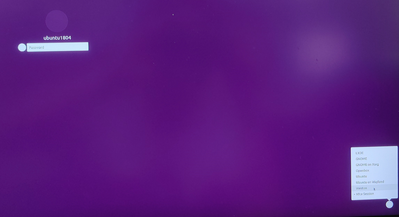
2. Then I give up install libs above,I copy rootfs to sd card ,It can display weston screen ,when I install xfce and LXDE ,The login page is displayed in a loop.
I look forward to receiving your reply!
In OpenCV, only DNN module bases on deep learning. But i.MX8MP NPU don't support DNN. For other machine vision algorithm, OpenCV can be configured to use OpenCL to accelerate. Or choose external vision processor
So it mearn that we can not accelerate the OpenCV compution using GPU or NPU , it just run on the Cotex-A core (CPU)
xiaodong_zhang
1, i.MX8M Plus can support all operator included by tensor flow lite, but not all by NPU. Because if NN API don't support certain operator, TFlite will rollback to CPU. So some models may work without NPU acceleration enabled, and only performance will be impacted.
2, L5.10 can support to build Ubuntu 20.04 image with eIQ and its example, but don't include ROS. Customer need to install ROS by himself. NXP can't release any Ubuntu image due to license issue.
3, Jetson Nano has 128 cores GPU with 472GFLOPS, and its performance is 0.92TOPS which is less than half of i.MX8MP.
4, AI Robot board supports AP1302+AR1335. AR1335+8MP internal ISP is still on-going.
AI Robot board supports AP1302+AR1335. AR1335+8MP internal ISP is still on-going.
One more question , how can I get the HW and SW of the camera module board ?
xiaodong_zhang
You can touch marketing Fang Yi for HW module. SW will be released to you when it's ready.
Add more information:
@Arrow_AE_KingLiu AR1335 module vendor is AVNET, Contact window is Peterson, Griffin <[email protected]> , onsemi window is Sean Zhang <[email protected]>
Thanks for your reply
Jetson Nano has 128 cores GPU with 472GFLOPS, and its performance is 0.92TOPS which is less than half of i.MX8MP.
How to get the 0.92TOPS base on 128 GPU Jetson nano ? Do you have the computation formula ?
