
- Forums
- Product Forums
- General Purpose MicrocontrollersGeneral Purpose Microcontrollers
- i.MX Forumsi.MX Forums
- QorIQ Processing PlatformsQorIQ Processing Platforms
- Identification and SecurityIdentification and Security
- Power ManagementPower Management
- Wireless ConnectivityWireless Connectivity
- RFID / NFCRFID / NFC
- Advanced AnalogAdvanced Analog
- Neural Processing UnitsNeural Processing Units
- MCX Microcontrollers
- S32G
- S32K
- S32V
- MPC5xxx
- Other NXP Products
- S12 / MagniV Microcontrollers
- Powertrain and Electrification Analog Drivers
- Sensors
- Vybrid Processors
- Digital Signal Controllers
- 8-bit Microcontrollers
- ColdFire/68K Microcontrollers and Processors
- PowerQUICC Processors
- OSBDM and TBDML
- S32M
- S32Z/E
-
- Solution Forums
- Software Forums
- MCUXpresso Software and ToolsMCUXpresso Software and Tools
- CodeWarriorCodeWarrior
- MQX Software SolutionsMQX Software Solutions
- Model-Based Design Toolbox (MBDT)Model-Based Design Toolbox (MBDT)
- FreeMASTER
- eIQ Machine Learning Software
- Embedded Software and Tools Clinic
- S32 SDK
- S32 Design Studio
- GUI Guider
- Zephyr Project
- Voice Technology
- Application Software Packs
- Secure Provisioning SDK (SPSDK)
- Processor Expert Software
- Generative AI & LLMs
-
- Topics
- Mobile Robotics - Drones and RoversMobile Robotics - Drones and Rovers
- NXP Training ContentNXP Training Content
- University ProgramsUniversity Programs
- Rapid IoT
- NXP Designs
- SafeAssure-Community
- OSS Security & Maintenance
- Using Our Community
-
- Cloud Lab Forums
-
- Knowledge Bases
- ARM Microcontrollers
- i.MX Processors
- Identification and Security
- Model-Based Design Toolbox (MBDT)
- QorIQ Processing Platforms
- S32 Automotive Processing Platform
- Wireless Connectivity
- CodeWarrior
- MCUXpresso Suite of Software and Tools
- MQX Software Solutions
- RFID / NFC
- Advanced Analog
- Neural Processing Units
-
- NXP Tech Blogs
- Home
- :
- i.MX フォーラム
- :
- i.MXプロセッサ
- :
- How to avoid aliasing artifacts using X11/GLES2 to display interlaced YUYV camera output?
How to avoid aliasing artifacts using X11/GLES2 to display interlaced YUYV camera output?
- RSS フィードを購読する
- トピックを新着としてマーク
- トピックを既読としてマーク
- このトピックを現在のユーザーにフロートします
- ブックマーク
- 購読
- ミュート
- 印刷用ページ
How to avoid aliasing artifacts using X11/GLES2 to display interlaced YUYV camera output?

- 新着としてマーク
- ブックマーク
- 購読
- ミュート
- RSS フィードを購読する
- ハイライト
- 印刷
- 不適切なコンテンツを報告
Hi Community,
I have a requirement where I need to display camera capture (interlaced YUYV) using v4l2 capture/X11/GLES2.0. I am able to write a test application which captures via v4l2 capture apis and using X11/GLES able to show it. However the displayed image doesn't look smooth, instead I am seeing jaggy (saw kind)/aliasing artifacts.
Some more information:
- Camera outputs CVBS NTSC format. here it is interlaced YUYV
- I am using glTexDirectVIV() extension with GL_VIV_YUY2 input format.
See the attached bmp image with artifacts here.
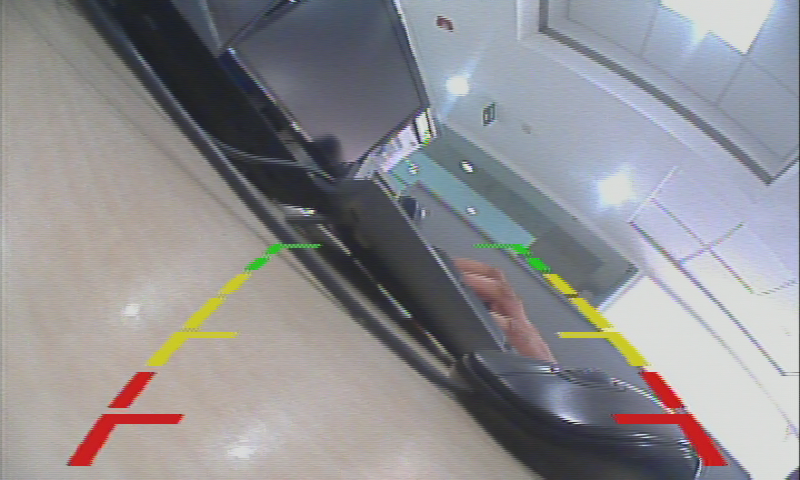
If I try imx-test/mxc_4l2_tvin.out test with "-m 2 or -m 0" option, camera capture image is coming correctly (smooth).
./mxc_v4l2_tvin.out -ow 800 -oh 480 -f YUYV -m (Result: aliasing kind artifacts)
./mxc_v4l2_tvin.out -ow 800 -oh 480 -f YUYV -m 0 (Result: Good)
./mxc_v4l2_tvin.out -ow 800 -oh 480 -f YUYV -m 1 (Result: aliasing kind artifacts)
./mxc_v4l2_tvin.out -ow 800 -oh 480 -f YUYV -m 2 (Result: Good)
Looking at the source of mxc_v4l2_tvin.c, it seems following code makes camera capture to come correctly on display. Which in turn sets required value to VDI Control register (i.e. IPU_VDI_C) when v4l2 output path is getting used.
"output_buf.field = V4L2_FIELD_INTERLACED_BT;"
I captured the VDI Control register value and tried to set it using devmem before running my application as follows but it didn't help.
i.e.
#devmem 0x2668004 32 0x42083332
Could anyone give some ideas/inputs/suggestions to avoid artifacts using X11/GLES2.0?
Is there anyway to use the IPU VDI functionality as above (i.e. mxc_v4l2_tvin) with the output/display pipeline with X11/GLES2.0/EGL/FB?
Thanking you all in advance and waiting for replies.
Regards,
Vikash
 Johnli
- 新着としてマーク
- ブックマーク
- 購読
- ミュート
- RSS フィードを購読する
- ハイライト
- 印刷
- 不適切なコンテンツを報告
FAE feedback our i.MX6X+intersil68xx source codes and test applicaiton to customer, but customer said if enable the VDI, will have green screen, disable it is ok.
customer use the ADV7180 but we use the intersil. need AE's comments.
Br
John.li
