
- Forums
- Product Forums
- General Purpose MicrocontrollersGeneral Purpose Microcontrollers
- i.MX Forumsi.MX Forums
- QorIQ Processing PlatformsQorIQ Processing Platforms
- Identification and SecurityIdentification and Security
- Power ManagementPower Management
- Wireless ConnectivityWireless Connectivity
- RFID / NFCRFID / NFC
- Advanced AnalogAdvanced Analog
- Neural Processing UnitsNeural Processing Units
- MCX Microcontrollers
- S32G
- S32K
- S32V
- MPC5xxx
- Other NXP Products
- S12 / MagniV Microcontrollers
- Powertrain and Electrification Analog Drivers
- Sensors
- Vybrid Processors
- Digital Signal Controllers
- 8-bit Microcontrollers
- ColdFire/68K Microcontrollers and Processors
- PowerQUICC Processors
- OSBDM and TBDML
- S32M
- S32Z/E
-
- Solution Forums
- Software Forums
- MCUXpresso Software and ToolsMCUXpresso Software and Tools
- CodeWarriorCodeWarrior
- MQX Software SolutionsMQX Software Solutions
- Model-Based Design Toolbox (MBDT)Model-Based Design Toolbox (MBDT)
- FreeMASTER
- eIQ Machine Learning Software
- Embedded Software and Tools Clinic
- S32 SDK
- S32 Design Studio
- GUI Guider
- Zephyr Project
- Voice Technology
- Application Software Packs
- Secure Provisioning SDK (SPSDK)
- Processor Expert Software
- Generative AI & LLMs
-
- Topics
- Mobile Robotics - Drones and RoversMobile Robotics - Drones and Rovers
- NXP Training ContentNXP Training Content
- University ProgramsUniversity Programs
- Rapid IoT
- NXP Designs
- SafeAssure-Community
- OSS Security & Maintenance
- Using Our Community
-
- Cloud Lab Forums
-
- Knowledge Bases
- ARM Microcontrollers
- i.MX Processors
- Identification and Security
- Model-Based Design Toolbox (MBDT)
- QorIQ Processing Platforms
- S32 Automotive Processing Platform
- Wireless Connectivity
- CodeWarrior
- MCUXpresso Suite of Software and Tools
- MQX Software Solutions
- RFID / NFC
- Advanced Analog
- Neural Processing Units
-
- NXP Tech Blogs
- RSS フィードを購読する
- トピックを新着としてマーク
- トピックを既読としてマーク
- このトピックを現在のユーザーにフロートします
- ブックマーク
- 購読
- ミュート
- 印刷用ページ

- 新着としてマーク
- ブックマーク
- 購読
- ミュート
- RSS フィードを購読する
- ハイライト
- 印刷
- 不適切なコンテンツを報告
Hardware:S32G399ARDB3
Bsp version:bsp41.0
Reference documentation:S32G3_LinuxBSP_41.0_User_Manual.pdf
Ubuntu version: Ubuntu 24.04.1 LTS
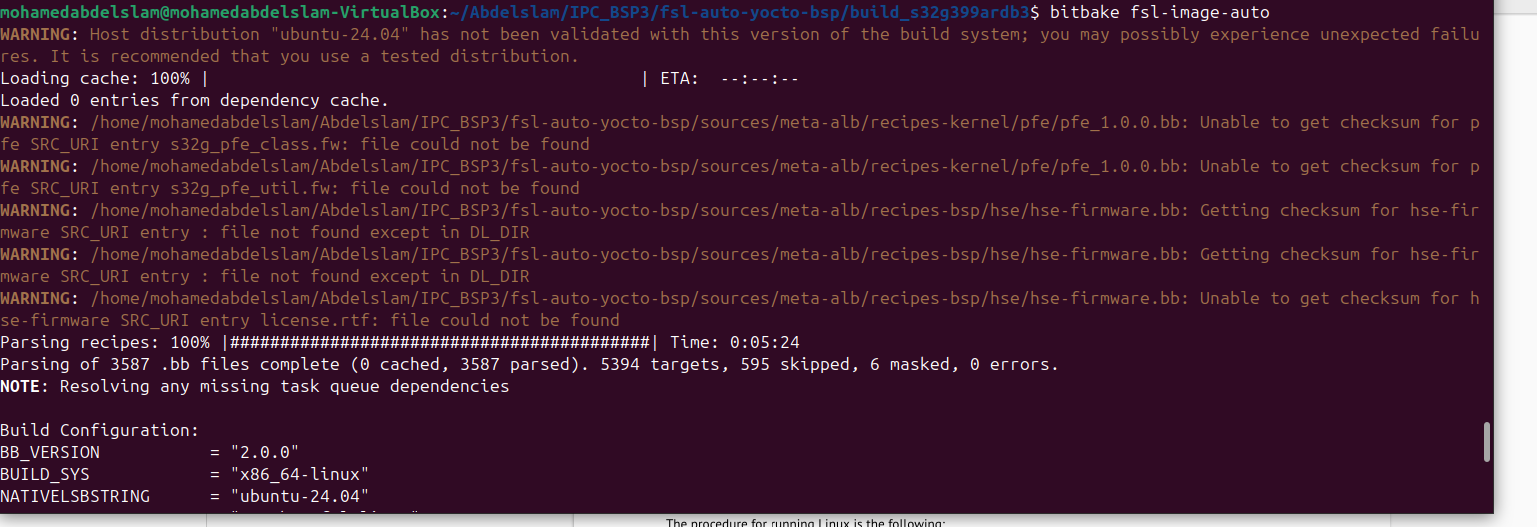
I followed up the steps mentioned in the user manual but after i executed the command to build the image: bitbake fsl-image-auto
i got this error:
WARNING: Your host glibc version (2.39) is newer than that in uninative (2.38). Disabling uninative so that sstate is not corrupted.
Initialising tasks: 100% |#######################################| Time: 0:00:10
Sstate summary: Wanted 1938 Local 0 Mirrors 0 Missed 1938 Current 0 (0% match, 0% complete)
NOTE: Executing Tasks
ERROR: PermissionError: [Errno 1] Operation not permitted
During handling of the above exception, another exception occurred:
Traceback (most recent call last):
File "/home/mohamedabdelslam/Abdelslam/IPC_BSP3/fsl-auto-yocto-bsp/sources/poky/bitbake/bin/bitbake-worker", line 268, in child
bb.utils.disable_network(uid, gid)
File "/home/mohamedabdelslam/Abdelslam/IPC_BSP3/fsl-auto-yocto-bsp/sources/poky/bitbake/lib/bb/utils.py", line 1653, in disable_network
with open("/proc/self/uid_map", "w") as f:
PermissionError: [Errno 1] Operation not permitted
How could i troubleshoot the problem
解決済! 解決策の投稿を見る。
- 新着としてマーク
- ブックマーク
- 購読
- ミュート
- RSS フィードを購読する
- ハイライト
- 印刷
- 不適切なコンテンツを報告
Hello @MohamedAbdelslam ,
I have faced similar issues when building on Ubuntu 24.04.
The issue is that in this Ubuntu release the AppArmor is enabled by default, as described here .
What works for me is running the following command:
sudo apparmor_parser -R /etc/apparmor.d/unprivileged_usernsand then running bitbake.
As @alejandro_e pointed, using Ubuntu 22.04 is a more convenient solution.
Best regards,
Guilherme

 alejandro_e
- 新着としてマーク
- ブックマーク
- 購読
- ミュート
- RSS フィードを購読する
- ハイライト
- 印刷
- 不適切なコンテンツを報告
Hello @MohamedAbdelslam,
Thanks for the detailed description of your problem. Given that you are getting errors related to your glibc version, the first thing I recommend is to use an older version of ubuntu, preferably Ubuntu-20.04 LTS, since that is the recommended version in the BSP41 manual [page 9, Linux BSP 41.0 User Manual for S32G3 platforms]:




I can also recommend using Ubuntu 22.04 LTS, it is what I'm using for yocto without problems.
user@machine:~/RDB2/bsp-41/build_s32g274ardb2$ uname -srm ; lsb_release -a
Linux 5.15.0-84-generic x86_64
No LSB modules are available.
Distributor ID: Ubuntu
Description: Ubuntu 22.04.4 LTS
Release: 22.04
Codename: jammy
Let me know if using one of these versions solves your problem.
- 新着としてマーク
- ブックマーク
- 購読
- ミュート
- RSS フィードを購読する
- ハイライト
- 印刷
- 不適切なコンテンツを報告
Hello @MohamedAbdelslam ,
I have faced similar issues when building on Ubuntu 24.04.
The issue is that in this Ubuntu release the AppArmor is enabled by default, as described here .
What works for me is running the following command:
sudo apparmor_parser -R /etc/apparmor.d/unprivileged_usernsand then running bitbake.
As @alejandro_e pointed, using Ubuntu 22.04 is a more convenient solution.
Best regards,
Guilherme
