
- Forums
- Product Forums
- General Purpose MicrocontrollersGeneral Purpose Microcontrollers
- i.MX Forumsi.MX Forums
- QorIQ Processing PlatformsQorIQ Processing Platforms
- Identification and SecurityIdentification and Security
- Power ManagementPower Management
- Wireless ConnectivityWireless Connectivity
- RFID / NFCRFID / NFC
- Advanced AnalogAdvanced Analog
- Neural Processing UnitsNeural Processing Units
- MCX Microcontrollers
- S32G
- S32K
- S32V
- MPC5xxx
- Other NXP Products
- S12 / MagniV Microcontrollers
- Powertrain and Electrification Analog Drivers
- Sensors
- Vybrid Processors
- Digital Signal Controllers
- 8-bit Microcontrollers
- ColdFire/68K Microcontrollers and Processors
- PowerQUICC Processors
- OSBDM and TBDML
- S32M
- S32Z/E
-
- Solution Forums
- Software Forums
- MCUXpresso Software and ToolsMCUXpresso Software and Tools
- CodeWarriorCodeWarrior
- MQX Software SolutionsMQX Software Solutions
- Model-Based Design Toolbox (MBDT)Model-Based Design Toolbox (MBDT)
- FreeMASTER
- eIQ Machine Learning Software
- Embedded Software and Tools Clinic
- S32 SDK
- S32 Design Studio
- GUI Guider
- Zephyr Project
- Voice Technology
- Application Software Packs
- Secure Provisioning SDK (SPSDK)
- Processor Expert Software
- Generative AI & LLMs
-
- Topics
- Mobile Robotics - Drones and RoversMobile Robotics - Drones and Rovers
- NXP Training ContentNXP Training Content
- University ProgramsUniversity Programs
- Rapid IoT
- NXP Designs
- SafeAssure-Community
- OSS Security & Maintenance
- Using Our Community
-
- Cloud Lab Forums
-
- Knowledge Bases
- ARM Microcontrollers
- i.MX Processors
- Identification and Security
- Model-Based Design Toolbox (MBDT)
- QorIQ Processing Platforms
- S32 Automotive Processing Platform
- Wireless Connectivity
- CodeWarrior
- MCUXpresso Suite of Software and Tools
- MQX Software Solutions
- RFID / NFC
- Advanced Analog
- Neural Processing Units
-
- NXP Tech Blogs
- Home
- :
- Software Forums
- :
- S32 SDK
- :
- Re: PINS_DRV_READPins function
PINS_DRV_READPins function
- Subscribe to RSS Feed
- Mark Topic as New
- Mark Topic as Read
- Float this Topic for Current User
- Bookmark
- Subscribe
- Mute
- Printer Friendly Page

- Mark as New
- Bookmark
- Subscribe
- Mute
- Subscribe to RSS Feed
- Permalink
- Report Inappropriate Content
Hello,
I am new to nxp S32K144 microcontroller. I cannot read the pin status with "PINS_DRV_ReadPins(PTA);" .Can someone please tell me what can i do
Solved! Go to Solution.

 JRoberto
- Mark as New
- Bookmark
- Subscribe
- Mute
- Subscribe to RSS Feed
- Permalink
- Report Inappropriate Content
Let's try to install the installation window.
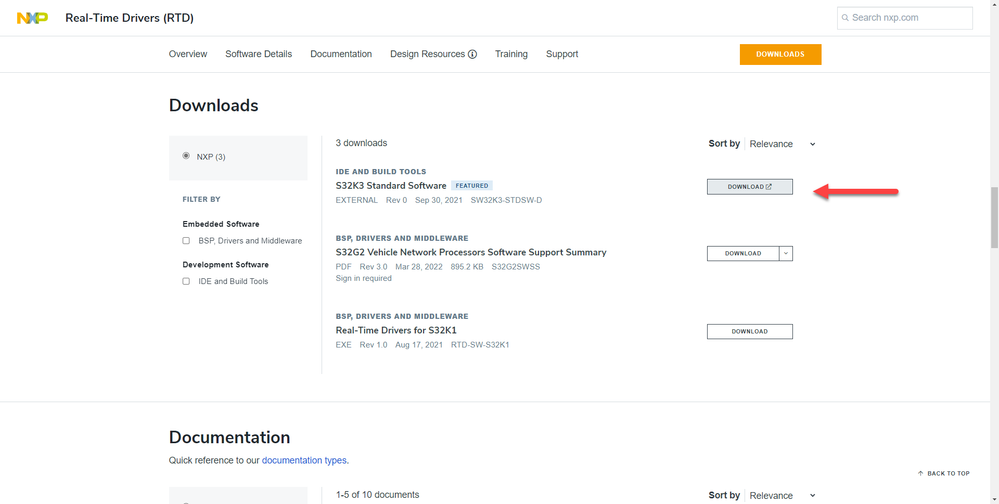
Please go to Real-Time Drivers (RTD) | NXP Semiconductors and follow the next steps.
1.- Click on S32k3 standard software
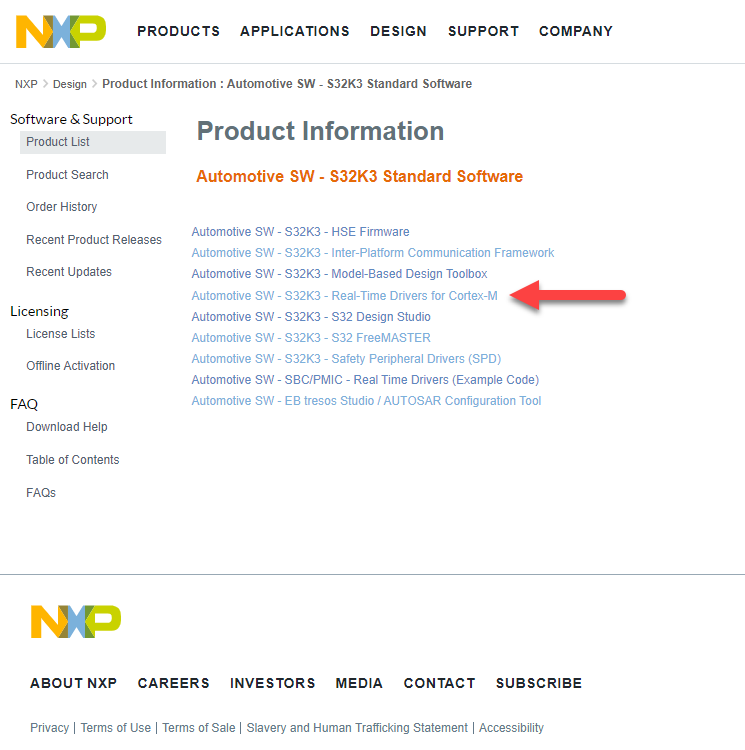
2.- Click on Real-Time Drivers for Cortex-M
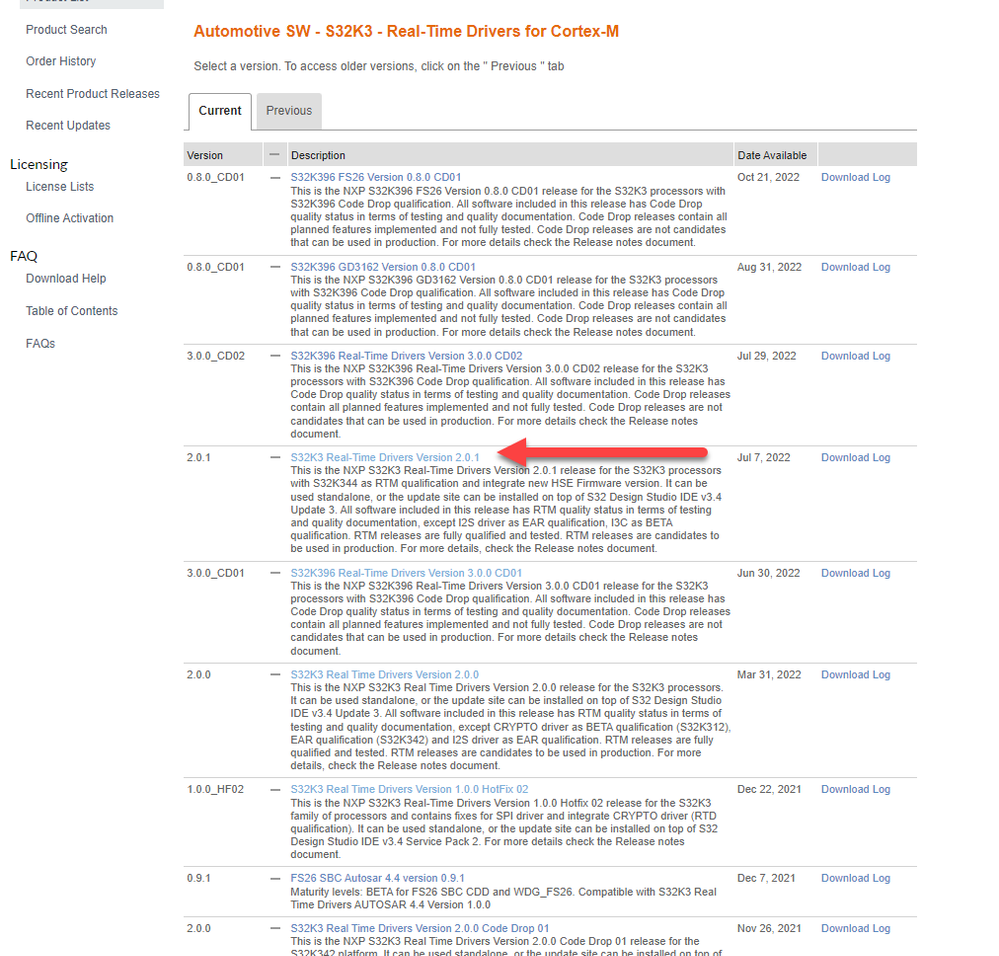
3.- Select the version 2.0.1 (note that you need to click on the name and not in the download log)
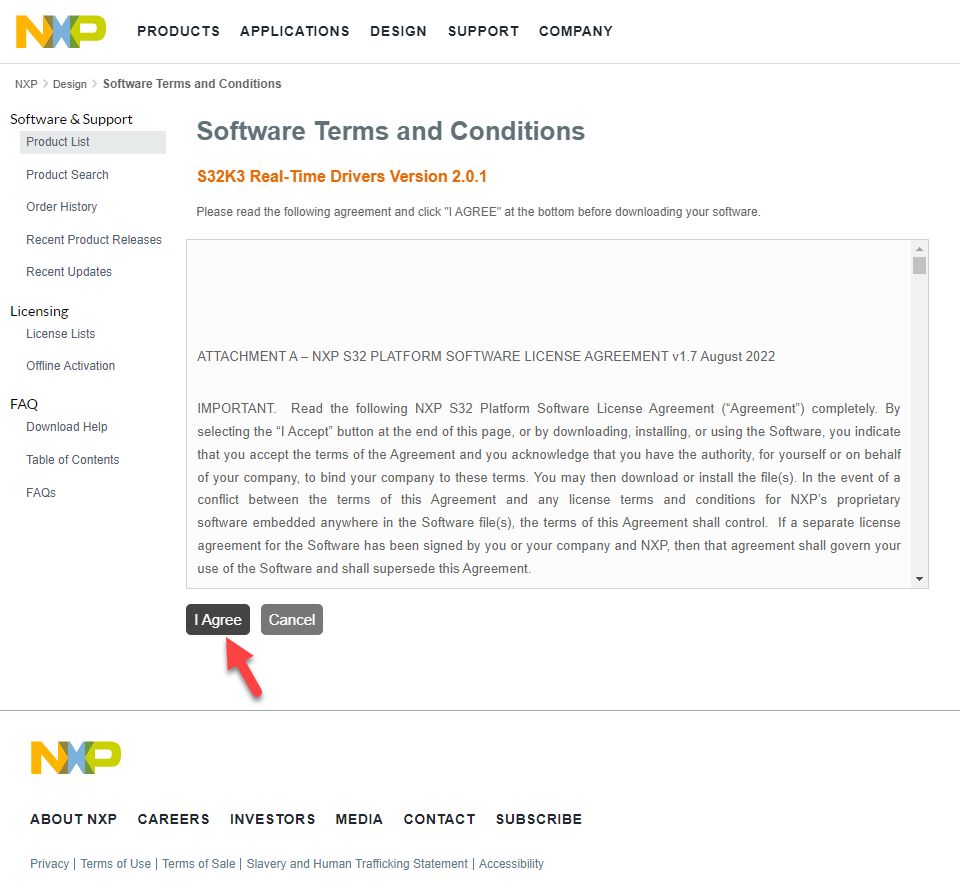
4.- Read and agree with the terms (if you don't agree you can't use the provided software)
5.- Download the zip file
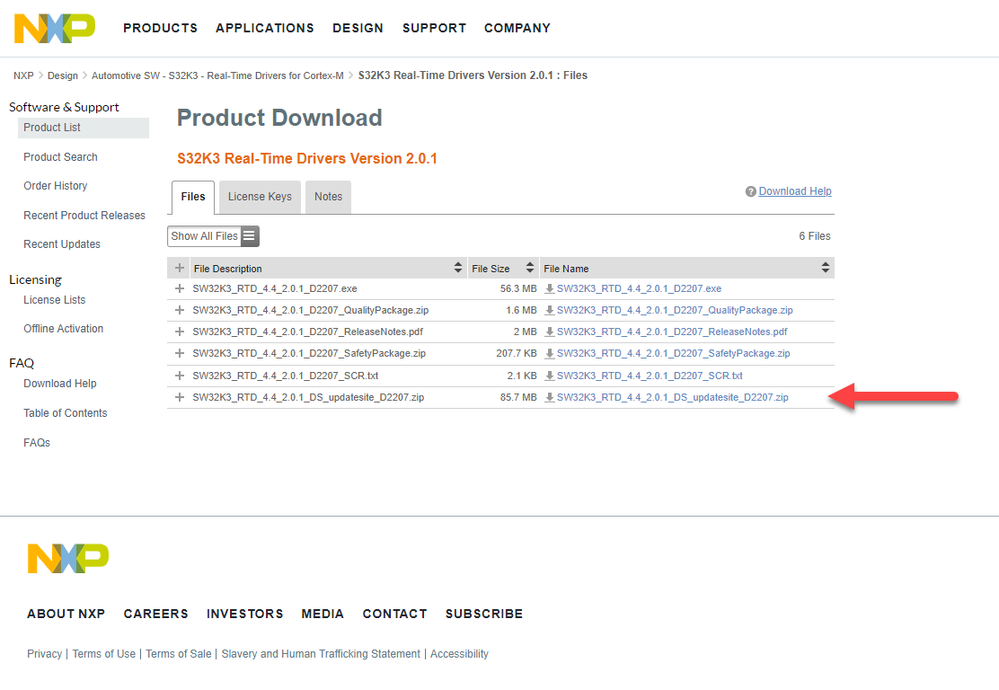
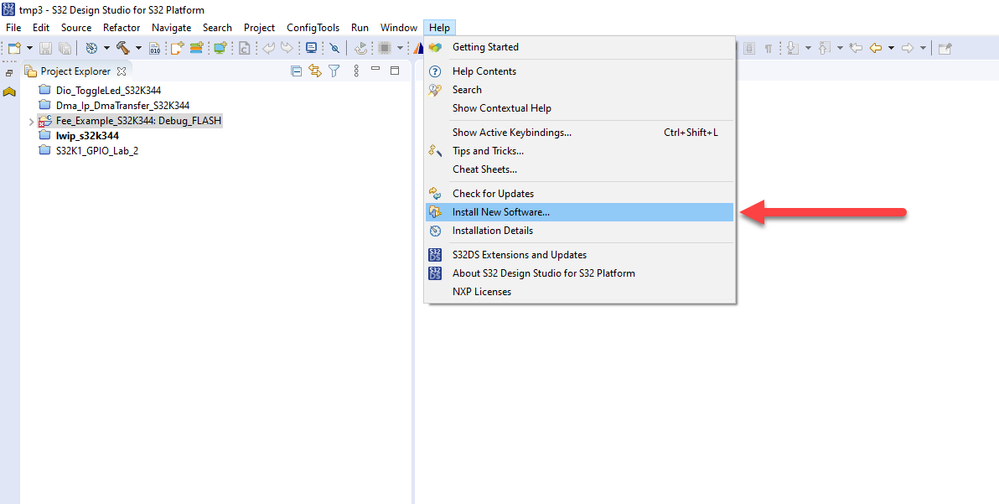
6.- Once it is downloaded, open the S32DS for S32 platform and open the installation window by clicking on the install new software menu
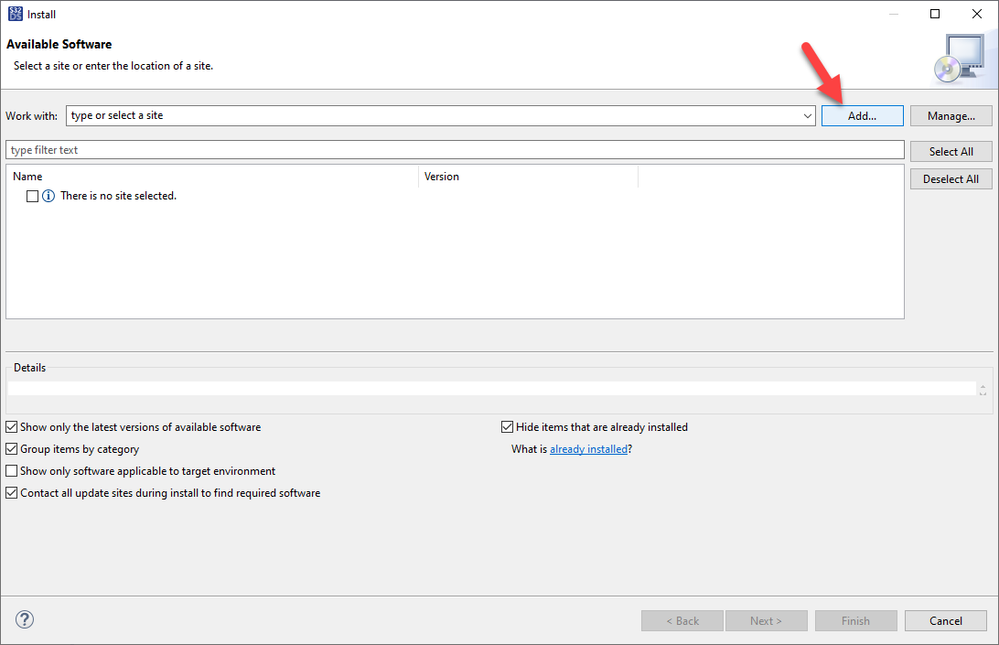
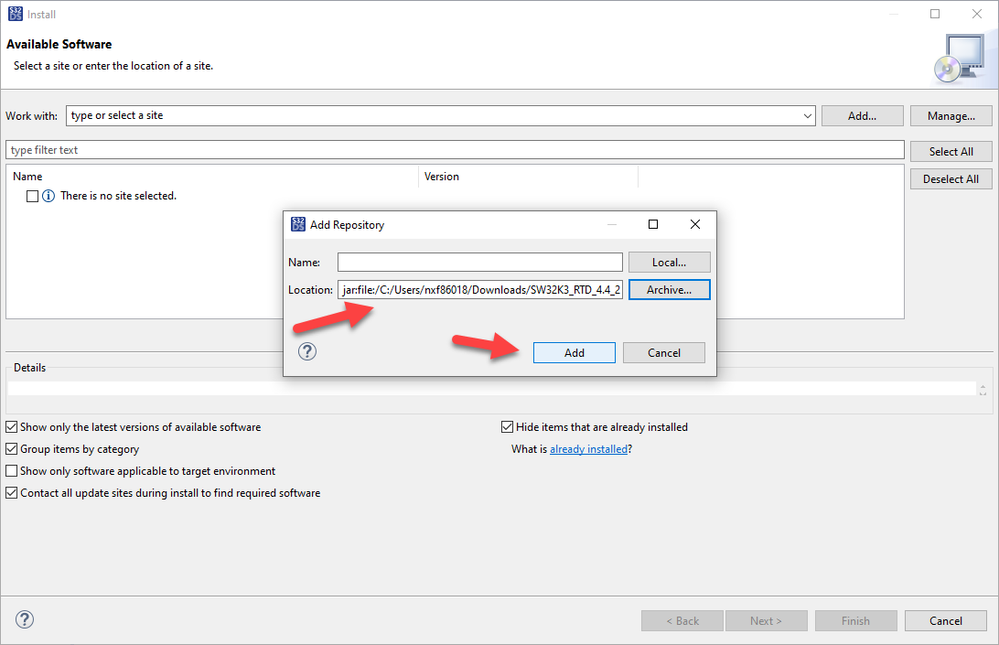
8.- Click on Add
9.- Click on Archive
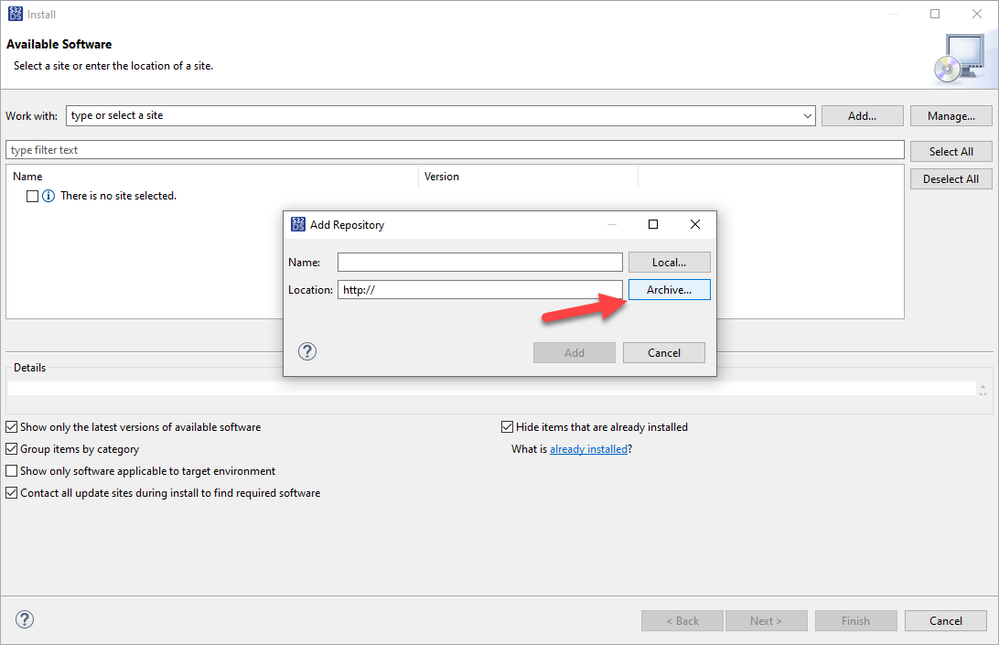
10.- Select the file we just downloaded and click on Add.
11.- Click on the checkbox to select all the packages and click next
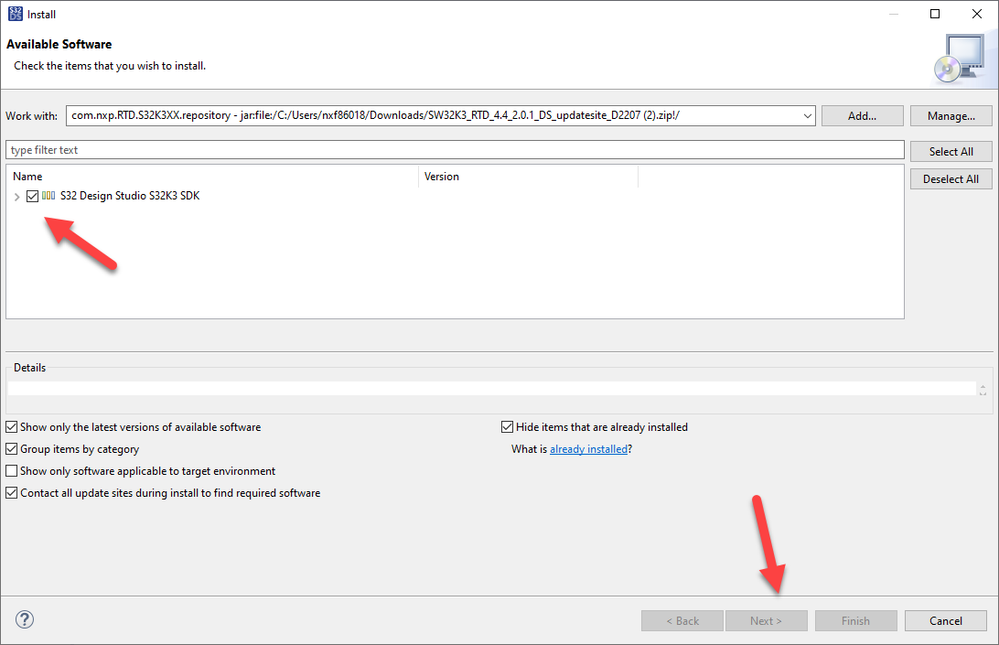
From there. you need to accept the licensing and wait the process to finish.
I hope this information helps.
JRoberto
- Mark as New
- Bookmark
- Subscribe
- Mute
- Subscribe to RSS Feed
- Permalink
- Report Inappropriate Content
Hello @mr_jeffs
You should not have any trouble reading the values.
Please review the example attached
Best Regards!
- Mark as New
- Bookmark
- Subscribe
- Mute
- Subscribe to RSS Feed
- Permalink
- Report Inappropriate Content
Hallo JRoberto,
Thank you for your help. PINS_DRV_READPins function is actually working when i tried in different project.
But I got this error while building the Project that you gave. Can you pls tell me how can i resolve this. Thank you.
"../SDK/platform/devices/S32K144/startup/system_S32K144.c:44:28: fatal error: system_S32K144.h: No such file or directory".
compilation terminated.
make: *** [SDK/platform/devices/S32K144/startup/subdir.mk:20: SDK/platform/devices/S32K144/startup/system_S32K144.o] Error 1
make: *** Waiting for unfinished jobs....
JRoberto
- Mark as New
- Bookmark
- Subscribe
- Mute
- Subscribe to RSS Feed
- Permalink
- Report Inappropriate Content
It looks like you don't have installed the RTD. Could you share the installation details with me?
Best Regards!
- Mark as New
- Bookmark
- Subscribe
- Mute
- Subscribe to RSS Feed
- Permalink
- Report Inappropriate Content
JRoberto
- Mark as New
- Bookmark
- Subscribe
- Mute
- Subscribe to RSS Feed
- Permalink
- Report Inappropriate Content
I believe you don't have installed the correct RTD version to work with this example.
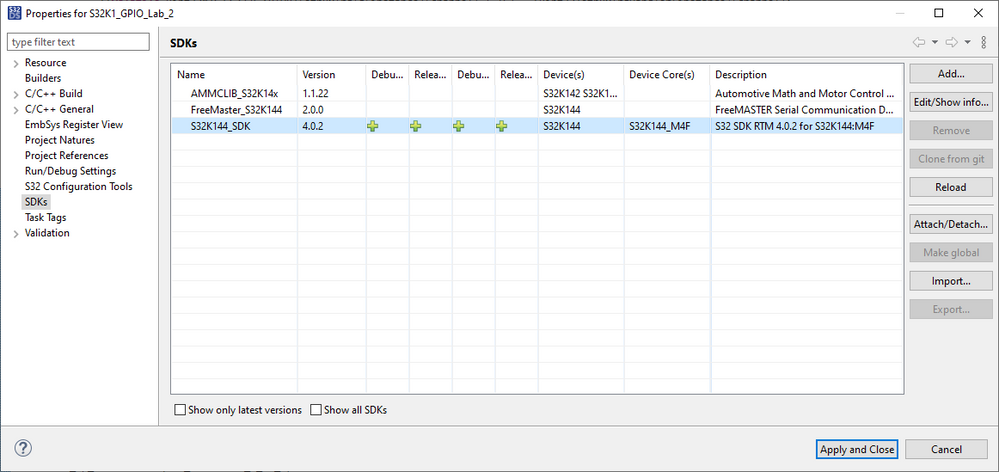
Please download the RTD version 4.0.2 from: Automotive S32 SDK for Arm® devices | NXP Semiconductors
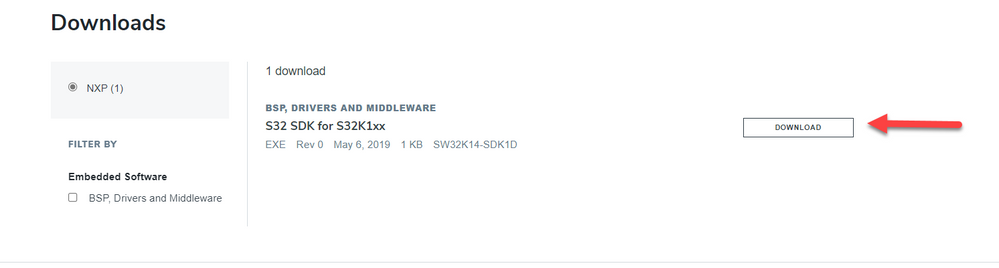
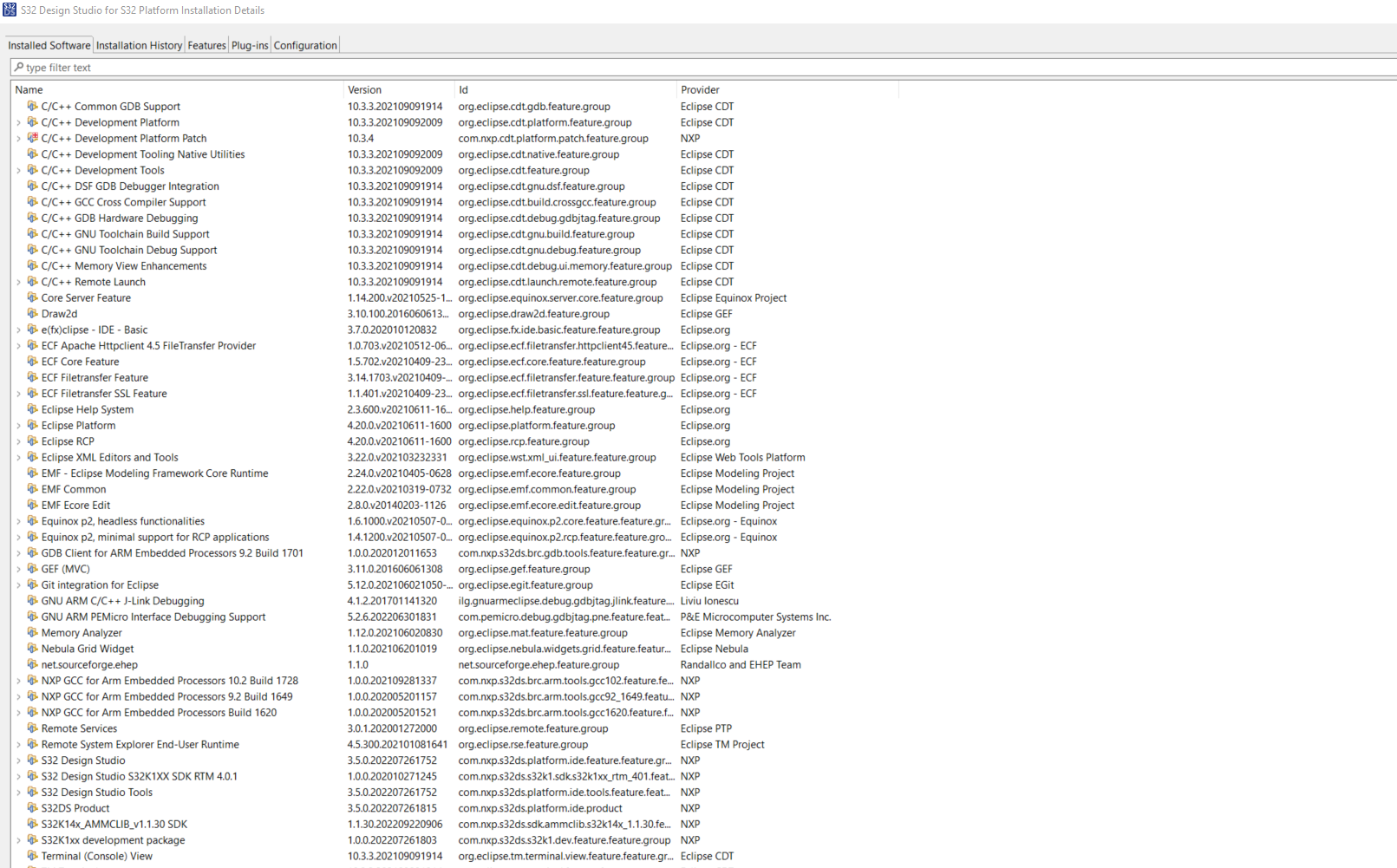

Best Regards!
- Mark as New
- Bookmark
- Subscribe
- Mute
- Subscribe to RSS Feed
- Permalink
- Report Inappropriate Content
Hallo @JRoberto
As you said, The installed RTD was of old version, but the new version 4.0.2/4.0.3 are not available in S32DS update list and even if we dowload it separately, it can not be added to the S32 Design Studio.
JRoberto
- Mark as New
- Bookmark
- Subscribe
- Mute
- Subscribe to RSS Feed
- Permalink
- Report Inappropriate Content
Let's try to install the installation window.
Please go to Real-Time Drivers (RTD) | NXP Semiconductors and follow the next steps.
1.- Click on S32k3 standard software
2.- Click on Real-Time Drivers for Cortex-M
3.- Select the version 2.0.1 (note that you need to click on the name and not in the download log)
4.- Read and agree with the terms (if you don't agree you can't use the provided software)
5.- Download the zip file
6.- Once it is downloaded, open the S32DS for S32 platform and open the installation window by clicking on the install new software menu
8.- Click on Add
9.- Click on Archive
10.- Select the file we just downloaded and click on Add.
11.- Click on the checkbox to select all the packages and click next
From there. you need to accept the licensing and wait the process to finish.
I hope this information helps.
- Mark as New
- Bookmark
- Subscribe
- Mute
- Subscribe to RSS Feed
- Permalink
- Report Inappropriate Content
