
- Forums
- Product Forums
- General Purpose MicrocontrollersGeneral Purpose Microcontrollers
- i.MX Forumsi.MX Forums
- QorIQ Processing PlatformsQorIQ Processing Platforms
- Identification and SecurityIdentification and Security
- Power ManagementPower Management
- Wireless ConnectivityWireless Connectivity
- RFID / NFCRFID / NFC
- Advanced AnalogAdvanced Analog
- Neural Processing UnitsNeural Processing Units
- MCX Microcontrollers
- S32G
- S32K
- S32V
- MPC5xxx
- Other NXP Products
- S12 / MagniV Microcontrollers
- Powertrain and Electrification Analog Drivers
- Sensors
- Vybrid Processors
- Digital Signal Controllers
- 8-bit Microcontrollers
- ColdFire/68K Microcontrollers and Processors
- PowerQUICC Processors
- OSBDM and TBDML
- S32M
- S32Z/E
-
- Solution Forums
- Software Forums
- MCUXpresso Software and ToolsMCUXpresso Software and Tools
- CodeWarriorCodeWarrior
- MQX Software SolutionsMQX Software Solutions
- Model-Based Design Toolbox (MBDT)Model-Based Design Toolbox (MBDT)
- FreeMASTER
- eIQ Machine Learning Software
- Embedded Software and Tools Clinic
- S32 SDK
- S32 Design Studio
- GUI Guider
- Zephyr Project
- Voice Technology
- Application Software Packs
- Secure Provisioning SDK (SPSDK)
- Processor Expert Software
- Generative AI & LLMs
-
- Topics
- Mobile Robotics - Drones and RoversMobile Robotics - Drones and Rovers
- NXP Training ContentNXP Training Content
- University ProgramsUniversity Programs
- Rapid IoT
- NXP Designs
- SafeAssure-Community
- OSS Security & Maintenance
- Using Our Community
-
- Cloud Lab Forums
-
- Knowledge Bases
- ARM Microcontrollers
- i.MX Processors
- Identification and Security
- Model-Based Design Toolbox (MBDT)
- QorIQ Processing Platforms
- S32 Automotive Processing Platform
- Wireless Connectivity
- CodeWarrior
- MCUXpresso Suite of Software and Tools
- MQX Software Solutions
- RFID / NFC
- Advanced Analog
- Neural Processing Units
-
- NXP Tech Blogs
- Home
- :
- ソフトウェア・フォーラム
- :
- S32 デザインスタジオ・ナレッジベース
- :
- S32 Design Studio for Power Architecture v2.1 Update 13 available!
S32 Design Studio for Power Architecture v2.1 Update 13 available!
オプション
- RSS フィードを購読する
- 新着としてマーク
- 既読としてマーク
- ブックマーク
- 購読
- 印刷用ページ
- 不適切なコンテンツを報告
S32 Design Studio for Power Architecture v2.1 Update 13 available!
S32 Design Studio for Power Architecture v2.1 Update 13 available!
|
|
|
|
|
|
Product Release Announcement Automotive Microcontrollers and Processors S32 Design Studio for Power Architecture v2.1 Update 13 |
|
|
|
|
|


What is new?
- Integrated Radar SDK RTM 1.5.0 (replacing 1.4.0)
- This is a cumulative update - it includes all the content of previous updates (Update 1,Update 2, Update 7, Update 8, Update 10, Update 12)
Installation instructions
The update is available for online installation (via S32DS Extensions and Updates) or offline installation (direct download link)
- installation:
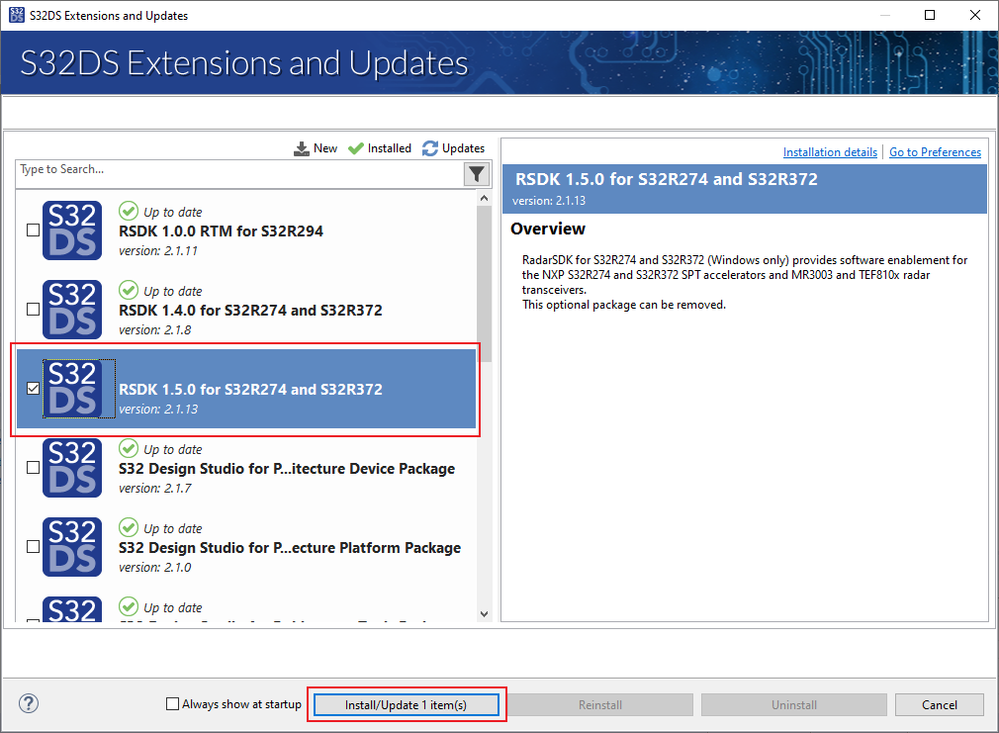
- go to menu "Help" -> "S32DS Extensions and Updates" dialog
- select from available items and click "Install/Update" button
- offline installation:
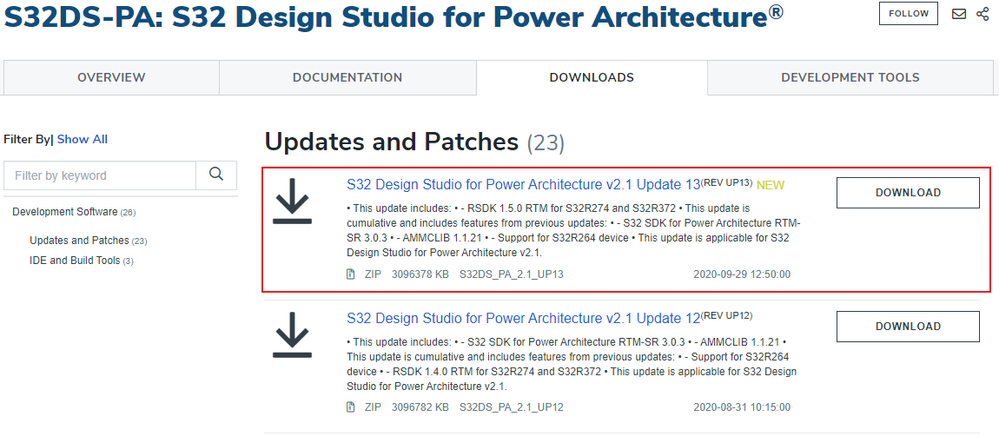
- go to S32 Design Studio for Power product page -> Downloads section or use direct link to download the update archive zip file
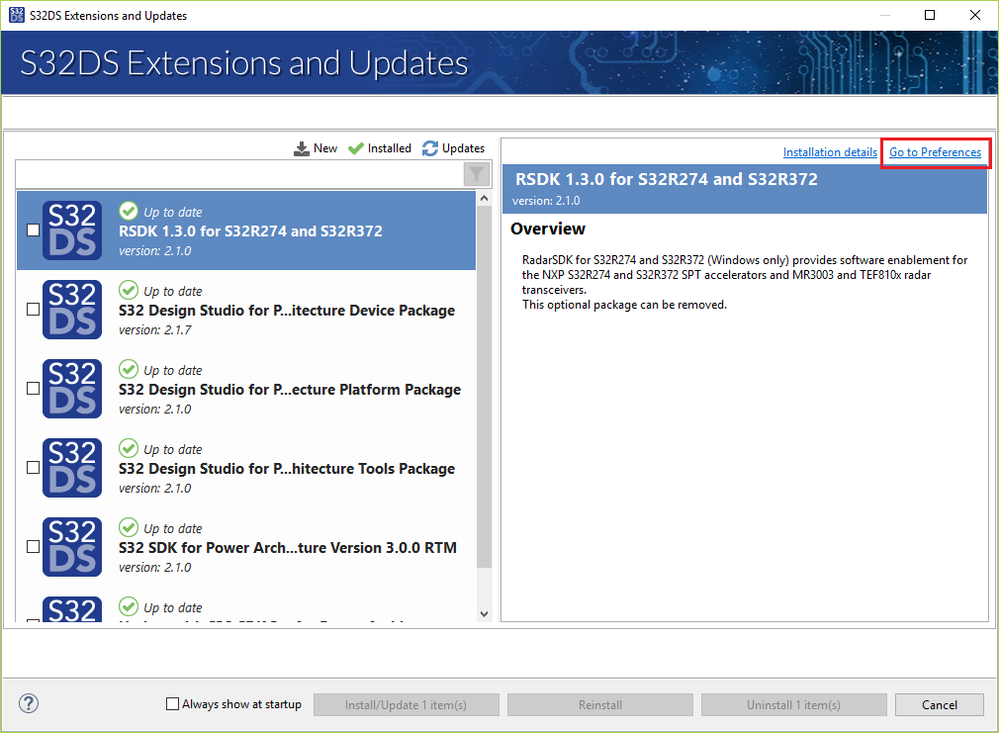
- Start S32 Design Studio and go to "Help" -> "S32DS Extensions and Updates", then click 'Go to Preferences' link
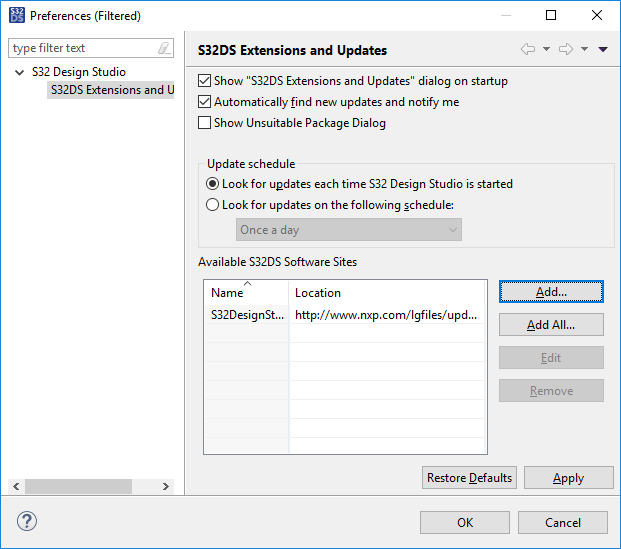
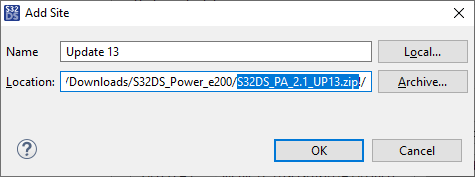
- And add a new site "Add..." repository and browse to select the downloaded update archive zip file you downloaded in the previous step
-
Select the 'S32 Design Studio for Power Architecture Device Package' and 'Update with S32 SDK 3.0.2 for Power Architecture' packages and click "Install/Update" button.
-
- go to S32 Design Studio for Power product page -> Downloads section or use direct link to download the update archive zip file
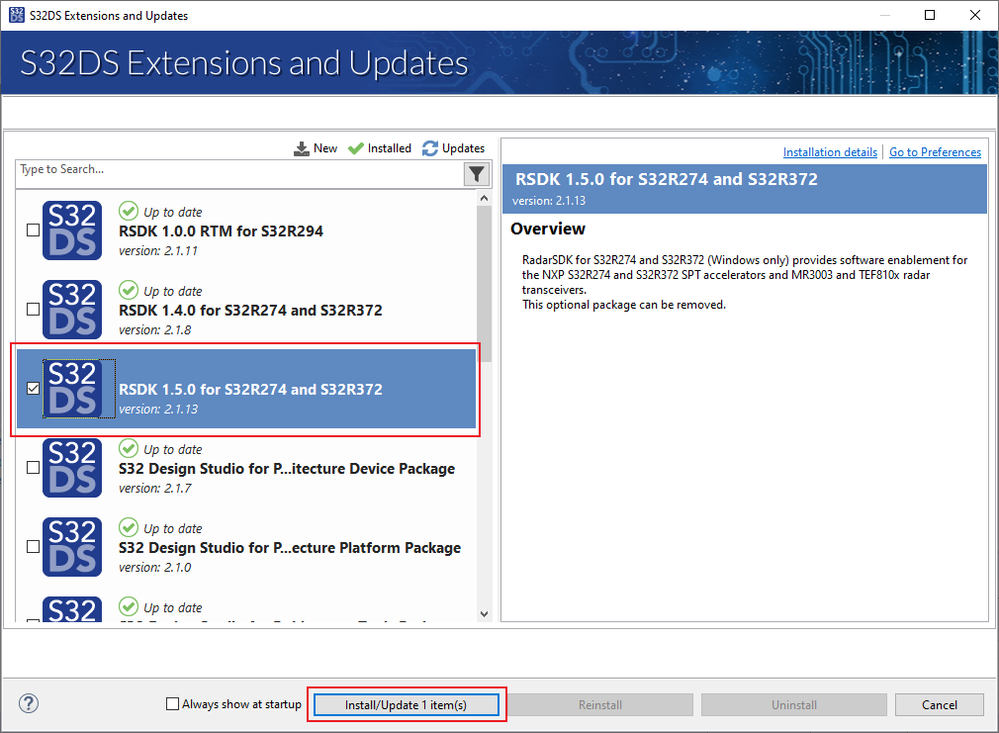
This will start the update installation process.
評価なし
