
- Forums
- Product Forums
- General Purpose MicrocontrollersGeneral Purpose Microcontrollers
- i.MX Forumsi.MX Forums
- QorIQ Processing PlatformsQorIQ Processing Platforms
- Identification and SecurityIdentification and Security
- Power ManagementPower Management
- Wireless ConnectivityWireless Connectivity
- RFID / NFCRFID / NFC
- Advanced AnalogAdvanced Analog
- MCX Microcontrollers
- S32G
- S32K
- S32V
- MPC5xxx
- Other NXP Products
- S12 / MagniV Microcontrollers
- Powertrain and Electrification Analog Drivers
- Sensors
- Vybrid Processors
- Digital Signal Controllers
- 8-bit Microcontrollers
- ColdFire/68K Microcontrollers and Processors
- PowerQUICC Processors
- OSBDM and TBDML
- S32M
- S32Z/E
-
- Solution Forums
- Software Forums
- MCUXpresso Software and ToolsMCUXpresso Software and Tools
- CodeWarriorCodeWarrior
- MQX Software SolutionsMQX Software Solutions
- Model-Based Design Toolbox (MBDT)Model-Based Design Toolbox (MBDT)
- FreeMASTER
- eIQ Machine Learning Software
- Embedded Software and Tools Clinic
- S32 SDK
- S32 Design Studio
- GUI Guider
- Zephyr Project
- Voice Technology
- Application Software Packs
- Secure Provisioning SDK (SPSDK)
- Processor Expert Software
- Generative AI & LLMs
-
- Topics
- Mobile Robotics - Drones and RoversMobile Robotics - Drones and Rovers
- NXP Training ContentNXP Training Content
- University ProgramsUniversity Programs
- Rapid IoT
- NXP Designs
- SafeAssure-Community
- OSS Security & Maintenance
- Using Our Community
-
- Cloud Lab Forums
-
- Knowledge Bases
- ARM Microcontrollers
- i.MX Processors
- Identification and Security
- Model-Based Design Toolbox (MBDT)
- QorIQ Processing Platforms
- S32 Automotive Processing Platform
- Wireless Connectivity
- CodeWarrior
- MCUXpresso Suite of Software and Tools
- MQX Software Solutions
- RFID / NFC
- Advanced Analog
-
- NXP Tech Blogs
- Home
- :
- QorIQプロセッシングプラットフォーム
- :
- QorIQ
- :
- Re: How to compile my HelloWorld with eclipse to be executed on T2080RDB?
How to compile my HelloWorld with eclipse to be executed on T2080RDB?
- RSS フィードを購読する
- トピックを新着としてマーク
- トピックを既読としてマーク
- このトピックを現在のユーザーにフロートします
- ブックマーク
- 購読
- ミュート
- 印刷用ページ

- 新着としてマーク
- ブックマーク
- 購読
- ミュート
- RSS フィードを購読する
- ハイライト
- 印刷
- 不適切なコンテンツを報告
Hello, I need to run a HelloWorld aplication on my T2080RDB board but I can't.
I'm using yocto (bitbake) to generate a fsl-image-minimal where I can find a folder like this:
/build_t2080rdb/tmp/work/t2080rdb-fsl-linux/fsl-image-minimal/1.0-r0/rootfs/usr/bin
where I can find all compilation executables with prefix powerpc-fsl-linux- (g++/gcc).
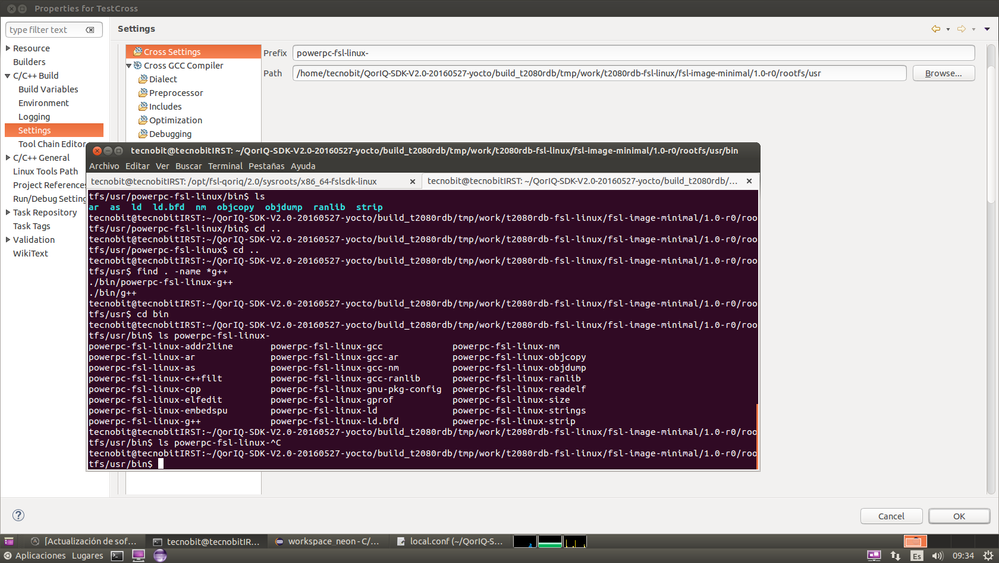
Then, I'm using eclipse neon to compile the application, and into compilation settings I've included such directory in order to use such executables to compile my application.
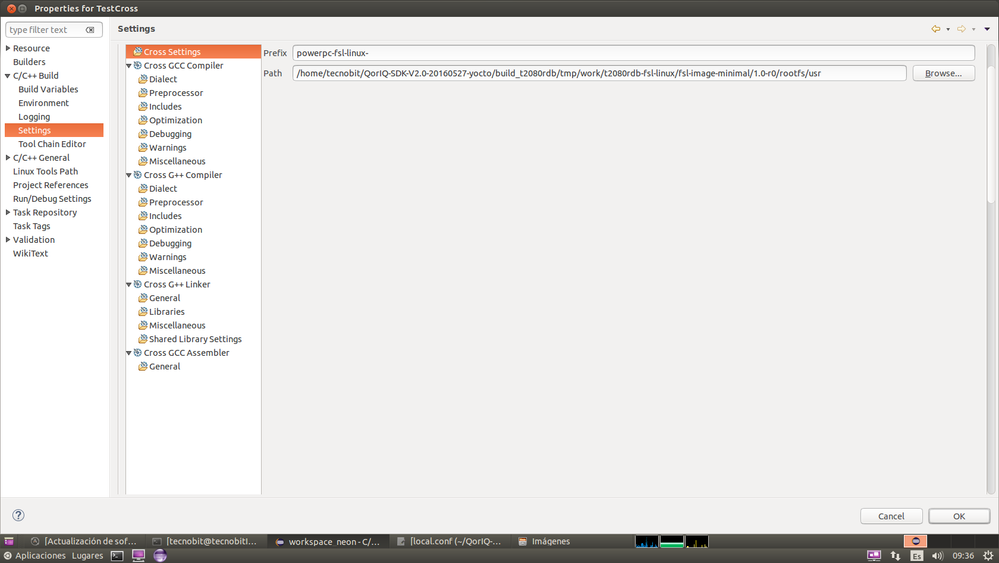
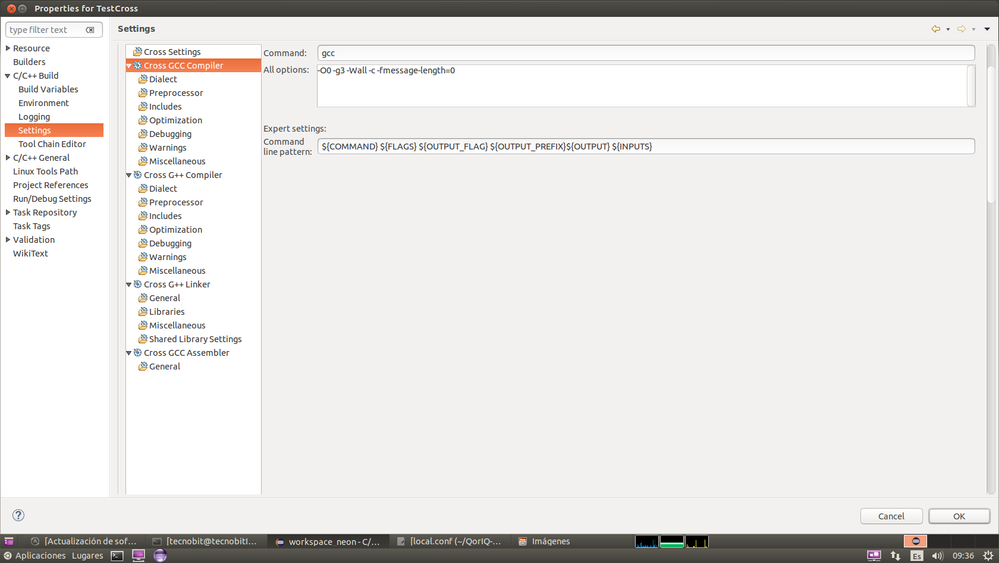
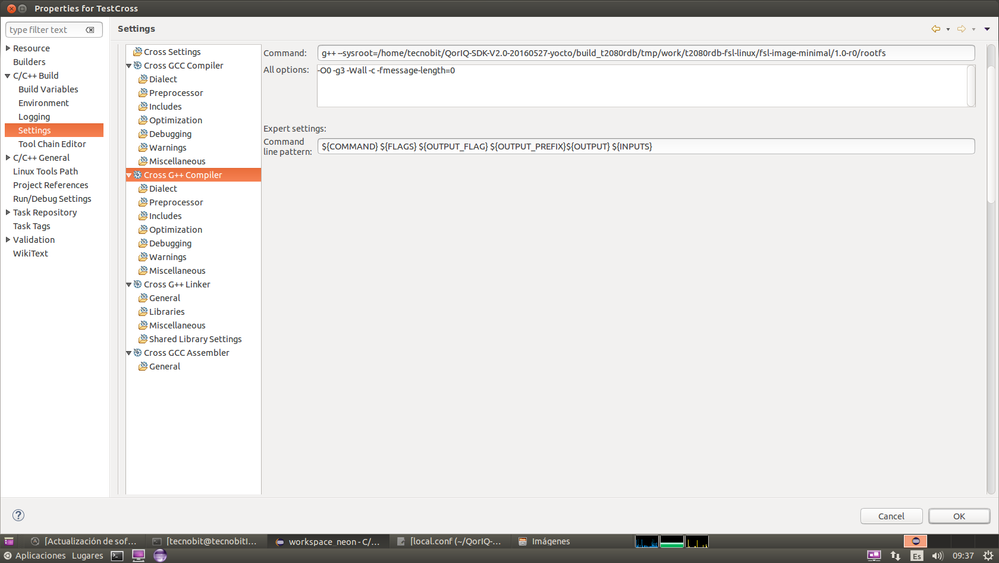
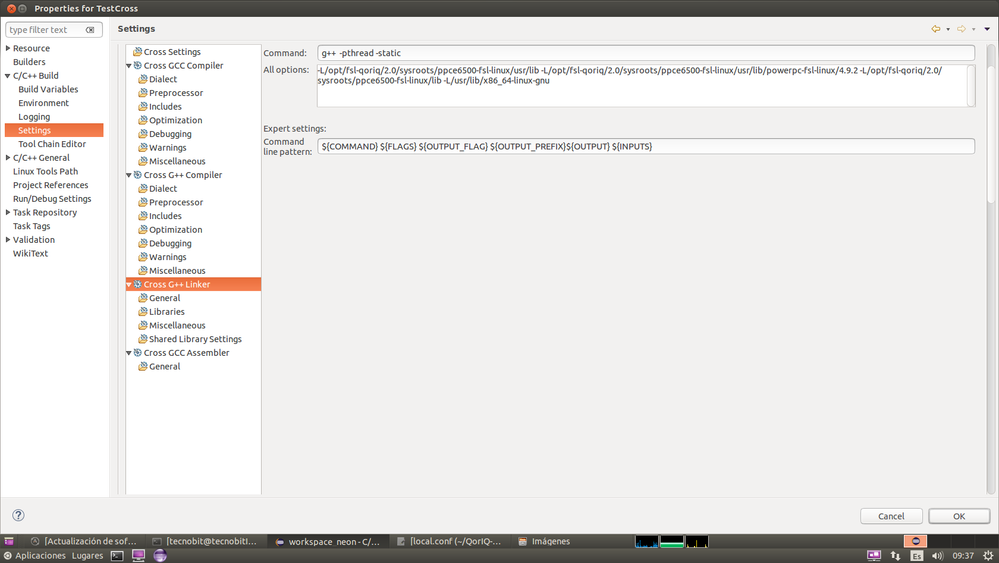
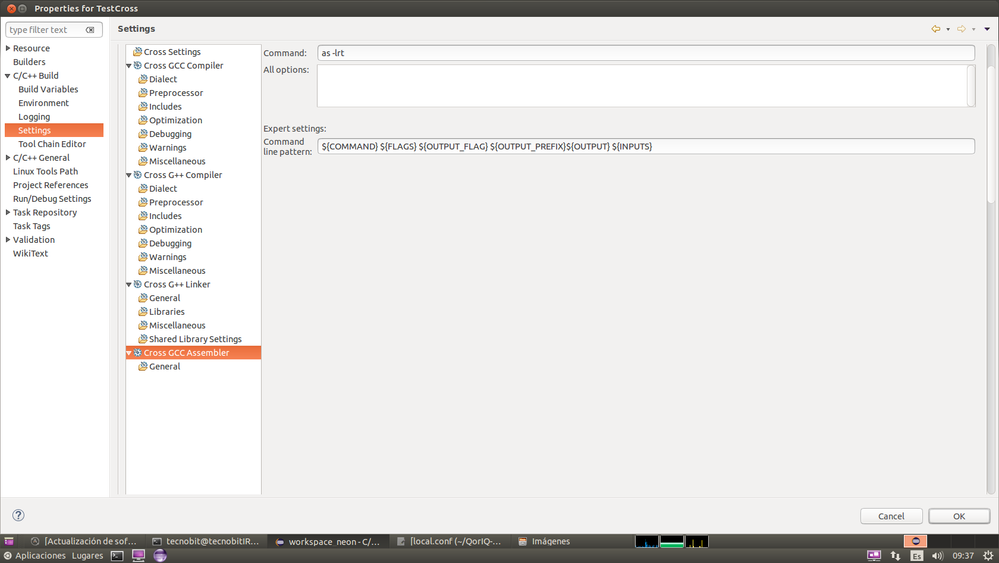
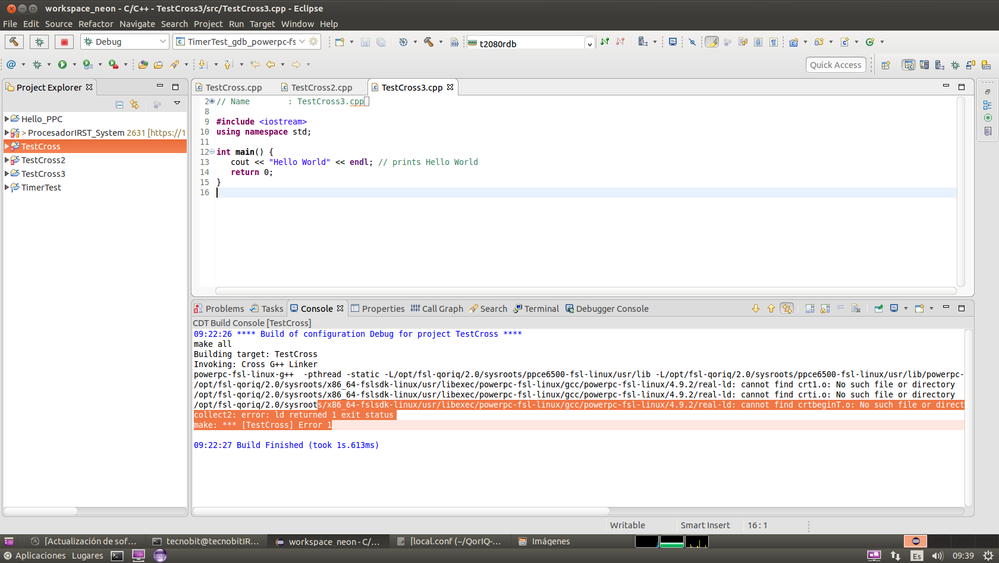
As result when eclipse invokes to the linker process, some error are displayed into the console, saying that is not possible to find crt1.o/crti.o/crtbeginT.o
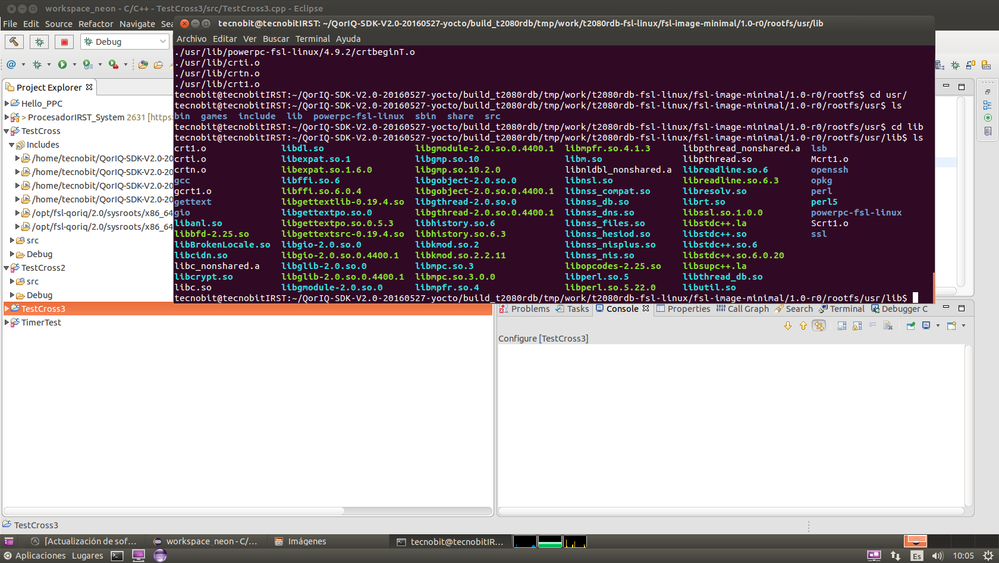
But if I search such libraries into build directory : /build_t2080rdb/tmp/work/t2080rdb-fsl-linux/fsl-image-minimal/1.0-r0/rootfs/usr/lib all of them are installed.
Somebody knows how can I execute a HelloWorld into my T2080RDB board? Is there a Quick Manual to do that? My compilation process is correct or not?
Thank you.
解決済! 解決策の投稿を見る。

 Pavel
Pavel
- 新着としてマーク
- ブックマーク
- 購読
- ミュート
- RSS フィードを購読する
- ハイライト
- 印刷
- 不適切なコンテンツを報告
Have a great day,
Pavel Chubakov
-----------------------------------------------------------------------------------------------------------------------
Note: If this post answers your question, please click the Correct Answer button. Thank you!
-----------------------------------------------------------------------------------------------------------------------
Hello World under u-boot.
Look at attached file. It is u-boot redme file from www.denx.de. See description for "Hello World" Demo in this file.
Hello World under Linux
- Look at the Section 3.3.7 of SDK 2.0-1703 documentation for installing standalone toolchain:
https://www.nxp.com/docs/en/supporting-information/QORIQ-SDK-2.0-IC-REV0.pdf
- Use this toolchain for compiling Hello World program.
Each time you wish to use the SDK in a new shell session, you need to source the environment setup script e.g.
$ . /opt/fsl-qoriq/2.0/environment-setup-ppce6500-fsl-linux
Check information about your cross compiler using the following commands:
echo $CC
or
$CC --version
Check result of "source" command. Use "$PATH" command. The "source" command should add path to gcc compiler.
You should see similar message:
echo $PATH
bash: /opt/fsl-qoriq/1.9/sysroots/x86_64-fslsdk-linux/usr/bin:/opt/fsl-qoriq/1.9/sysroots/x86_64-fslsdk-linux/usr/bin/powerpc-fsl-linux-gnuspe:
Commands for test.c code building:
$CC test.c -o test.elf // dinamic library
$CC test.c --static -o test.elf // static library
Have a great day,
Pavel Chubakov
-----------------------------------------------------------------------------------------------------------------------
Note: If this post answers your question, please click the Correct Answer button. Thank you!
-----------------------------------------------------------------------------------------------------------------------
Pavel
- 新着としてマーク
- ブックマーク
- 購読
- ミュート
- RSS フィードを購読する
- ハイライト
- 印刷
- 不適切なコンテンツを報告
Have a great day,
Pavel Chubakov
-----------------------------------------------------------------------------------------------------------------------
Note: If this post answers your question, please click the Correct Answer button. Thank you!
-----------------------------------------------------------------------------------------------------------------------
Hello World under u-boot.
Look at attached file. It is u-boot redme file from www.denx.de. See description for "Hello World" Demo in this file.
Hello World under Linux
- Look at the Section 3.3.7 of SDK 2.0-1703 documentation for installing standalone toolchain:
https://www.nxp.com/docs/en/supporting-information/QORIQ-SDK-2.0-IC-REV0.pdf
- Use this toolchain for compiling Hello World program.
Each time you wish to use the SDK in a new shell session, you need to source the environment setup script e.g.
$ . /opt/fsl-qoriq/2.0/environment-setup-ppce6500-fsl-linux
Check information about your cross compiler using the following commands:
echo $CC
or
$CC --version
Check result of "source" command. Use "$PATH" command. The "source" command should add path to gcc compiler.
You should see similar message:
echo $PATH
bash: /opt/fsl-qoriq/1.9/sysroots/x86_64-fslsdk-linux/usr/bin:/opt/fsl-qoriq/1.9/sysroots/x86_64-fslsdk-linux/usr/bin/powerpc-fsl-linux-gnuspe:
Commands for test.c code building:
$CC test.c -o test.elf // dinamic library
$CC test.c --static -o test.elf // static library
Have a great day,
Pavel Chubakov
-----------------------------------------------------------------------------------------------------------------------
Note: If this post answers your question, please click the Correct Answer button. Thank you!
-----------------------------------------------------------------------------------------------------------------------
- 新着としてマーク
- ブックマーク
- 購読
- ミュート
- RSS フィードを購読する
- ハイライト
- 印刷
- 不適切なコンテンツを報告
Hi!,
With this manual (https://www.nxp.com/docs/en/supporting-information/QORIQ-SDK-2.0-IC-REV0.pdf) I have accomplished my compilation, I have changed my Linker configuration in this way:
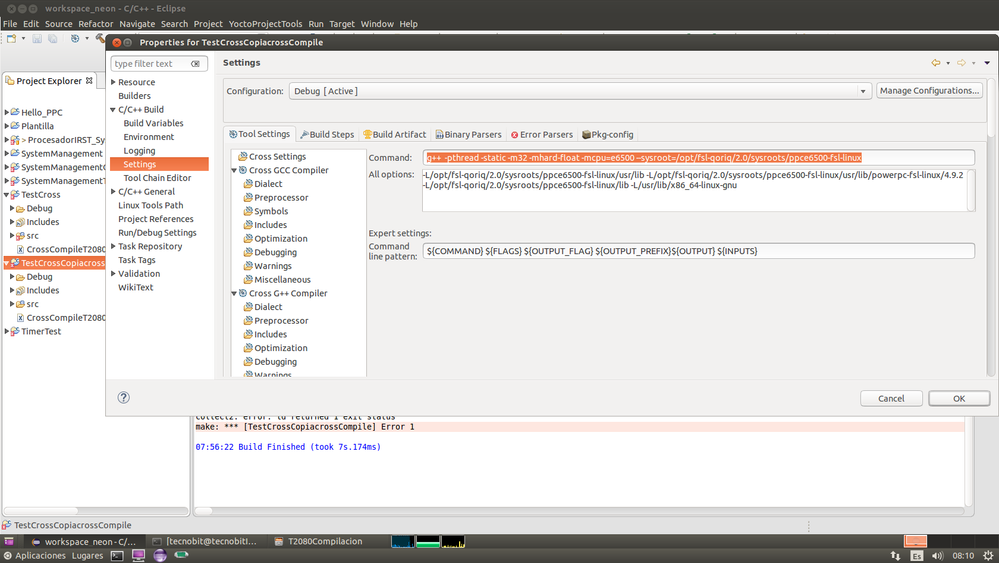
And finally I get my HelloWorld program compiled with my powerpc-fsl-linux-g++ compiler. Thank you Pavel!!!.
=======================================================================================
Now, in other hand, I'm trying to compile a more complex program. This program needs to include libxml/libglibmm libraries. When I compile that program with a g++ compiler everything is correct, but when I try to compile it with my cross compiler powerpc-fsl-linux-g++ these error are displayed on my console:
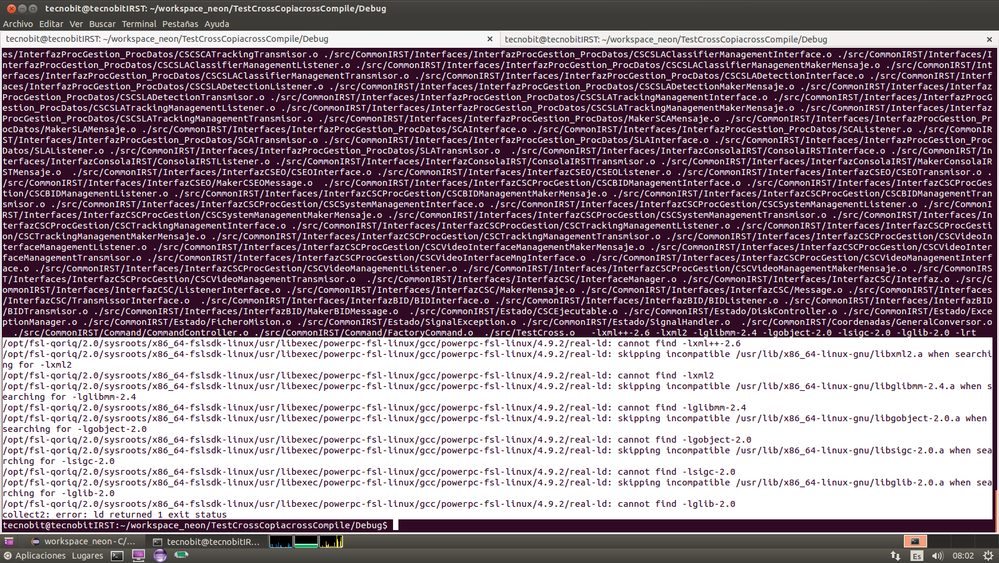
/opt/fsl-qoriq/2.0/sysroots/x86_64-fslsdk-linux/usr/libexec/powerpc-fsl-linux/gcc/powerpc-fsl-linux/4.9.2/real-ld: cannot find -lxml++-2.6
/opt/fsl-qoriq/2.0/sysroots/x86_64-fslsdk-linux/usr/libexec/powerpc-fsl-linux/gcc/powerpc-fsl-linux/4.9.2/real-ld: skipping incompatible /usr/lib/x86_64-linux-gnu/libxml2.a when searching for -lxml2
/opt/fsl-qoriq/2.0/sysroots/x86_64-fslsdk-linux/usr/libexec/powerpc-fsl-linux/gcc/powerpc-fsl-linux/4.9.2/real-ld: cannot find -lxml2
/opt/fsl-qoriq/2.0/sysroots/x86_64-fslsdk-linux/usr/libexec/powerpc-fsl-linux/gcc/powerpc-fsl-linux/4.9.2/real-ld: skipping incompatible /usr/lib/x86_64-linux-gnu/libglibmm-2.4.a when searching for -lglibmm-2.4
/opt/fsl-qoriq/2.0/sysroots/x86_64-fslsdk-linux/usr/libexec/powerpc-fsl-linux/gcc/powerpc-fsl-linux/4.9.2/real-ld: cannot find -lglibmm-2.4
/opt/fsl-qoriq/2.0/sysroots/x86_64-fslsdk-linux/usr/libexec/powerpc-fsl-linux/gcc/powerpc-fsl-linux/4.9.2/real-ld: skipping incompatible /usr/lib/x86_64-linux-gnu/libgobject-2.0.a when searching for -lgobject-2.0
/opt/fsl-qoriq/2.0/sysroots/x86_64-fslsdk-linux/usr/libexec/powerpc-fsl-linux/gcc/powerpc-fsl-linux/4.9.2/real-ld: cannot find -lgobject-2.0
/opt/fsl-qoriq/2.0/sysroots/x86_64-fslsdk-linux/usr/libexec/powerpc-fsl-linux/gcc/powerpc-fsl-linux/4.9.2/real-ld: skipping incompatible /usr/lib/x86_64-linux-gnu/libsigc-2.0.a when searching for -lsigc-2.0
/opt/fsl-qoriq/2.0/sysroots/x86_64-fslsdk-linux/usr/libexec/powerpc-fsl-linux/gcc/powerpc-fsl-linux/4.9.2/real-ld: cannot find -lsigc-2.0
/opt/fsl-qoriq/2.0/sysroots/x86_64-fslsdk-linux/usr/libexec/powerpc-fsl-linux/gcc/powerpc-fsl-linux/4.9.2/real-ld: skipping incompatible /usr/lib/x86_64-linux-gnu/libglib-2.0.a when searching for -lglib-2.0
/opt/fsl-qoriq/2.0/sysroots/x86_64-fslsdk-linux/usr/libexec/powerpc-fsl-linux/gcc/powerpc-fsl-linux/4.9.2/real-ld: cannot find -lglib-2.0
¿How I can get such libraries, consistent with powerpc-fsl-linux-g++ compiler?
Thank you very much!!
