
- Forums
- Product Forums
- General Purpose MicrocontrollersGeneral Purpose Microcontrollers
- i.MX Forumsi.MX Forums
- QorIQ Processing PlatformsQorIQ Processing Platforms
- Identification and SecurityIdentification and Security
- Power ManagementPower Management
- Wireless ConnectivityWireless Connectivity
- RFID / NFCRFID / NFC
- Advanced AnalogAdvanced Analog
- Neural Processing UnitsNeural Processing Units
- MCX Microcontrollers
- S32G
- S32K
- S32V
- MPC5xxx
- Other NXP Products
- S12 / MagniV Microcontrollers
- Powertrain and Electrification Analog Drivers
- Sensors
- Vybrid Processors
- Digital Signal Controllers
- 8-bit Microcontrollers
- ColdFire/68K Microcontrollers and Processors
- PowerQUICC Processors
- OSBDM and TBDML
- S32M
- S32Z/E
-
- Solution Forums
- Software Forums
- MCUXpresso Software and ToolsMCUXpresso Software and Tools
- CodeWarriorCodeWarrior
- MQX Software SolutionsMQX Software Solutions
- Model-Based Design Toolbox (MBDT)Model-Based Design Toolbox (MBDT)
- FreeMASTER
- eIQ Machine Learning Software
- Embedded Software and Tools Clinic
- S32 SDK
- S32 Design Studio
- GUI Guider
- Zephyr Project
- Voice Technology
- Application Software Packs
- Secure Provisioning SDK (SPSDK)
- Processor Expert Software
- Generative AI & LLMs
-
- Topics
- Mobile Robotics - Drones and RoversMobile Robotics - Drones and Rovers
- NXP Training ContentNXP Training Content
- University ProgramsUniversity Programs
- Rapid IoT
- NXP Designs
- SafeAssure-Community
- OSS Security & Maintenance
- Using Our Community
-
- Cloud Lab Forums
-
- Knowledge Bases
- ARM Microcontrollers
- i.MX Processors
- Identification and Security
- Model-Based Design Toolbox (MBDT)
- QorIQ Processing Platforms
- S32 Automotive Processing Platform
- Wireless Connectivity
- CodeWarrior
- MCUXpresso Suite of Software and Tools
- MQX Software Solutions
- RFID / NFC
- Advanced Analog
- Neural Processing Units
-
- NXP Tech Blogs
- Home
- :
- モデルベース・デザイン・ツールボックス(MBDT)
- :
- モデルベース・デザイン・ツールボックス(MBDT)
- :
- Running into issues using FreeMASTER with S32K3, Simulink MBDT, Segger JLink
Running into issues using FreeMASTER with S32K3, Simulink MBDT, Segger JLink
- RSS フィードを購読する
- トピックを新着としてマーク
- トピックを既読としてマーク
- このトピックを現在のユーザーにフロートします
- ブックマーク
- 購読
- ミュート
- 印刷用ページ
Running into issues using FreeMASTER with S32K3, Simulink MBDT, Segger JLink

- 新着としてマーク
- ブックマーク
- 購読
- ミュート
- RSS フィードを購読する
- ハイライト
- 印刷
- 不適切なコンテンツを報告
Hi,
We have our own designed hardware which uses S32K311.
I was successfully able to build and flash the target from within Simulink itself using Segger JLink (Ver 7.98d)
I have created a FreeMASTER project to watch/modify a Data Store Memory variable. I configured the communication wizard with Segger JLink and confirmed that the connection is successful.
Once I hit "GO" button in FreeMASTER, it looks like the target is going into a freeze state, say for example in this model I have an Alive LED blinking and it stops after hitting "GO" button. I hit "STOP" later and nothing changes.
Once I do a power reset, the program is back up and running default and did not even take the variable value I changed with.
Do I have to use FreeMASTER Config block (although it says the connection type is Serial/CAN) ? Is it possible to watch/modify variables without using FreeMASTER Config block in the model?
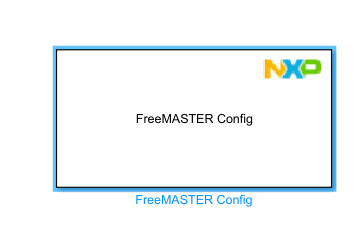
Please let me know what's missing.

 dragostoma
- 新着としてマーク
- ブックマーク
- 購読
- ミュート
- RSS フィードを購読する
- ハイライト
- 印刷
- 不適切なコンテンツを報告
Hi, @beginner100,
The FreeMASTER Config block is mandatory when trying to monitor the variables in FreeMASTER project. Could you please update us on your current progress and, if possible, provide additional details regarding your FreeMASTER configuration settings?
I would also recommend installing the latest S32K3 Toolbox version 1.8.0 (NXP Model-Based Design Toolbox for S32K3 version 1.8.0 - Product Release Announcement).
Best regards,
Dragos
