
- Forums
- Product Forums
- General Purpose MicrocontrollersGeneral Purpose Microcontrollers
- i.MX Forumsi.MX Forums
- QorIQ Processing PlatformsQorIQ Processing Platforms
- Identification and SecurityIdentification and Security
- Power ManagementPower Management
- Wireless ConnectivityWireless Connectivity
- RFID / NFCRFID / NFC
- Advanced AnalogAdvanced Analog
- MCX Microcontrollers
- S32G
- S32K
- S32V
- MPC5xxx
- Other NXP Products
- S12 / MagniV Microcontrollers
- Powertrain and Electrification Analog Drivers
- Sensors
- Vybrid Processors
- Digital Signal Controllers
- 8-bit Microcontrollers
- ColdFire/68K Microcontrollers and Processors
- PowerQUICC Processors
- OSBDM and TBDML
- S32M
- S32Z/E
-
- Solution Forums
- Software Forums
- MCUXpresso Software and ToolsMCUXpresso Software and Tools
- CodeWarriorCodeWarrior
- MQX Software SolutionsMQX Software Solutions
- Model-Based Design Toolbox (MBDT)Model-Based Design Toolbox (MBDT)
- FreeMASTER
- eIQ Machine Learning Software
- Embedded Software and Tools Clinic
- S32 SDK
- S32 Design Studio
- GUI Guider
- Zephyr Project
- Voice Technology
- Application Software Packs
- Secure Provisioning SDK (SPSDK)
- Processor Expert Software
- Generative AI & LLMs
-
- Topics
- Mobile Robotics - Drones and RoversMobile Robotics - Drones and Rovers
- NXP Training ContentNXP Training Content
- University ProgramsUniversity Programs
- Rapid IoT
- NXP Designs
- SafeAssure-Community
- OSS Security & Maintenance
- Using Our Community
-
- Cloud Lab Forums
-
- Knowledge Bases
- ARM Microcontrollers
- i.MX Processors
- Identification and Security
- Model-Based Design Toolbox (MBDT)
- QorIQ Processing Platforms
- S32 Automotive Processing Platform
- Wireless Connectivity
- CodeWarrior
- MCUXpresso Suite of Software and Tools
- MQX Software Solutions
- RFID / NFC
- Advanced Analog
-
- NXP Tech Blogs
- Home
- :
- MQX Software Solutions
- :
- MQX Software Solutions
- :
- RTOS Programming on K60 mC, using KSDK - MQX RTOS "TWR-K60D100M"
RTOS Programming on K60 mC, using KSDK - MQX RTOS "TWR-K60D100M"
- Subscribe to RSS Feed
- Mark Topic as New
- Mark Topic as Read
- Float this Topic for Current User
- Bookmark
- Subscribe
- Mute
- Printer Friendly Page

- Mark as New
- Bookmark
- Subscribe
- Mute
- Subscribe to RSS Feed
- Permalink
- Report Inappropriate Content
Hello
I 'm planning to use "TWR-K60D100M" microcontroller for RTOS programming, using KSDK and MQX RTOS. Can you give Step by Step procedure for the installation of " Kinetics Design Studio IDE" or KSDK with MQX RTOS Module.
Regards
Abhishek
Solved! Go to Solution.

 DavidS
- Mark as New
- Bookmark
- Subscribe
- Mute
- Subscribe to RSS Feed
- Permalink
- Report Inappropriate Content
Hi Abhishek,
The most up-to-date KDS/KSDK have good support for both TWR-K60D100M and FRDM-KL25Z.
The MQX (and other RTOS's) can be chosen to be installed or not during the KSDK installation process.
Regards,
David
 ivadorazinova
- Mark as New
- Bookmark
- Subscribe
- Mute
- Subscribe to RSS Feed
- Permalink
- Report Inappropriate Content
Hello Abhishek,
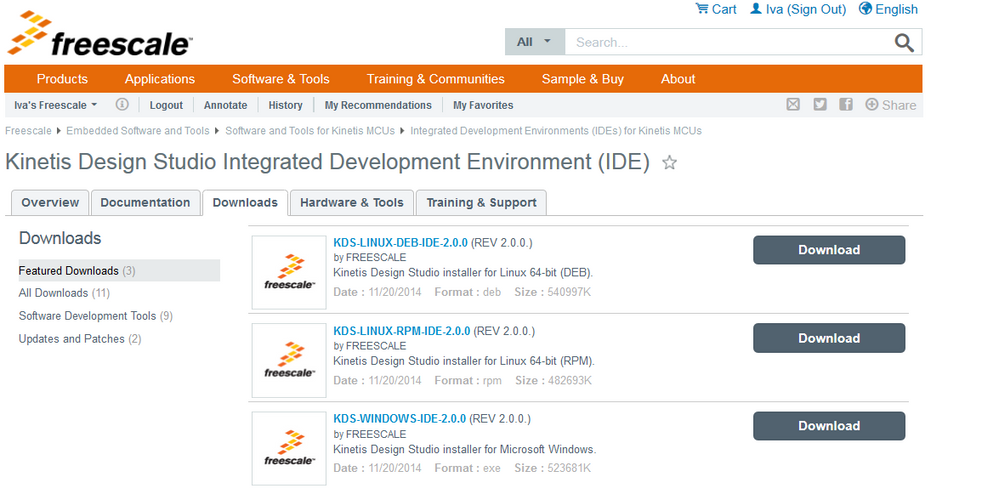
for installing KDS - Kinetis Design Studio Integrated Environment (IDE)
- please visit our sites and download the *.exe file from Kinetis Design Studio Integrated Development |Freescale
and according to your platform please download the executable file.
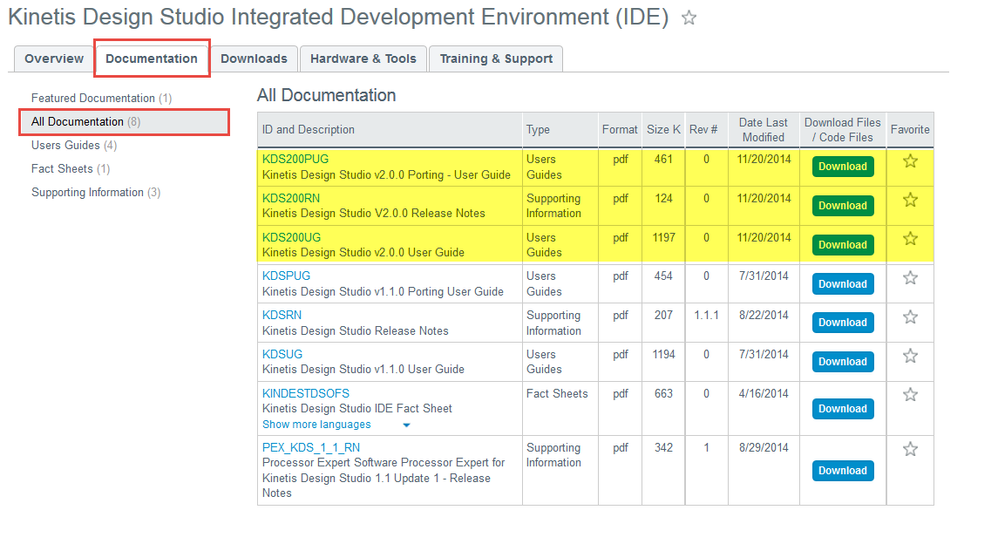
For additional information you can see documentation for KDS, be aware you install 2.0
The procedure is very easy, firstly you must accept the conditions,
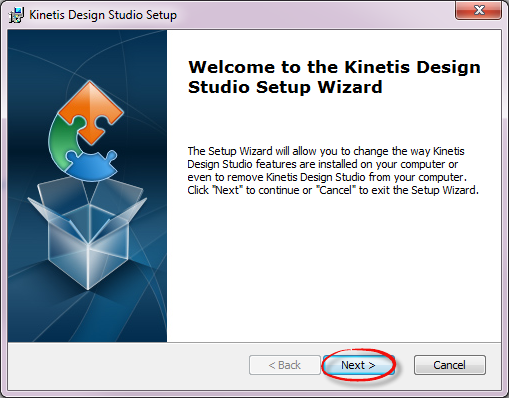
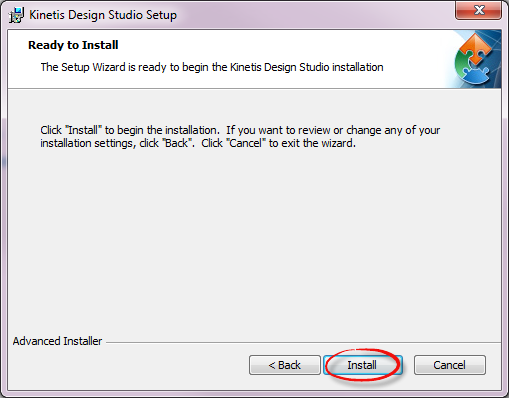
and that´s it. The workspace would probably be at C:\Users\<your profile>\workspace.kds and KDS folder could be here C:\Freescale\KDS_2.0.0
for installation KSDK, please visit Freescale MQX™ RTOS for Kinetis SDK|Freescale and Download it according to your platform
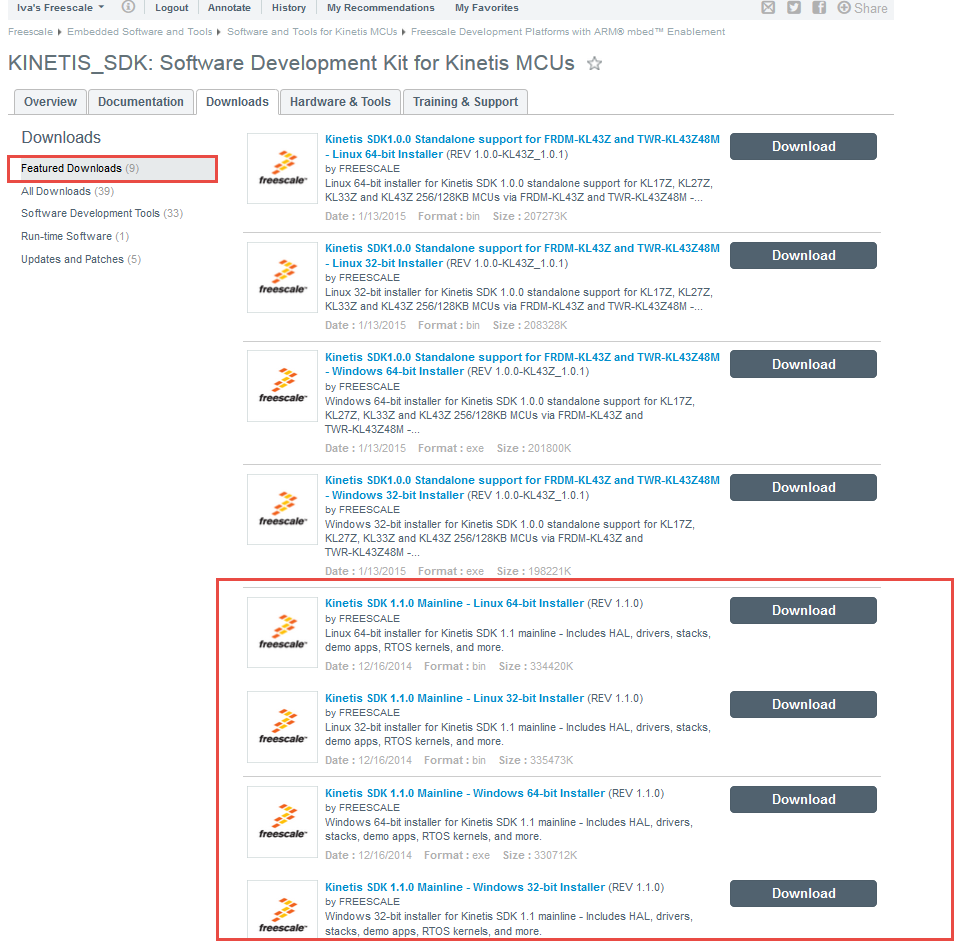
and install it.
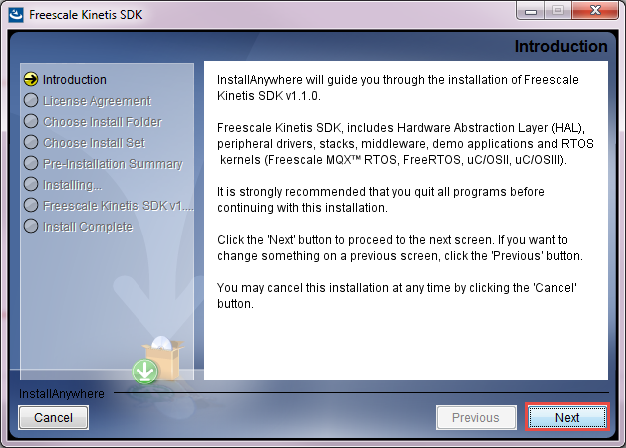
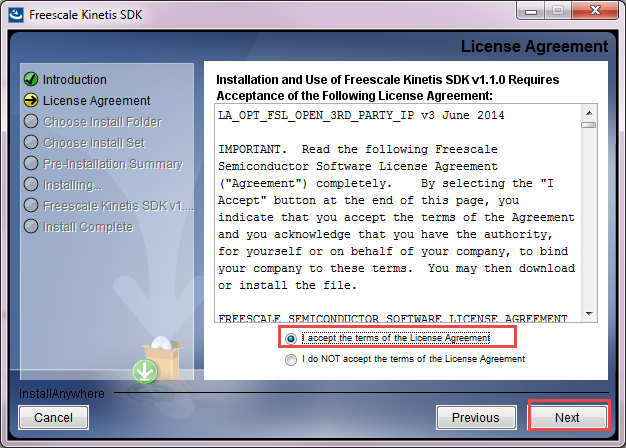
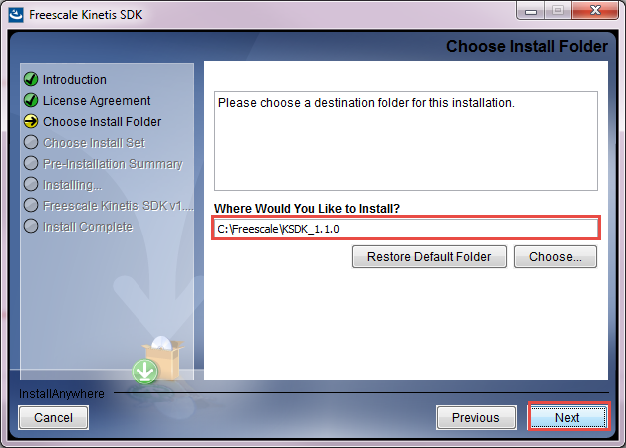
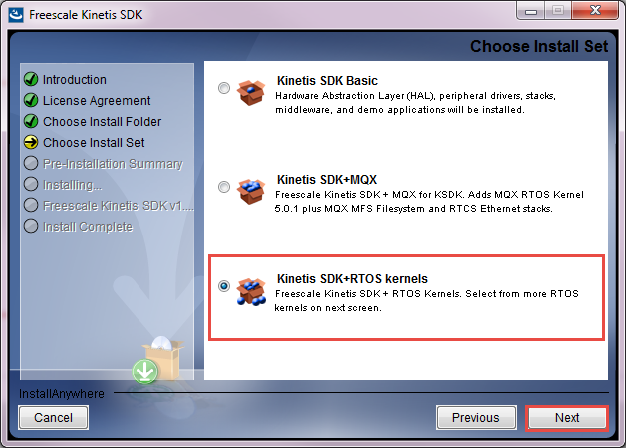
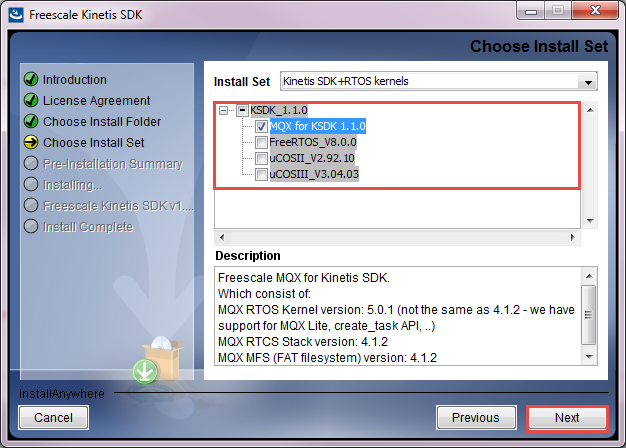
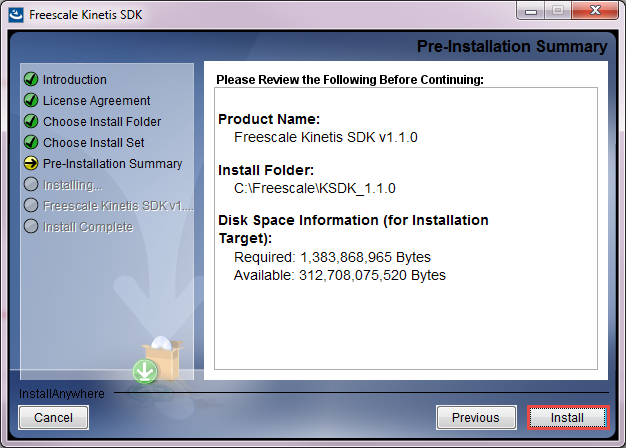
You can go back after installation and modified it, don´t worry.
I can also recommend you Getting Started with Freescale MQX RTOS for Kinetis SDK which is located after this installation at C:\Freescale\KSDK_1.1.0\rtos\mqx\doc
Let me know if the information help you,
Have a great day!
Best Regards,
Iva
- Mark as New
- Bookmark
- Subscribe
- Mute
- Subscribe to RSS Feed
- Permalink
- Report Inappropriate Content
Hello Iva,
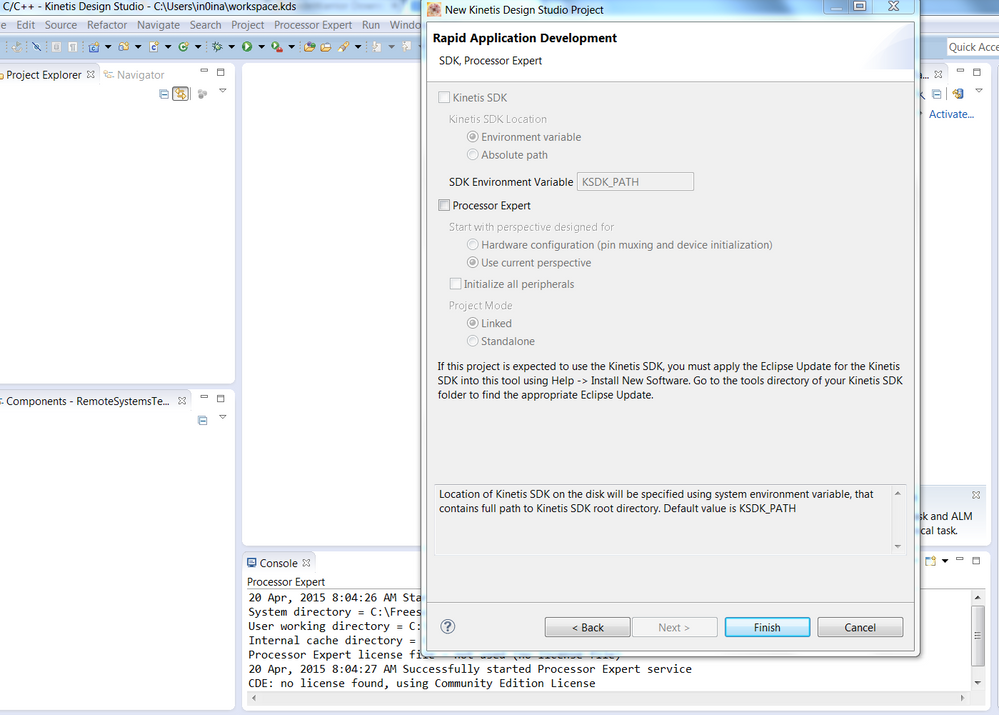
Thanks for the replay, we did the installation of KDS IDE, KSDK and MQX RTOS (Downloaded and Installed) as in the steps mentioned above. As also did the "Help - New Software Install - Kinetis Eclipse KSDK Update(.zip file) Link:C:\Freescale\KSDK_1.1.0\tools\eclipse_update\KSDK_1.1.0_Eclipse_Update.zip). But still we don't have the option to select the "Kinetis SDK" as shown in the image below.
Regards
Abhishek
DavidS
- Mark as New
- Bookmark
- Subscribe
- Mute
- Subscribe to RSS Feed
- Permalink
- Report Inappropriate Content
Hi Abhishek,
Three things to try:
1) Review this post Re: I can not create a new KDS 2.0 project for MK22FN1M0xxx12 with Kinetis SDK support.
2) Did you do update of KDS using Help->Install New Software... and select Freescale KDS Update Site - http://freescale.com/lgfiles/updates/Eclipse/KDS ...then Select All and follow wizard steps ?
3) Un-installed the KSDK plug-in and re-install? Help->About Kinetis Design Studio->Installation Details... then select the KSDK 1.1.0 Eclipse Update and click Uninstall...
Regards,
David
- Mark as New
- Bookmark
- Subscribe
- Mute
- Subscribe to RSS Feed
- Permalink
- Report Inappropriate Content
And as well, when we tried for the 3rd step you mentioned ( Un-installed the KSDK plug-in and re-install? Help->About Kinetis Design Studio->Installation Details... then select the KSDK 1.1.0 Eclipse Update and click Uninstall.) We saw 2 version of Eclipse Update installed, 'is it fine..?' as show in the image below.
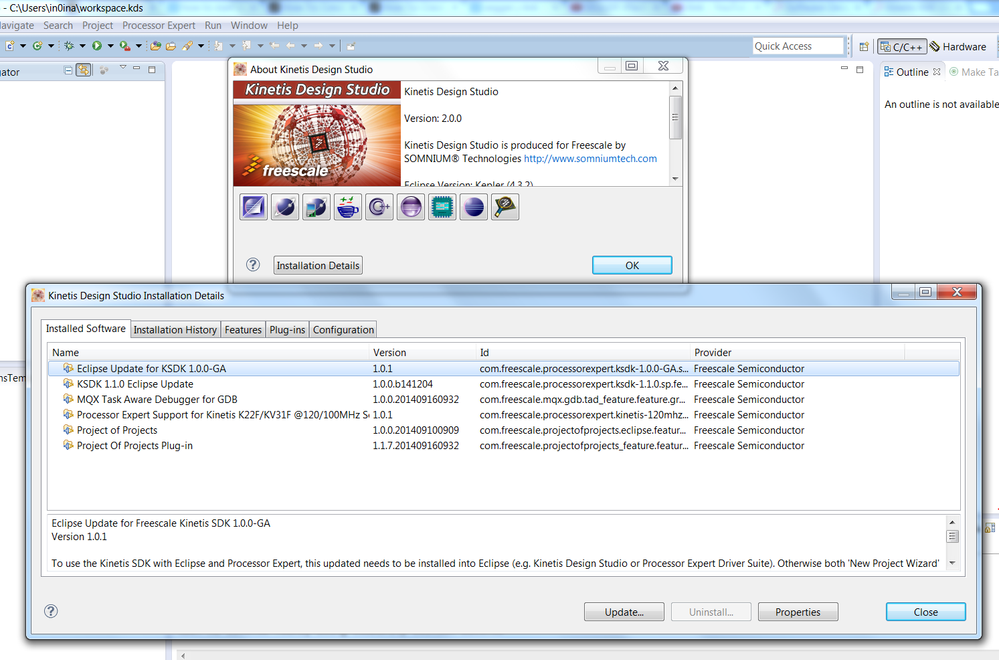
- After selecting the old version "Eclipse Update for KSDK 1.0.0-GA" the Uninstall option is grayed off as shown in above image.
DavidS
- Mark as New
- Bookmark
- Subscribe
- Mute
- Subscribe to RSS Feed
- Permalink
- Report Inappropriate Content
Hi Abhishek,
Sorry for delay.
I only uninstalled the KSDK 1.1.0 Eclipse Update. Re-started KDS and then re-installed the eclipse plug-in.
Regards,
David
- Mark as New
- Bookmark
- Subscribe
- Mute
- Subscribe to RSS Feed
- Permalink
- Report Inappropriate Content
Hello David,
Thanks for the response, we reinstalled couple of time the KSDK/MQX support was available for the K60, but same issue with KL25. I guess there will be standard procedure for the installation for the KSDK/MQX support for all the Evaluation board. Need to get in touch with the Frescale Technical team. officially.
Due to the issue we uninstalled the Freescale KDS IDE and using CodeWarrior.
Thanks David again for the support.
Regards
Abhishek
DavidS
- Mark as New
- Bookmark
- Subscribe
- Mute
- Subscribe to RSS Feed
- Permalink
- Report Inappropriate Content
Hi Abhishek,
The most up-to-date KDS/KSDK have good support for both TWR-K60D100M and FRDM-KL25Z.
The MQX (and other RTOS's) can be chosen to be installed or not during the KSDK installation process.
Regards,
David
- Mark as New
- Bookmark
- Subscribe
- Mute
- Subscribe to RSS Feed
- Permalink
- Report Inappropriate Content
Hello David,
We tried all the three methods mentioned by you, still not able to get access to KSDK for TWR-K60 board as shown below.
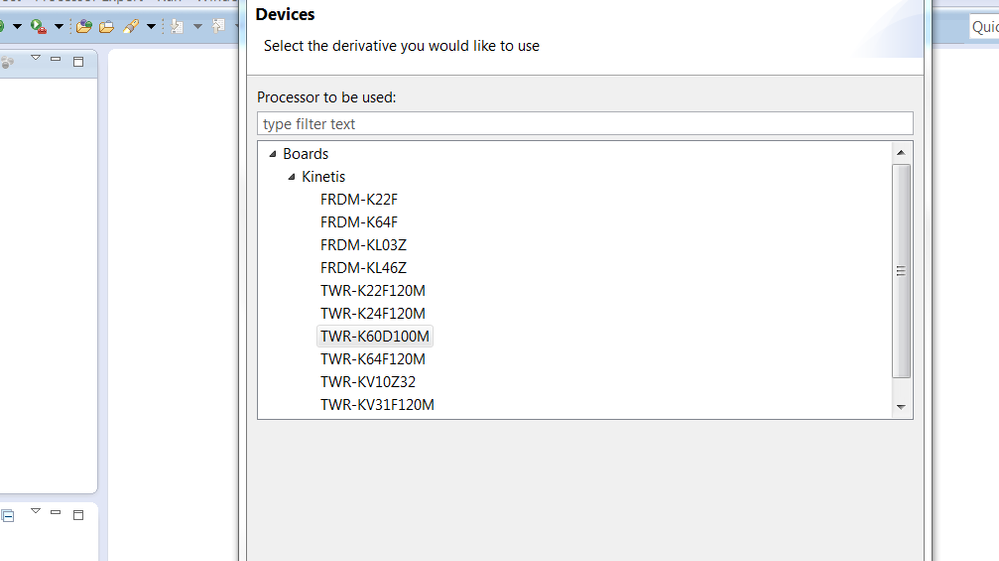
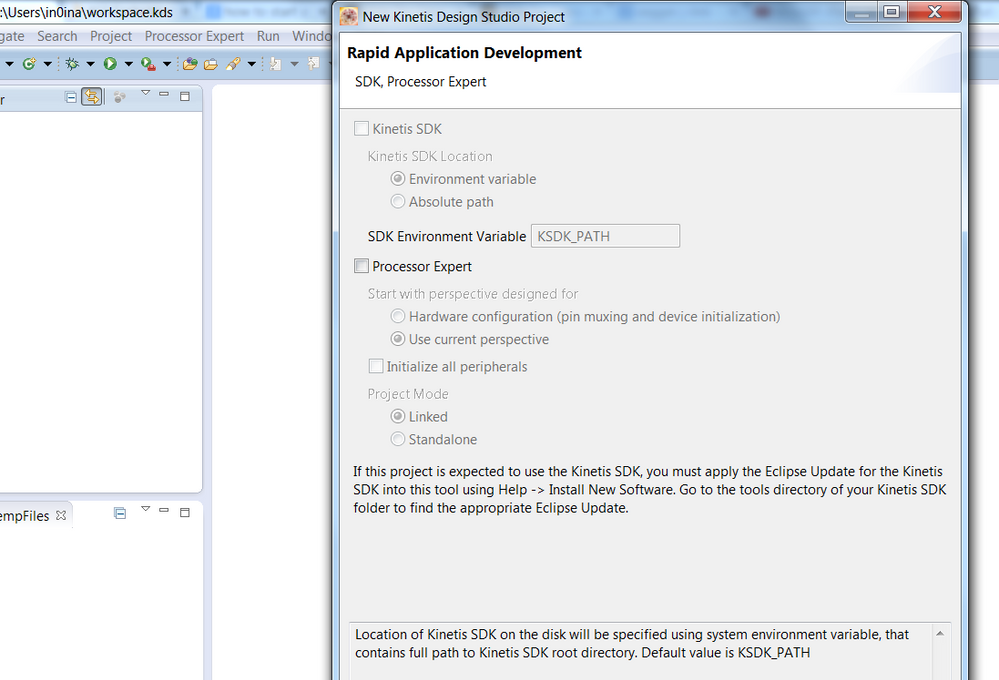
But if we select other board say FRDM-K22 then we have the option to check KSDK as shown min below images.
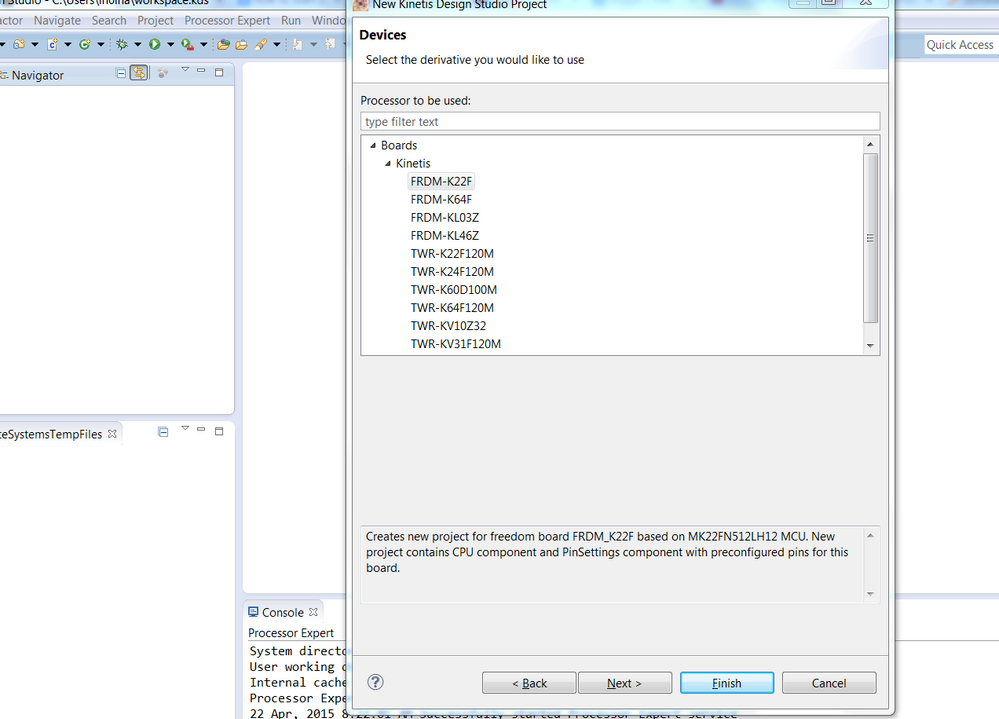
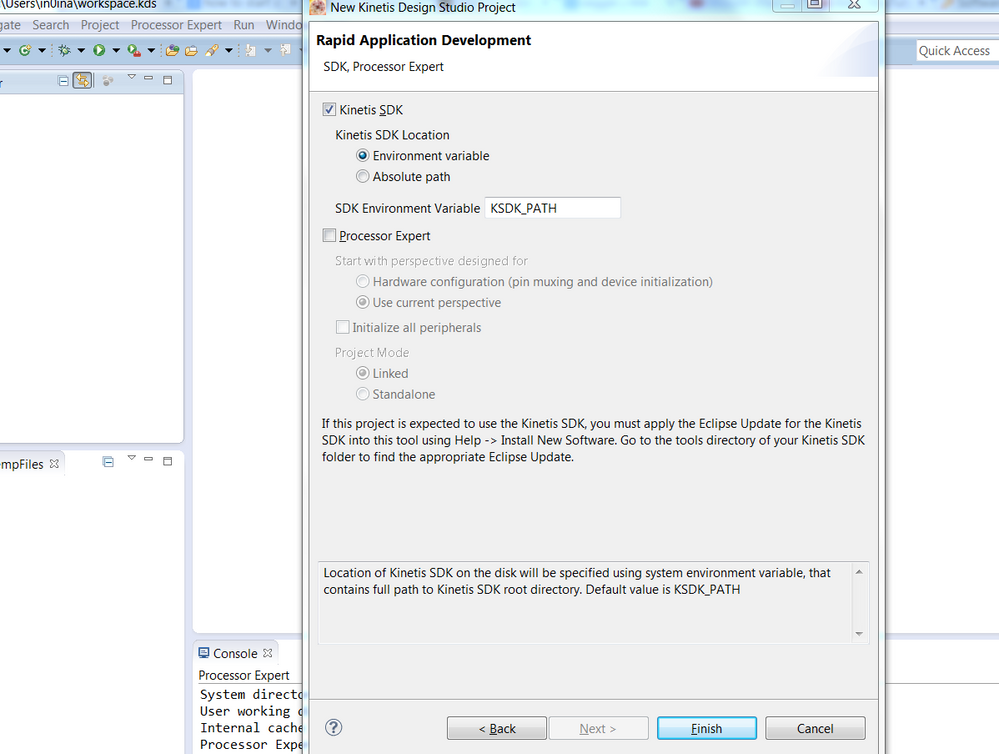
Please help regarding the software, we are planning to use two boards for our RTOS programming project:
- TWR-K60D100M: Kinetis K60 100 MHz MCU.
- FRDM-KL25Z.
Regards
Abhishek
