
- Forums
- Product Forums
- General Purpose MicrocontrollersGeneral Purpose Microcontrollers
- i.MX Forumsi.MX Forums
- QorIQ Processing PlatformsQorIQ Processing Platforms
- Identification and SecurityIdentification and Security
- Power ManagementPower Management
- Wireless ConnectivityWireless Connectivity
- RFID / NFCRFID / NFC
- Advanced AnalogAdvanced Analog
- Neural Processing UnitsNeural Processing Units
- MCX Microcontrollers
- S32G
- S32K
- S32V
- MPC5xxx
- Other NXP Products
- S12 / MagniV Microcontrollers
- Powertrain and Electrification Analog Drivers
- Sensors
- Vybrid Processors
- Digital Signal Controllers
- 8-bit Microcontrollers
- ColdFire/68K Microcontrollers and Processors
- PowerQUICC Processors
- OSBDM and TBDML
- S32M
- S32Z/E
-
- Solution Forums
- Software Forums
- MCUXpresso Software and ToolsMCUXpresso Software and Tools
- CodeWarriorCodeWarrior
- MQX Software SolutionsMQX Software Solutions
- Model-Based Design Toolbox (MBDT)Model-Based Design Toolbox (MBDT)
- FreeMASTER
- eIQ Machine Learning Software
- Embedded Software and Tools Clinic
- S32 SDK
- S32 Design Studio
- GUI Guider
- Zephyr Project
- Voice Technology
- Application Software Packs
- Secure Provisioning SDK (SPSDK)
- Processor Expert Software
- Generative AI & LLMs
-
- Topics
- Mobile Robotics - Drones and RoversMobile Robotics - Drones and Rovers
- NXP Training ContentNXP Training Content
- University ProgramsUniversity Programs
- Rapid IoT
- NXP Designs
- SafeAssure-Community
- OSS Security & Maintenance
- Using Our Community
-
- Cloud Lab Forums
-
- Knowledge Bases
- ARM Microcontrollers
- i.MX Processors
- Identification and Security
- Model-Based Design Toolbox (MBDT)
- QorIQ Processing Platforms
- S32 Automotive Processing Platform
- Wireless Connectivity
- CodeWarrior
- MCUXpresso Suite of Software and Tools
- MQX Software Solutions
- RFID / NFC
- Advanced Analog
- Neural Processing Units
-
- NXP Tech Blogs
- Home
- :
- Product Forums
- :
- MPC5xxx
- :
- Re: CW11.1 for MPC56X Problem1
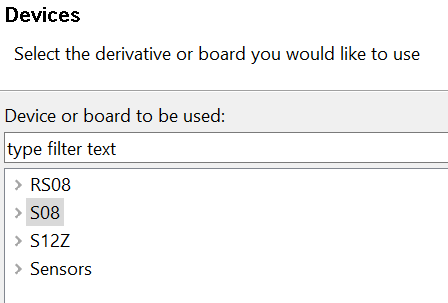
CW11.1 for MPC56X Problem1
- Subscribe to RSS Feed
- Mark Topic as New
- Mark Topic as Read
- Float this Topic for Current User
- Bookmark
- Subscribe
- Mute
- Printer Friendly Page
CW11.1 for MPC56X Problem1

- Mark as New
- Bookmark
- Subscribe
- Mute
- Subscribe to RSS Feed
- Permalink
- Report Inappropriate Content

 lukaszadrapa
- Mark as New
- Bookmark
- Subscribe
- Mute
- Subscribe to RSS Feed
- Permalink
- Report Inappropriate Content
Hi,
it was necessary to select "Qorivva" (this was a nickname for MPC5xxx devices in the past) during the installation:
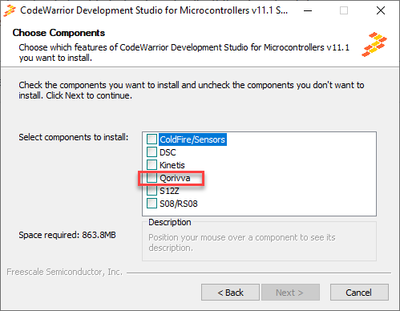
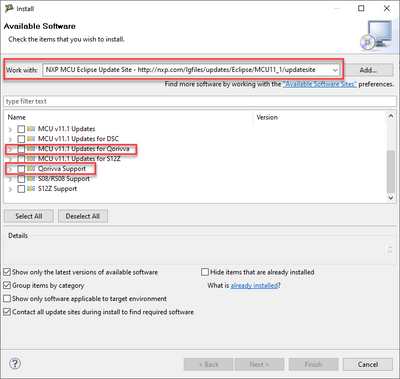
To add support to existing installation, open Help -> Install New Software
and select:
Regards,
Lukas
- Mark as New
- Bookmark
- Subscribe
- Mute
- Subscribe to RSS Feed
- Permalink
- Report Inappropriate Content
Hi Lukas,
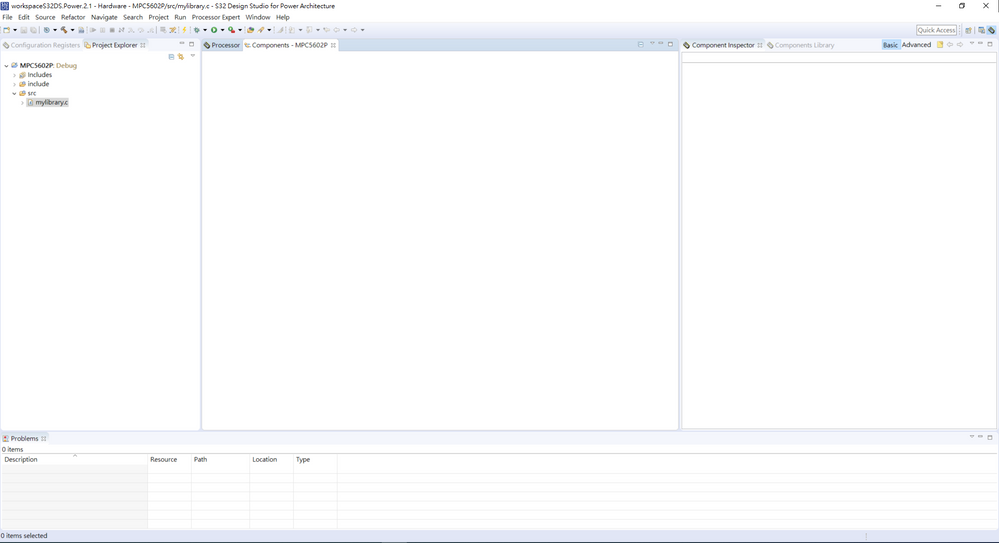
I am also using the chip MPC5602P and I have followed the instruction to update the Qorivva Support & MCU v11.1 Update for Qorivva. However, when I created a new project for MPC5602P, the component inspector is blank. I assume there is no SDK S32PA support for MPC5602P? I also tried S32 design studio power architecture, the component inspector is blank as well
Regards,
Joe
lukaszadrapa
- Mark as New
- Bookmark
- Subscribe
- Mute
- Subscribe to RSS Feed
- Permalink
- Report Inappropriate Content
Hi,
yes, that's correct. There's no SDK for MPC56xx family of devices. We provided Autosar MCAL only:
https://www.nxp.com/design/automotive-software-and-tools/autosar:AUTOSAR-HOME
Regards,
Lukas
- Mark as New
- Bookmark
- Subscribe
- Mute
- Subscribe to RSS Feed
- Permalink
- Report Inappropriate Content
Hi Lukas,
Thank you for the reply. I installed the files
1. STUDIO_14.0.0_2013-02-26
2. MPC560XP_MCAL4.0_RTM_1.0.0_signed
3. MPC560XP_MCAL4.0_RTM_HF1_1.0.0_signed
For the MCAL4.0 RTM, I installed them under the path of "C:\EB\tresos\plugins"
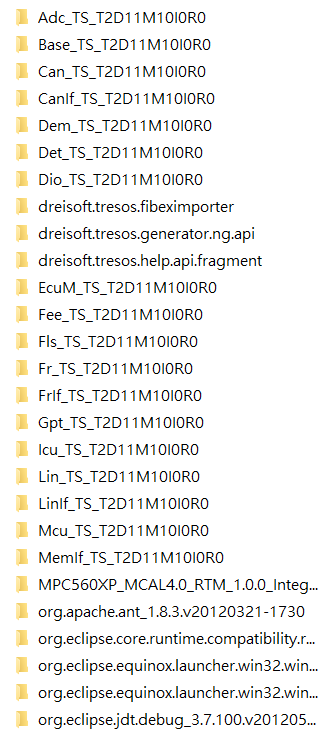
When I clicked file -> import -> Existing Project into Workspace on Tresos studio, I selected "MPC560XP_MCAL4.0_RTM_1.0.0_Integration_Application" as root directory. (which then be copied into workspace). Then I clicked SampleApplication (PA, XPC560XP), it prompted a warning showing T2D11M10I0R0 is not installed. Where should I move all the files with T2D11M10I0R0 ending? So the Tresos Studio can load the configuration.
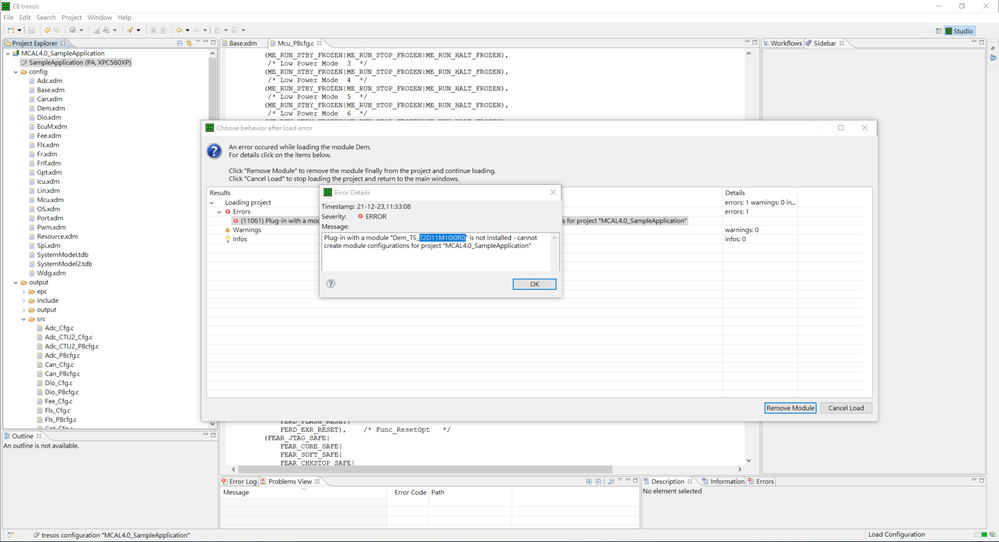
My intent here is to only configure the low level driver and pin configuration. no need for OS.
Best Regards,
Joe
lukaszadrapa
- Mark as New
- Bookmark
- Subscribe
- Mute
- Subscribe to RSS Feed
- Permalink
- Report Inappropriate Content
Hi Joe,
I'm sorry for delayed response caused by Christmas holidays. This is for another team, so if it is still not resolved, please create new ticket here and it will be assigned to them:
Thanks,
Lukas
- Mark as New
- Bookmark
- Subscribe
- Mute
- Subscribe to RSS Feed
- Permalink
- Report Inappropriate Content
Hi Lukas,
Happy 2022, I created a new post and Nam is helping me with the issue
Thanks,
Joe
- Mark as New
- Bookmark
- Subscribe
- Mute
- Subscribe to RSS Feed
- Permalink
- Report Inappropriate Content
Hi
I operate according to your instructions, i meet a new issue below:
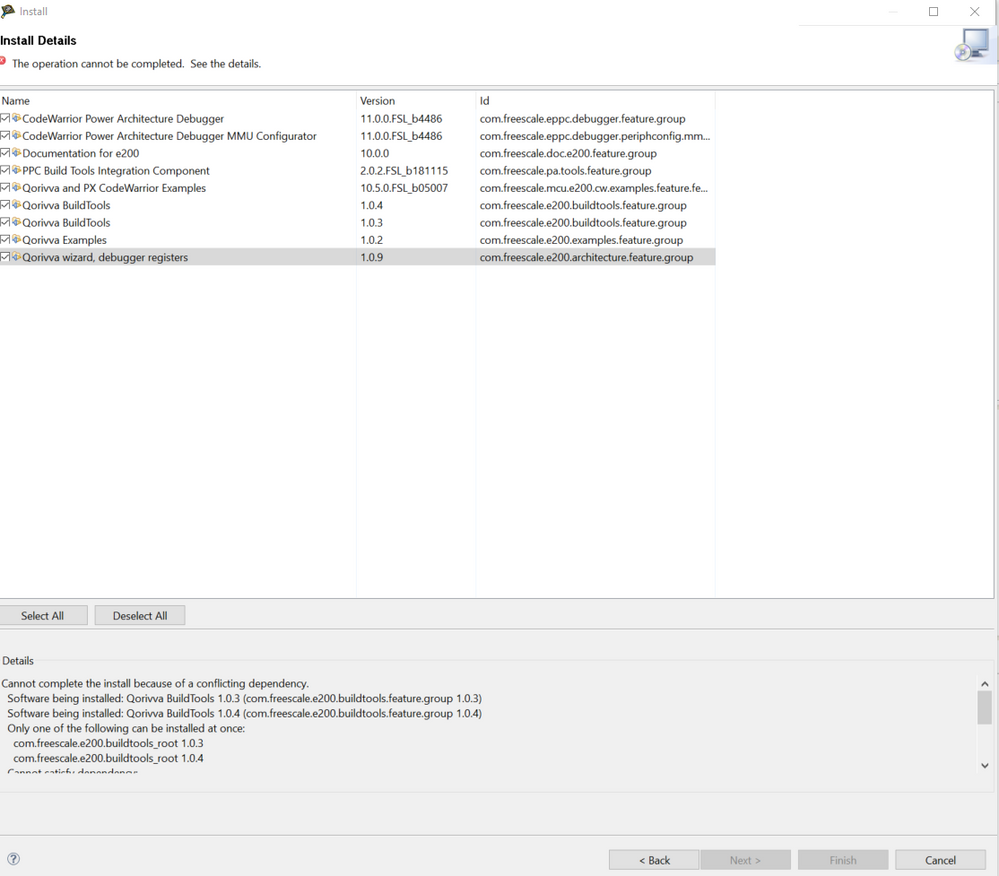
I disable the 1.0.3 version of buildtools, then it can continue again, but i don't know whether this will influence my developpment.
lukaszadrapa
- Mark as New
- Bookmark
- Subscribe
- Mute
- Subscribe to RSS Feed
- Permalink
- Report Inappropriate Content
That should be ok, it's just older version which is not needed.
Regards,
Lukas
- Mark as New
- Bookmark
- Subscribe
- Mute
- Subscribe to RSS Feed
- Permalink
- Report Inappropriate Content

MCU above is what i use, but i don't know which family i should select from item below:
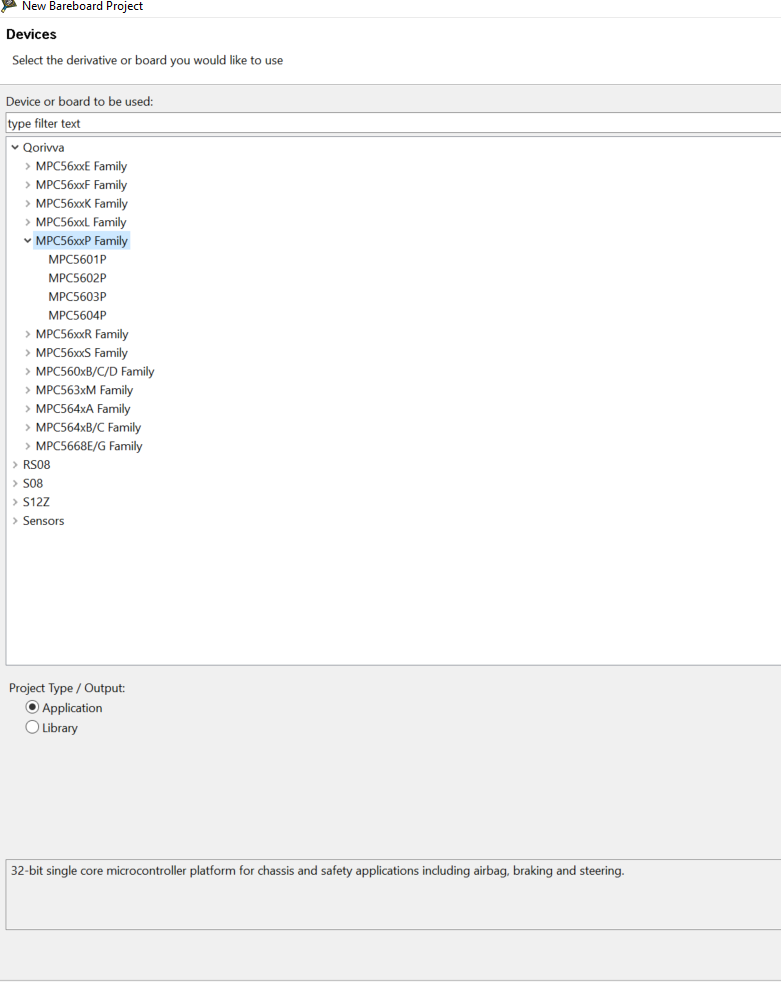 lukaszadrapa
- Mark as New
- Bookmark
- Subscribe
- Mute
- Subscribe to RSS Feed
- Permalink
- Report Inappropriate Content
Hi,
if you really have SPC5604P34/SPC560P40, you are talking to wrong company. These are parts from ST. Please contact www.st.com
Regards,
Lukas
- Mark as New
- Bookmark
- Subscribe
- Mute
- Subscribe to RSS Feed
- Permalink
- Report Inappropriate Content
Thanks for your support!
