
- Forums
- Product Forums
- General Purpose MicrocontrollersGeneral Purpose Microcontrollers
- i.MX Forumsi.MX Forums
- QorIQ Processing PlatformsQorIQ Processing Platforms
- Identification and SecurityIdentification and Security
- Power ManagementPower Management
- Wireless ConnectivityWireless Connectivity
- RFID / NFCRFID / NFC
- Advanced AnalogAdvanced Analog
- MCX Microcontrollers
- S32G
- S32K
- S32V
- MPC5xxx
- Other NXP Products
- S12 / MagniV Microcontrollers
- Powertrain and Electrification Analog Drivers
- Sensors
- Vybrid Processors
- Digital Signal Controllers
- 8-bit Microcontrollers
- ColdFire/68K Microcontrollers and Processors
- PowerQUICC Processors
- OSBDM and TBDML
- S32M
- S32Z/E
-
- Solution Forums
- Software Forums
- MCUXpresso Software and ToolsMCUXpresso Software and Tools
- CodeWarriorCodeWarrior
- MQX Software SolutionsMQX Software Solutions
- Model-Based Design Toolbox (MBDT)Model-Based Design Toolbox (MBDT)
- FreeMASTER
- eIQ Machine Learning Software
- Embedded Software and Tools Clinic
- S32 SDK
- S32 Design Studio
- GUI Guider
- Zephyr Project
- Voice Technology
- Application Software Packs
- Secure Provisioning SDK (SPSDK)
- Processor Expert Software
- Generative AI & LLMs
-
- Topics
- Mobile Robotics - Drones and RoversMobile Robotics - Drones and Rovers
- NXP Training ContentNXP Training Content
- University ProgramsUniversity Programs
- Rapid IoT
- NXP Designs
- SafeAssure-Community
- OSS Security & Maintenance
- Using Our Community
-
- Cloud Lab Forums
-
- Knowledge Bases
- ARM Microcontrollers
- i.MX Processors
- Identification and Security
- Model-Based Design Toolbox (MBDT)
- QorIQ Processing Platforms
- S32 Automotive Processing Platform
- Wireless Connectivity
- CodeWarrior
- MCUXpresso Suite of Software and Tools
- MQX Software Solutions
- RFID / NFC
- Advanced Analog
-
- NXP Tech Blogs
- Home
- :
- MCUXpresso Software and Tools
- :
- MCUXpresso IDE
- :
- lost project settings after restart MCUXpresso
lost project settings after restart MCUXpresso
- Subscribe to RSS Feed
- Mark Topic as New
- Mark Topic as Read
- Float this Topic for Current User
- Bookmark
- Subscribe
- Mute
- Printer Friendly Page
lost project settings after restart MCUXpresso

- Mark as New
- Bookmark
- Subscribe
- Mute
- Subscribe to RSS Feed
- Permalink
- Report Inappropriate Content
I found out this the hard way and hope that it won't happen to other people and MCUXpresso IDE team fixes this in a future release.
Yesterday I created a new MCUXpresso project on my Windows 7 PC and added my source files from KDS project to the new project. And then I added my Build Variables and also added include directories to Paths and Symbols and applied the change. Everything went well and I was able to build and debug without any problem. Then I closed the IDE and restarted it, when I went to Properties, all my settings were gone.
The reason is that .cproject was read only, the settings were not saved, but the IDE did not give any warning when I closed the tool.

 ZhangJennie
- Mark as New
- Bookmark
- Subscribe
- Mute
- Subscribe to RSS Feed
- Permalink
- Report Inappropriate Content
Hello Julie,
in addition,
The default .cproject file is read/write access for both KDS and MCUXpresso.
Can you please force .cproject file and other source files as readwrite then test again?
meanwhile, can you test the project in a new created workspace?
Have a great day,
Jennie Zhang
-----------------------------------------------------------------------------------------------------------------------
Note: If this post answers your question, please click the Correct Answer button. Thank you!
-----------------------------------------------------------------------------------------------------------------------
- Mark as New
- Bookmark
- Subscribe
- Mute
- Subscribe to RSS Feed
- Permalink
- Report Inappropriate Content
Sorry for the late reply. I was on vacation for the last couple of days. Here is the log and two screen captures to show you the problem.
!SESSION 2017-04-11 07:58:26.579 -----------------------------------------------
eclipse.buildId=unknown
java.version=1.8.0_111
java.vendor=Oracle Corporation
BootLoader constants: OS=win32, ARCH=x86, WS=win32, NL=en_US
Command-line arguments: -os win32 -ws win32 -arch x86
!ENTRY org.eclipse.ui 4 4 2017-04-11 07:58:44.050
!MESSAGE Plugin org.eclipse.cdt.ui, extension org.eclipse.ui.decorators, id org.eclipse.cdt.internal.ui.CustomBuildSettingsDecorator: Duplicate id found: org.eclipse.cdt.internal.ui.CustomBuildSettingsDecorator
!ENTRY org.eclipse.ui 4 4 2017-04-11 07:58:44.054
!MESSAGE Plugin org.eclipse.cdt.ui, extension org.eclipse.ui.decorators, id org.eclipse.cdt.internal.ui.CustomBuildSettingsDecorator: Unknown extension tag found: decorator
!ENTRY org.eclipse.egit.ui 2 0 2017-04-11 07:58:45.419
!MESSAGE Warning: The environment variable HOME is not set. The following directory will be used to store the Git
user global configuration and to define the default location to store repositories: 'P:\'. If this is
not correct please set the HOME environment variable and restart Eclipse. Otherwise Git for Windows and
EGit might behave differently since they see different configuration options.
This warning can be switched off on the Team > Git > Confirmations and Warnings preference page.
!ENTRY org.eclipse.cdt.core 1 0 2017-04-11 08:00:36.070
!MESSAGE Indexed 'MK64FN1M0xxx12_Project' (0 sources, 0 headers) in 0.002 sec: 0 declarations; 0 references; 0 unresolved inclusions; 0 syntax errors; 0 unresolved names (0%)
!ENTRY com.nxp.mcuxpresso.core.datamodels 2 0 2017-04-11 08:00:37.586
!MESSAGE Overwriting file L/MK64FN1M0xxx12_Project/startup/startup_mk64f12.c
!SESSION 2017-04-11 08:20:48.391 -----------------------------------------------
eclipse.buildId=unknown
java.version=1.8.0_111
java.vendor=Oracle Corporation
BootLoader constants: OS=win32, ARCH=x86, WS=win32, NL=en_US
Command-line arguments: -os win32 -ws win32 -arch x86
!ENTRY org.eclipse.ui 4 4 2017-04-11 08:20:56.338
!MESSAGE Plugin org.eclipse.cdt.ui, extension org.eclipse.ui.decorators, id org.eclipse.cdt.internal.ui.CustomBuildSettingsDecorator: Duplicate id found: org.eclipse.cdt.internal.ui.CustomBuildSettingsDecorator
!ENTRY org.eclipse.ui 4 4 2017-04-11 08:20:56.343
!MESSAGE Plugin org.eclipse.cdt.ui, extension org.eclipse.ui.decorators, id org.eclipse.cdt.internal.ui.CustomBuildSettingsDecorator: Unknown extension tag found: decorator
!ENTRY org.eclipse.egit.ui 2 0 2017-04-11 08:20:59.617
!MESSAGE Warning: The environment variable HOME is not set. The following directory will be used to store the Git
user global configuration and to define the default location to store repositories: 'P:\'. If this is
not correct please set the HOME environment variable and restart Eclipse. Otherwise Git for Windows and
EGit might behave differently since they see different configuration options.
This warning can be switched off on the Team > Git > Confirmations and Warnings preference page.
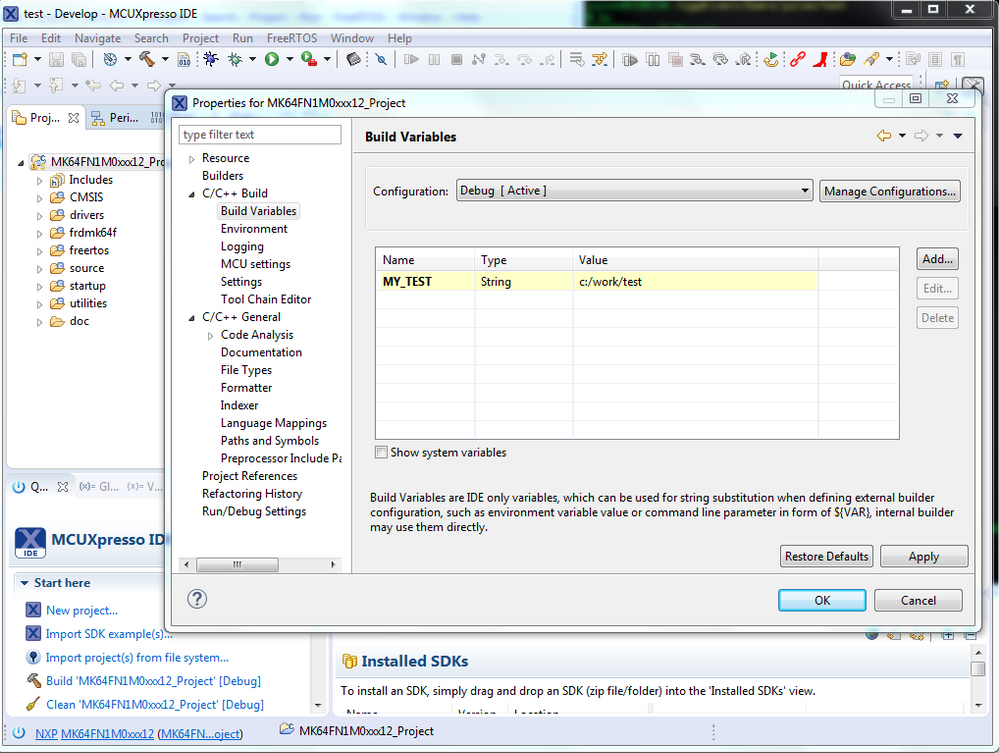
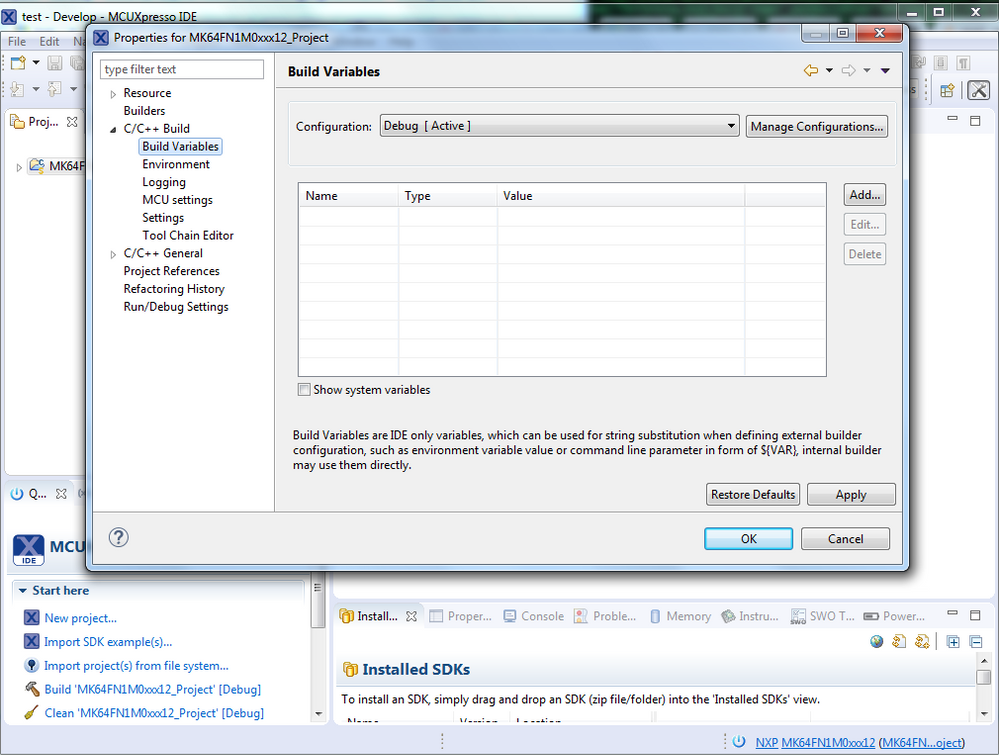
This screen shows that I have MY_TEST variable defined. Since the .cproject file is read only, the setting is not saved. I think the tool should at least warn the user about it. But I never got any warning about it. After I quit the tool and relaunch it, the setting is gone as shown below.
Again my question is not about read/write access, my question is about if settings can't be saved, why the tool does not warn user about it?
 lpcxpresso_supp
- Mark as New
- Bookmark
- Subscribe
- Mute
- Subscribe to RSS Feed
- Permalink
- Report Inappropriate Content
Hi Julie,
we have never seen such problem in the IDE: basically, all the settings changed in the project are applied and saved in the .cproject file. This file is always accessible for read and write and I was wondering if something else has made the file read-only.
Could you please attach the .log file? you can find it in <your workspace>/.metadata folder.
Ciao,
MCUXpresso IDE support team.
