
- Forums
- Product Forums
- General Purpose MicrocontrollersGeneral Purpose Microcontrollers
- i.MX Forumsi.MX Forums
- QorIQ Processing PlatformsQorIQ Processing Platforms
- Identification and SecurityIdentification and Security
- Power ManagementPower Management
- Wireless ConnectivityWireless Connectivity
- RFID / NFCRFID / NFC
- Advanced AnalogAdvanced Analog
- Neural Processing UnitsNeural Processing Units
- MCX Microcontrollers
- S32G
- S32K
- S32V
- MPC5xxx
- Other NXP Products
- S12 / MagniV Microcontrollers
- Powertrain and Electrification Analog Drivers
- Sensors
- Vybrid Processors
- Digital Signal Controllers
- 8-bit Microcontrollers
- ColdFire/68K Microcontrollers and Processors
- PowerQUICC Processors
- OSBDM and TBDML
- S32M
- S32Z/E
-
- Solution Forums
- Software Forums
- MCUXpresso Software and ToolsMCUXpresso Software and Tools
- CodeWarriorCodeWarrior
- MQX Software SolutionsMQX Software Solutions
- Model-Based Design Toolbox (MBDT)Model-Based Design Toolbox (MBDT)
- FreeMASTER
- eIQ Machine Learning Software
- Embedded Software and Tools Clinic
- S32 SDK
- S32 Design Studio
- GUI Guider
- Zephyr Project
- Voice Technology
- Application Software Packs
- Secure Provisioning SDK (SPSDK)
- Processor Expert Software
- Generative AI & LLMs
-
- Topics
- Mobile Robotics - Drones and RoversMobile Robotics - Drones and Rovers
- NXP Training ContentNXP Training Content
- University ProgramsUniversity Programs
- Rapid IoT
- NXP Designs
- SafeAssure-Community
- OSS Security & Maintenance
- Using Our Community
-
- Cloud Lab Forums
-
- Knowledge Bases
- ARM Microcontrollers
- i.MX Processors
- Identification and Security
- Model-Based Design Toolbox (MBDT)
- QorIQ Processing Platforms
- S32 Automotive Processing Platform
- Wireless Connectivity
- CodeWarrior
- MCUXpresso Suite of Software and Tools
- MQX Software Solutions
- RFID / NFC
- Advanced Analog
- Neural Processing Units
-
- NXP Tech Blogs
- Home
- :
- MCUXpresso软件和工具
- :
- MCUXpresso IDE
- :
- Dark Mode Memory Browser Colours
Dark Mode Memory Browser Colours
已解决
11-27-2020
07:43 AM
4,774 次查看

Does anybody know if it's possible to change the text colour of the Peripherals Panel in the memory Browser? Black on Dark Grey isn't very legible. I can change Traditional Renderings colour scheme with: preferences -> C/C++ -> Debug -> Traditional Memory Rendering
But there doesn't seem to be options for peripheral renderings.
已解决! 转到解答。
回复
1 解答
11-27-2020
08:24 AM
4,769 次查看

ErichStyger
Specialist I
Hi @TomWilson ,
Yes, I have it that way:
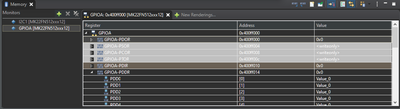
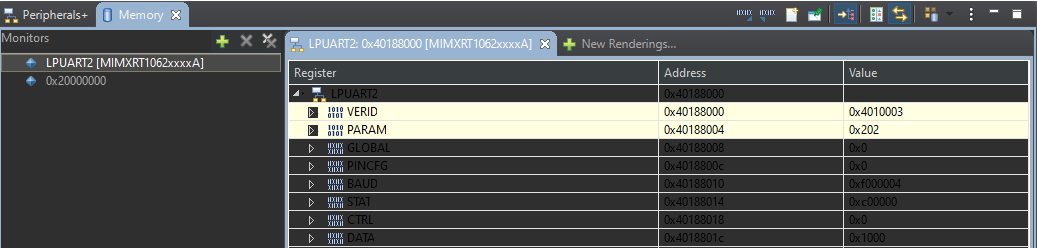
I have documented all the settings I have changed in
Tweaking MCUXpresso IDE Black Theme | MCU on Eclipse
I hope this helps,
Erich
回复
2 回复数
11-27-2020
08:24 AM
4,770 次查看
ErichStyger
Specialist I
Hi @TomWilson ,
Yes, I have it that way:
I have documented all the settings I have changed in
Tweaking MCUXpresso IDE Black Theme | MCU on Eclipse
I hope this helps,
Erich
回复
