
- Forums
- Product Forums
- General Purpose MicrocontrollersGeneral Purpose Microcontrollers
- i.MX Forumsi.MX Forums
- QorIQ Processing PlatformsQorIQ Processing Platforms
- Identification and SecurityIdentification and Security
- Power ManagementPower Management
- Wireless ConnectivityWireless Connectivity
- RFID / NFCRFID / NFC
- Advanced AnalogAdvanced Analog
- Neural Processing UnitsNeural Processing Units
- MCX Microcontrollers
- S32G
- S32K
- S32V
- MPC5xxx
- Other NXP Products
- S12 / MagniV Microcontrollers
- Powertrain and Electrification Analog Drivers
- Sensors
- Vybrid Processors
- Digital Signal Controllers
- 8-bit Microcontrollers
- ColdFire/68K Microcontrollers and Processors
- PowerQUICC Processors
- OSBDM and TBDML
- S32M
- S32Z/E
-
- Solution Forums
- Software Forums
- MCUXpresso Software and ToolsMCUXpresso Software and Tools
- CodeWarriorCodeWarrior
- MQX Software SolutionsMQX Software Solutions
- Model-Based Design Toolbox (MBDT)Model-Based Design Toolbox (MBDT)
- FreeMASTER
- eIQ Machine Learning Software
- Embedded Software and Tools Clinic
- S32 SDK
- S32 Design Studio
- GUI Guider
- Zephyr Project
- Voice Technology
- Application Software Packs
- Secure Provisioning SDK (SPSDK)
- Processor Expert Software
- Generative AI & LLMs
-
- Topics
- Mobile Robotics - Drones and RoversMobile Robotics - Drones and Rovers
- NXP Training ContentNXP Training Content
- University ProgramsUniversity Programs
- Rapid IoT
- NXP Designs
- SafeAssure-Community
- OSS Security & Maintenance
- Using Our Community
-
- Cloud Lab Forums
-
- Knowledge Bases
- ARM Microcontrollers
- i.MX Processors
- Identification and Security
- Model-Based Design Toolbox (MBDT)
- QorIQ Processing Platforms
- S32 Automotive Processing Platform
- Wireless Connectivity
- CodeWarrior
- MCUXpresso Suite of Software and Tools
- MQX Software Solutions
- RFID / NFC
- Advanced Analog
- Neural Processing Units
-
- NXP Tech Blogs
- Home
- :
- MCUXpresso软件和工具
- :
- LPCXpresso IDE
- :
- Re: cannot download LPCXPRESSO: LPCXpresso IDE v8.2.2
cannot download LPCXPRESSO: LPCXpresso IDE v8.2.2
cannot download LPCXPRESSO: LPCXpresso IDE v8.2.2

Hi,
It is not possible for me to download LPCXPRESSO: LPCXpresso IDE v8.2.2. After I click 'download' button browser will redirect me to my account and nothing is downloaded.
http://www.nxp.com/products/software-and-tools/software-development-tools/software-tools/lpc-microco...
Do you have any idea why ?
Thank you!
I have the same problem (April, 10, 2018).
Peter

 jorge_plascenci
Hi Emilio,
Can you try once more.
Regards,
jorge_plascenciHi rcbtactiq,
Can you please give me your email address that you are using to login to www.nxp.com please.
Regards,
I created a new account with another email address and could download the installer. So my problem is caused by my 'adam mrakam' account. Would you please delete my 'adam mrakam' account ? Thank you.
" if you click on "Software Licensing and Support" link in the right hand column, this should then give you a page with a short list of products"
It does not. It brings me back to the same screen - my account. For a short moment it tries to go to page starting with 'https://nxp.flexnetoperations.com ' but it fails. Very strange.
I think the problem is my account - not used for a while and before NXP/Freescale merge. Can I create new account with the same email address ? So I will have 2 accounts. Or do I have to delete my current one first ?
 lpcxpresso_supp
I'm not sure why you ended up at that page, but if you click on "Software Licensing and Support" link in the right hand column, this should then give you a page with a short list of products - including LPCXpresso IDE. Clicking on that should then take you to the correct downloads page.
Regards,
LPCXpresso Support
lpcxpresso_supp
After clicking on the "Download" button, and registering/logging in if necessary - you should see the following screen:
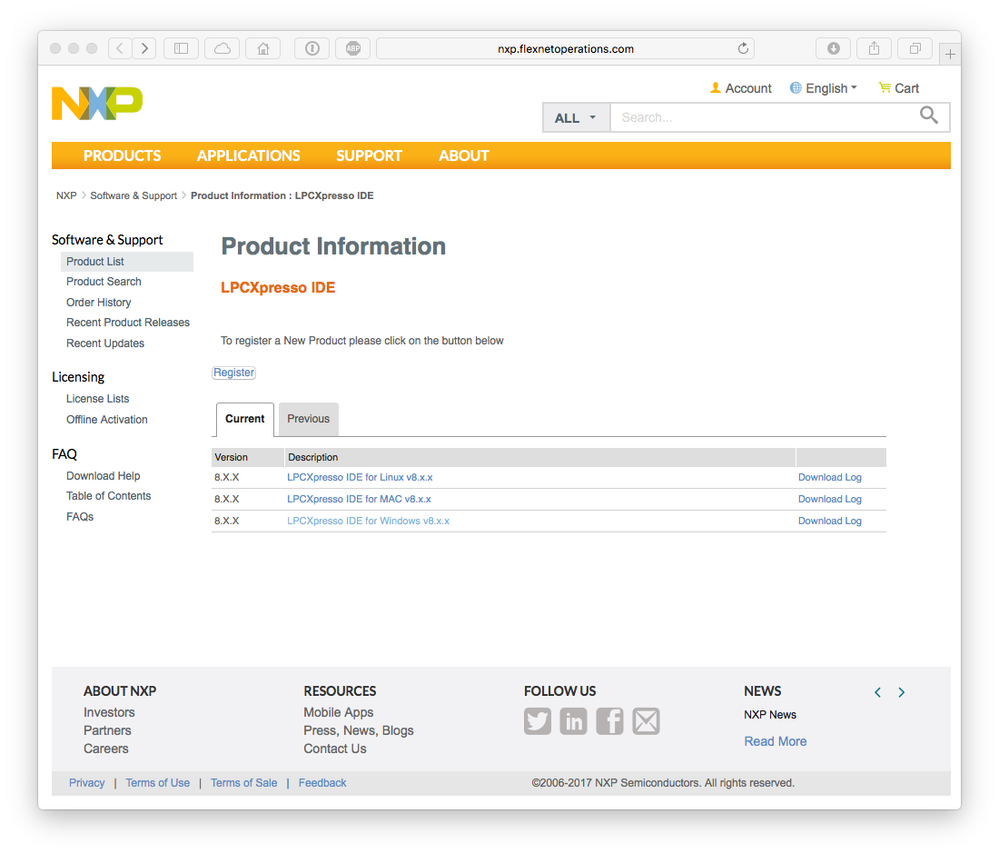
Click on the link "LPCXpresso IDE for Windows v8.x.x" (or Mac/Linux versions if appropriate), and this should present you with a EULA to agree to. After doing this, you will have access to the various v8.x installers....
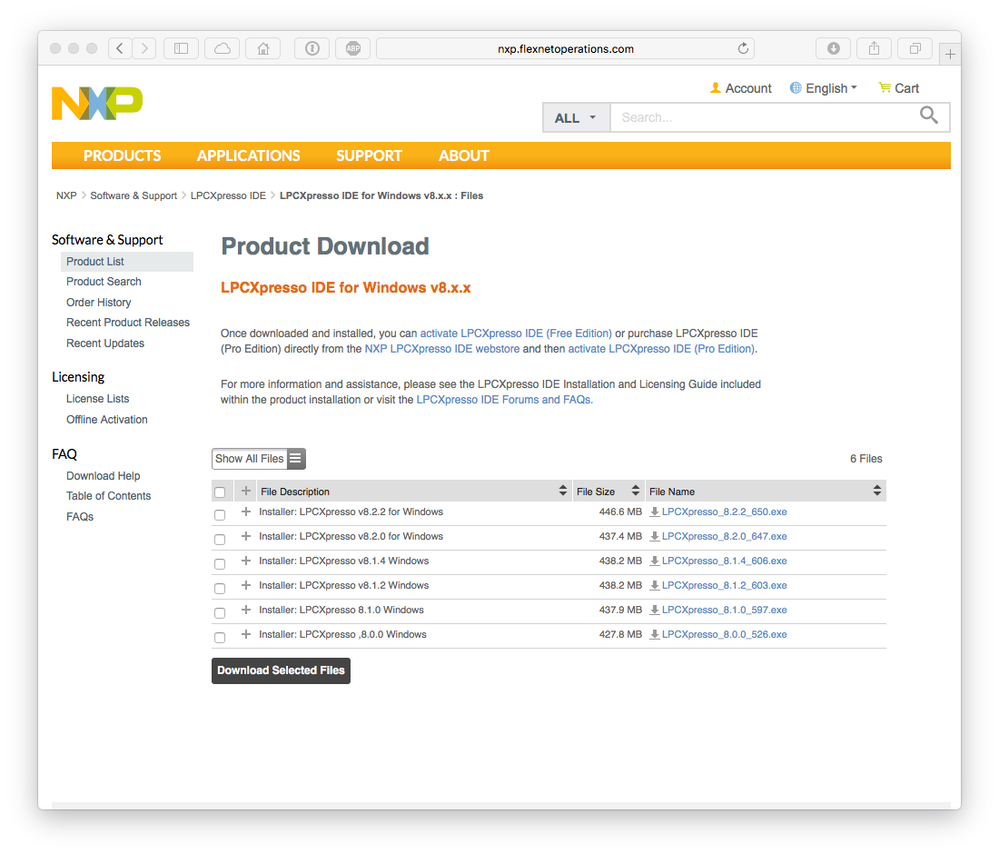
Select the ones and download. The servers for this are external to the NXP network, and seem to be up and running at the moment. If you are still having problems, please screenshot exactly what you are seeing.
Regards,
LPCXpresso Support
Thank you for the promt reply.
I do not get to the 1st screen you showed. This is what I see:
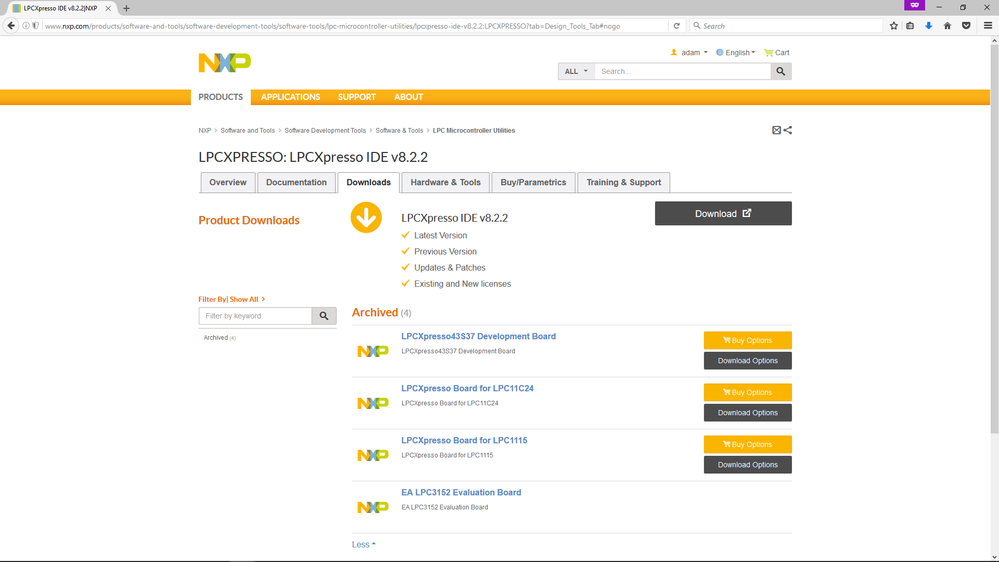
After I press 'download' I get this screen:
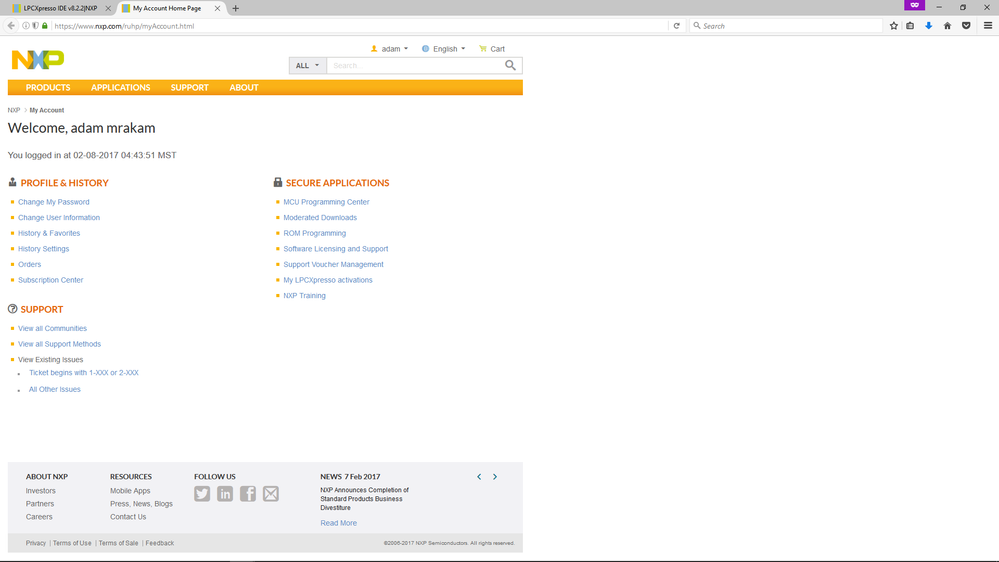
I tried different browsers and machines but still no sucess. It seems as a problem with my account.
