
- Forums
- Product Forums
- General Purpose MicrocontrollersGeneral Purpose Microcontrollers
- i.MX Forumsi.MX Forums
- QorIQ Processing PlatformsQorIQ Processing Platforms
- Identification and SecurityIdentification and Security
- Power ManagementPower Management
- Wireless ConnectivityWireless Connectivity
- RFID / NFCRFID / NFC
- Advanced AnalogAdvanced Analog
- Neural Processing UnitsNeural Processing Units
- MCX Microcontrollers
- S32G
- S32K
- S32V
- MPC5xxx
- Other NXP Products
- S12 / MagniV Microcontrollers
- Powertrain and Electrification Analog Drivers
- Sensors
- Vybrid Processors
- Digital Signal Controllers
- 8-bit Microcontrollers
- ColdFire/68K Microcontrollers and Processors
- PowerQUICC Processors
- OSBDM and TBDML
- S32M
- S32Z/E
-
- Solution Forums
- Software Forums
- MCUXpresso Software and ToolsMCUXpresso Software and Tools
- CodeWarriorCodeWarrior
- MQX Software SolutionsMQX Software Solutions
- Model-Based Design Toolbox (MBDT)Model-Based Design Toolbox (MBDT)
- FreeMASTER
- eIQ Machine Learning Software
- Embedded Software and Tools Clinic
- S32 SDK
- S32 Design Studio
- GUI Guider
- Zephyr Project
- Voice Technology
- Application Software Packs
- Secure Provisioning SDK (SPSDK)
- Processor Expert Software
- Generative AI & LLMs
-
- Topics
- Mobile Robotics - Drones and RoversMobile Robotics - Drones and Rovers
- NXP Training ContentNXP Training Content
- University ProgramsUniversity Programs
- Rapid IoT
- NXP Designs
- SafeAssure-Community
- OSS Security & Maintenance
- Using Our Community
-
- Cloud Lab Forums
-
- Knowledge Bases
- ARM Microcontrollers
- i.MX Processors
- Identification and Security
- Model-Based Design Toolbox (MBDT)
- QorIQ Processing Platforms
- S32 Automotive Processing Platform
- Wireless Connectivity
- CodeWarrior
- MCUXpresso Suite of Software and Tools
- MQX Software Solutions
- RFID / NFC
- Advanced Analog
- Neural Processing Units
-
- NXP Tech Blogs
- Home
- :
- 软件论坛
- :
- FreeMASTER
- :
- Re: Fails to reinstall FreeMaster 3.0
Fails to reinstall FreeMaster 3.0
Fails to reinstall FreeMaster 3.0

Fails to reinstall FreeMaster 3.0. What I did was to uninstall the FreeMaster and then try to install it again, which fails. The dialog says that there already is a product install, but there isn't any product installed. I have also removed the C:\NXP\ directory, but it still complains.
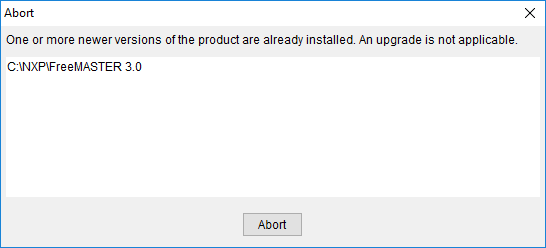
What can I do to solve this?
Thanks!
Niclas

I had the same problem and the only think that worked for me was to use Windows Restore to go before the original installation of FreeMASTER. Then, tried again and it started. However, I ended up completely removing it once again because there were too many issues with FreeMASTER v3. Now, using the 2.x version.
 iulian_stan
Hi Niclas,
Could you please check the following file on your system
C:\Program Files (x86)\Zero G Registry\.com.zerog.registry.xml
In case it contains a FreeMASTER entry in <products> list the uninstaller did/could not clean all the information.
If there are other entries beside FreeMASTER, back up the file and remove it from the disk. Relaunch the installer.
Kind regards,
Iulian
Hi,
I couldn't find any FreeMASTER in the product list in that file. Any other ideas?
iulian_stan
Unfortunately, as far as I know, that's the only registry (file) checked by installer. In order to exclude any issues related to this one could you:
- Also check the 64 bit folder (inside Program Files instead of Program Files (x86)) - although it should not exist there
- Try renaming the 32 bit file and launch the installer (or just confirm that this did not help in case you already tried it) - just to make sure there's no other faulty data.
I will try to reproduce it on my side.
1. What version of the executable are you trying to install (latest one on NXP site is 3.0.2.6):
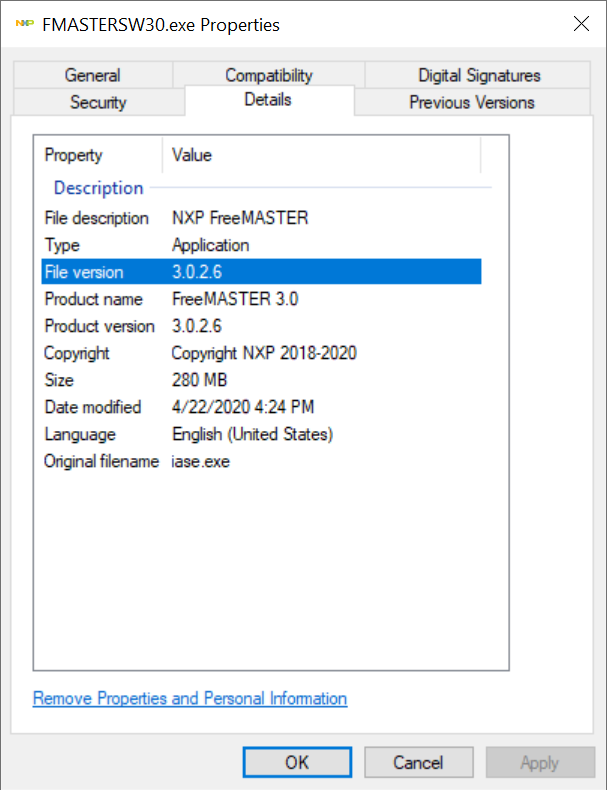
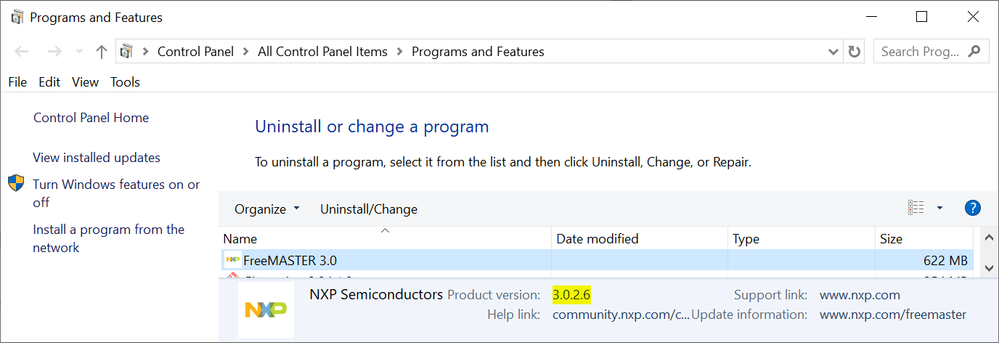
In case it's not displayed, there may still be a Windows registry entry
HKEY_LOCAL_MACHINE\SOFTWARE\WOW6432Node\Microsoft\Windows\CurrentVersion\Uninstall\FreeMASTER 3.0
I tried to rename the installer exe if that is what you meant. Didn't work.
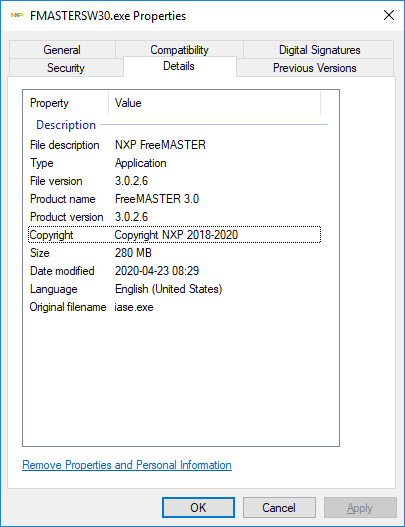
This is the screenshot from the installer details:
No entry for FreeMaster in the "Uninstall or change program".
And I couldn't find the key in the windows register.
iulian_stan
Hi Niclas,
I meant renaming C:\Program Files (x86)\Zero G Registry\.com.zerog.registry.xml (ex: .com.zerog.registry.xml_backup) to force the installer to recreate the file from scratch. So far I was able to reproduce this behavior by "breaking" that file.
Regards,
Iulian
I tried to install Freemaster 3.0 + FreeMaster (service?) Lite at first, but that failed so I uninstalled and tried again with only the FreeMaster 3.0. Can that have something to do with the problem?
iulian_stan
Hi Niclas,
I thought about another work around. The reasoning behind is the following: if your previous installation failed, the uninstaller could be lacking some entries in the cleanup list.
Note: it applies in case you have colleagues using similar PC setup.
- Install same version of FreeMASTER on another PC (if not already installed)
- Copy the following two folders from the installation directory to your PC _FreeMASTER_installation and jre.
- Run Uninstall FreeMASTER.exe from the copied _FreeMASTER_installation folder
If it succeeds you should be able to see the following window - Uninstall Product (it did a proper cleanup in my case and I was able launch the installer after)
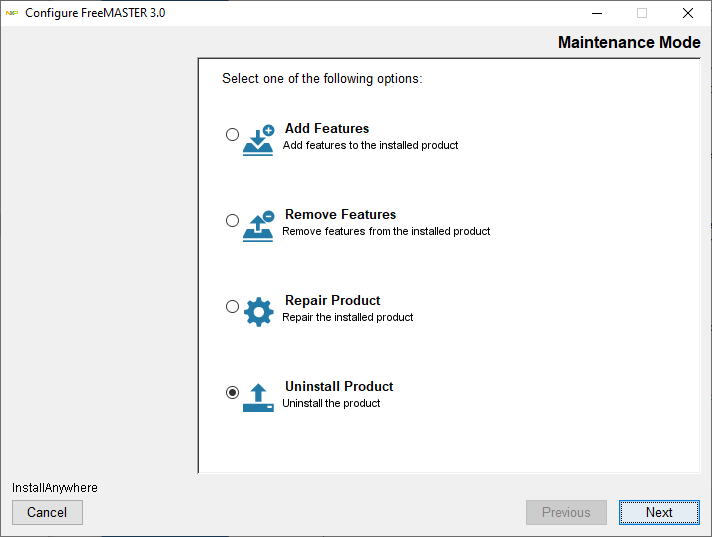
If that does may need to wait for another release of 3.0 to avoid making Windows Restore as per Tony's comment.
iulian_stan
Component selection should've not affected the system in such a way, because from installer's point of view there's only one application called "FreeMASTER 3.0" which contains 2 sub components: "FreeMASTER" - desktop application, and "FreeMASTER Lite" - service. If it where to identify an already existing component you'd be prompted with the following screen.
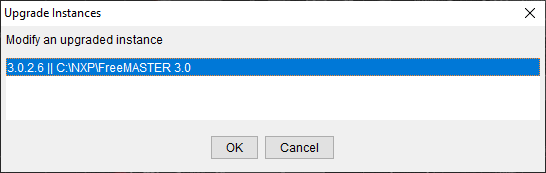
This behavior (including the one you are facing) is based on the information stored in com.zerog.registry.xml (according to the packager we are using). I'm currently checking whether there may be other verification mechanisms or non default file location.
Ok, I renamed the xml-file and tried to install again. But it is the same as before.
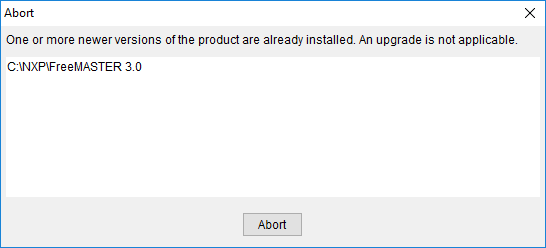
 Daniel_Popa
I run into the same issue. I tried to upgrade from 3.0.1 -> 3.0.2 and at some point, the installation stopped. Since patience is not my strength, I canceled the installation and resume the installer, but I got the same "Aboard" issue.
Fortunately, I managed to fix by deleting every FreeMASTER related folders (program files/Freemaster + Zero-G Registry), then PC restart.
In the end, I could run the installer again without Lite plugin selection.
Hope this helps!
Daniel
