
- Forums
- Product Forums
- General Purpose MicrocontrollersGeneral Purpose Microcontrollers
- i.MX Forumsi.MX Forums
- QorIQ Processing PlatformsQorIQ Processing Platforms
- Identification and SecurityIdentification and Security
- Power ManagementPower Management
- Wireless ConnectivityWireless Connectivity
- RFID / NFCRFID / NFC
- Advanced AnalogAdvanced Analog
- Neural Processing UnitsNeural Processing Units
- MCX Microcontrollers
- S32G
- S32K
- S32V
- MPC5xxx
- Other NXP Products
- S12 / MagniV Microcontrollers
- Powertrain and Electrification Analog Drivers
- Sensors
- Vybrid Processors
- Digital Signal Controllers
- 8-bit Microcontrollers
- ColdFire/68K Microcontrollers and Processors
- PowerQUICC Processors
- OSBDM and TBDML
- S32M
- S32Z/E
-
- Solution Forums
- Software Forums
- MCUXpresso Software and ToolsMCUXpresso Software and Tools
- CodeWarriorCodeWarrior
- MQX Software SolutionsMQX Software Solutions
- Model-Based Design Toolbox (MBDT)Model-Based Design Toolbox (MBDT)
- FreeMASTER
- eIQ Machine Learning Software
- Embedded Software and Tools Clinic
- S32 SDK
- S32 Design Studio
- GUI Guider
- Zephyr Project
- Voice Technology
- Application Software Packs
- Secure Provisioning SDK (SPSDK)
- Processor Expert Software
- Generative AI & LLMs
-
- Topics
- Mobile Robotics - Drones and RoversMobile Robotics - Drones and Rovers
- NXP Training ContentNXP Training Content
- University ProgramsUniversity Programs
- Rapid IoT
- NXP Designs
- SafeAssure-Community
- OSS Security & Maintenance
- Using Our Community
-
- Cloud Lab Forums
-
- Knowledge Bases
- ARM Microcontrollers
- i.MX Processors
- Identification and Security
- Model-Based Design Toolbox (MBDT)
- QorIQ Processing Platforms
- S32 Automotive Processing Platform
- Wireless Connectivity
- CodeWarrior
- MCUXpresso Suite of Software and Tools
- MQX Software Solutions
- RFID / NFC
- Advanced Analog
- Neural Processing Units
-
- NXP Tech Blogs
- Home
- :
- CodeWarrior
- :
- CodeWarrior for QorIQ
- :
- The problem about downloading uboot in Codewarrior
The problem about downloading uboot in Codewarrior
- Subscribe to RSS Feed
- Mark Topic as New
- Mark Topic as Read
- Float this Topic for Current User
- Bookmark
- Subscribe
- Mute
- Printer Friendly Page
The problem about downloading uboot in Codewarrior

- Mark as New
- Bookmark
- Subscribe
- Mute
- Subscribe to RSS Feed
- Permalink
- Report Inappropriate Content
Hi,
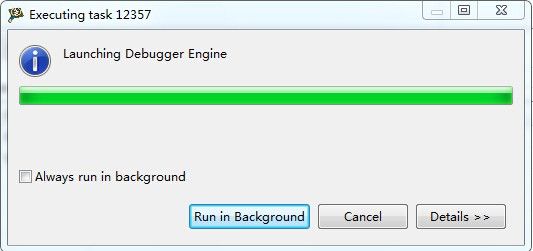
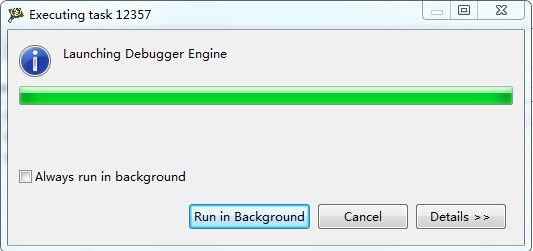
We got a problem when we flash uboot to NOR Flash on our own board with P2020.
Shown as below: (Codewarrior 10.3.3, Windows7)
It stuck at this step and have no response.


We don't get this when we flash uboot to P2020RDB-PC.
What 's the possible reason of this problem?
Thanks.
Best regards,
Min Zhao
 yipingwang
- Mark as New
- Bookmark
- Subscribe
- Mute
- Subscribe to RSS Feed
- Permalink
- Report Inappropriate Content
First of all, please check whether CodeWarrior could connect to your target successfully with your customized initialization file.
Please configure the initialization file from Run->Debug Configurations-><project>-core00_RAM_P2020_Download->Edit->Edit->Initialization->Initialize target.
Then connect to the target from Run->Debug Configuration-><project>-core00_RAM_P2020_Download->Debug.
If the connection fails, please kindly share your customized initialization file.
In addition, please use effective addresses in CodeWarrior IDE, the 36 bit address is not correct.
Have a great day,
Yiping Wang
-----------------------------------------------------------------------------------------------------------------------
Note: If this post answers your question, please click the Correct Answer button. Thank you!
-----------------------------------------------------------------------------------------------------------------------
- Mark as New
- Bookmark
- Subscribe
- Mute
- Subscribe to RSS Feed
- Permalink
- Report Inappropriate Content
I didn't use 36bit address. I only modify NOR's base address to fc000000, and modify the size of NOR to 64M, which include LAW, MMU,TLB
When I debug the file, it stuck in
cmdwin::reg e500 Special Purpose Registers/IAC1 = 0xfffffffc
cmdwin::reg e500 Special Purpose Registers/DBCR0 = 0x40800000
cmdwin::reg e500 Special Purpose Registers/DBCR1 = 0x00000000
cmdwin::eclipse::config runcontrolsync off
cmdwin::go
cmdwin::wait 50
cmdwin::eclipse::config runcontrolsync on
cmdwin::stop
As you suggested I try to use P2020RDB-PC_init_sram_flash.tcl, and modify the configurations. Then I flash uboot to NOR successfully.
Do you know what lead to this situation?
Best regards,
Min Zhao
yipingwang
- Mark as New
- Bookmark
- Subscribe
- Mute
- Subscribe to RSS Feed
- Permalink
- Report Inappropriate Content
I think this problem is caused by DDR controller configuration, at last of the launch connection, CodeWarrior will download a program into DDR, the file P2020RDB-PC_init_core.tcl is used for the P2020RDB-PC demo board, if you use a new DDR on your target, you need to modify the DDR controller setup section in the initialization file to make it suitable for your target.
You could download and install QCS Tool to assist you.
You could enable CCS log in CodeWarrior to get connection details, the follow tells you how to enable ccs log.
Please enable CCS log from "Run->Debug Configurations-<project>-core0_RAM_<processor>-Connect(Download)->Edit...
->Advanced->Advanced CCS setting->Enable logging", and connect to the target from "Run->Debug Configurations-><project>-core0_RAM_<processor>-Connect(Download)->Debug”, the CCS log will be displayed in the console panel in CodeWarrior IDE.
If the CCS log in the console is truncated, please enlarge the console buffer from Window->Preferences->Run/Debug->Console->uncheck "Limit console output".
Please open the console panel from Window->Show View->Console, and if nothing displayed, please choose the correct session on the right top icon in the panel.
Have a great day,
Yiping Wang
-----------------------------------------------------------------------------------------------------------------------
Note: If this post answers your question, please click the Correct Answer button. Thank you!
-----------------------------------------------------------------------------------------------------------------------
