
- Forums
- Product Forums
- General Purpose MicrocontrollersGeneral Purpose Microcontrollers
- i.MX Forumsi.MX Forums
- QorIQ Processing PlatformsQorIQ Processing Platforms
- Identification and SecurityIdentification and Security
- Power ManagementPower Management
- Wireless ConnectivityWireless Connectivity
- RFID / NFCRFID / NFC
- Advanced AnalogAdvanced Analog
- Neural Processing UnitsNeural Processing Units
- MCX Microcontrollers
- S32G
- S32K
- S32V
- MPC5xxx
- Other NXP Products
- S12 / MagniV Microcontrollers
- Powertrain and Electrification Analog Drivers
- Sensors
- Vybrid Processors
- Digital Signal Controllers
- 8-bit Microcontrollers
- ColdFire/68K Microcontrollers and Processors
- PowerQUICC Processors
- OSBDM and TBDML
- S32M
- S32Z/E
-
- Solution Forums
- Software Forums
- MCUXpresso Software and ToolsMCUXpresso Software and Tools
- CodeWarriorCodeWarrior
- MQX Software SolutionsMQX Software Solutions
- Model-Based Design Toolbox (MBDT)Model-Based Design Toolbox (MBDT)
- FreeMASTER
- eIQ Machine Learning Software
- Embedded Software and Tools Clinic
- S32 SDK
- S32 Design Studio
- GUI Guider
- Zephyr Project
- Voice Technology
- Application Software Packs
- Secure Provisioning SDK (SPSDK)
- Processor Expert Software
- Generative AI & LLMs
-
- Topics
- Mobile Robotics - Drones and RoversMobile Robotics - Drones and Rovers
- NXP Training ContentNXP Training Content
- University ProgramsUniversity Programs
- Rapid IoT
- NXP Designs
- SafeAssure-Community
- OSS Security & Maintenance
- Using Our Community
-
- Cloud Lab Forums
-
- Knowledge Bases
- ARM Microcontrollers
- i.MX Processors
- Identification and Security
- Model-Based Design Toolbox (MBDT)
- QorIQ Processing Platforms
- S32 Automotive Processing Platform
- Wireless Connectivity
- CodeWarrior
- MCUXpresso Suite of Software and Tools
- MQX Software Solutions
- RFID / NFC
- Advanced Analog
- Neural Processing Units
-
- NXP Tech Blogs
- Home
- :
- i.MX Forums
- :
- i.MX Processors
- :
- i2c-test tools issue in I.MX28 BSP on I.MX28 EVK
i2c-test tools issue in I.MX28 BSP on I.MX28 EVK
- Subscribe to RSS Feed
- Mark Topic as New
- Mark Topic as Read
- Float this Topic for Current User
- Bookmark
- Subscribe
- Mute
- Printer Friendly Page

- Mark as New
- Bookmark
- Subscribe
- Mute
- Subscribe to RSS Feed
- Permalink
- Report Inappropriate Content
HI,
I have compiled the i2c-test tools package , in package list while compiling ltib...could anybody pls kindly let me know how to resolve this issue in making use of i2cdetect, i2cdump, i2cset, i2cget commands for verifying my eeprom in the rootfs shell prompt,
CZ I followed the followed the below steps in using I2c tools was unable to succeed
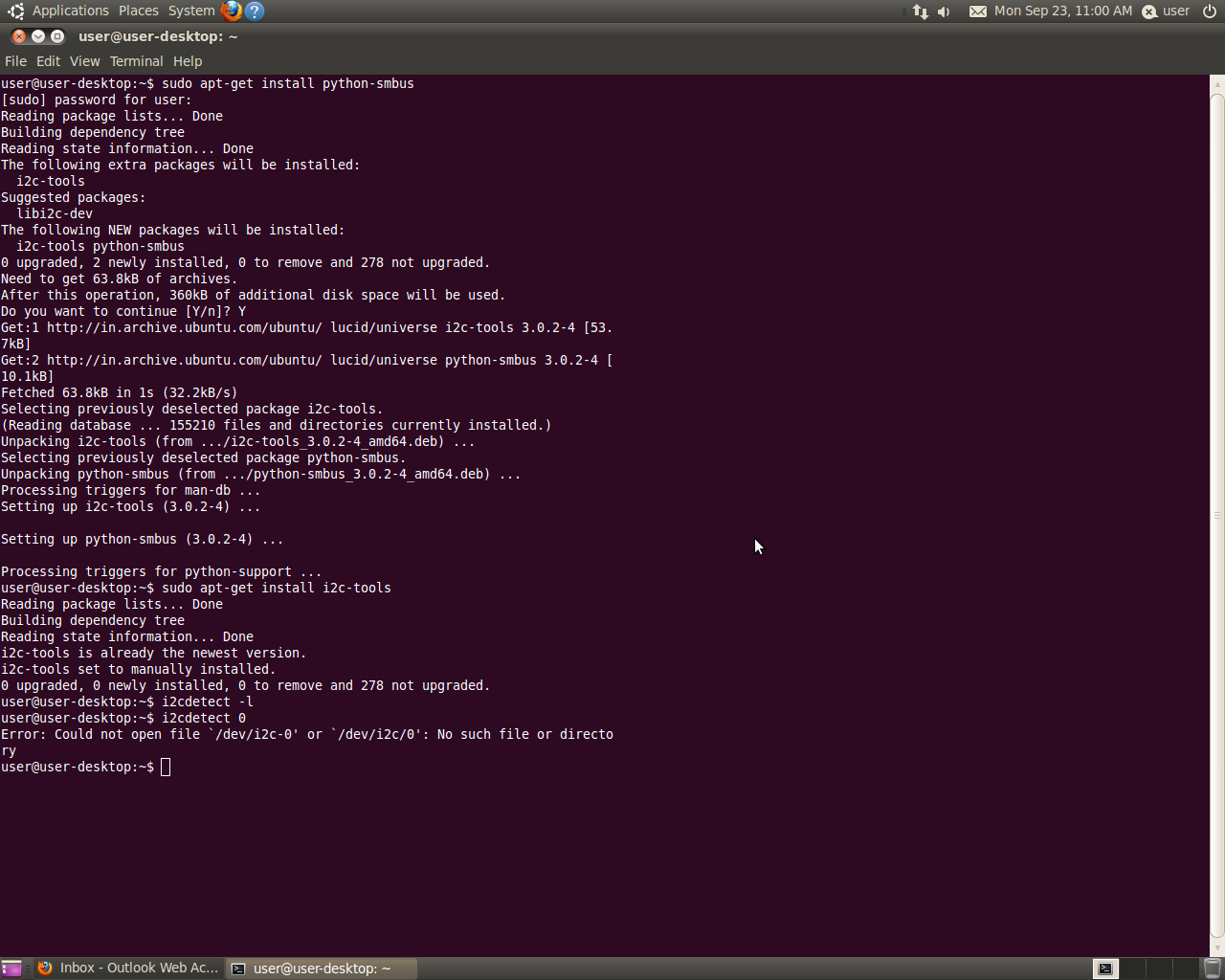
Am trying for more than 2 days still am not able to verify the I2c interfaced devices using the i2c-tools , I hereby attached the screenshots as well,
Pls kindly do the needful,
I.Mx28 EVK Board : source L2.6.35_10.12.01_ER_source
freescale login: root
login[2116]: root login on 'ttyAM0'
BusyBox v1.15.0 () built-in shell (ash)
Enter 'help' for a list of built-in commands.
root@freescale ~$
root@freescale ~$ i2c
i2cdetect i2cdump i2cget i2cset
root@freescale ~$ i2cdetect -l
root@freescale ~$ i2cdetect -y
Error: No i2c-bus specified!
Usage: i2cdetect [-y] [-a] [-q|-r] I2CBUS [FIRST LAST]
i2cdetect -F I2CBUS
i2cdetect -l
I2CBUS is an integer or an I2C bus name
If provided, FIRST and LAST limit the probing range.
root@freescale ~$ i2cdetect -y 0
Error: Could not open file `/dev/i2c-0' or `/dev/i2c/0': No such file or directory
root@freescale ~$ i2cdetect -y 1
Error: Could not open file `/dev/i2c-1' or `/dev/i2c/1': No such file or directory
root@freescale ~$ i2cdetect -F 0
Error: Could not open file `/dev/i2c-0' or `/dev/i2c/0': No such file or directory
root@freescale ~$
Jus for my verifying in Host Ubuntu PC I followed the below after installing i2c-tools in my PC but still I see the same problem
user@user-desktop:~/ltib/rpm/BUILD/linux-2.6.35.3$ i2cdetect
Error: No i2c-bus specified!
Usage: i2cdetect [-y] [-a] [-q|-r] I2CBUS [FIRST LAST]
i2cdetect -F I2CBUS
i2cdetect -l
I2CBUS is an integer or an I2C bus name
If provided, FIRST and LAST limit the probing range.
user@user-desktop:~/ltib/rpm/BUILD/linux-2.6.35.3$ i2cdetect -l
user@user-desktop:~/ltib/rpm/BUILD/linux-2.6.35.3$ i2cdetect -y 0
Error: Could not open file `/dev/i2c-0' or `/dev/i2c/0': No such file or directory
user@user-desktop:~/ltib/rpm/BUILD/linux-2.6.35.3$
Any help would be greatly appreciated
Awaiting for your replies,
Thanks in advance,
Solved! Go to Solution.


- Mark as New
- Bookmark
- Subscribe
- Mute
- Subscribe to RSS Feed
- Permalink
- Report Inappropriate Content
I think the kernel config I2C_CHARDEV not enabled in I.MX28 BSP . You should enable it manually.
Make menuconfig ->device driver ->I2C support->I2C_CHARDEV
The I2C_CHARDEV option description:
Say Y here to use i2c-* device files, usually found in the /dev
directory on your system. They make it possible to have user-space
programs use the I2C bus. Information on how to do this is
contained in the file <file:Documentation/i2c/dev-interface>.
This support is also available as a module. If so, the module
will be called i2c-dev.
- Mark as New
- Bookmark
- Subscribe
- Mute
- Subscribe to RSS Feed
- Permalink
- Report Inappropriate Content
Could anybody please kindly update in resolving the above issue of using i2c-tools in I.MX28 evk

- Mark as New
- Bookmark
- Subscribe
- Mute
- Subscribe to RSS Feed
- Permalink
- Report Inappropriate Content
Hello Srinivasan,
what does your Kernel print out about I2C while booting?
Is I2C enabled in the Kernel?
- Mark as New
- Bookmark
- Subscribe
- Mute
- Subscribe to RSS Feed
- Permalink
- Report Inappropriate Content
Thanks a lot for your response & solution, it worked for me after Make menuconfig ->device driver ->I2C support->I2C_CHARDEV,
I really appreciate the support ,
Many Many Thanks once again,
- Mark as New
- Bookmark
- Subscribe
- Mute
- Subscribe to RSS Feed
- Permalink
- Report Inappropriate Content
I think the kernel config I2C_CHARDEV not enabled in I.MX28 BSP . You should enable it manually.
Make menuconfig ->device driver ->I2C support->I2C_CHARDEV
The I2C_CHARDEV option description:
Say Y here to use i2c-* device files, usually found in the /dev
directory on your system. They make it possible to have user-space
programs use the I2C bus. Information on how to do this is
contained in the file <file:Documentation/i2c/dev-interface>.
This support is also available as a module. If so, the module
will be called i2c-dev.
