
- Forums
- Product Forums
- General Purpose MicrocontrollersGeneral Purpose Microcontrollers
- i.MX Forumsi.MX Forums
- QorIQ Processing PlatformsQorIQ Processing Platforms
- Identification and SecurityIdentification and Security
- Power ManagementPower Management
- Wireless ConnectivityWireless Connectivity
- RFID / NFCRFID / NFC
- Advanced AnalogAdvanced Analog
- MCX Microcontrollers
- S32G
- S32K
- S32V
- MPC5xxx
- Other NXP Products
- S12 / MagniV Microcontrollers
- Powertrain and Electrification Analog Drivers
- Sensors
- Vybrid Processors
- Digital Signal Controllers
- 8-bit Microcontrollers
- ColdFire/68K Microcontrollers and Processors
- PowerQUICC Processors
- OSBDM and TBDML
- S32M
- S32Z/E
-
- Solution Forums
- Software Forums
- MCUXpresso Software and ToolsMCUXpresso Software and Tools
- CodeWarriorCodeWarrior
- MQX Software SolutionsMQX Software Solutions
- Model-Based Design Toolbox (MBDT)Model-Based Design Toolbox (MBDT)
- FreeMASTER
- eIQ Machine Learning Software
- Embedded Software and Tools Clinic
- S32 SDK
- S32 Design Studio
- GUI Guider
- Zephyr Project
- Voice Technology
- Application Software Packs
- Secure Provisioning SDK (SPSDK)
- Processor Expert Software
- Generative AI & LLMs
-
- Topics
- Mobile Robotics - Drones and RoversMobile Robotics - Drones and Rovers
- NXP Training ContentNXP Training Content
- University ProgramsUniversity Programs
- Rapid IoT
- NXP Designs
- SafeAssure-Community
- OSS Security & Maintenance
- Using Our Community
-
- Cloud Lab Forums
-
- Knowledge Bases
- ARM Microcontrollers
- i.MX Processors
- Identification and Security
- Model-Based Design Toolbox (MBDT)
- QorIQ Processing Platforms
- S32 Automotive Processing Platform
- Wireless Connectivity
- CodeWarrior
- MCUXpresso Suite of Software and Tools
- MQX Software Solutions
- RFID / NFC
- Advanced Analog
-
- NXP Tech Blogs
Is there anyway to automate the mfgtool2.exe

I am trying to create a fully automated test solution for a product which is currently using mfgtool.exe. We have created a script to run the program and it loads up perfectly, however it is requiring someone to press the start and stop buttons / commands. Is there any way to do it whether it be through system exec or command prompt to be able to simulate the clicking of the start button?

 igorpadykov
Hi Colin
one can try command line as described on
Best regards
igor
-----------------------------------------------------------------------------------------------------------------------
Note: If this post answers your question, please click the Correct Answer button. Thank you!
-----------------------------------------------------------------------------------------------------------------------
Hi Igor,
Thanks for the reply. As helpful as that was it wasn't exactly what i was hoping for. I'm looking to get the program to run autonomously and i'm trying to find a way if it's possible to have a way of getting the program to run after it loads without the need to click the start button, like if there was a shortcut like Ctrl + C to close or Windows + E for windows explorer.
Is there any way to be able to look at the source code for this to see whether it could be implemented or not?
Kind Regards
Colin
igorpadykov
Hi Colin
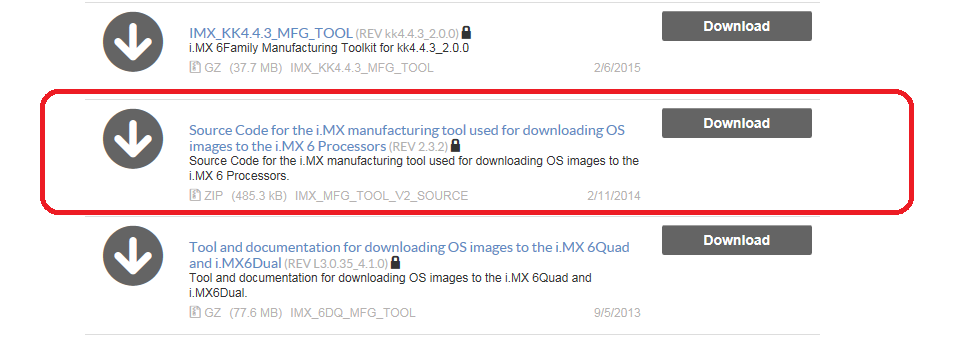
MFG Tool source codes are available at
Programmers (Flash, etc.) (12)
Source Code for the i.MX manufacturing tool used for downloading OS images to the i.MX 6 Processors (REV 2.3.2)
Best regards
igor
Dear Igor,
The problem with this command line interface is that it does not close after finishing updating. There is no way implemented to automate this, and it baffles me. It starts automatically, but upon success or fail it just sits there. I tried redirecting output to a log file, which did not work. Then I tried something even more bizarre - I programmatically copied the cmd output to clipboard and searched for fail/success. This works only partially, and is not desirable at all.
If you have any ideas on how to extract whether the i.MX was updated successfully or failed, please do share it with me. (P.S, can you also share the source code? The link is dead)
Best regards,
Atis
igorpadykov
Hi Atis
source code can be found on
i.MX 6Quad Applications Processors | Quad Arm® Cortex®-A9 | NXP
Best regards
igor

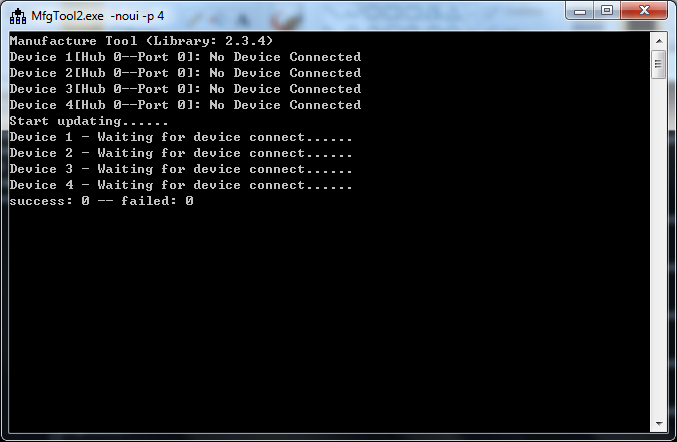
Have you even tired the command line of the mfg tool in Igor's reply before you say "without the need to click the start button" .
Did you follow Igor's guide and try to look the behavior of the mfg tool command line.
Here is the screenshot, you don't need to click any button.
The souce code is on the website
i.MX6Q|i.MX 6Quad Processors|Quad Core|NXP
Hi there,
I have tried but it doesnt appear to do much on mines. Not sure if ive done something wrong but i just get a blank screen when i launch mines.
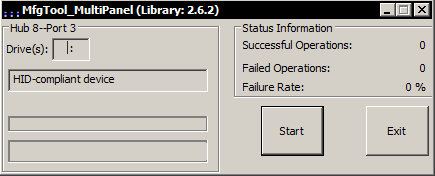
So i've created a script for the board i am looking to program. When i run it normally i get the following window
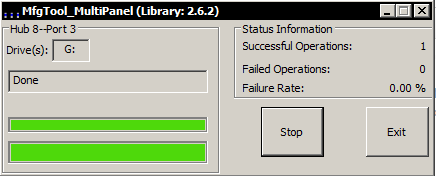
When i click start it runs and works so i know the script i've created is working
However when i add in -noui i get the following:
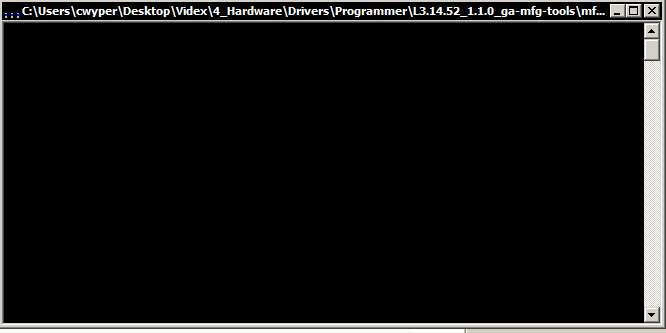
Sometimes it closes and sometimes it just stays open. Doesn't really give any indication as to whether its worked or not.
This is the code from the .vbs:
Set wshShell = CreateObject("WScript.shell")
wshShell.run "mfgtool2.exe -noui -c ""linux"" -l ""NAND Flash"" -s ""board=sabreauto"" -s ""6uluboot=evk"" -s ""nand=nand"" -s ""6uldtb=14x14-evk"" -s ""nanddtb=gpmi-weim"" -s ""part_uboot=0"" -s ""part_kernel=1"" -s ""part_dtb=2"" -s ""part_rootfs=3"" "
Set wshShell = Nothing
How do i get mines to display like yours? Is there anyway for it to display the status like it does on the user interface? Even just messages of the status as it stands i don't know what state it is in.
Kind Regards
Colin
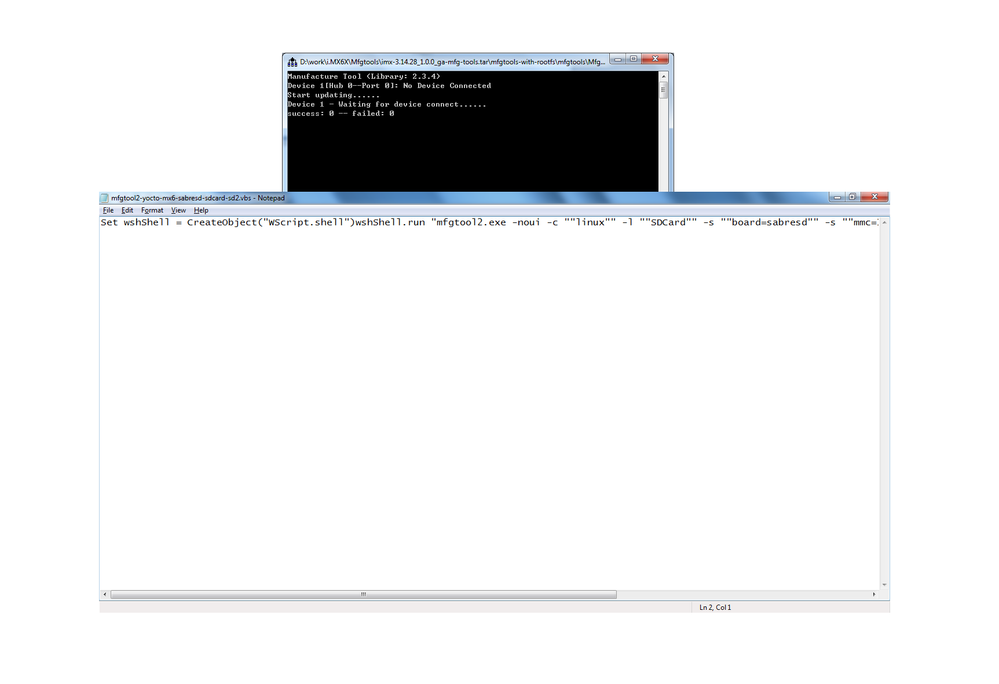
Hi there,
So i tried what you had asked but i don't get any window popping up. Please see the following:
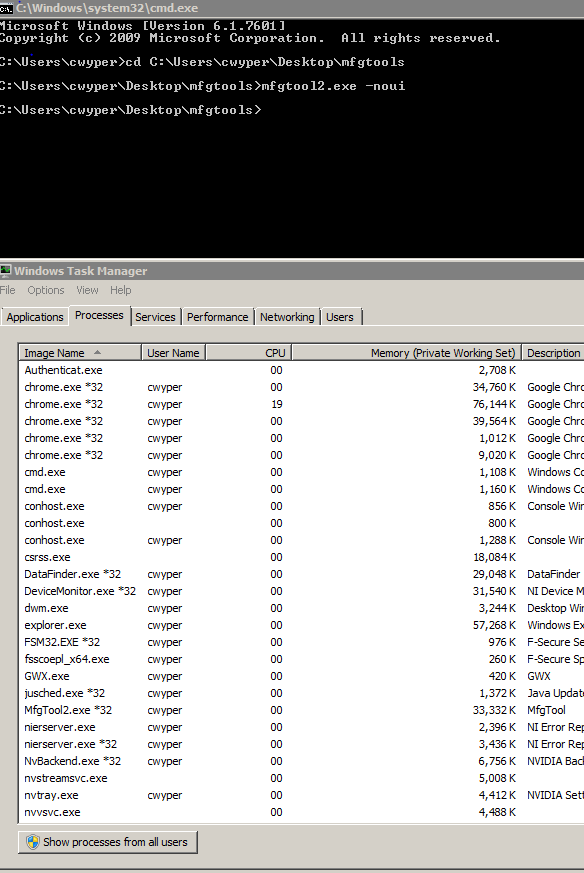
So it runs in the processes, but it will just sit there and not do anything. am i doing something wrong?
I've tried on another pc and it just does the exact same. Can i ask would you be able to send me your programmer folder? Just incase there is something with the one that i've downloaded.
Kind Regards
Colin
Just to let you know, I asked my colleague for his version of the programmer and i then done what was asked and it worked first time.
Must have something to do with the library version as this was version 2.5.1 and it worked yet 2.6.2 doesnt
But thank you for all your help
Colin
