
- Forums
- Product Forums
- General Purpose MicrocontrollersGeneral Purpose Microcontrollers
- i.MX Forumsi.MX Forums
- QorIQ Processing PlatformsQorIQ Processing Platforms
- Identification and SecurityIdentification and Security
- Power ManagementPower Management
- Wireless ConnectivityWireless Connectivity
- RFID / NFCRFID / NFC
- Advanced AnalogAdvanced Analog
- Neural Processing UnitsNeural Processing Units
- MCX Microcontrollers
- S32G
- S32K
- S32V
- MPC5xxx
- Other NXP Products
- S12 / MagniV Microcontrollers
- Powertrain and Electrification Analog Drivers
- Sensors
- Vybrid Processors
- Digital Signal Controllers
- 8-bit Microcontrollers
- ColdFire/68K Microcontrollers and Processors
- PowerQUICC Processors
- OSBDM and TBDML
- S32M
- S32Z/E
-
- Solution Forums
- Software Forums
- MCUXpresso Software and ToolsMCUXpresso Software and Tools
- CodeWarriorCodeWarrior
- MQX Software SolutionsMQX Software Solutions
- Model-Based Design Toolbox (MBDT)Model-Based Design Toolbox (MBDT)
- FreeMASTER
- eIQ Machine Learning Software
- Embedded Software and Tools Clinic
- S32 SDK
- S32 Design Studio
- GUI Guider
- Zephyr Project
- Voice Technology
- Application Software Packs
- Secure Provisioning SDK (SPSDK)
- Processor Expert Software
- Generative AI & LLMs
-
- Topics
- Mobile Robotics - Drones and RoversMobile Robotics - Drones and Rovers
- NXP Training ContentNXP Training Content
- University ProgramsUniversity Programs
- Rapid IoT
- NXP Designs
- SafeAssure-Community
- OSS Security & Maintenance
- Using Our Community
-
- Cloud Lab Forums
-
- Knowledge Bases
- ARM Microcontrollers
- i.MX Processors
- Identification and Security
- Model-Based Design Toolbox (MBDT)
- QorIQ Processing Platforms
- S32 Automotive Processing Platform
- Wireless Connectivity
- CodeWarrior
- MCUXpresso Suite of Software and Tools
- MQX Software Solutions
- RFID / NFC
- Advanced Analog
- Neural Processing Units
-
- NXP Tech Blogs
- Home
- :
- i.MX Forums
- :
- i.MX Processors
- :
- AnTuTu doesn't work on MCIMX7SABRE
AnTuTu doesn't work on MCIMX7SABRE
- Subscribe to RSS Feed
- Mark Topic as New
- Mark Topic as Read
- Float this Topic for Current User
- Bookmark
- Subscribe
- Mute
- Printer Friendly Page
AnTuTu doesn't work on MCIMX7SABRE

- Mark as New
- Bookmark
- Subscribe
- Mute
- Subscribe to RSS Feed
- Permalink
- Report Inappropriate Content
Hi all
I want to use AnTuTu for comparing the i.MX7 CPU performance.
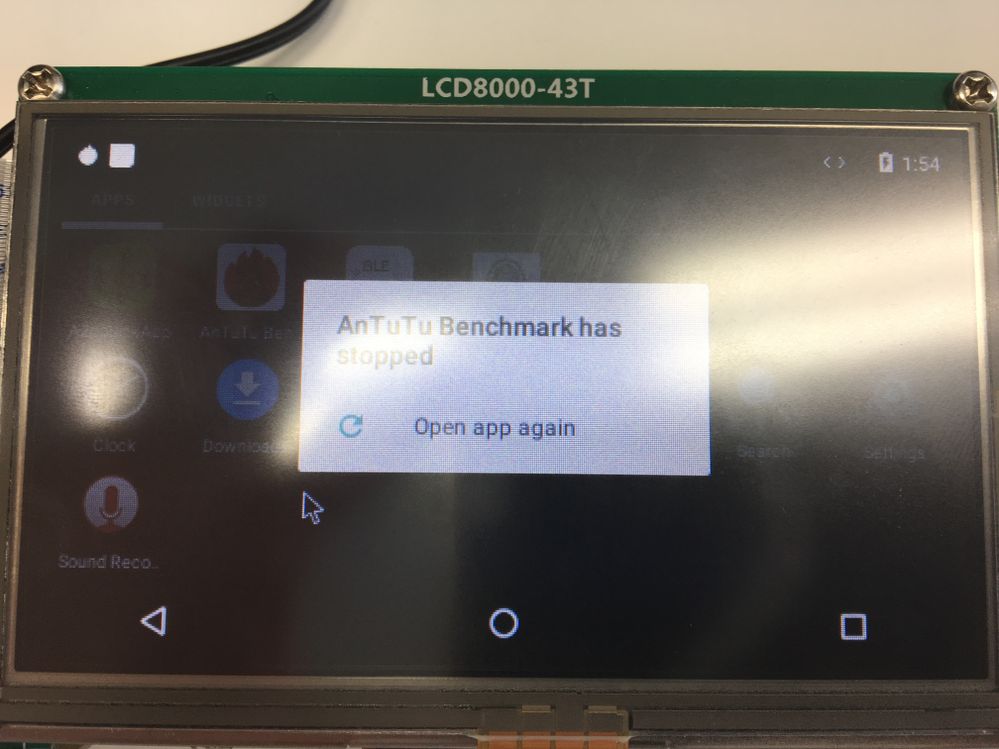
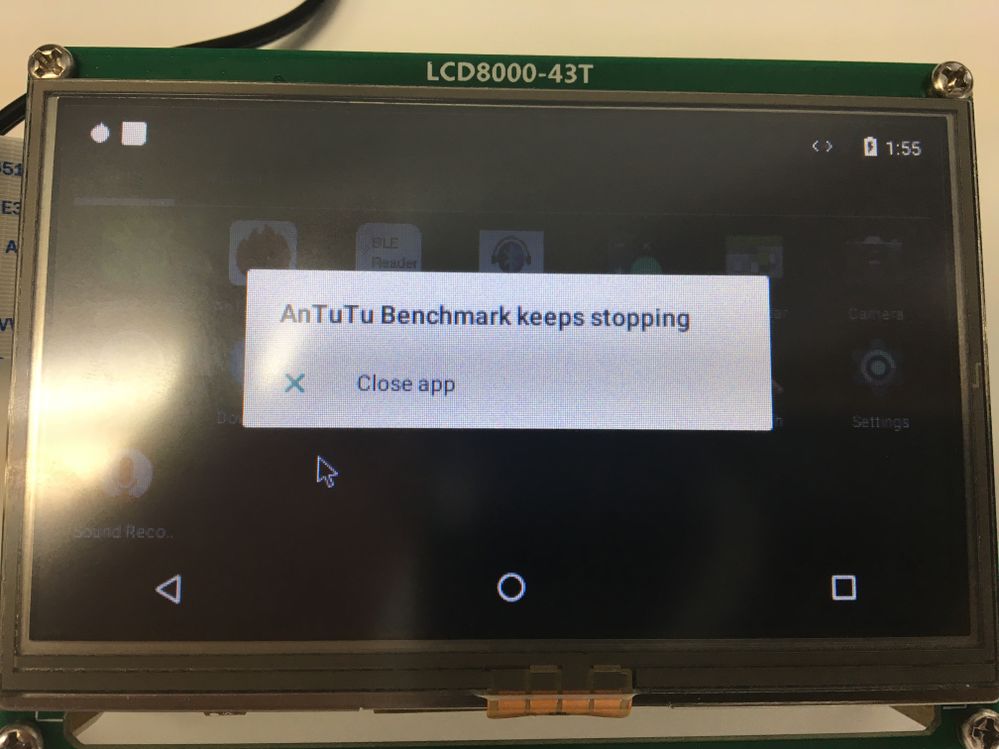
However, it doesn't work and got two following error.
Does someone use AuTuTu with MCIMX7SABRE ?
Could someone give me advise to resolve this issue ?
Here is my environment and I attached the log when I click those icons.
------------------------------------------
Android: N7.1.1 (Demo image download from NXP)
AnTuTu Benchmark: 6.3.3
Board: MCIMX7SABRE
Display: LCD8000-43T
------------------------------------------
1. Error message when I click AnTuTu icon
2. Error message when I click "Open app again" message
Ko-hey
Original Attachment has been moved to: error_message-AnTuTu-Benchmark-has-stopped.txt.zip
Original Attachment has been moved to: error_message-AnTuTu-Benchmark-keeps-stopping.txt.zip

 diegoadrian
- Mark as New
- Bookmark
- Subscribe
- Mute
- Subscribe to RSS Feed
- Permalink
- Report Inappropriate Content
Hello,
Thank you for writing.
Have you tried to ask directly to the AnTuTu developers?
Because, unfortunately, we do not give support to Android applications.
Best Regards,
Diego
- Mark as New
- Bookmark
- Subscribe
- Mute
- Subscribe to RSS Feed
- Permalink
- Report Inappropriate Content
Hi diegoadrian
Thank you for reply.
I've never asked to AnTuTu developers because I don't know the link.
Do you know ?
Add info:
I tried following thread but not work well.
https://community.nxp.com/thread/448760
Ko-hey
diegoadrian
- Mark as New
- Bookmark
- Subscribe
- Mute
- Subscribe to RSS Feed
- Permalink
- Report Inappropriate Content
Probably in this email, they can help you.
Regarding the selinux authority problem, during the booting process, before the kernel start up, you need to press any key of your keyboard, after that, you can change the "bootargs". The "bootargs" can vary depending of your setup.
This is an example of how to boot whit a single LDVS display:
U-Boot > setenv bootcmd boota mmc0
U-Boot > setenv bootargs console=ttymxc0,115200 init=/init androidboot.console=ttymxc0 consoleblank=0 androidboot.hardware=freescale androidboot.selinux=disabled
androidboot.dm_verity=disabled
U-Boot > saveenv
I hope this can help you.
Best Regards,
Diego.
- Mark as New
- Bookmark
- Subscribe
- Mute
- Subscribe to RSS Feed
- Permalink
- Report Inappropriate Content
Hi diegoadrian
Thank you for the information of AnTuTu.
I'll ask them.
P.S.
I tried your suggested command but not work well.
Ko-hey
