
- Forums
- Product Forums
- General Purpose MicrocontrollersGeneral Purpose Microcontrollers
- i.MX Forumsi.MX Forums
- QorIQ Processing PlatformsQorIQ Processing Platforms
- Identification and SecurityIdentification and Security
- Power ManagementPower Management
- Wireless ConnectivityWireless Connectivity
- RFID / NFCRFID / NFC
- Advanced AnalogAdvanced Analog
- Neural Processing UnitsNeural Processing Units
- MCX Microcontrollers
- S32G
- S32K
- S32V
- MPC5xxx
- Other NXP Products
- S12 / MagniV Microcontrollers
- Powertrain and Electrification Analog Drivers
- Sensors
- Vybrid Processors
- Digital Signal Controllers
- 8-bit Microcontrollers
- ColdFire/68K Microcontrollers and Processors
- PowerQUICC Processors
- OSBDM and TBDML
- S32M
- S32Z/E
-
- Solution Forums
- Software Forums
- MCUXpresso Software and ToolsMCUXpresso Software and Tools
- CodeWarriorCodeWarrior
- MQX Software SolutionsMQX Software Solutions
- Model-Based Design Toolbox (MBDT)Model-Based Design Toolbox (MBDT)
- FreeMASTER
- eIQ Machine Learning Software
- Embedded Software and Tools Clinic
- S32 SDK
- S32 Design Studio
- GUI Guider
- Zephyr Project
- Voice Technology
- Application Software Packs
- Secure Provisioning SDK (SPSDK)
- Processor Expert Software
- Generative AI & LLMs
-
- Topics
- Mobile Robotics - Drones and RoversMobile Robotics - Drones and Rovers
- NXP Training ContentNXP Training Content
- University ProgramsUniversity Programs
- Rapid IoT
- NXP Designs
- SafeAssure-Community
- OSS Security & Maintenance
- Using Our Community
-
- Cloud Lab Forums
-
- Knowledge Bases
- ARM Microcontrollers
- i.MX Processors
- Identification and Security
- Model-Based Design Toolbox (MBDT)
- QorIQ Processing Platforms
- S32 Automotive Processing Platform
- Wireless Connectivity
- CodeWarrior
- MCUXpresso Suite of Software and Tools
- MQX Software Solutions
- RFID / NFC
- Advanced Analog
- Neural Processing Units
-
- NXP Tech Blogs
- Home
- :
- ワイヤレス接続
- :
- Wireless MCU
- :
- Re: Determining ZB PRO Network to Join Based on LQI
Determining ZB PRO Network to Join Based on LQI
- RSS フィードを購読する
- トピックを新着としてマーク
- トピックを既読としてマーク
- このトピックを現在のユーザーにフロートします
- ブックマーク
- 購読
- ミュート
- 印刷用ページ
Determining ZB PRO Network to Join Based on LQI

- 新着としてマーク
- ブックマーク
- 購読
- ミュート
- RSS フィードを購読する
- ハイライト
- 印刷
- 不適切なコンテンツを報告
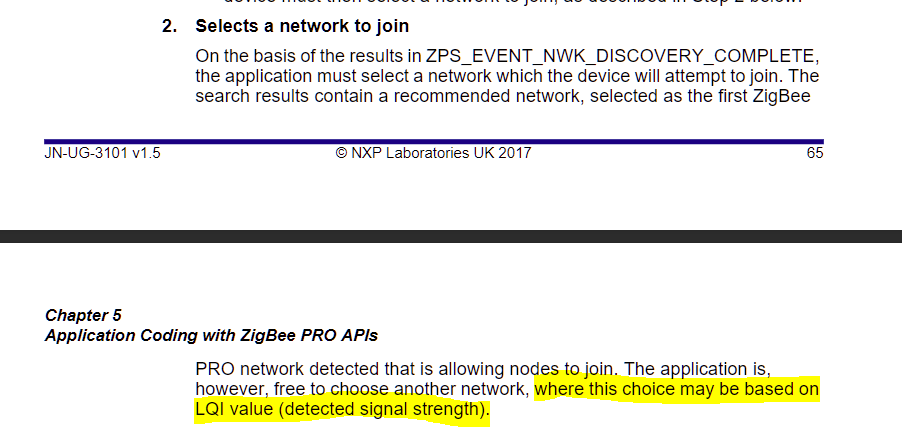
The ZigBee PRO Stack User Guide (JN-UG-3101) suggests that an application can determine the network to connect to (from a list of networks obtained with a Network Discovery) based on the LQI. However, the network discovery complete event structure does not include any direct or indirect LQI value for the discovered networks. Is there a relatively simple way to accomplish this functionality (connect to network with highest LQI value)?

 mario_castaneda
- 新着としてマーク
- ブックマーク
- 購読
- ミュート
- RSS フィードを購読する
- ハイライト
- 印刷
- 不適切なコンテンツを報告
Hi Peter,
The beacon filtering is enabled using API ZPS_bAppAddBeaconFilter in Base device application code in bdb_start.c as below:
PUBLIC void BDB_vSetAssociationFilter()
{
sBeaconFilter.pu64ExtendPanIdList = NULL;
sBeaconFilter.u8ListSize = 0;
sBeaconFilter.u8Lqi = BEACON_FILTER_LQI_VALUE;
switch(ZPS_eAplZdoGetDeviceType())
{
case ZPS_ZDO_DEVICE_ENDDEVICE:
sBeaconFilter.u16FilterMap = BF_BITMAP_CAP_ENDDEVICE | \
BF_BITMAP_PERMIT_JOIN |\
BF_BITMAP_LQI;
break;
case ZPS_ZDO_DEVICE_ROUTER:
sBeaconFilter.u16FilterMap = BF_BITMAP_CAP_ROUTER | \
BF_BITMAP_PERMIT_JOIN |\
BF_BITMAP_LQI;
break;
default:
//impossible!
break;
}
ZPS_bAppAddBeaconFilter(&sBeaconFilter);
}
The parameters for beacon filtering are explained in details in section 7.2.3.5 tsBeaconFilterType of JN-UG-3113 and description for LQI is as below:
u8Lqi is the minimum LQI value (in the range 0 to 255) of an acceptable beacon (any beacon with LQI value less than this minimum will be filtered out) - if required, this field must be enabled through bit 2 in the u8FilterMap bitmap. So, this means
So, if you set BEACON_FILTER_LQI_VALUE to 0 , this means the device will reject any beacon which has an LQI value less than 0 which means it shall accept all the beacons irrespective of LQI value as the range of LQI is 0 to 255.
Regards,
Mario
- 新着としてマーク
- ブックマーク
- 購読
- ミュート
- RSS フィードを購読する
- ハイライト
- 印刷
- 不適切なコンテンツを報告
Mario, thank you for your response.
The Beacon filtering is the only possible solution I could see as well. However, this is a bit of a hack for being able to select the network with the best LQI. You would have to complete multiple Network Discovery scans with a lower LQI filter on each successive scan until you found a network. It seems counter-intuitive that the LQI of each discovered network is not included in the ZPS_EVENT NWK_DISCOVERY_COMPLETE structure. I assume the stack has the value, it's just not passed along with the event structure.
All that being said, I do understand that LQI is probably typically one of the last considerations when choosing a network to join and the Beacon Filter is probably sufficient for TouchLink-type Network Discovery.
mario_castaneda
- 新着としてマーク
- ブックマーク
- 購読
- ミュート
- RSS フィードを購読する
- ハイライト
- 印刷
- 不適切なコンテンツを報告
Hi Peter,
You are right the LQI is not the first consideration when the device is choosing a network. As you know, that value is not constant and could be affected by the walls, temperature, humidity, etc...
Please let me know if you have any further question.
Regards,
Mario
