
- Forums
- Product Forums
- General Purpose MicrocontrollersGeneral Purpose Microcontrollers
- i.MX Forumsi.MX Forums
- QorIQ Processing PlatformsQorIQ Processing Platforms
- Identification and SecurityIdentification and Security
- Power ManagementPower Management
- Wireless ConnectivityWireless Connectivity
- RFID / NFCRFID / NFC
- Advanced AnalogAdvanced Analog
- Neural Processing UnitsNeural Processing Units
- MCX Microcontrollers
- S32G
- S32K
- S32V
- MPC5xxx
- Other NXP Products
- S12 / MagniV Microcontrollers
- Powertrain and Electrification Analog Drivers
- Sensors
- Vybrid Processors
- Digital Signal Controllers
- 8-bit Microcontrollers
- ColdFire/68K Microcontrollers and Processors
- PowerQUICC Processors
- OSBDM and TBDML
- S32M
- S32Z/E
-
- Solution Forums
- Software Forums
- MCUXpresso Software and ToolsMCUXpresso Software and Tools
- CodeWarriorCodeWarrior
- MQX Software SolutionsMQX Software Solutions
- Model-Based Design Toolbox (MBDT)Model-Based Design Toolbox (MBDT)
- FreeMASTER
- eIQ Machine Learning Software
- Embedded Software and Tools Clinic
- S32 SDK
- S32 Design Studio
- GUI Guider
- Zephyr Project
- Voice Technology
- Application Software Packs
- Secure Provisioning SDK (SPSDK)
- Processor Expert Software
- Generative AI & LLMs
-
- Topics
- Mobile Robotics - Drones and RoversMobile Robotics - Drones and Rovers
- NXP Training ContentNXP Training Content
- University ProgramsUniversity Programs
- Rapid IoT
- NXP Designs
- SafeAssure-Community
- OSS Security & Maintenance
- Using Our Community
-
- Cloud Lab Forums
-
- Knowledge Bases
- ARM Microcontrollers
- i.MX Processors
- Identification and Security
- Model-Based Design Toolbox (MBDT)
- QorIQ Processing Platforms
- S32 Automotive Processing Platform
- Wireless Connectivity
- CodeWarrior
- MCUXpresso Suite of Software and Tools
- MQX Software Solutions
- RFID / NFC
- Advanced Analog
- Neural Processing Units
-
- NXP Tech Blogs
- Home
- :
- Product Forums
- :
- Sensors
- :
- Source not found error while debugging
Source not found error while debugging
- Subscribe to RSS Feed
- Mark Topic as New
- Mark Topic as Read
- Float this Topic for Current User
- Bookmark
- Subscribe
- Mute
- Printer Friendly Page
As of February 2, 2026, the NXP MEMS Sensor products have been transferred to STMicroelectronics. For details on the transferred products, see this page. Please reach out to STMicroelectronics for further information.
Source not found error while debugging

- Mark as New
- Bookmark
- Subscribe
- Mute
- Subscribe to RSS Feed
- Permalink
- Report Inappropriate Content
Hi
I am completely new to using NXP microcontrollers. I am currently working with the FXTH870911. In order to understand the IDE better, I imported the TPMS_WheelLoc example project from the NXP website, compiled it and trying to debug now.
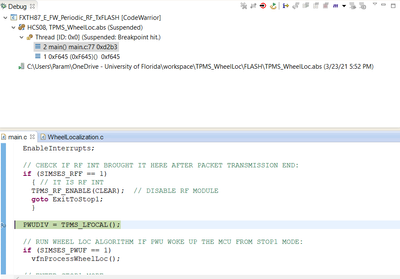
This is where I placed my break point:
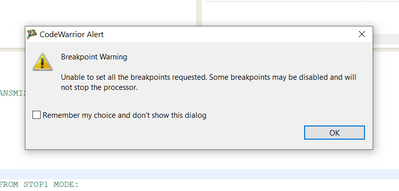
The first warning I get is:
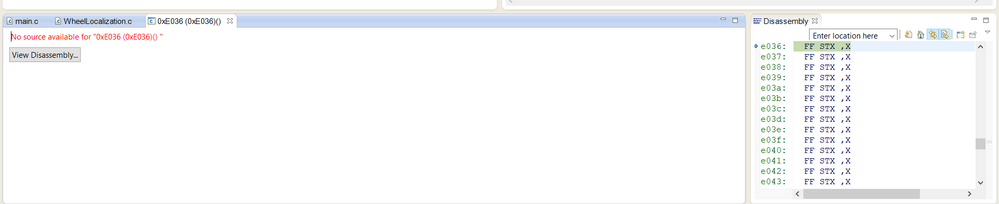
I am using the PE Micro Multilink universal and the Port C - BDM to connect to the device. I am able to enter debug mode and step through the initial code. However once I try to step beyond the line PWUDIV = TPMS_LFOCAL(); I get the source not found error. See the image below.
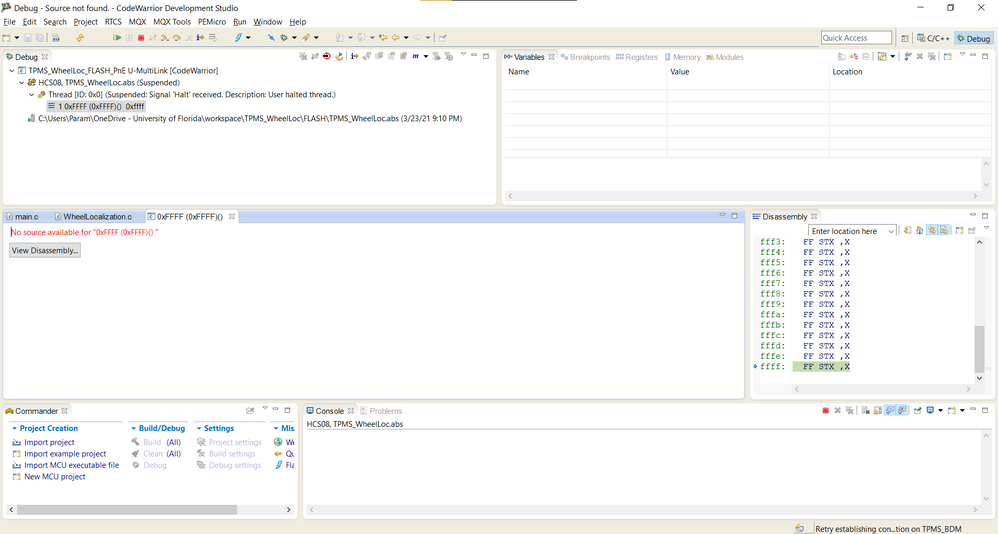
On pressing F8 (continue), the program gets stuck below:
Just to be doubly sure, I tried the other available debug configuration and the result is the same.
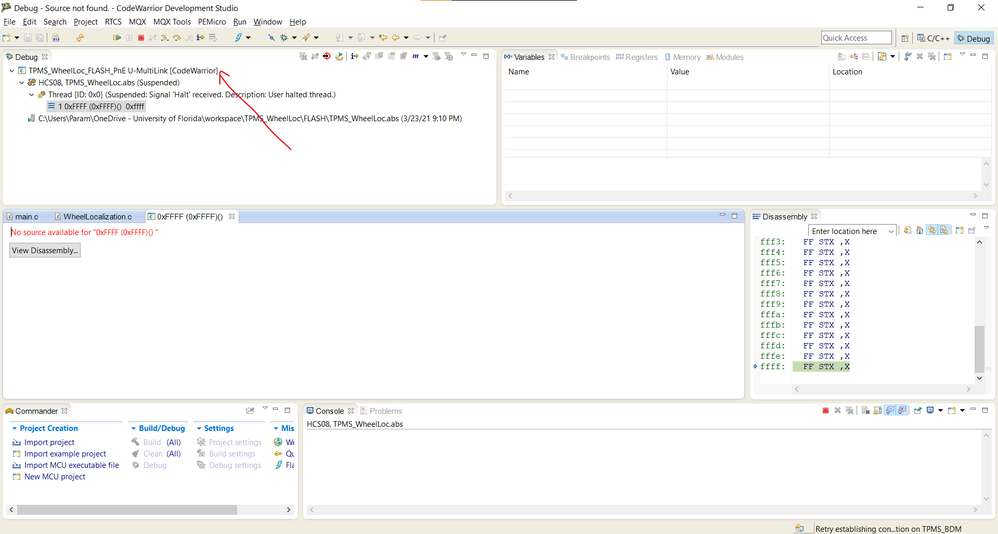
Also, whenever I end the debug session and try to restart, I get the following message:
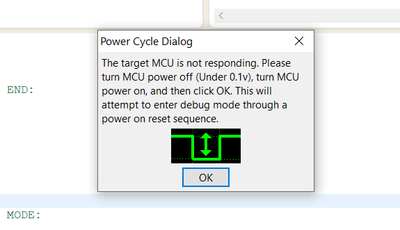
Can someone help me to understand what is going on here?
Thanks,
Tushar
- Mark as New
- Bookmark
- Subscribe
- Mute
- Subscribe to RSS Feed
- Permalink
- Report Inappropriate Content
Hi Tomas
Any updates on this?
Thanks
Tushar

 TomasVaverka
- Mark as New
- Bookmark
- Subscribe
- Mute
- Subscribe to RSS Feed
- Permalink
- Report Inappropriate Content
Hi Tushar,
All you are describing here and seeing is actually normal.
1. Breakpoint warning
The MCU only supports one breakpoint at a time. When the debug session is entered, the debugger automatically tries to place a breakpoint at the beginning of the main. But if you place a breakpoint before starting the debug session, then the debugger is unable to place a second breakpoint at the beginning of the main, since only one breakpoint at a time is supported, and warns the user with the pop up window “CodeWarrior Alert – Unable to set all breakpoints”. The consequence is that the user breakpoint is kept and no breakpoint is placed at the beginning of the main.
2. No source available / source not found
The FXTH device has a 16kByte flash, with 8kBytes programmed by NXP at production with an embedded firmware and 8kBytes reserved to the user application. The embedded firmware contains interrupt vectors, firmware functions described in the Firmware User Guide, and a jump table allowing the program to jump into the embedded firmware when the user application calls one of the firmware functions.
The CodeWarrior project developed by the user is intended for the user application flash section only, and does not have visibility on the embedded firmware programmed by NXP. It is thus not possible for the debugger to show the content of the embedded firmware because it does not have access to it, so it does not have access to the source code. This is why the message “No source available” or “No source found” is displayed.
3. Power Cycle Dialog
This message is normal and just indicates that the debugger is not able to force the MCU into background debug mode, which is necessary for programming and debugging. In this case it is necessary to do a hardware reset to allow the programming tool to force the MCU into background debug mode.
For new users like you, to get familiar with the FXTH family I would recommend the “Starter Package for FXTH87/E and MKW01” which can be downloaded from this webpage under “Development Software”. The package contains starter projects and documentation giving an overview of the device. The FXTH Documentation webpage also contains useful documents like manuals, user guides and app notes.
Hope it helps!
Best regards,
Tomas
- Mark as New
- Bookmark
- Subscribe
- Mute
- Subscribe to RSS Feed
- Permalink
- Report Inappropriate Content
Hi Tomas
Appreciate your help.
1. Breakpoint warning makes sense now.
2. Source not found - The program is stuck here and I am not able to exit out to the next line in main.c.
3. Power cycle dialog - Any reason why the soft reset is not working?
Thanks
Tushar
