
- Forums
- Product Forums
- General Purpose MicrocontrollersGeneral Purpose Microcontrollers
- i.MX Forumsi.MX Forums
- QorIQ Processing PlatformsQorIQ Processing Platforms
- Identification and SecurityIdentification and Security
- Power ManagementPower Management
- Wireless ConnectivityWireless Connectivity
- RFID / NFCRFID / NFC
- Advanced AnalogAdvanced Analog
- Neural Processing UnitsNeural Processing Units
- MCX Microcontrollers
- S32G
- S32K
- S32V
- MPC5xxx
- Other NXP Products
- S12 / MagniV Microcontrollers
- Powertrain and Electrification Analog Drivers
- Sensors
- Vybrid Processors
- Digital Signal Controllers
- 8-bit Microcontrollers
- ColdFire/68K Microcontrollers and Processors
- PowerQUICC Processors
- OSBDM and TBDML
- S32M
- S32Z/E
-
- Solution Forums
- Software Forums
- MCUXpresso Software and ToolsMCUXpresso Software and Tools
- CodeWarriorCodeWarrior
- MQX Software SolutionsMQX Software Solutions
- Model-Based Design Toolbox (MBDT)Model-Based Design Toolbox (MBDT)
- FreeMASTER
- eIQ Machine Learning Software
- Embedded Software and Tools Clinic
- S32 SDK
- S32 Design Studio
- GUI Guider
- Zephyr Project
- Voice Technology
- Application Software Packs
- Secure Provisioning SDK (SPSDK)
- Processor Expert Software
- Generative AI & LLMs
-
- Topics
- Mobile Robotics - Drones and RoversMobile Robotics - Drones and Rovers
- NXP Training ContentNXP Training Content
- University ProgramsUniversity Programs
- Rapid IoT
- NXP Designs
- SafeAssure-Community
- OSS Security & Maintenance
- Using Our Community
-
- Cloud Lab Forums
-
- Knowledge Bases
- ARM Microcontrollers
- i.MX Processors
- Identification and Security
- Model-Based Design Toolbox (MBDT)
- QorIQ Processing Platforms
- S32 Automotive Processing Platform
- Wireless Connectivity
- CodeWarrior
- MCUXpresso Suite of Software and Tools
- MQX Software Solutions
- RFID / NFC
- Advanced Analog
- Neural Processing Units
-
- NXP Tech Blogs

I noticed that the link file and startup code of the sample file in S32K3_HSE_DemoExamples are different from those in the normal sample file. If I want to implement HSE-related services in the normal software, do I need to synchronize this part of the code? There are no relevant guiding documents to refer to either
已解决! 转到解答。

 lukaszadrapa
The table describes which "user memories" are allocated for HSE. But HSE has own secure RAM, so no user RAM is allocated, so there's zero in the table.
You are not allowed to read the keys directly from memory anyway. A key can be only exported via HSE service (if such operation is allowed). Please read section "6.2.4 Key export" in HSE firmware reference manual.
lukaszadrapa
Hi @ALXY_WANG1
There are only two points to consider:
1. When HSE firmware is installed, part of flash is allocated for HSE firmware. So, it's necessary to update linker file accordingly. Take a look at tables 197, 199 and 200:
https://www.nxp.com/webapp/Download?colCode=S32K3XXRM
These tables show which memory is available when no HSE firmware is installed, when FULL_MEM version is installed and when AB_SWAP version is installed.
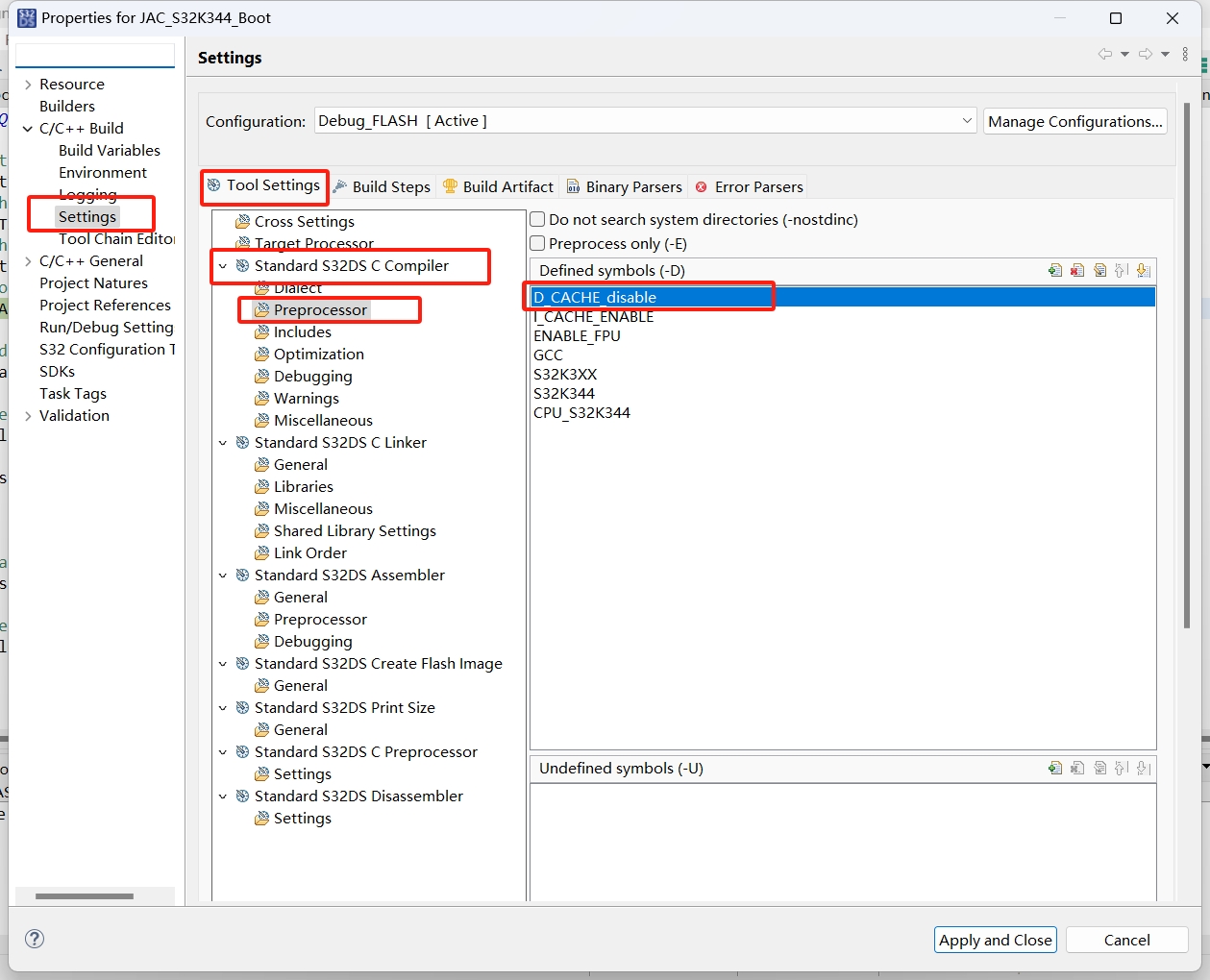
2. And then be aware that data cache is disabled in HSE Demo Examples for easier developing. If data cache is enabled in your project, it's necessary to force all data objects used for communication with HSE to non-cacheable memory because HSE can't see the cache content and there's no cache coherency unit.
There are no other requirements when using HSE, it's not necessary to port other things from startup files or linker files.
Regards,
Lukas

Hi @ALXY_WANG1
There are only two points to consider:
1. When HSE firmware is installed, part of flash is allocated for HSE firmware. So, it's necessary to update linker file accordingly. Take a look at tables 197, 199 and 200:
https://www.nxp.com/webapp/Download?colCode=S32K3XXRMDrift Boss
These tables show which memory is available when no HSE firmware is installed, when FULL_MEM version is installed and when AB_SWAP version is installed.
2. And then be aware that data cache is disabled in HSE Demo Examples for easier developing. If data cache is enabled in your project, it's necessary to force all data objects used for communication with HSE to non-cacheable memory because HSE can't see the cache content and there's no cache coherency unit.
There are no other requirements when using HSE, it's not necessary to port other things from startup files or linker files.
Regards,
Lukas
HSE Demo disables data caching for simplicity. If you enable it, all HSE-comm data is placed in non-cacheable memory — no cache consistency is supported.
No need to touch boot or link files anymore.
Cheers,
Now that I have normally integrated the relevant interface software of HSE here, when I try to obtain the version number service of the HSE module, it has been stuck at the response timeout section. I can obtain the version number by using the HSE sample file. Could you please tell me what the possible reasons are?
lukaszadrapa
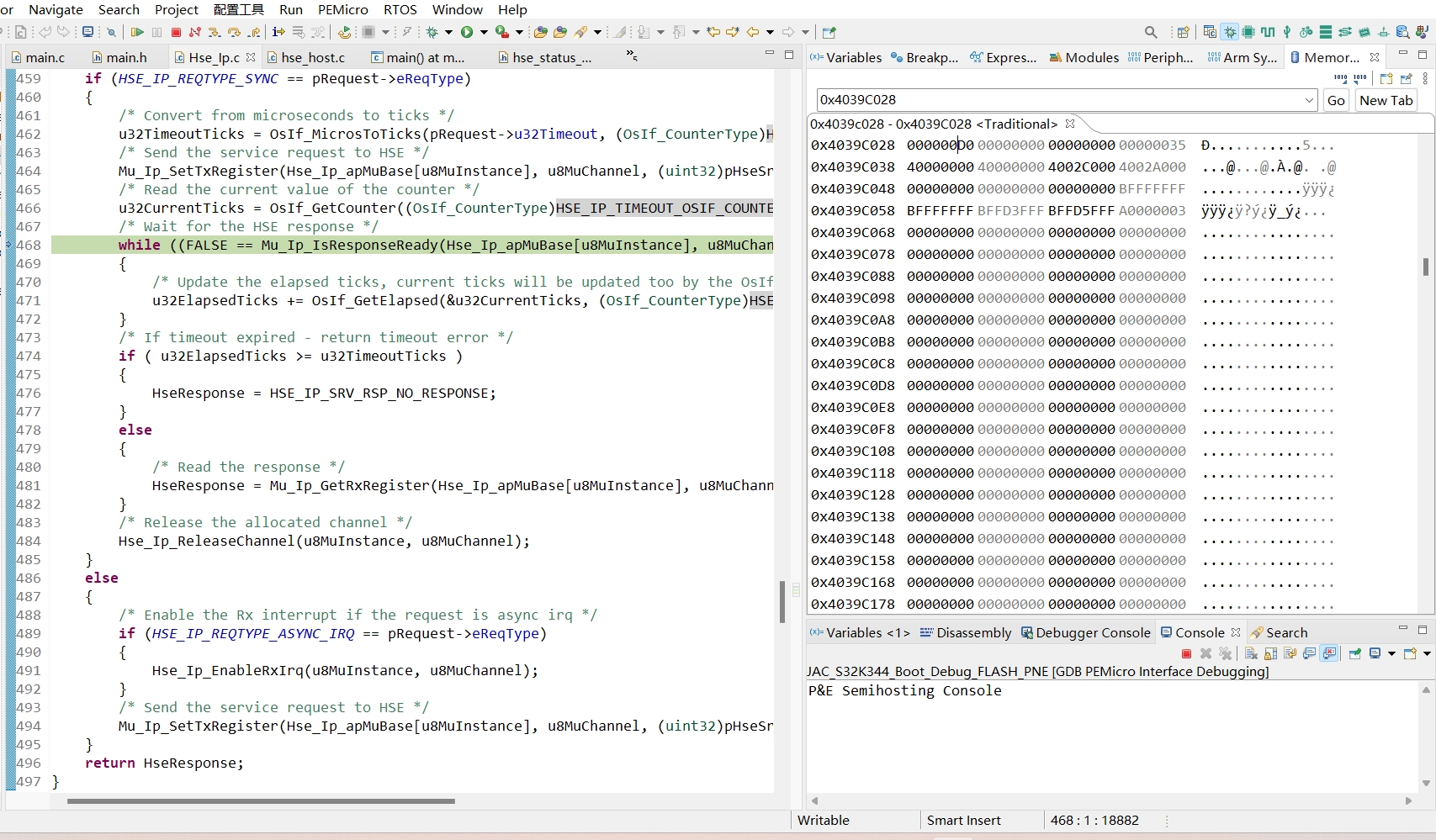
Once you get the timeout error, what is the content of FSR and GSR registers in MU0? And what can you see in HSE GPR register at 0x4039_C028?
Is the data cache disabled?
Regards,
Lukas
lukaszadrapa
According to HSE GPR register at 0x4039_C028, the firmware is NOT installed.
The HSE Firmware package can be downloaded from S32K3 Standard Software:
https://www.nxp.com/webapp/swlicensing/sso/downloadSoftware.sp?catid=SW32K3-STDSW-D
Just click on the link and then select „Automotive SW - S32K3 - HSE Firmware“. Here search for latest version for your derivative.
We provide application note which explains how to install the firmware. It’s available in Documentation -> Secure files:
https://www.nxp.com/products/S32K3
Search for document “HSE FW install for S32K3xx”.
It’s also described in HSE-B Firmware Reference Manual rev. 2.4 in section “3 HSE Firmware Installation”.
There are three methods how to install HSE firmware. Please take a look at section “3 HSE Firmware Installation” in HSE-B Firmware Reference Manual v2.4.
The most convenient method for you is probably installation via IVT. Following steps are requires:
- Program HSE feature flag at 0x1B000000. You can do this anywhere and anytime, by your code or by your debugger. It doesn’t matter.
- Load pink file anywhere to flash (together with your application). Do not use areas reserved for HSE.
- Then put an address of the pink file to IVT. See “14.2.2 IVT Structure” in HSE FW RM v2.4.
You can find an example in HSE DemoExamples for this:
https://www.nxp.com/webapp/Download?colCode=S32K3_HSE_DemoExamples
Then search for:
c:\NXP\S32K3_HSE_DemoExamples_1_0_0\S32K3_HSE_DemoExamples\Device_Configuration\S32K344_HSE_FW_INSTALL\
This demo shows all the steps.


 lukaszadrapa
The table describes which "user memories" are allocated for HSE. But HSE has own secure RAM, so no user RAM is allocated, so there's zero in the table.
You are not allowed to read the keys directly from memory anyway. A key can be only exported via HSE service (if such operation is allowed). Please read section "6.2.4 Key export" in HSE firmware reference manual.
