
- Forums
- Product Forums
- General Purpose MicrocontrollersGeneral Purpose Microcontrollers
- i.MX Forumsi.MX Forums
- QorIQ Processing PlatformsQorIQ Processing Platforms
- Identification and SecurityIdentification and Security
- Power ManagementPower Management
- Wireless ConnectivityWireless Connectivity
- RFID / NFCRFID / NFC
- Advanced AnalogAdvanced Analog
- Neural Processing UnitsNeural Processing Units
- MCX Microcontrollers
- S32G
- S32K
- S32V
- MPC5xxx
- Other NXP Products
- S12 / MagniV Microcontrollers
- Powertrain and Electrification Analog Drivers
- Sensors
- Vybrid Processors
- Digital Signal Controllers
- 8-bit Microcontrollers
- ColdFire/68K Microcontrollers and Processors
- PowerQUICC Processors
- OSBDM and TBDML
- S32M
- S32Z/E
-
- Solution Forums
- Software Forums
- MCUXpresso Software and ToolsMCUXpresso Software and Tools
- CodeWarriorCodeWarrior
- MQX Software SolutionsMQX Software Solutions
- Model-Based Design Toolbox (MBDT)Model-Based Design Toolbox (MBDT)
- FreeMASTER
- eIQ Machine Learning Software
- Embedded Software and Tools Clinic
- S32 SDK
- S32 Design Studio
- GUI Guider
- Zephyr Project
- Voice Technology
- Application Software Packs
- Secure Provisioning SDK (SPSDK)
- Processor Expert Software
- Generative AI & LLMs
-
- Topics
- Mobile Robotics - Drones and RoversMobile Robotics - Drones and Rovers
- NXP Training ContentNXP Training Content
- University ProgramsUniversity Programs
- Rapid IoT
- NXP Designs
- SafeAssure-Community
- OSS Security & Maintenance
- Using Our Community
-
- Cloud Lab Forums
-
- Knowledge Bases
- ARM Microcontrollers
- i.MX Processors
- Identification and Security
- Model-Based Design Toolbox (MBDT)
- QorIQ Processing Platforms
- S32 Automotive Processing Platform
- Wireless Connectivity
- CodeWarrior
- MCUXpresso Suite of Software and Tools
- MQX Software Solutions
- RFID / NFC
- Advanced Analog
- Neural Processing Units
-
- NXP Tech Blogs
- Home
- :
- 软件论坛
- :
- Processor Expert软件知识库
- :
- New Pins Tool for i.MX Application Processors is available!
New Pins Tool for i.MX Application Processors is available!
New Pins Tool for i.MX Application Processors is available!
New Pins Tool for i.MX Application Processors is available!
The new NXP Pins Tool for i.MX Applications Processors which has been showcased at FTF 2016 in Austin is now available as desktop application:
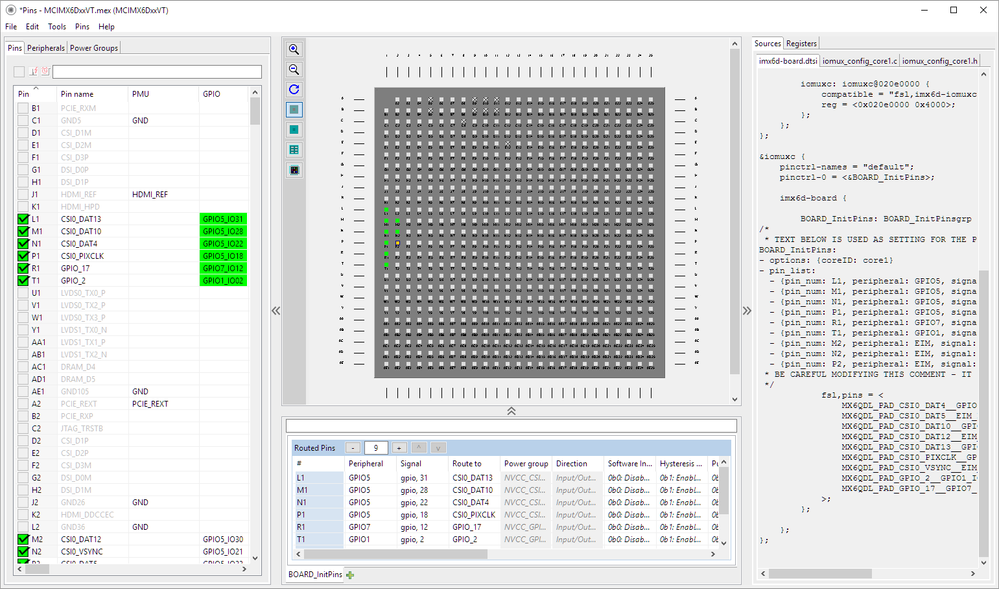
The Pins Tool makes configuring, muxing and routing of pins very easy and fast. It provides real-time feedback of conflicts and provides an intuitive graphical interface with several views. The tool generates device tree (.dtsi) and sources files which can be directly integrated into C/C++ applications.
The following devices are supported:
- i.MX 6Dual/Quad
- i.MX 6DualPlus/QuadPlus
- i.MX 6DualLite
- i.MX 6Solo
- i.MX 6SoloLite
- i.MX 6SoloX
- i.MX 6UltraLite
- i.MX 7Dual
- i.MX 7Solo
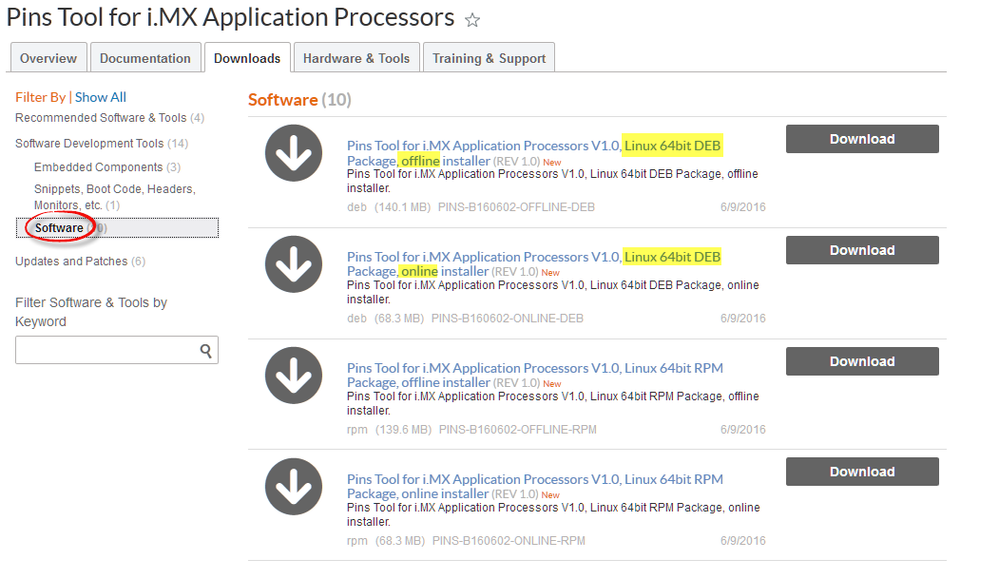
The Pins Tool is available as download from http://www.nxp.com/pinsimx (Windows, Mac OS X and Linux 64bit) under the 'Software' category.
There are two different installer types:
- 'offline' is a 140 MByte download. This method is recommended for slower internet connections or for installation on multiple machines.
- 'online' is a smaller download, all the other installation data will be loaded from the internet during installation.
Mac OS X and Linux installers are 64bit. For Windows there are both 32bit and 64bit installers available.
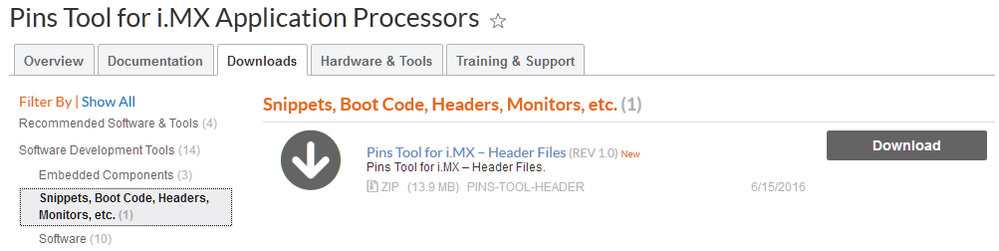
It is recommended to download the additional header files if not already installed/provided by your BSP because they are referenced by the initialization code. The header files are available in the following download under 'Headers':
Documentation is available under the documentation section, as well attached to this article:

For installation, check out the installation guide. For first steps, use the Getting started document.
We hope you find this tool useful!
i.MX Community | NXP Community:

We experienced some Issues with this tool using it for i.MX7 design.
1. It Looks like the tool will give a warning when Pins are in one peripheral-Group but powered by different power-Groups like XTAL-Pins and ONOFF. As designer has no influence on internal Connections this should be fixed so only warnings are given, when Pins which are muxable are in different power Groups. Same of usb, tamper, dram
2. There is an error in periphals-list of i.MX7S. uSDHC3 is missing but datasheet has specified that Interface.


Hi Apollo,
for which i.MX6UL device?
Erich
Hi Erich,
CPU is MCIMX6GxxVK
Error message:
Can't download CPU data base from server.
And other suggestion.
(1) Can add Language select in pin tool function ?
(2) Any CPU data base download from NXP web site and copy data base into pin tool folder ?
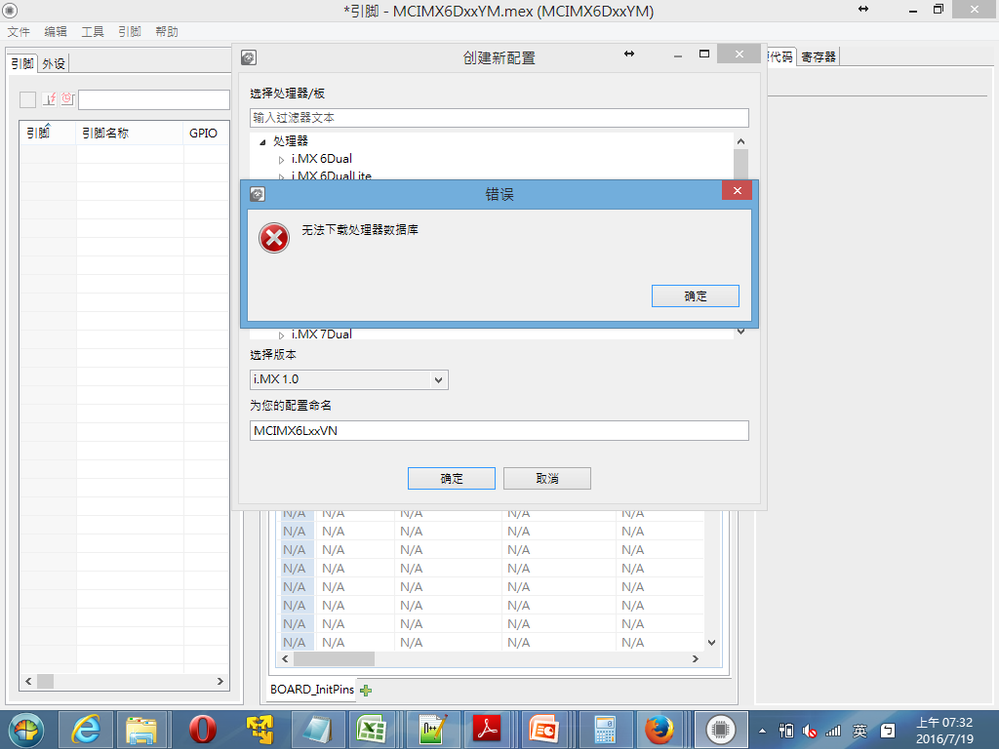
Hello,
please try selecting the device again (creating a new configuration), because I saw that the NXP servers were down yesterday (it worked fine for me right now).
1) Language Selection: There is no menu for that, there is either the way for command line option or adding an entry into the tools.ini file. Extract from the PINS_Getting_Started.i.MX.pdf manual:
1.4 Tool localization
The Pins Tool supports English and Chinese languages, based on your locale settings. To manually set the locale, add the following parameter to the command line:
tools.exe -nl zh It is possible to set the locale in the tools.ini file by adding the following line:
-Duser.language=zh The supported languages are: • en - English • zh – Chinese
NOTE Setting your system locale to Chinese will automatically launch the tool with localized Chinese menu items, tool tips, and help.
2) Data
There is intentionally no way to download dedicated data packages (it would be huge). Instead, you can find the downloaded data here (Windows machine):
C:\ProgramData\Application Data\NXP\mcu_data_v1
So you could copy that data if you want instead.
I hope this helps,
Erich
Hi Martin,
About 1): Good suggestion and input. Currently the power groups are 'indicative' only.
About 2): I'll forwarded this to the engineering team so they could check/verify this.
thank you very much for the feedback!

Hello Martin,
Thank you very much for your comments, I'm member of engineering team working on the support of i.MX Application Processors in Pins Tool.
1. Well, unfortunately current version of the tool provides only indication of potential voltage level conflicts that is displayed as simple warning to user. Existing level of detection for possible power group conflicts is currently set as very simple - the tool is now only checking all routed pin signals within the individual peripheral instance regardless they are dedicated or can be routed to multiple pads and reports potential conflicts found. We will consider improvement here to avoid such cases like evidently nonsensical warnings for dedicated pin signals.
2. You're right, this is a bug in Pins Tool data for i.MX7S devices - I've logged this into our bug tracking system and we will address this as soon as possible.
Thanks a lot!
Petr Zeman
Hi Erich:
Customer found the Pins Tool will shows warning (Power group conflict in "USB") even the power group setting is correct.
In MX6D case, the DN/DP is supplied by VDD_USB_CAP and the controls pin (ID, PWR, OC) are supplied by NVCC_xxx.
Ideally, the DP/DN (analog signals) used different power group with control pins are normal, but the tool shows warning.
Please help to check it.
The reference below link for the detail.
https://community.nxp.com/thread/434528
Best regards
Aven
