
- Forums
- Product Forums
- General Purpose MicrocontrollersGeneral Purpose Microcontrollers
- i.MX Forumsi.MX Forums
- QorIQ Processing PlatformsQorIQ Processing Platforms
- Identification and SecurityIdentification and Security
- Power ManagementPower Management
- Wireless ConnectivityWireless Connectivity
- RFID / NFCRFID / NFC
- Advanced AnalogAdvanced Analog
- Neural Processing UnitsNeural Processing Units
- MCX Microcontrollers
- S32G
- S32K
- S32V
- MPC5xxx
- Other NXP Products
- S12 / MagniV Microcontrollers
- Powertrain and Electrification Analog Drivers
- Sensors
- Vybrid Processors
- Digital Signal Controllers
- 8-bit Microcontrollers
- ColdFire/68K Microcontrollers and Processors
- PowerQUICC Processors
- OSBDM and TBDML
- S32M
- S32Z/E
-
- Solution Forums
- Software Forums
- MCUXpresso Software and ToolsMCUXpresso Software and Tools
- CodeWarriorCodeWarrior
- MQX Software SolutionsMQX Software Solutions
- Model-Based Design Toolbox (MBDT)Model-Based Design Toolbox (MBDT)
- FreeMASTER
- eIQ Machine Learning Software
- Embedded Software and Tools Clinic
- S32 SDK
- S32 Design Studio
- GUI Guider
- Zephyr Project
- Voice Technology
- Application Software Packs
- Secure Provisioning SDK (SPSDK)
- Processor Expert Software
- Generative AI & LLMs
-
- Topics
- Mobile Robotics - Drones and RoversMobile Robotics - Drones and Rovers
- NXP Training ContentNXP Training Content
- University ProgramsUniversity Programs
- Rapid IoT
- NXP Designs
- SafeAssure-Community
- OSS Security & Maintenance
- Using Our Community
-
- Cloud Lab Forums
-
- Knowledge Bases
- ARM Microcontrollers
- i.MX Processors
- Identification and Security
- Model-Based Design Toolbox (MBDT)
- QorIQ Processing Platforms
- S32 Automotive Processing Platform
- Wireless Connectivity
- CodeWarrior
- MCUXpresso Suite of Software and Tools
- MQX Software Solutions
- RFID / NFC
- Advanced Analog
- Neural Processing Units
-
- NXP Tech Blogs
- Home
- :
- Product Forums
- :
- Other NXP Products
- :
- how to develop zigbee 2006 protocol for mc13213 controller
how to develop zigbee 2006 protocol for mc13213 controller
- Subscribe to RSS Feed
- Mark Topic as New
- Mark Topic as Read
- Float this Topic for Current User
- Bookmark
- Subscribe
- Mute
- Printer Friendly Page
how to develop zigbee 2006 protocol for mc13213 controller

- Mark as New
- Bookmark
- Subscribe
- Mute
- Subscribe to RSS Feed
- Permalink
- Report Inappropriate Content
Hi,
I am new to freescale , i want to develope a zigbee2006 protocol network by using MC13213 controller. I have downloaded beekit and CW as well. But i couldn't see Zigbee2006 codebase option in beekit software. How can i do it ? Is there any download option for zigbee 2006 codebase? In the beekit software only shows the zigbee pro codebase, my controller won't support this stack due to memory constrain. What are the zigbee protocol support in MC13213 controller? Please advise me..

 oliver_chen
- Mark as New
- Bookmark
- Subscribe
- Mute
- Subscribe to RSS Feed
- Permalink
- Report Inappropriate Content
Hi,
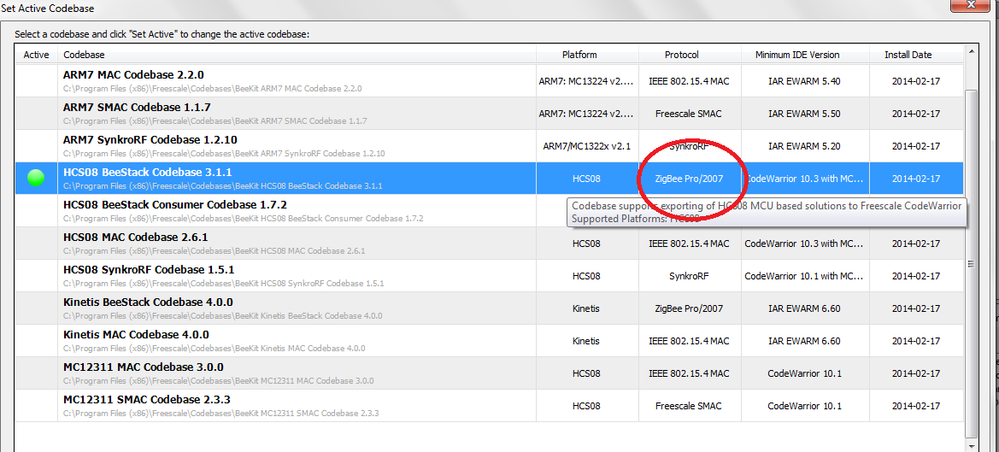
zigbee 2006 stack is implemented by Freescale. You can Open Beekit software first, click File->Select Codebase..., select HS08 BeeStack Codebase 3.1.1 and 'Set Active'.
Then click File->New Project..., you can select Freescale sample projects based on Zigbee stack as you want.
You would export your project for CW or IAR and build it.
- Mark as New
- Bookmark
- Subscribe
- Mute
- Subscribe to RSS Feed
- Permalink
- Report Inappropriate Content
Hi, !
Thanks for your response.
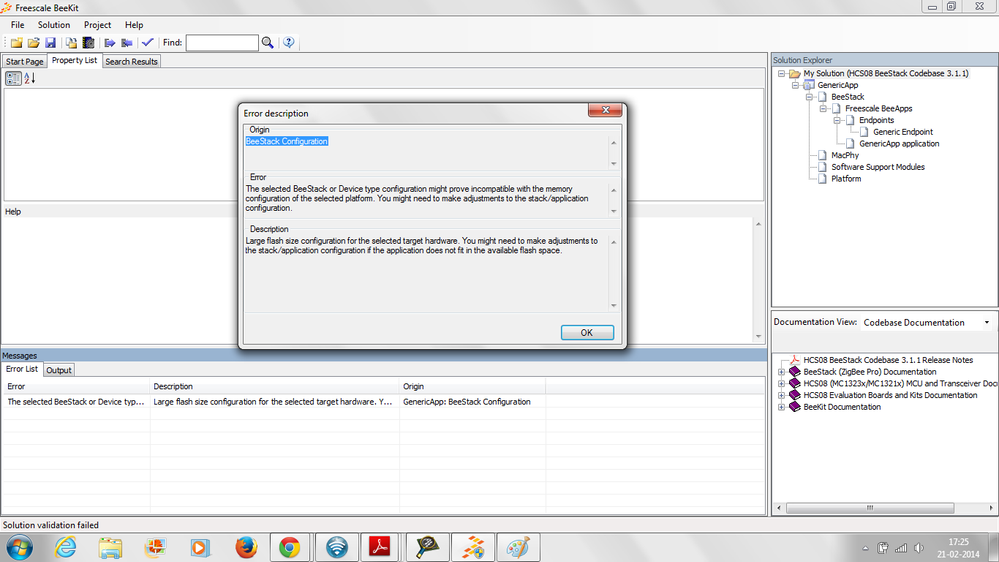
As per your advice ,i have selected the HS08 Beestack codebase 3.1.1 and set active and select the hardware MC13213. But I have a error at validation. Please find the attached error message. It shows ,Large flash size configuration for the selected target hardware. In the beekit, the 3.1.1 codebase only for zigbee Pro/2007 protocol (Image attached). MC13213 wont suppert zigbee pro protocol.
 oliver_chen
- Mark as New
- Bookmark
- Subscribe
- Mute
- Subscribe to RSS Feed
- Permalink
- Report Inappropriate Content
Hi,
As you said, "i have selected the HS08 Beestack codebase 3.1.1 and set active and select the hardware MC13213." I think you don't need select hardware when you choose the code base.
After you choose the HS08 BeeStatck codebase 3.1.1, you can open dialog use File->New Project, then choose one application model.
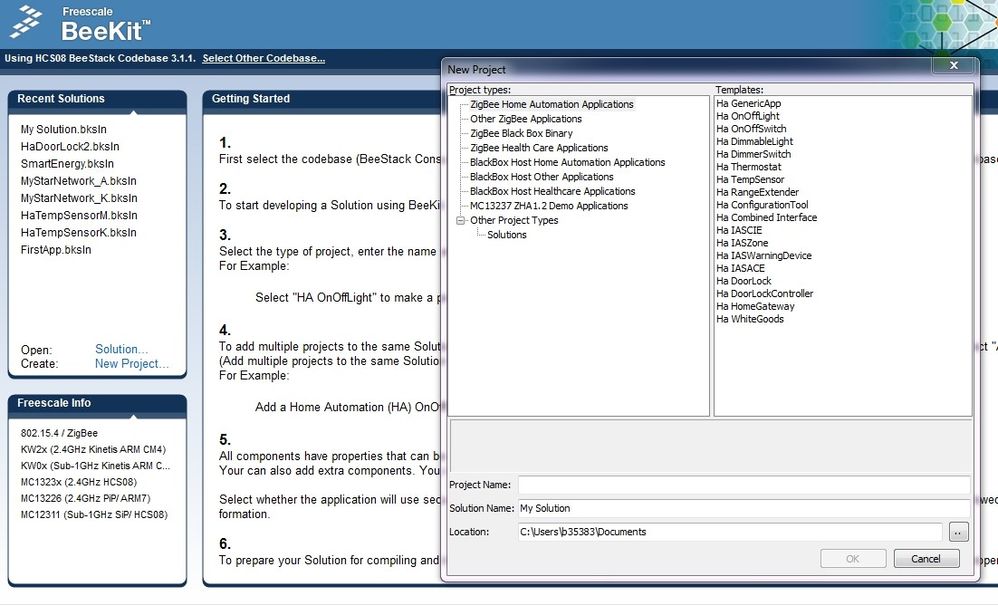
After you settle down project directory and type Project name, you can configure you project to select MC13213 platform and other Zigbee configurations.
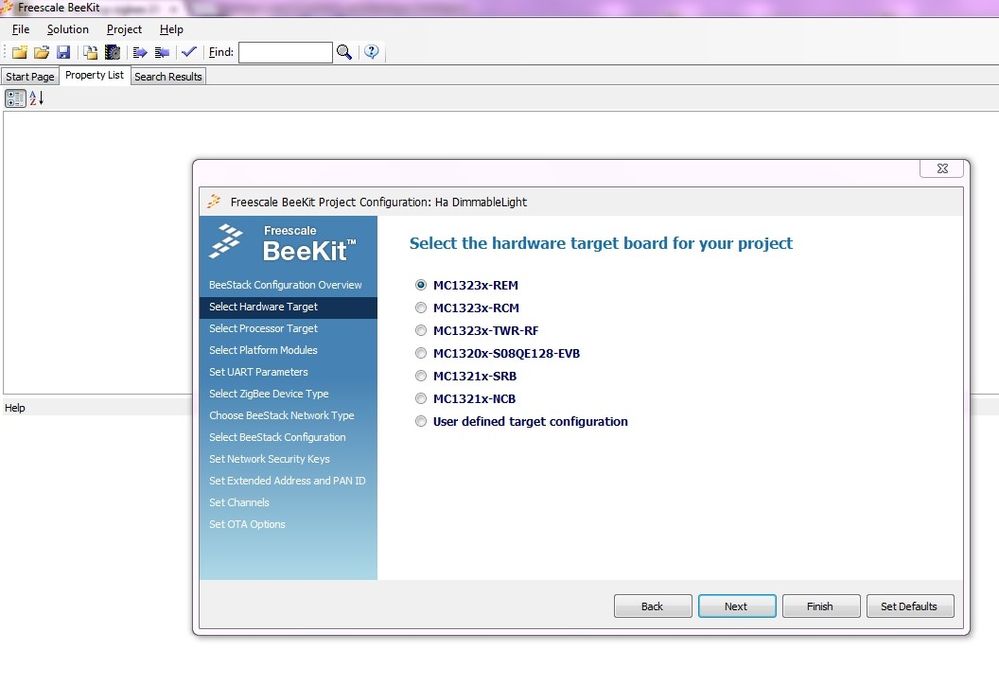
I think you'd better read Freescale Beekit user guide first. You'll find beekit is a powerful & useful tools.
B.R
Oliver
