
- Forums
- Product Forums
- General Purpose MicrocontrollersGeneral Purpose Microcontrollers
- i.MX Forumsi.MX Forums
- QorIQ Processing PlatformsQorIQ Processing Platforms
- Identification and SecurityIdentification and Security
- Power ManagementPower Management
- Wireless ConnectivityWireless Connectivity
- RFID / NFCRFID / NFC
- Advanced AnalogAdvanced Analog
- Neural Processing UnitsNeural Processing Units
- MCX Microcontrollers
- S32G
- S32K
- S32V
- MPC5xxx
- Other NXP Products
- S12 / MagniV Microcontrollers
- Powertrain and Electrification Analog Drivers
- Sensors
- Vybrid Processors
- Digital Signal Controllers
- 8-bit Microcontrollers
- ColdFire/68K Microcontrollers and Processors
- PowerQUICC Processors
- OSBDM and TBDML
- S32M
- S32Z/E
-
- Solution Forums
- Software Forums
- MCUXpresso Software and ToolsMCUXpresso Software and Tools
- CodeWarriorCodeWarrior
- MQX Software SolutionsMQX Software Solutions
- Model-Based Design Toolbox (MBDT)Model-Based Design Toolbox (MBDT)
- FreeMASTER
- eIQ Machine Learning Software
- Embedded Software and Tools Clinic
- S32 SDK
- S32 Design Studio
- GUI Guider
- Zephyr Project
- Voice Technology
- Application Software Packs
- Secure Provisioning SDK (SPSDK)
- Processor Expert Software
- Generative AI & LLMs
-
- Topics
- Mobile Robotics - Drones and RoversMobile Robotics - Drones and Rovers
- NXP Training ContentNXP Training Content
- University ProgramsUniversity Programs
- Rapid IoT
- NXP Designs
- SafeAssure-Community
- OSS Security & Maintenance
- Using Our Community
-
- Cloud Lab Forums
-
- Knowledge Bases
- ARM Microcontrollers
- i.MX Processors
- Identification and Security
- Model-Based Design Toolbox (MBDT)
- QorIQ Processing Platforms
- S32 Automotive Processing Platform
- Wireless Connectivity
- CodeWarrior
- MCUXpresso Suite of Software and Tools
- MQX Software Solutions
- RFID / NFC
- Advanced Analog
- Neural Processing Units
-
- NXP Tech Blogs
- Home
- :
- MCUXpresso Software and Tools
- :
- Kinetis Software Development Kit Knowledge Base
- :
- Integrating NFC Controller library with KSDK
Integrating NFC Controller library with KSDK
- Subscribe to RSS Feed
- Mark as New
- Mark as Read
- Bookmark
- Subscribe
- Printer Friendly Page
- Report Inappropriate Content
Integrating NFC Controller library with KSDK
Integrating NFC Controller library with KSDK
Hello community:
This document shows how to integrate a basic NFC (Near Field Communication) library to a KSDK project and explain its use with a simple demo project.
INTEGRATING NFC CONTROLLER LIBRARY
These instructions are based in the files usually present in a KSDK project. If your project has a custom source file structure, just add the referenced code accordingly.
1- Open the file gpio_pins.c and add 2 pin configurations: 1 input pin called NFCCirqPin and 1 output pin called NFCCvenPin:
gpio_input_pin_user_config_t NFCCirqPin =
{
.pinName = kGpioNFCCirq,
.config.isPullEnable = false,
.config.pullSelect = kPortPullUp,
.config.isPassiveFilterEnabled = false,
.config.interrupt = kPortIntDisabled,
};
gpio_output_pin_user_config_t NFCCvenPin =
{
.pinName = kGpioNFCCven,
.config.outputLogic = 1,
.config.slewRate = kPortSlowSlewRate,
.config.driveStrength = kPortLowDriveStrength,
};
2- In the file gpio_pins.h add 2 extra elements to the gpio enumeration. Also add extern declarations for the 2 pins defined in the previous step.
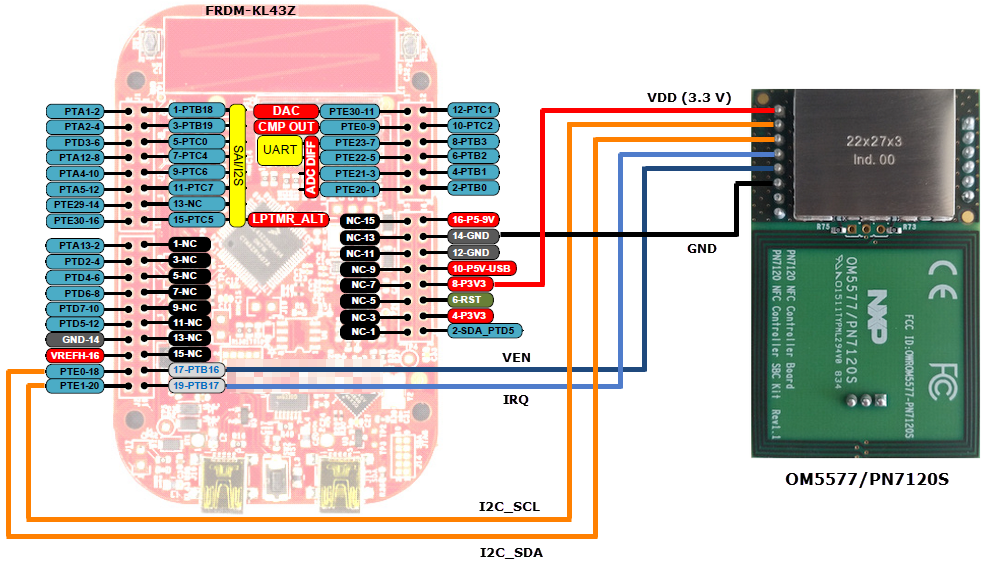
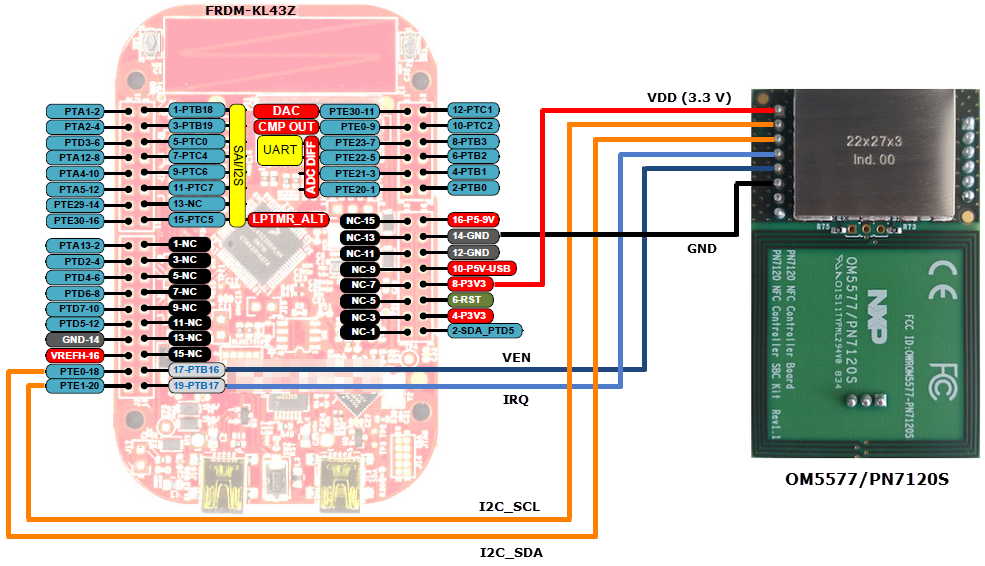
NOTE: In this example the selected pins are PTB16 as IRQ and PTB17 as VEN. The pins depend on your routing from the Kinetis MCU to the NFC Controller board.
enum _gpio_pins
{
kGpioLED1 = GPIO_MAKE_PIN(GPIOD_IDX, 5), /* FRDM-KL43Z RBG LED Green LED */
kGpioLED2 = GPIO_MAKE_PIN(GPIOE_IDX, 31), /* FRDM-KL43Z RBG LED Red LED */
kGpioSW1 = GPIO_MAKE_PIN(GPIOA_IDX, 4), /* FRDM-KL43Z SW1 */
kGpioSW3 = GPIO_MAKE_PIN(GPIOC_IDX, 3), /* FRDM-KL43Z SW3 */
kGpioNFCCirq = GPIO_MAKE_PIN(GPIOB_IDX, 16), /* GPIO for NFCC IRQ pin */
kGpioNFCCven = GPIO_MAKE_PIN(GPIOB_IDX, 17), /* GPIO for NFCC VEN pin */
};
extern gpio_input_pin_user_config_t NFCCirqPin;
extern gpio_output_pin_user_config_t NFCCvenPin;
3- In the file pin_mux.c define a function to configure the MUX setting of the required GPIO and I2C pins to interface with the NFC controller.
NOTE: The configured pins must correspond to the routing from the Kinetis MCU to the NFC controller board. In this case PTB16/PTB17 are set as GPIOs while PTE0/PTE1 are configured for I2C functionality. For I2C pins also check the MUX number in the device's Reference Manual (e.g. PTE0/PTE1 in KL43 have the I2C function in ALT6.
void configure_nfcc_pins(void)
{
/** I2C_SDA **/
PORT_HAL_SetMuxMode(PORTE,0u,kPortMuxAlt6);
/** I2C_SCL **/
PORT_HAL_SetMuxMode(PORTE,1u,kPortMuxAlt6);
/* NFCC IRQ */
PORT_HAL_SetMuxMode(PORTB,16u,kPortMuxAsGpio);
/* NFCC VEN */
PORT_HAL_SetMuxMode(PORTB,17u,kPortMuxAsGpio);
}
4- Add the prototype of the function to header file pin_mux.h.
/*
** ===================================================
** Method : configure_nfcc_pins
*/
/*!
** @brief
** Set mux configuration for I2C and GPIO pins
** to interface with the NFC Controller.
*/
/* ==================================================*/
void configure_nfcc_pins(void);
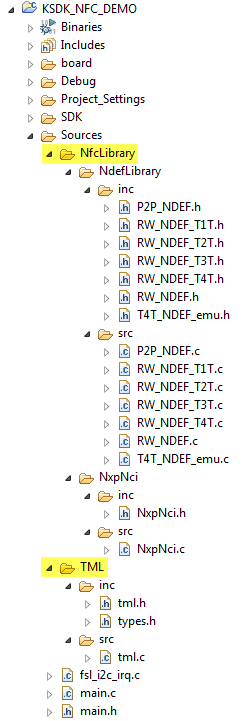
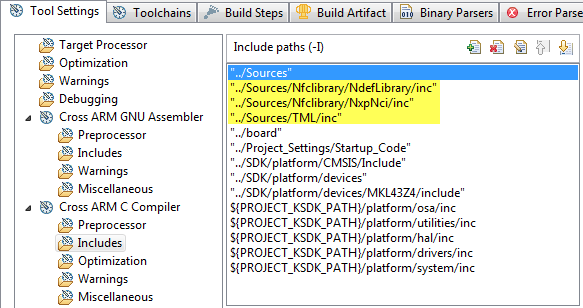
5- Add the NfcLibrary and TML folders with all its subfolders and files to your project's tree, so the library is part of the build. Also add the include paths to your compiler for the inc folders. Below an example with Kinetis Design Studio:
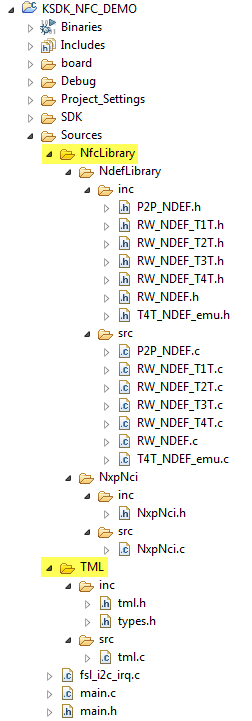
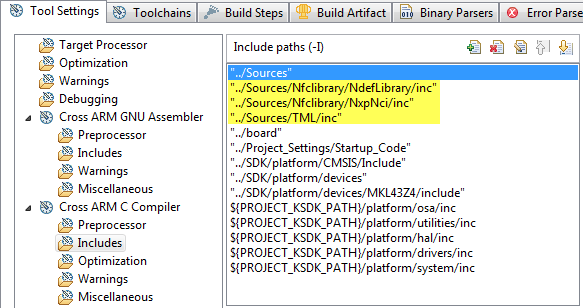
- Now the project is ready to use the NFC controller library. The library uses the next conditional compilation macros, add or remove these symbols from the compiler's preprocessor settings as required:
CARDEMU_SUPPORT: The NFC Controller host (MCU) emulates a contactless card which can be accessed by an external Reader/Writter.
P2P_SUPPORT: The host MCU can establish a 2-way communication accesing to or sending information to an external Reader/Writter.
RW_SUPPORT: With this mode the host can access a remote contactless tag/card via the NFC Controller.
NCI_DEBUG: If defined, all information transfered between the host MCU and the NFC Controller Interface (commands, responses, notifications, data) is echoed to console for debug purposes.
DEMO PROJECT
The attached project is based on the application note AN11658 NXP-NCI NullOS integration example. So you can refer to the appnote for detailed information.
Software
The project was developed with the next software versions:
- KSDK v1.3
- KDS v3.0.0
:smileyinfo: NOTES:
-The KSDK platform library for the KL43 must be built before the example project. Otherwise the build fails due to library file missing (libksdk_platform.a).
- Once the example project is imported please verify that the build variable PROJECT_KSDK_PATH is pointing to your KSDK v1.3 installation path.
Hardware
- For the NFC part, I used the NFC Controller board from the OM5577, which is a demonstration kit for the PN7120 NFC controller Interface chip.
- To interface with the NFC Contoller I used a FRDM-KL43Z Freedom board.
How to use the demo
R/W mode:
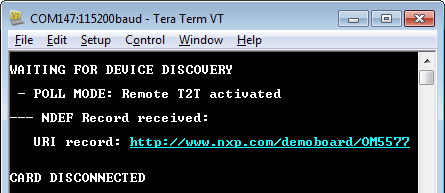
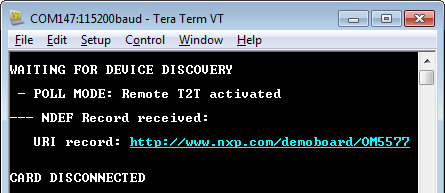
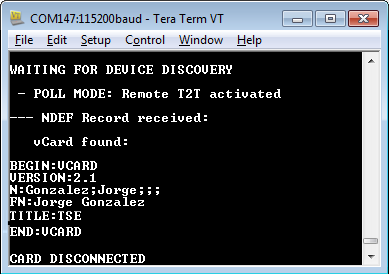
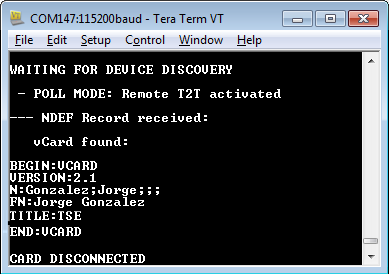
- Placing a tag with a single text, URI or vCard NDEF record next to the NFC reader. Examples:
P2P mode:
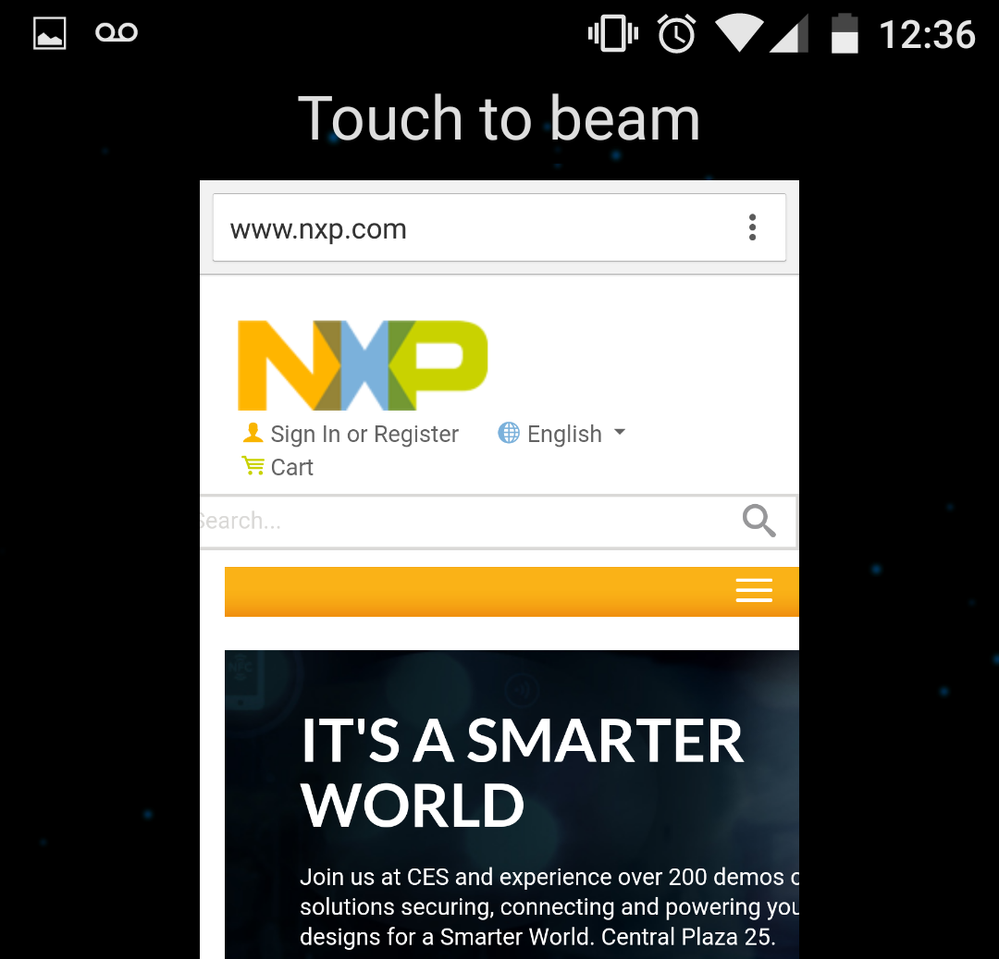
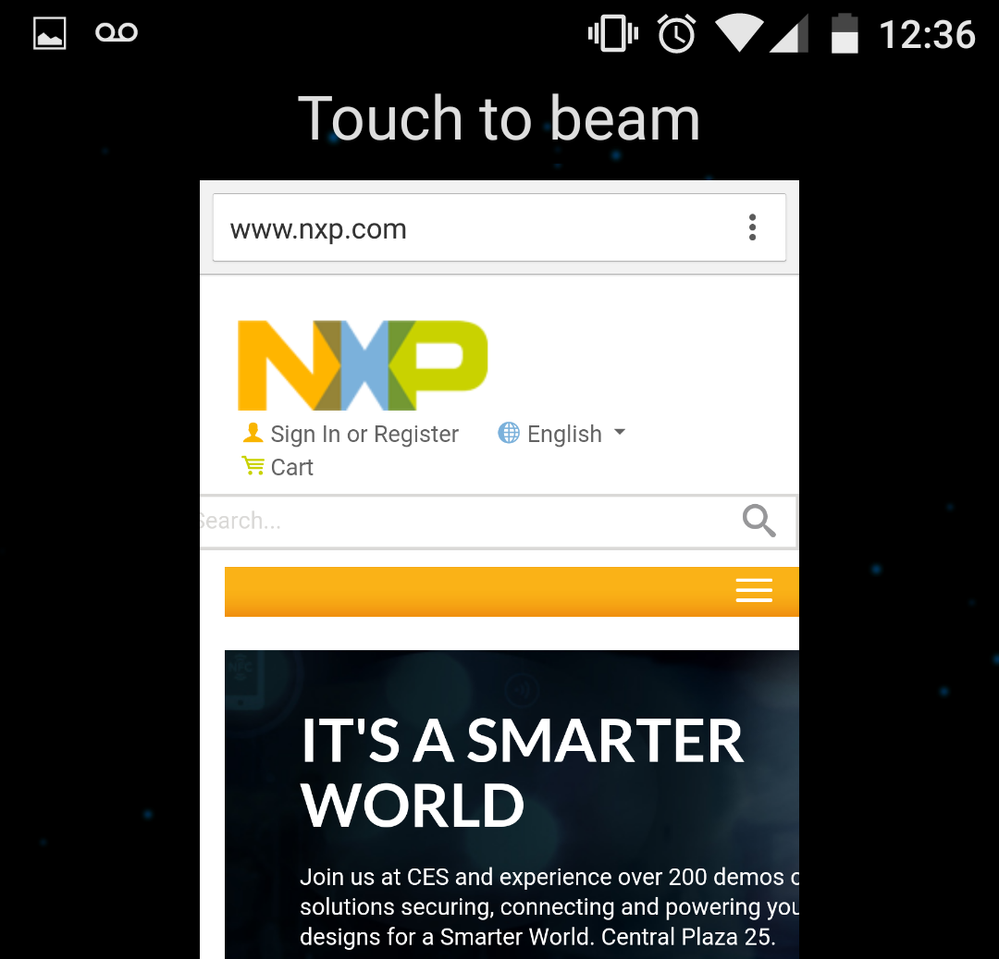
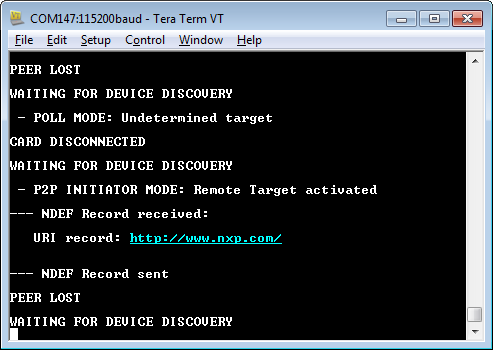
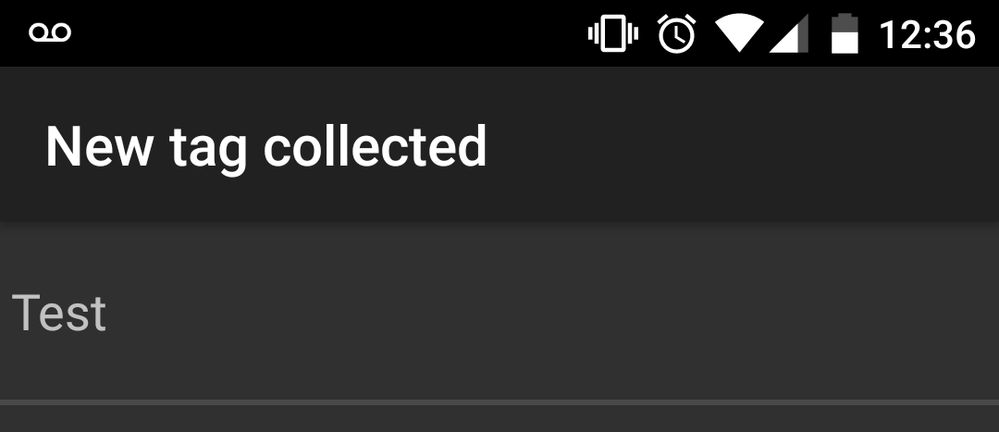
- Bring an android phone with NFC enabled close to the NFC controller antenna and use the "beaming" feature. In the case below the NXP home page is "beamed" from the adroid phone's explorer:
CARD EMULATION mode
For this mode it is required to remove the P2P_SUPPORT macro and rebuild/reprogram the project.
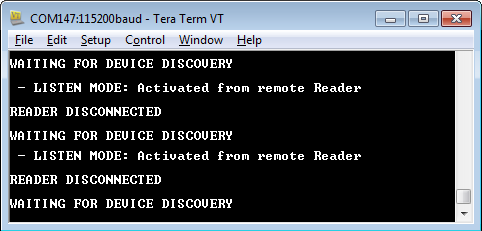
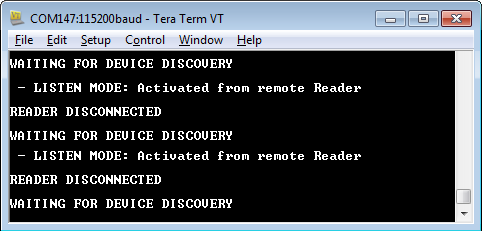
- Bringing an android phone set to read a NFC tag close to the NFC controller board:
I hope you like this document. Any questions or doubts please let me know in the comments.
Jorge Gonzalez
NXP Technical Support

- Mark as Read
- Mark as New
- Bookmark
- Permalink
- Report Inappropriate Content
Hi Jorge,
I noticed that you used NXP OM5577 , but can this be done for any NFC module from a different manufacture?
Thanks,
Neil

- Mark as Read
- Mark as New
- Bookmark
- Permalink
- Report Inappropriate Content
Hello Neil:
The NFC Controller library used in this project is targeted for use with NXP's NFC Controllers (e.g. PN7120). Since it is based on NFC Forum NCI specification then some NCI commands should be compatible with other manufacturer's controllers, but there are also some commands which are NXP proprietary extensions.
Actually it should be possible to integrate any NFC module with Kinetis + KSDK as long as the interface is supported by the MCU (e.g. I2C, SPI, UART). You just need to use the low level drivers as required, which is what I described here but in particular for the controller library code provided for the PN7120.
Not sure if this answers your question. Let me know if further doubts.
Regards!
Jorge Gonzalez

- Mark as Read
- Mark as New
- Bookmark
- Permalink
- Report Inappropriate Content
Hello Jorge,
my company (200 people) is trying to launch a NFC Product using PN7120 and Kinetis KL26Z; since it's our first NFC product some doubts have arised:
- In many project examples where PN7120 and NCI is used for kinetis, this image is provided from corresponding application note;
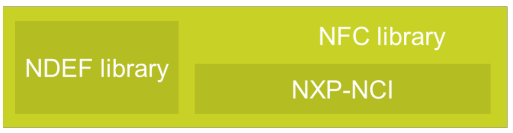
but my question is, where can I get such library from? The ported library for the examples (e.g. NXP-NCI Kinetis Design Studio example) is a reduced NCI library; where is the complete library? The full library is the "linux_libnfc-nci"? So when I want to use it in a Kinetis microcontroller it must be ported? My case is: I want to have the full NFC NCI library in a KL26 microcontroller and not in an android device, how can I do it? Is there any ported version of the full NCI library for microcontrollers?
- Another question: is there any example of encrypted communication using Kinetis Microcontrollers (o anything else) and PN7120? How this encryption must be done without a SAM?
Many thanks Jorge.
Kind Regards.
- Mark as Read
- Mark as New
- Bookmark
- Permalink
- Report Inappropriate Content
Hi Alejandro,
The library referenced from the image in the application note is actually the one available in the NXP-NCI KDS example or in the example project in this document. That library provides the primary functionality to start a development with the PN71xx family of NFC Controllers. By the way there is a new version of this community document in the next link, to use the Arduino interface kits:
https://community.nxp.com/docs/DOC-331907
The libnfc-nci libraries for Android and Linux indeed provide some more advanced APIs but the code is not suitable to be used in a general purpose MCU. If you require some function from those libraries you need to implement it on top of the existing Kinetis NXP-NCI library.
About encryption, we are working on creating more enablement, but unfortunately so far I am not aware of any example using encryption mechanisms with the PN7120. Sorry for this inconvenience.
Regards!
Jorge Gonzalez
- Mark as Read
- Mark as New
- Bookmark
- Permalink
- Report Inappropriate Content
Thanks Jorge,
this is our case: we'd like to interface with encrypted cards such as Mifare Desfire, Plus... also avoiding critical timing constraint on host and reducing SW development time. What would you recommend us? 7120 or just a front-end?
Would it be very difficult to implement encrypted communication with PN7120?
Best Regards.
- Mark as Read
- Mark as New
- Bookmark
- Permalink
- Report Inappropriate Content
Would it be possible having some support from NXP about this topic?
Thank you very much.
Regards.
- Mark as Read
- Mark as New
- Bookmark
- Permalink
- Report Inappropriate Content
Hello Jorge,
i tried out your example code with a FRDM-KL43Z board and a OM5577 / PN7120S NFC module and it worked fine with the tag NTAG216F delivered with the SBC Kit. Now i have changed to the tag SL2S2602. Unfortunately this tag is not detected by the PN7120. There is not message to the terminal software and there is also no interrupt triggered by the PN7120. In the exactly same state the detection of the NTAG216F is possible. Thereafter i used a second test system consisting of a Raspberry PI and the NXP application software which is refered in AN11697. Together with the exactly same PN7120 and the exactly same tags NTAG216F and SL2S2602 i tried it out again and all worked fine. Nevertheless the system FRDM-KL43Z / PN7120 / SL2S2602 does not play. I am a little bit confused. Do you maybe have an idea what could be the reason for this behaviour?
Best regards
