
- Forums
- Product Forums
- General Purpose MicrocontrollersGeneral Purpose Microcontrollers
- i.MX Forumsi.MX Forums
- QorIQ Processing PlatformsQorIQ Processing Platforms
- Identification and SecurityIdentification and Security
- Power ManagementPower Management
- Wireless ConnectivityWireless Connectivity
- RFID / NFCRFID / NFC
- Advanced AnalogAdvanced Analog
- Neural Processing UnitsNeural Processing Units
- MCX Microcontrollers
- S32G
- S32K
- S32V
- MPC5xxx
- Other NXP Products
- S12 / MagniV Microcontrollers
- Powertrain and Electrification Analog Drivers
- Sensors
- Vybrid Processors
- Digital Signal Controllers
- 8-bit Microcontrollers
- ColdFire/68K Microcontrollers and Processors
- PowerQUICC Processors
- OSBDM and TBDML
- S32M
- S32Z/E
-
- Solution Forums
- Software Forums
- MCUXpresso Software and ToolsMCUXpresso Software and Tools
- CodeWarriorCodeWarrior
- MQX Software SolutionsMQX Software Solutions
- Model-Based Design Toolbox (MBDT)Model-Based Design Toolbox (MBDT)
- FreeMASTER
- eIQ Machine Learning Software
- Embedded Software and Tools Clinic
- S32 SDK
- S32 Design Studio
- GUI Guider
- Zephyr Project
- Voice Technology
- Application Software Packs
- Secure Provisioning SDK (SPSDK)
- Processor Expert Software
- Generative AI & LLMs
-
- Topics
- Mobile Robotics - Drones and RoversMobile Robotics - Drones and Rovers
- NXP Training ContentNXP Training Content
- University ProgramsUniversity Programs
- Rapid IoT
- NXP Designs
- SafeAssure-Community
- OSS Security & Maintenance
- Using Our Community
-
- Cloud Lab Forums
-
- Knowledge Bases
- ARM Microcontrollers
- i.MX Processors
- Identification and Security
- Model-Based Design Toolbox (MBDT)
- QorIQ Processing Platforms
- S32 Automotive Processing Platform
- Wireless Connectivity
- CodeWarrior
- MCUXpresso Suite of Software and Tools
- MQX Software Solutions
- RFID / NFC
- Advanced Analog
- Neural Processing Units
-
- NXP Tech Blogs
- Home
- :
- MCUXpressoソフトウェアとツール
- :
- Kinetisソフトウェア開発キット・ナレッジベース
- :
- How to toggle LED in KDS 2.0 with KSDK 1.1.0 and Processor Expert
How to toggle LED in KDS 2.0 with KSDK 1.1.0 and Processor Expert
- RSS フィードを購読する
- 新着としてマーク
- 既読としてマーク
- ブックマーク
- 購読
- 印刷用ページ
- 不適切なコンテンツを報告
How to toggle LED in KDS 2.0 with KSDK 1.1.0 and Processor Expert
How to toggle LED in KDS 2.0 with KSDK 1.1.0 and Processor Expert
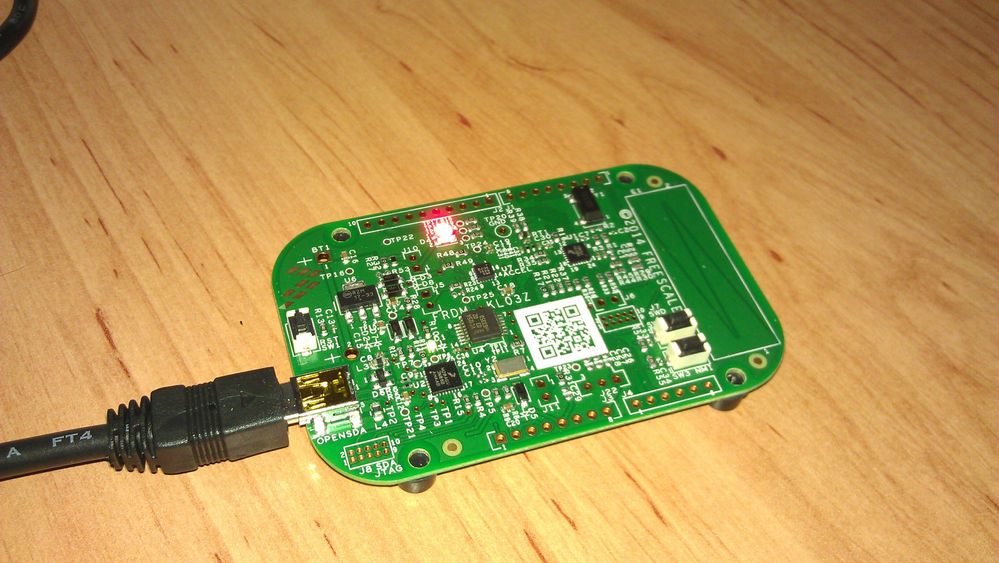
The tutorial shows how to toggle LED with KSDK 1.1.0 in KDS 2.0 and Processor Expert using a Timer Output for FRDM-KL03Z.
Guide is prepared for red LED which is connected to Timer/PWM Module 0 (TPM0), channel 1.


Create new project
Create new project in KDS 2.0 with KSDK 1.1.0


Type the project name, choose board. e.g. FRDM-KL03Z, mark off options Kinetis SDK and Processor Expert
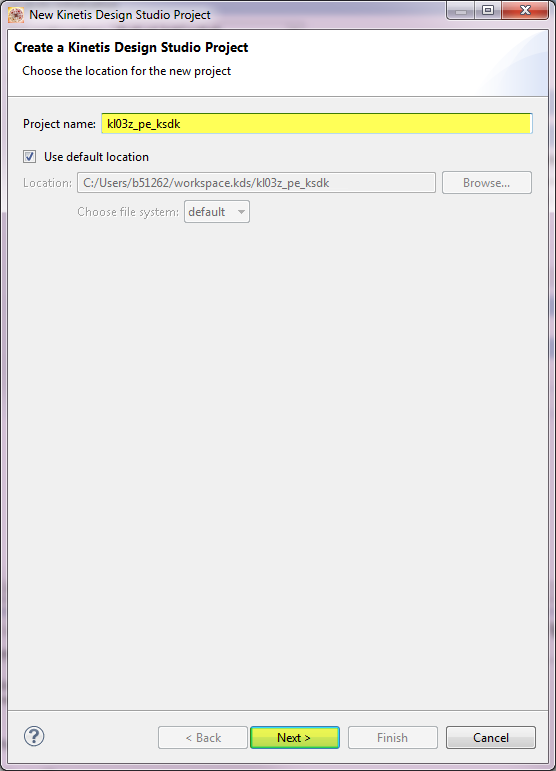
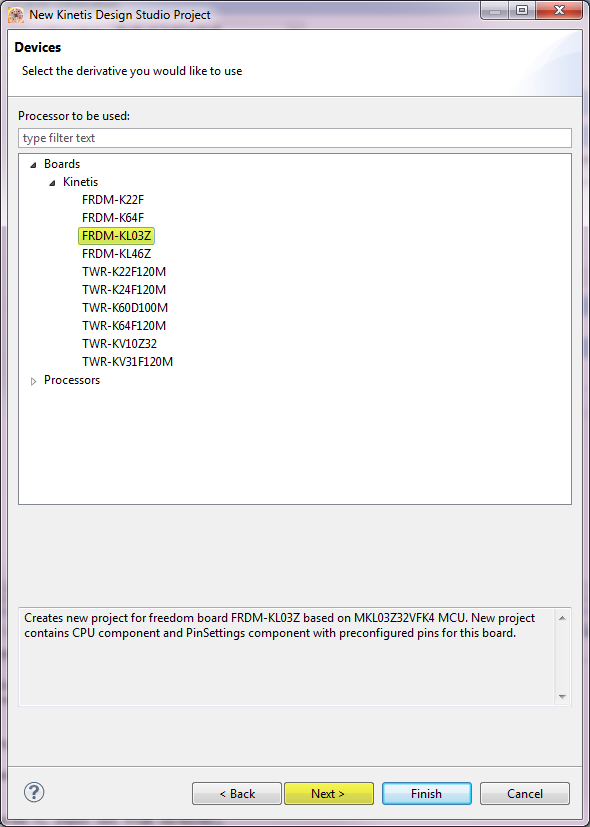
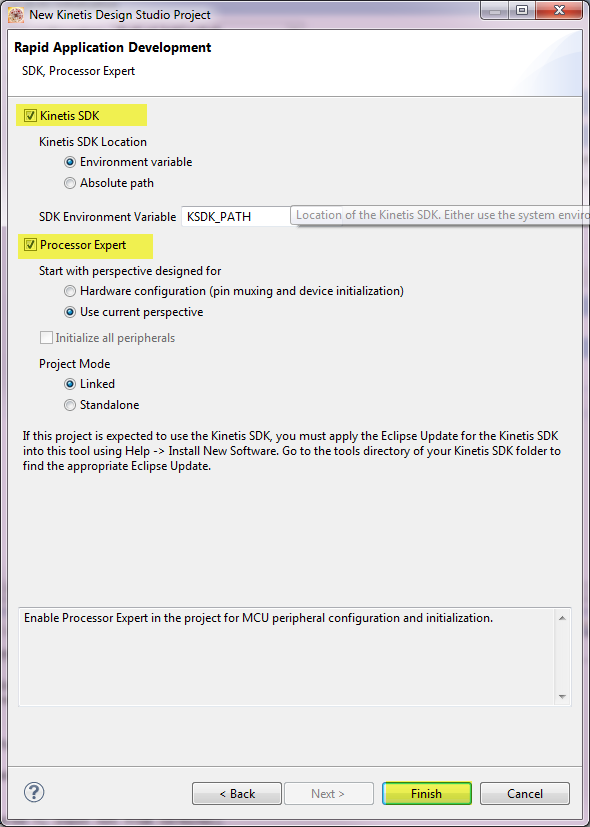
Now, the structure looks like this:
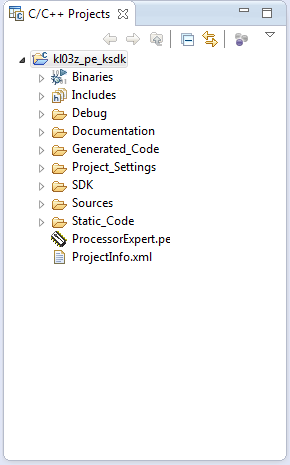
Set Processor Expert Settings
Now, go to Components Library, find fsl_tpm component and by double click add the component to Component View.
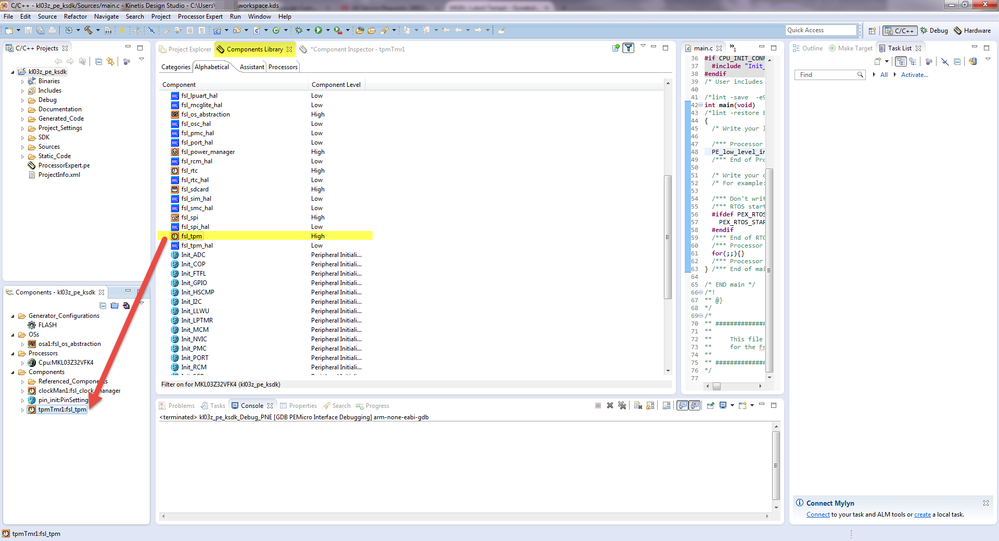
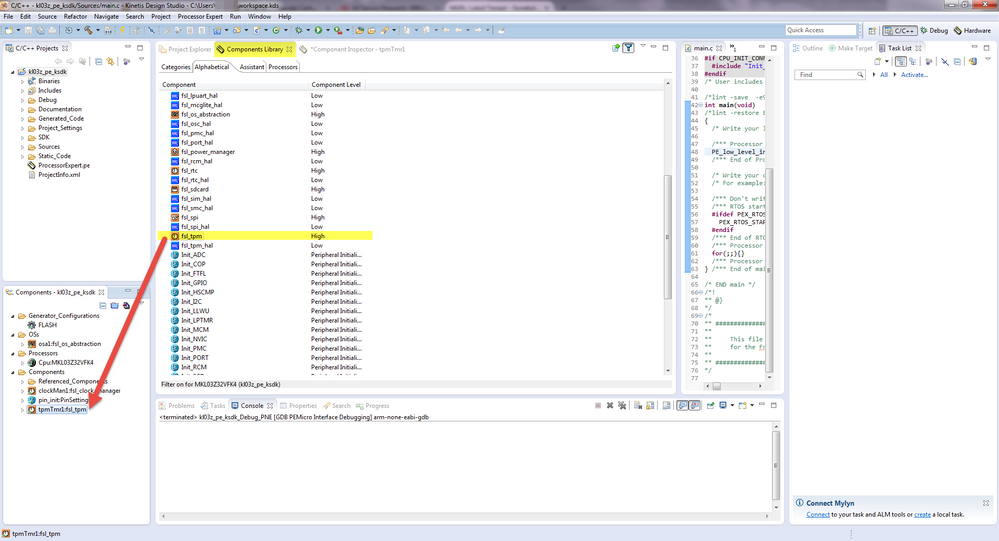
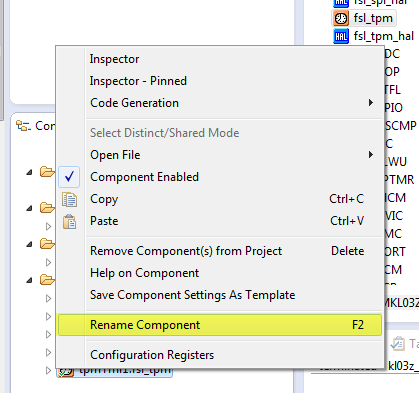
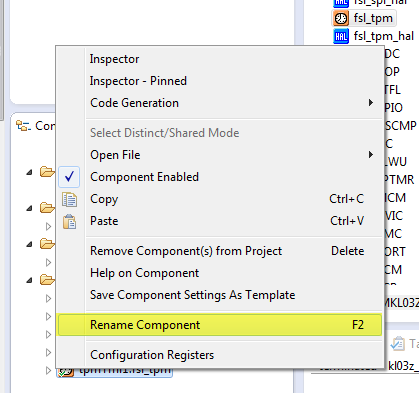
Rename the component tpmTmr:fsl_tpm to e.g. RedLed.
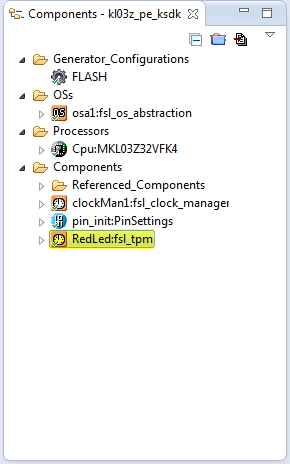
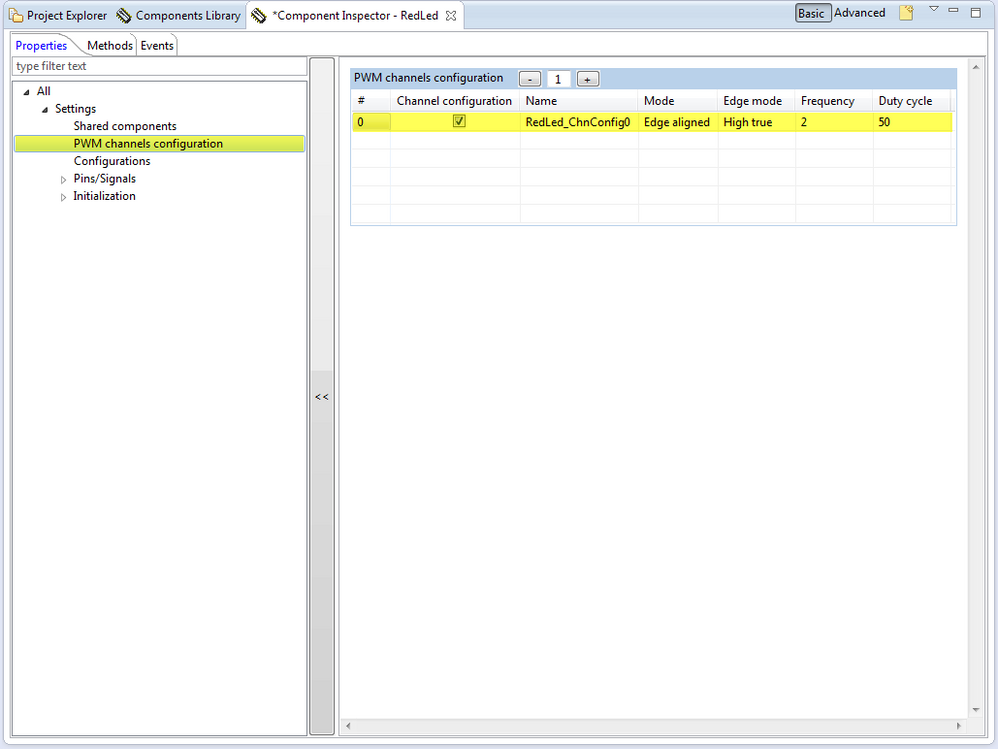
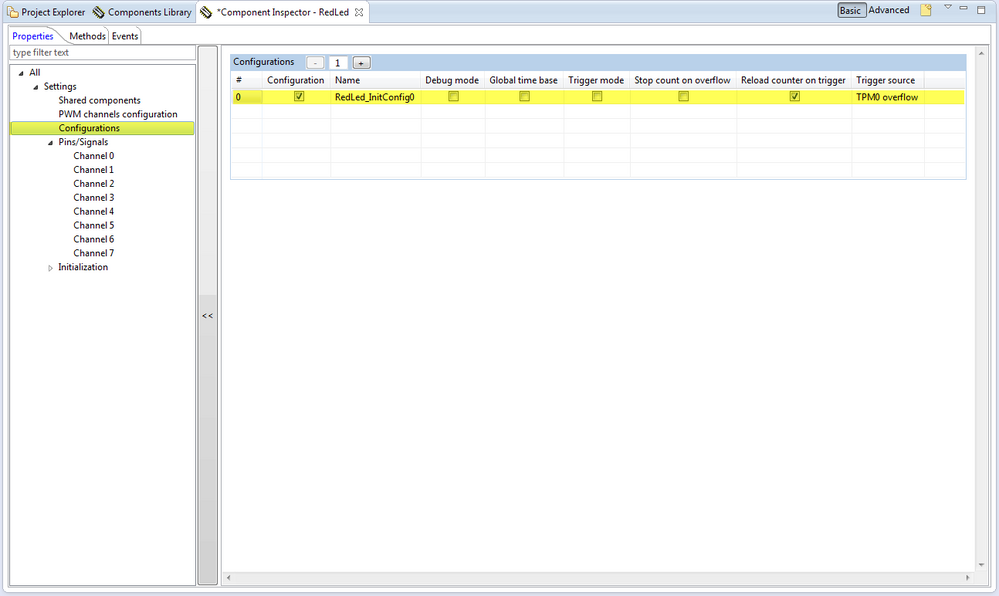
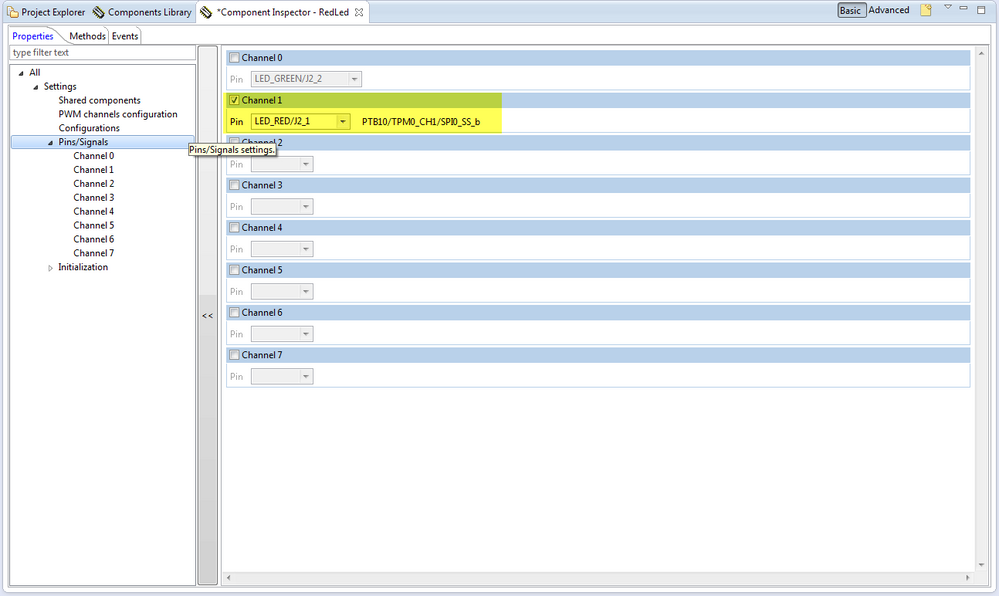
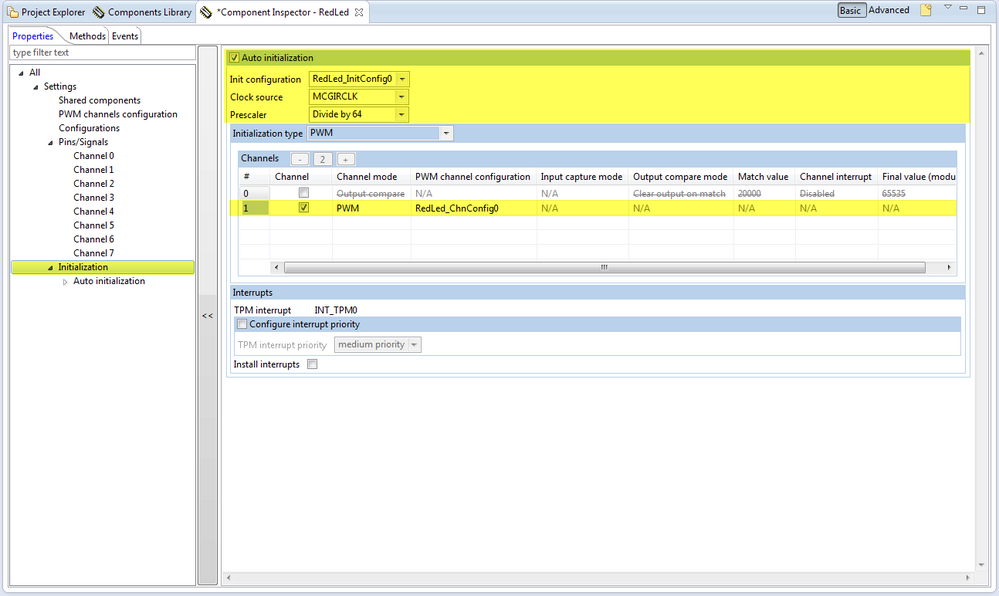
Double click on RedLed:fsl_tpm in Components View and see Component Inspector
Follow these steps:
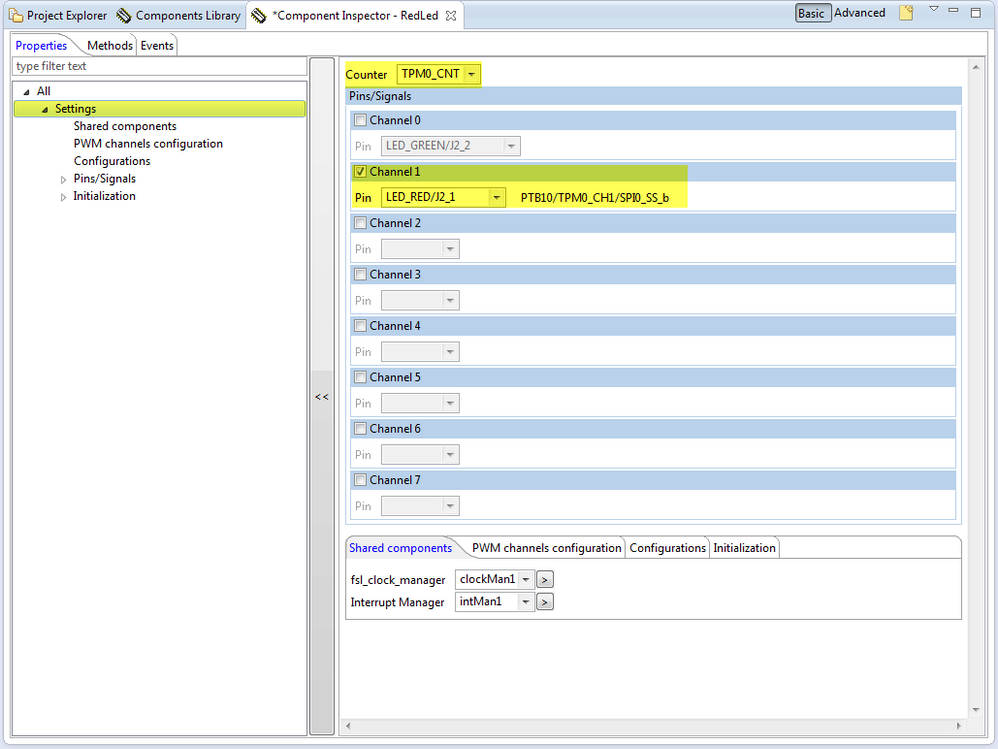
Set frequency and duty cycle.
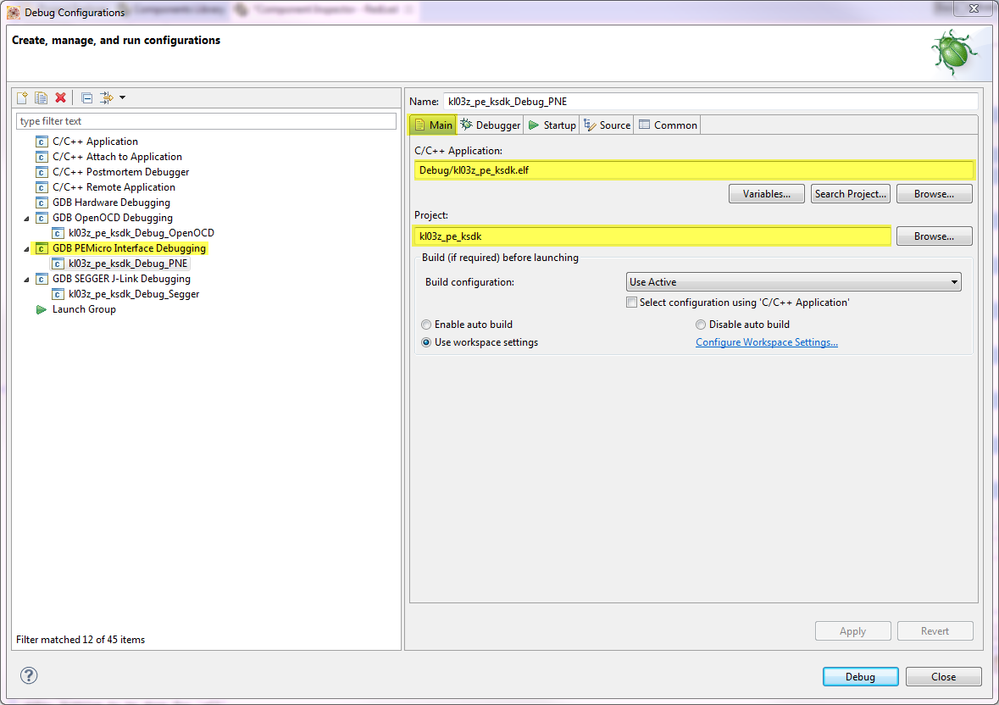
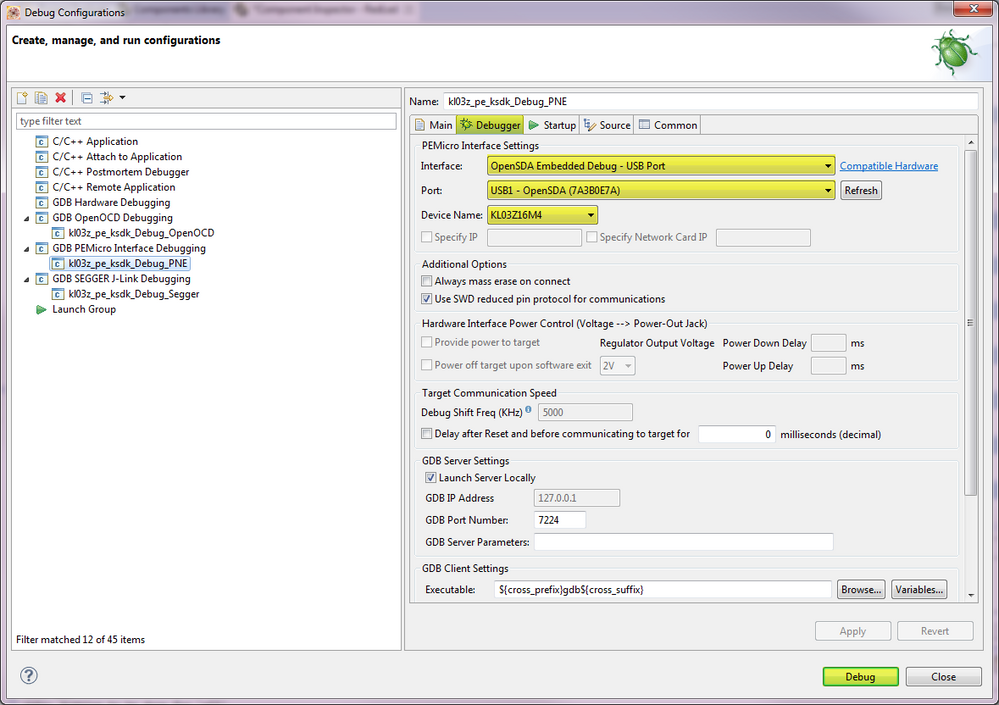
Debug configuration




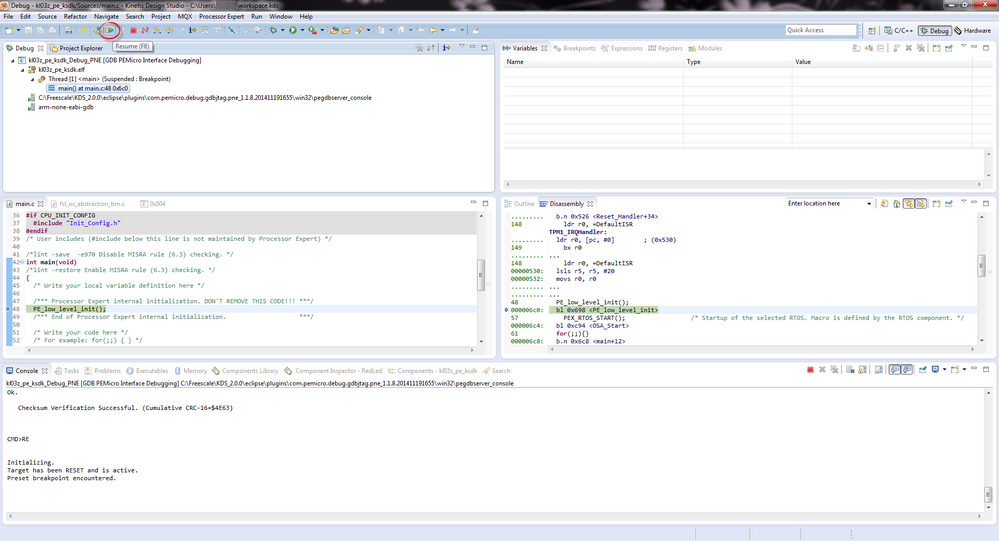
DONE!

- 既読としてマーク
- 新着としてマーク
- ブックマーク
- ハイライト
- 印刷
- 不適切なコンテンツを報告
I try to repeat the project building for FRDM-K64Z and adding fsl_tpm component is rejected with error.
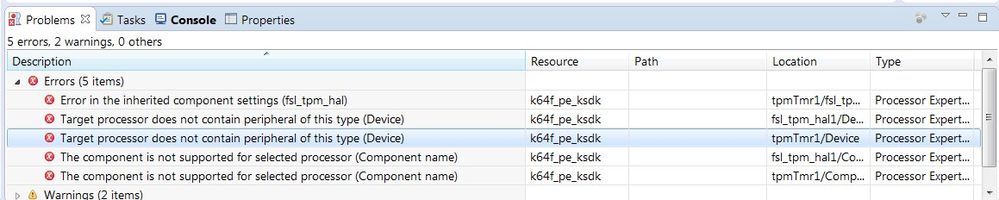
Could it be that this component is not supported by this device ?

- 既読としてマーク
- 新着としてマーク
- ブックマーク
- ハイライト
- 印刷
- 不適切なコンテンツを報告
Hello shaul dorf:
As explained by the errors the K64 does not have TPM module. Instead it has the FTM (FlexTimer), which is similar but with more advanced features. You can use it with fsl_ftm component.
The disadvantage is that none of the FTM channel output pins are connected to the RGB LEDs in the FRDM-K64F, so you cannot replicate the example of this post. Instead you can use a timer an toggle LED from the interrupt routine.
This video could also be useful:
Regards!
Jorge Gonzalez
- 既読としてマーク
- 新着としてマーク
- ブックマーク
- ハイライト
- 印刷
- 不適切なコンテンツを報告
Hello Jorge thanks,
Your video is exceled, and I used it :smileyhappy:
My intention was to use another component.
So I conclude that the only way to know which component are supported
for specific board is by error report am I right?
Shaul
- 既読としてマーク
- 新着としてマーク
- ブックマーク
- ハイライト
- 印刷
- 不適切なコンテンツを報告
Hi Shaul:
No, actually you should have the components filter activated for "Applicable to project", see the picture:
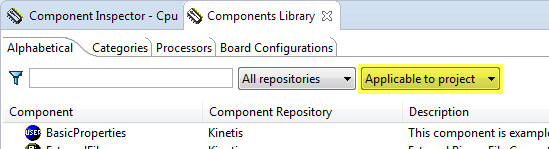
This way only the supported components are available.
Regards!
Jorge Gonzalez
