
- Forums
- Product Forums
- General Purpose MicrocontrollersGeneral Purpose Microcontrollers
- i.MX Forumsi.MX Forums
- QorIQ Processing PlatformsQorIQ Processing Platforms
- Identification and SecurityIdentification and Security
- Power ManagementPower Management
- Wireless ConnectivityWireless Connectivity
- RFID / NFCRFID / NFC
- Advanced AnalogAdvanced Analog
- Neural Processing UnitsNeural Processing Units
- MCX Microcontrollers
- S32G
- S32K
- S32V
- MPC5xxx
- Other NXP Products
- S12 / MagniV Microcontrollers
- Powertrain and Electrification Analog Drivers
- Sensors
- Vybrid Processors
- Digital Signal Controllers
- 8-bit Microcontrollers
- ColdFire/68K Microcontrollers and Processors
- PowerQUICC Processors
- OSBDM and TBDML
- S32M
- S32Z/E
-
- Solution Forums
- Software Forums
- MCUXpresso Software and ToolsMCUXpresso Software and Tools
- CodeWarriorCodeWarrior
- MQX Software SolutionsMQX Software Solutions
- Model-Based Design Toolbox (MBDT)Model-Based Design Toolbox (MBDT)
- FreeMASTER
- eIQ Machine Learning Software
- Embedded Software and Tools Clinic
- S32 SDK
- S32 Design Studio
- GUI Guider
- Zephyr Project
- Voice Technology
- Application Software Packs
- Secure Provisioning SDK (SPSDK)
- Processor Expert Software
- Generative AI & LLMs
-
- Topics
- Mobile Robotics - Drones and RoversMobile Robotics - Drones and Rovers
- NXP Training ContentNXP Training Content
- University ProgramsUniversity Programs
- Rapid IoT
- NXP Designs
- SafeAssure-Community
- OSS Security & Maintenance
- Using Our Community
-
- Cloud Lab Forums
-
- Knowledge Bases
- ARM Microcontrollers
- i.MX Processors
- Identification and Security
- Model-Based Design Toolbox (MBDT)
- QorIQ Processing Platforms
- S32 Automotive Processing Platform
- Wireless Connectivity
- CodeWarrior
- MCUXpresso Suite of Software and Tools
- MQX Software Solutions
- RFID / NFC
- Advanced Analog
- Neural Processing Units
-
- NXP Tech Blogs
- Home
- :
- Software Forums
- :
- S32 Design Studio Knowledge Base
- :
- HOWTO: Create An ISP Project From Example in S32DS for Vision
HOWTO: Create An ISP Project From Example in S32DS for Vision
- Subscribe to RSS Feed
- Mark as New
- Mark as Read
- Bookmark
- Subscribe
- Printer Friendly Page
- Report Inappropriate Content
HOWTO: Create An ISP Project From Example in S32DS for Vision
HOWTO: Create An ISP Project From Example in S32DS for Vision
S32DS for Vision contains many example projects from which you can learn how S32DS for Vision can be used with the help of the Vision SDK to develop vision applications. The example projects contain generated and hand-written code, which utilize the Vision SDK to demonstrate a workflow using S32DS for Vision. In this document, the procedure for creating a project from one of the provided ISP examples through to execution on the EVB is detailed.
1) Launch S32DS for Vision
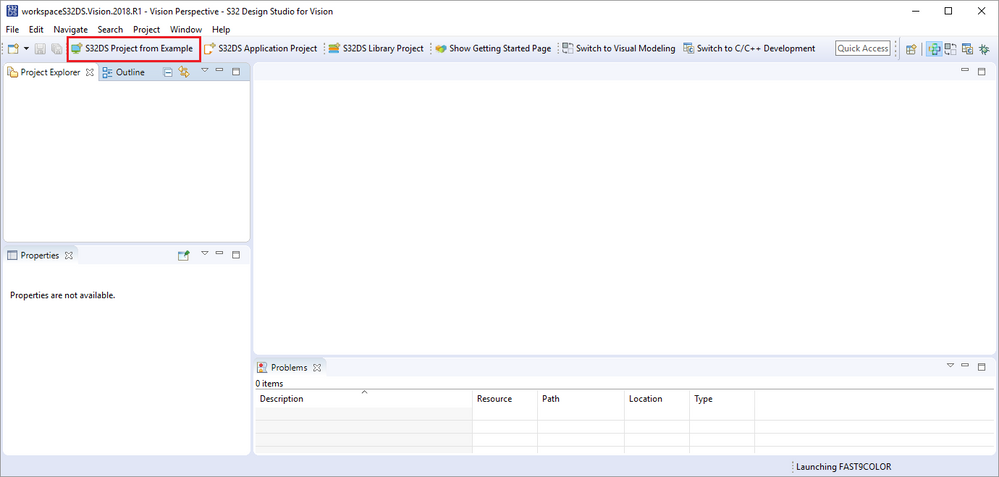
2) Select "New S32DS Project from example"
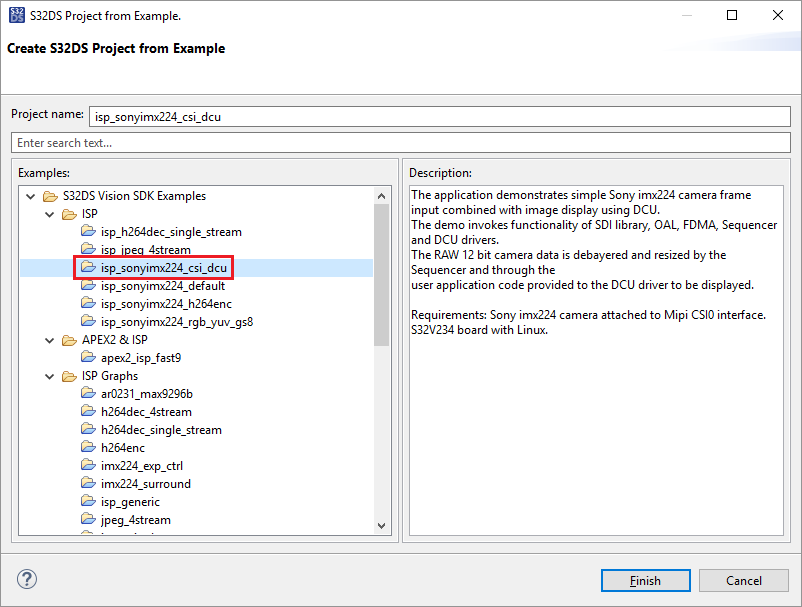
3) Select isp_sonyimx224_csi_dcu project
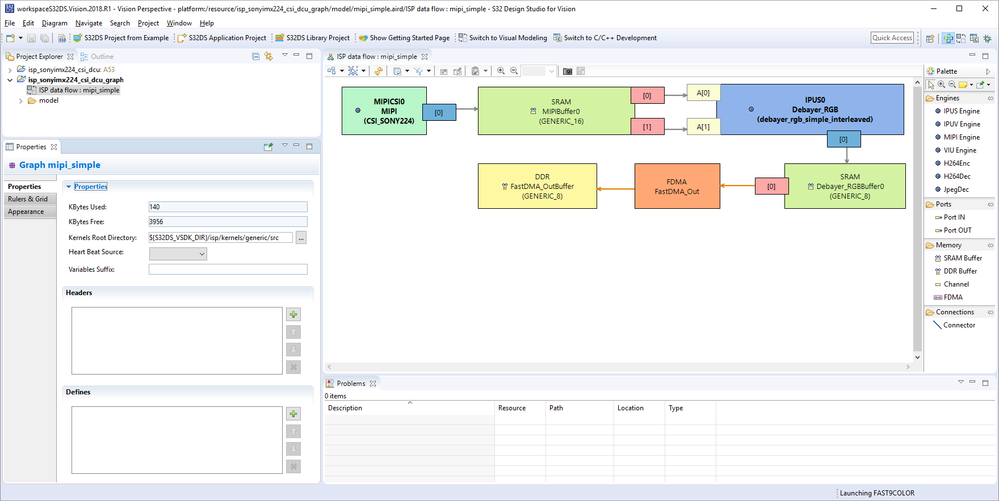
In this particular project, the ISP graph diagram is included. If you wish to view it, go to the Project Explorer panel and expand 'isp_sonyimx224_csi_dcu_graph'. Then double click on 'ISP data flow : isp_sonyimx224_csi_dcu_graph'. The ISP graph diagram will appear in the editor panel.
4) Change to C/C++ perspective, click on 'Switch to C/C++ Development'
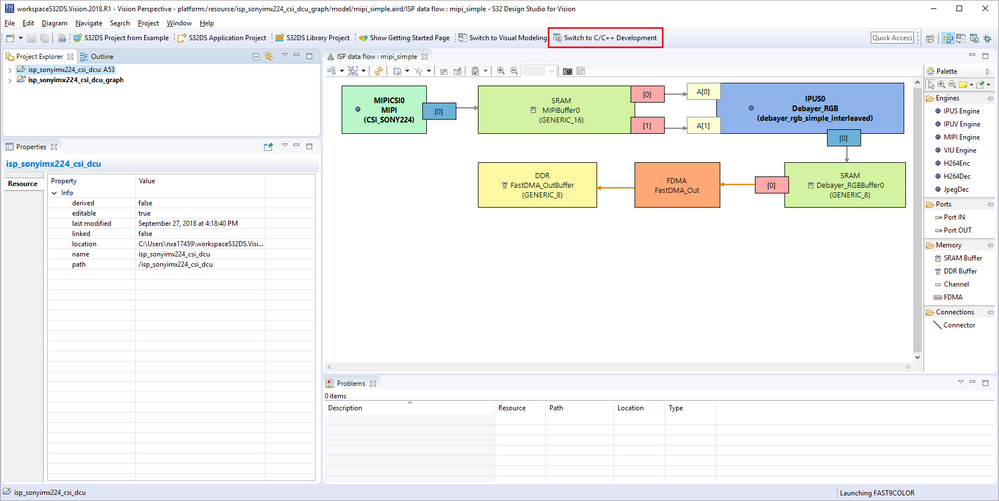
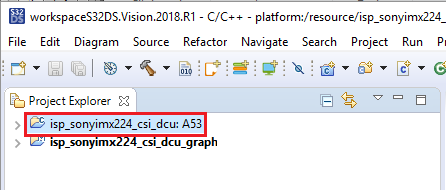
5) Select isp_sonyimx224_csi_dcu: A53 in the Project Explorer panel
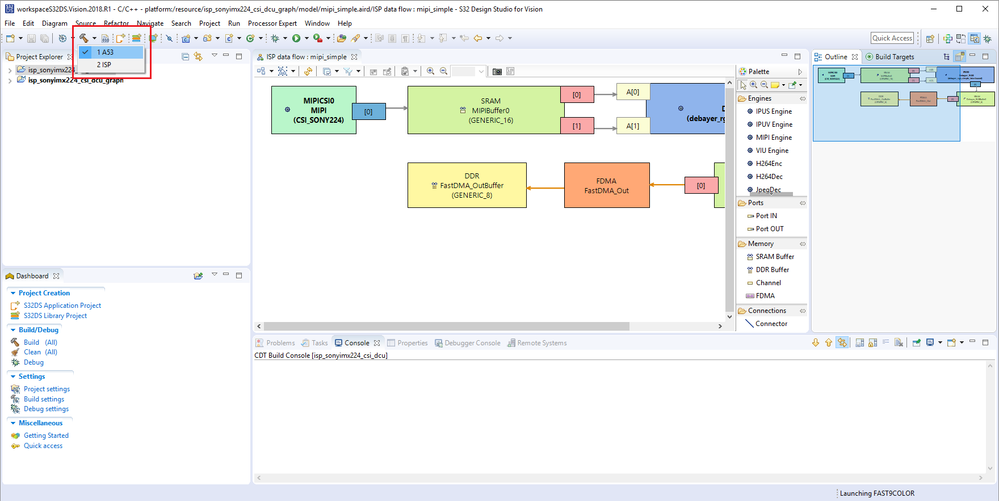
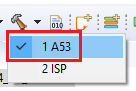
6) Build project for A53
7) Start a debug session using method as described in HOWTO Create A53 Linux Project in S32DS for Vision, beginning at step 9.
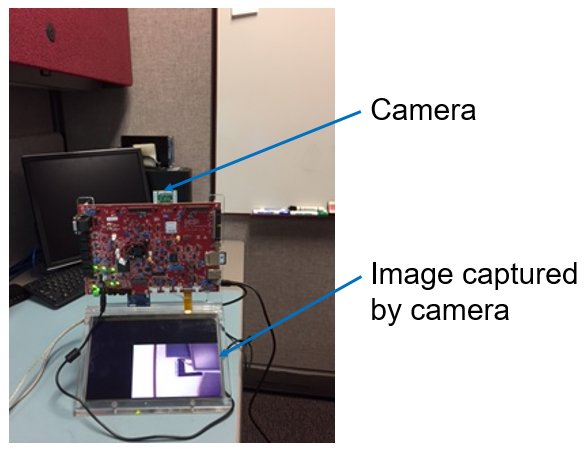
8) Should get results similar to this:

- Mark as Read
- Mark as New
- Bookmark
- Permalink
- Report Inappropriate Content
Hi Mike Doidge
It is helpful when i follow your guide to create project. But i encounter a strange issue. Could you help me for this? Thanks.
My S32 DS is :S32 Design Studio for Vision Version 2018.R1
PC OS version: ubuntu 14.04 64bits
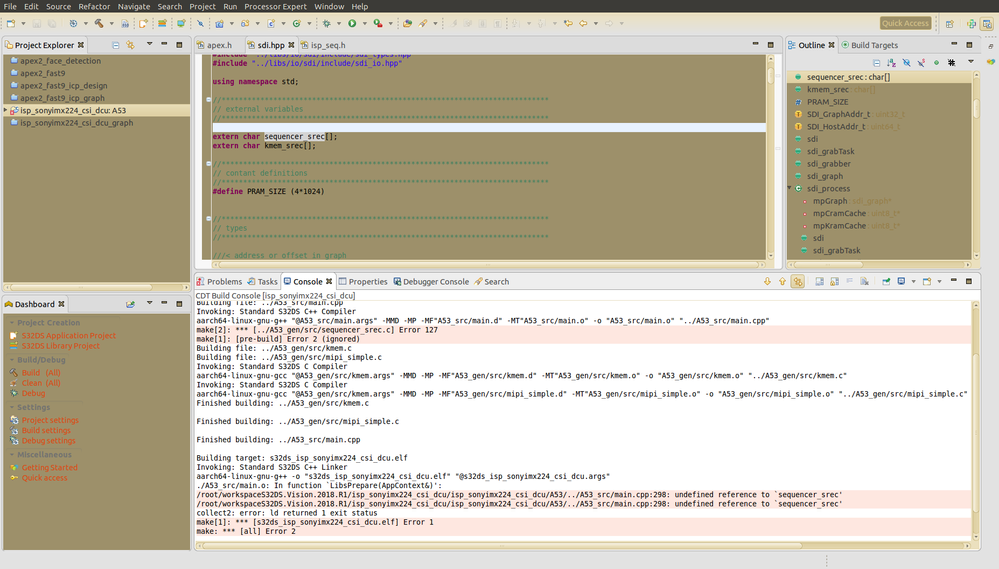
When i build the project, the logs shown as below:
13:42:02 **** Build of configuration A53 for project isp_sonyimx224_csi_dcu ****
make -j4 all
make --no-print-directory pre-build
rm -f ../A53_gen/src/sequencer_srec.c; make -f ../Project_Settings/Scripts/seq.mk TD="/root/NXP/S32DS_Vision_v2018.R1/eclipse/../Cross_Tools/gcc-6.3-arm32-eabi" VD="/root/NXP/S32DS_Vision_v2018.R1/eclipse/../S32DS/s32v234_sdk"
make[2]: dos2unix: Command not found
make --no-print-directory main-build
Building file: ../A53_src/main.cpp
Invoking: Standard S32DS C++ Compiler
aarch64-linux-gnu-g++ "@A53_src/main.args" -MMD -MP -MF"A53_src/main.d" -MT"A53_src/main.o" -o "A53_src/main.o" "../A53_src/main.cpp"
make[2]: *** [../A53_gen/src/sequencer_srec.c] Error 127
make[1]: [pre-build] Error 2 (ignored)
Building file: ../A53_gen/src/kmem.c
Building file: ../A53_gen/src/mipi_simple.c
Invoking: Standard S32DS C Compiler
aarch64-linux-gnu-gcc "@A53_gen/src/kmem.args" -MMD -MP -MF"A53_gen/src/kmem.d" -MT"A53_gen/src/kmem.o" -o "A53_gen/src/kmem.o" "../A53_gen/src/kmem.c"
Invoking: Standard S32DS C Compiler
aarch64-linux-gnu-gcc "@A53_gen/src/kmem.args" -MMD -MP -MF"A53_gen/src/mipi_simple.d" -MT"A53_gen/src/mipi_simple.o" -o "A53_gen/src/mipi_simple.o" "../A53_gen/src/mipi_simple.c"
Finished building: ../A53_gen/src/kmem.c
Finished building: ../A53_gen/src/mipi_simple.c
Finished building: ../A53_src/main.cpp
Building target: s32ds_isp_sonyimx224_csi_dcu.elf
Invoking: Standard S32DS C++ Linker
aarch64-linux-gnu-g++ -o "s32ds_isp_sonyimx224_csi_dcu.elf" "@s32ds_isp_sonyimx224_csi_dcu.args"
./A53_src/main.o: In function `LibsPrepare(AppContext&)':
/root/workspaceS32DS.Vision.2018.R1/isp_sonyimx224_csi_dcu/isp_sonyimx224_csi_dcu/A53/../A53_src/main.cpp:298: undefined reference to `sequencer_srec'
/root/workspaceS32DS.Vision.2018.R1/isp_sonyimx224_csi_dcu/isp_sonyimx224_csi_dcu/A53/../A53_src/main.cpp:298: undefined reference to `sequencer_srec'
collect2: error: ld returned 1 exit status
make[1]: *** [s32ds_isp_sonyimx224_csi_dcu.elf] Error 1
make: *** [all] Error 2
13:42:07 Build Finished (took 4s.477ms)
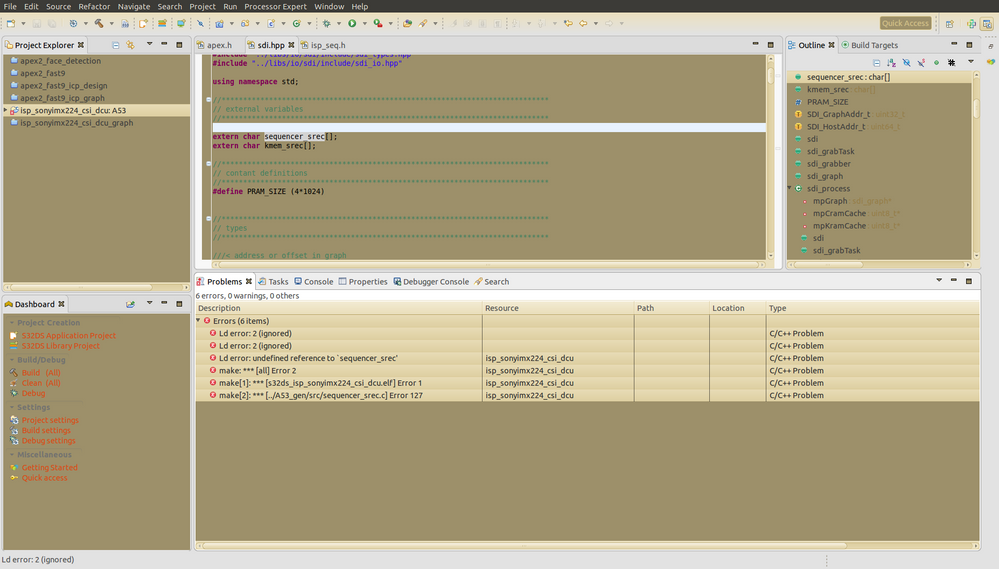
Description Resource Path Location Type
Ld error: 2 (ignored) C/C++ Problem
Ld error: 2 (ignored) C/C++ Problem
Ld error: undefined reference to `sequencer_srec' isp_sonyimx224_csi_dcu C/C++ Problem
make: *** [all] Error 2 isp_sonyimx224_csi_dcu C/C++ Problem
make[1]: *** [s32ds_isp_sonyimx224_csi_dcu.elf] Error 1 isp_sonyimx224_csi_dcu C/C++ Problem
make[2]: *** [../A53_gen/src/sequencer_srec.c] Error 127 isp_sonyimx224_csi_dcu C/C++ Problem

- Mark as Read
- Mark as New
- Bookmark
- Permalink
- Report Inappropriate Content
Hi,
are you able build ISP target?
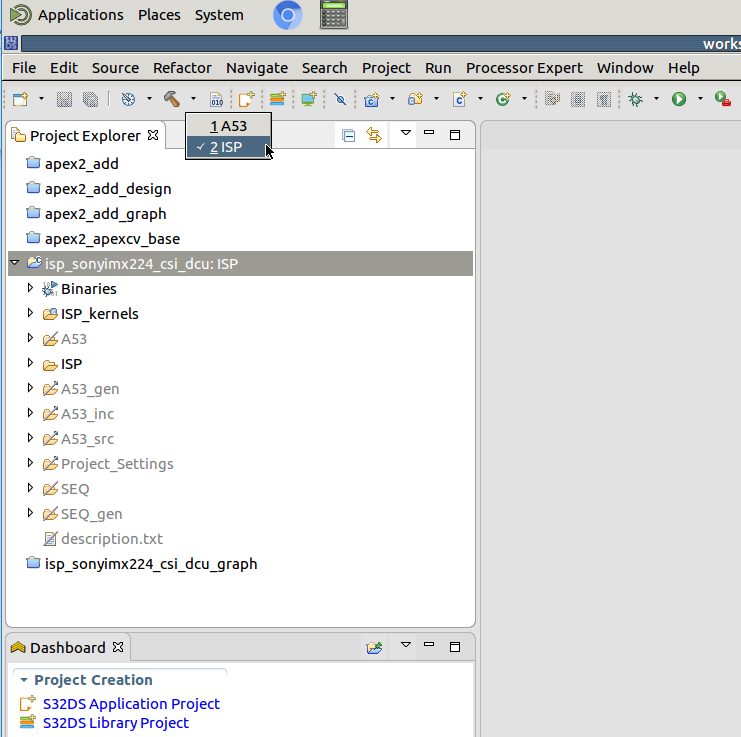
If not, please share the output from build console.
Jiri
