
- Forums
- Product Forums
- General Purpose MicrocontrollersGeneral Purpose Microcontrollers
- i.MX Forumsi.MX Forums
- QorIQ Processing PlatformsQorIQ Processing Platforms
- Identification and SecurityIdentification and Security
- Power ManagementPower Management
- Wireless ConnectivityWireless Connectivity
- RFID / NFCRFID / NFC
- Advanced AnalogAdvanced Analog
- Neural Processing UnitsNeural Processing Units
- MCX Microcontrollers
- S32G
- S32K
- S32V
- MPC5xxx
- Other NXP Products
- S12 / MagniV Microcontrollers
- Powertrain and Electrification Analog Drivers
- Sensors
- Vybrid Processors
- Digital Signal Controllers
- 8-bit Microcontrollers
- ColdFire/68K Microcontrollers and Processors
- PowerQUICC Processors
- OSBDM and TBDML
- S32M
- S32Z/E
-
- Solution Forums
- Software Forums
- MCUXpresso Software and ToolsMCUXpresso Software and Tools
- CodeWarriorCodeWarrior
- MQX Software SolutionsMQX Software Solutions
- Model-Based Design Toolbox (MBDT)Model-Based Design Toolbox (MBDT)
- FreeMASTER
- eIQ Machine Learning Software
- Embedded Software and Tools Clinic
- S32 SDK
- S32 Design Studio
- GUI Guider
- Zephyr Project
- Voice Technology
- Application Software Packs
- Secure Provisioning SDK (SPSDK)
- Processor Expert Software
- Generative AI & LLMs
-
- Topics
- Mobile Robotics - Drones and RoversMobile Robotics - Drones and Rovers
- NXP Training ContentNXP Training Content
- University ProgramsUniversity Programs
- Rapid IoT
- NXP Designs
- SafeAssure-Community
- OSS Security & Maintenance
- Using Our Community
-
- Cloud Lab Forums
-
- Knowledge Bases
- ARM Microcontrollers
- i.MX Processors
- Identification and Security
- Model-Based Design Toolbox (MBDT)
- QorIQ Processing Platforms
- S32 Automotive Processing Platform
- Wireless Connectivity
- CodeWarrior
- MCUXpresso Suite of Software and Tools
- MQX Software Solutions
- RFID / NFC
- Advanced Analog
- Neural Processing Units
-
- NXP Tech Blogs
- Home
- :
- i.MX フォーラム
- :
- i.MXプロセッサ
- :
- ubuntu-i.mx8m.pdf error
ubuntu-i.mx8m.pdf error
- RSS フィードを購読する
- トピックを新着としてマーク
- トピックを既読としてマーク
- このトピックを現在のユーザーにフロートします
- ブックマーク
- 購読
- ミュート
- 印刷用ページ

- 新着としてマーク
- ブックマーク
- 購読
- ミュート
- RSS フィードを購読する
- ハイライト
- 印刷
- 不適切なコンテンツを報告
3. Download ubuntu rootfs
$ mkdir ~/rootfs && cd ~/rootfs
pdf: $ wget http://cdimage.ubuntu.com/ubuntu-base/releases/19.10/release/ubuntu-base-19.10-base-arm64.tar.gz
$ wget https://cdimage.ubuntu.com/ubuntu-base/releases/18.04/release/ubuntu-base-18.04.5-base-arm64.tar.gz
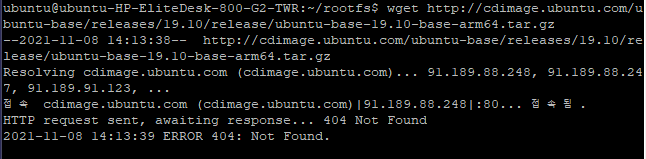
Change it and move on
$ mkdir ubuntu-rootfs
pdf: $ tar -xvf ubuntu-base-19.10-base-arm64.tar.gz -C ubuntu-rootfs
$ tar -xvf ubuntu-base-18.04.5-base-arm64.tar.gz -C ubuntu-rootfs
Change it and move on
$ cd ubuntu-rootfs
$ ls
4. Install qemu-user-static on PC to simulate arm64 environment
$ apt-get install qemu-user-static
$ cp /usr/bin/qemu-aarch64-static usr/bin
$ cp -b /etc/resolv.conf etc/
5. Simulate arm64 environment
$ cd ../ (rootfs$)
$ ./ch-mount.sh -m ubuntu-rootfs

Refusing permission
There's no command
Can you help me with this error when an error occurs?
解決済! 解決策の投稿を見る。

 jimmychan
- 新着としてマーク
- ブックマーク
- 購読
- ミュート
- RSS フィードを購読する
- ハイライト
- 印刷
- 不適切なコンテンツを報告
We have support Ubuntu rootfs build in the Linux Yocto BSP.
Please try to follow the steps below to build it.
https://source.codeaurora.org/external/imx/meta-nxp-desktop/tree/README.md?h=imx-5.10.52-hardknott
For the Yocto BSP, please refer to this link.
jimmychan
- 新着としてマーク
- ブックマーク
- 購読
- ミュート
- RSS フィードを購読する
- ハイライト
- 印刷
- 不適切なコンテンツを報告
We have support Ubuntu rootfs build in the Linux Yocto BSP.
Please try to follow the steps below to build it.
https://source.codeaurora.org/external/imx/meta-nxp-desktop/tree/README.md?h=imx-5.10.52-hardknott
For the Yocto BSP, please refer to this link.
- 新着としてマーク
- ブックマーク
- 購読
- ミュート
- RSS フィードを購読する
- ハイライト
- 印刷
- 不適切なコンテンツを報告
Thank you, teacher.
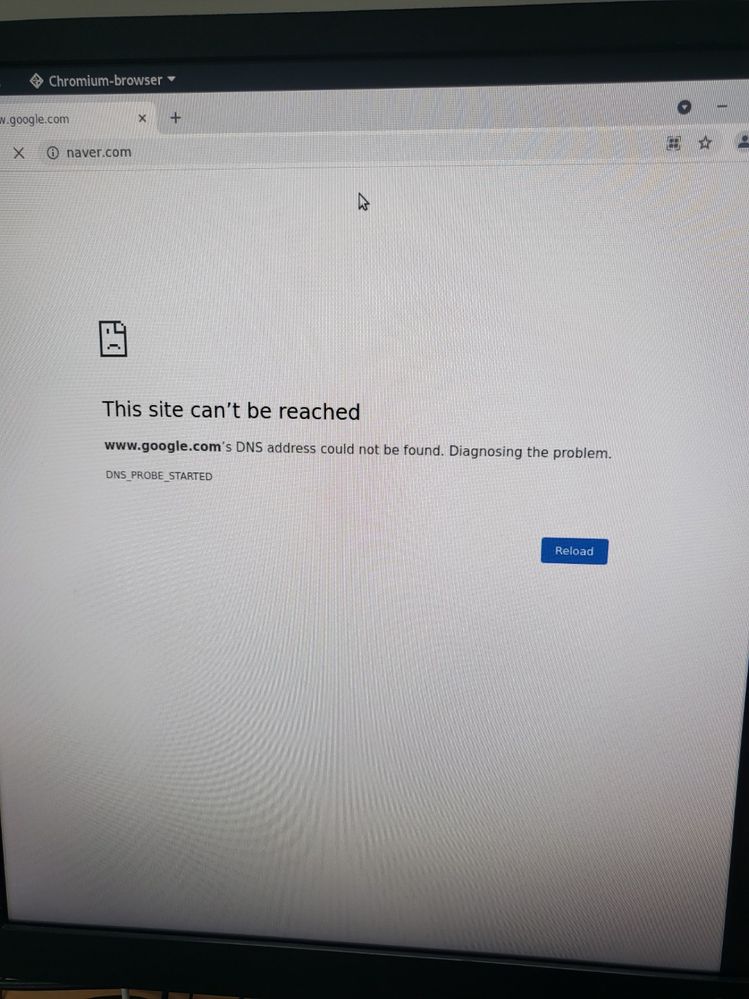
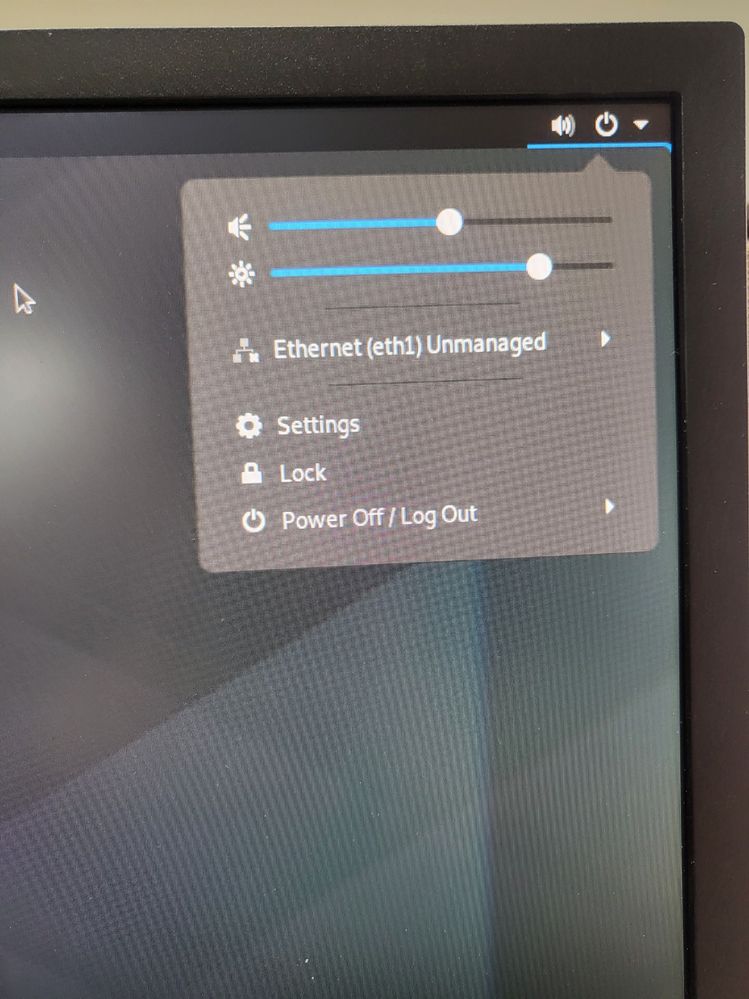
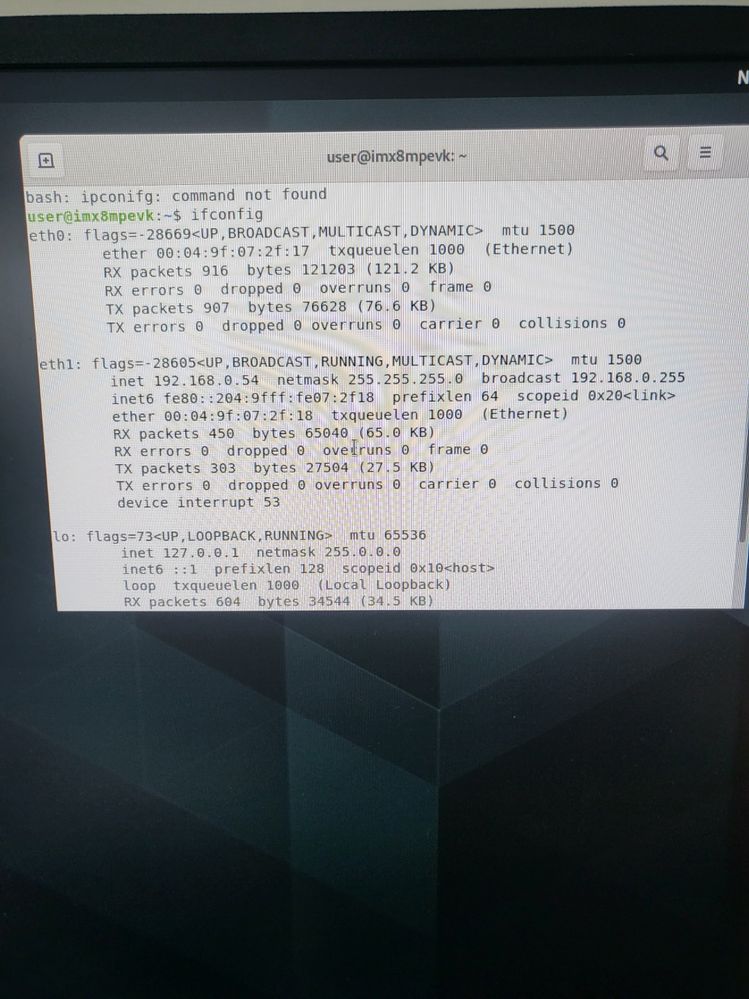
However, Ethernet connection and Internet connection are not available.
it is "imx8mpevk". Also, does this os install apt-get?
 jimmychan
- 新着としてマーク
- ブックマーク
- 購読
- ミュート
- RSS フィードを購読する
- ハイライト
- 印刷
- 不適切なコンテンツを報告
So, have you try to use ifconfig to set the IP address?
- 新着としてマーク
- ブックマーク
- 購読
- ミュート
- RSS フィードを購読する
- ハイライト
- 印刷
- 不適切なコンテンツを報告
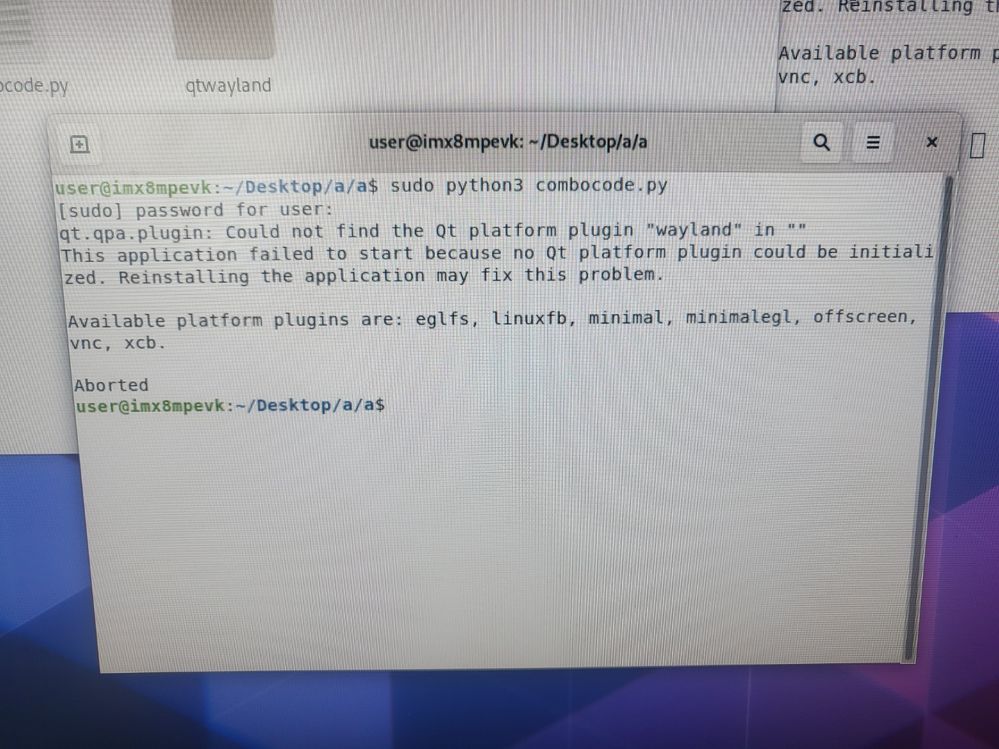
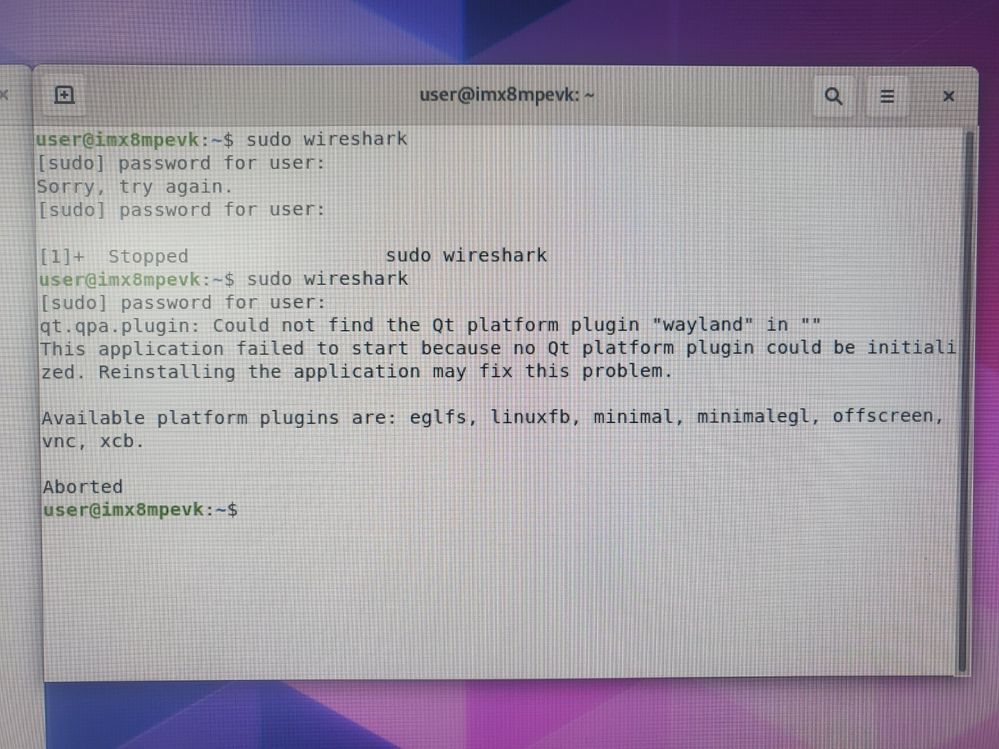
Doesn't this os run the "qt5" program?
I installed "pyqt5" with "sudo apt-get install python3-pyqt5".

- 新着としてマーク
- ブックマーク
- 購読
- ミュート
- RSS フィードを購読する
- ハイライト
- 印刷
- 不適切なコンテンツを報告
Thank you. It's been resolved.
