
- Forums
- Product Forums
- General Purpose MicrocontrollersGeneral Purpose Microcontrollers
- i.MX Forumsi.MX Forums
- QorIQ Processing PlatformsQorIQ Processing Platforms
- Identification and SecurityIdentification and Security
- Power ManagementPower Management
- Wireless ConnectivityWireless Connectivity
- RFID / NFCRFID / NFC
- Advanced AnalogAdvanced Analog
- Neural Processing UnitsNeural Processing Units
- MCX Microcontrollers
- S32G
- S32K
- S32V
- MPC5xxx
- Other NXP Products
- S12 / MagniV Microcontrollers
- Powertrain and Electrification Analog Drivers
- Sensors
- Vybrid Processors
- Digital Signal Controllers
- 8-bit Microcontrollers
- ColdFire/68K Microcontrollers and Processors
- PowerQUICC Processors
- OSBDM and TBDML
- S32M
- S32Z/E
-
- Solution Forums
- Software Forums
- MCUXpresso Software and ToolsMCUXpresso Software and Tools
- CodeWarriorCodeWarrior
- MQX Software SolutionsMQX Software Solutions
- Model-Based Design Toolbox (MBDT)Model-Based Design Toolbox (MBDT)
- FreeMASTER
- eIQ Machine Learning Software
- Embedded Software and Tools Clinic
- S32 SDK
- S32 Design Studio
- GUI Guider
- Zephyr Project
- Voice Technology
- Application Software Packs
- Secure Provisioning SDK (SPSDK)
- Processor Expert Software
- Generative AI & LLMs
-
- Topics
- Mobile Robotics - Drones and RoversMobile Robotics - Drones and Rovers
- NXP Training ContentNXP Training Content
- University ProgramsUniversity Programs
- Rapid IoT
- NXP Designs
- SafeAssure-Community
- OSS Security & Maintenance
- Using Our Community
-
- Cloud Lab Forums
-
- Knowledge Bases
- ARM Microcontrollers
- i.MX Processors
- Identification and Security
- Model-Based Design Toolbox (MBDT)
- QorIQ Processing Platforms
- S32 Automotive Processing Platform
- Wireless Connectivity
- CodeWarrior
- MCUXpresso Suite of Software and Tools
- MQX Software Solutions
- RFID / NFC
- Advanced Analog
- Neural Processing Units
-
- NXP Tech Blogs
- Home
- :
- Software Forums
- :
- S32 Design Studio
- :
- Re: UBUNTU install S32DS issue
UBUNTU install S32DS issue
- Subscribe to RSS Feed
- Mark Topic as New
- Mark Topic as Read
- Float this Topic for Current User
- Bookmark
- Subscribe
- Mute
- Printer Friendly Page

- Mark as New
- Bookmark
- Subscribe
- Mute
- Subscribe to RSS Feed
- Permalink
- Report Inappropriate Content

 jiri_kral
- Mark as New
- Bookmark
- Subscribe
- Mute
- Subscribe to RSS Feed
- Permalink
- Report Inappropriate Content
Hi,
did you clean yout cmd3 project in windows machine, then import it in GUI, built it for first time in GUI? Makefile generated on windows machine doesn't work on Linux host
Jiri
jiri_kral
- Mark as New
- Bookmark
- Subscribe
- Mute
- Subscribe to RSS Feed
- Permalink
- Report Inappropriate Content
Hi,
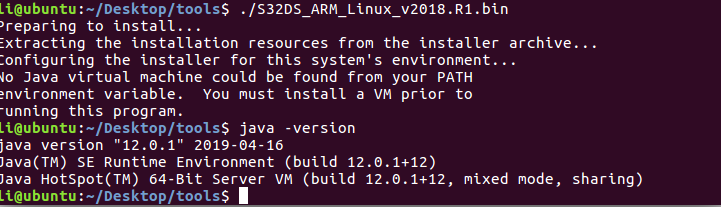
S32DS requires Java 8. Open JDK is ok ( apt-get install openjdk-8-jre ).
Hope it helps.
Jiri
- Mark as New
- Bookmark
- Subscribe
- Mute
- Subscribe to RSS Feed
- Permalink
- Report Inappropriate Content
hello,
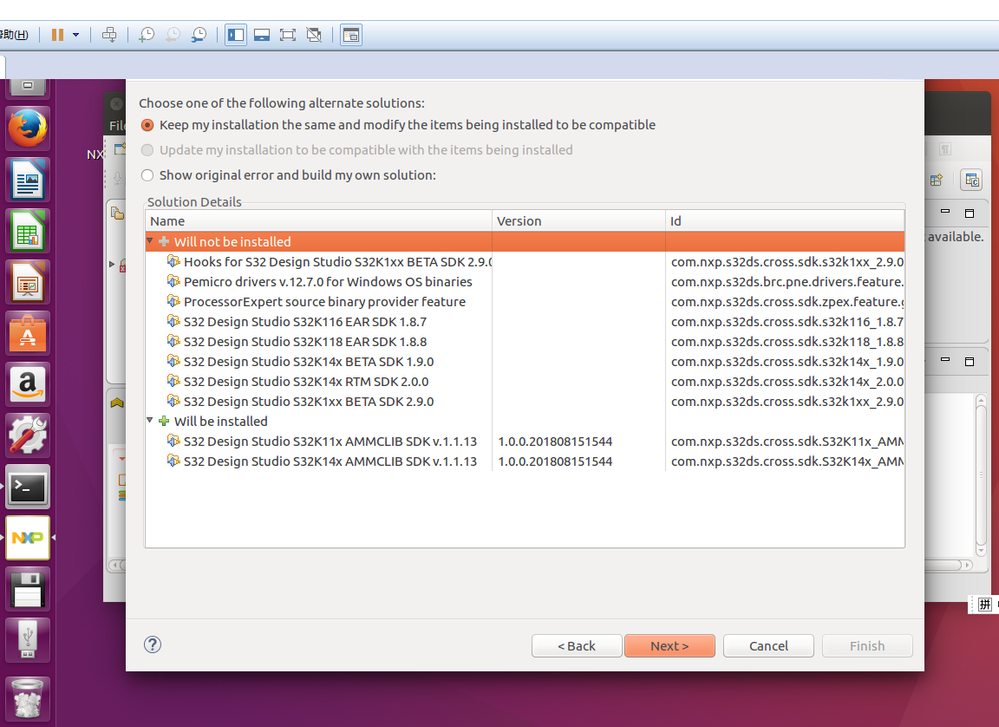
i install SDK is fail,
help->install new software->path:S32DS_ARM_v2018.R1_UP10.zip
but SDK no SDK 3.0
i need S32K148 SDK 3.0
- Mark as New
- Bookmark
- Subscribe
- Mute
- Subscribe to RSS Feed
- Permalink
- Report Inappropriate Content
 jiri_kral
- Mark as New
- Bookmark
- Subscribe
- Mute
- Subscribe to RSS Feed
- Permalink
- Report Inappropriate Content
Hi,
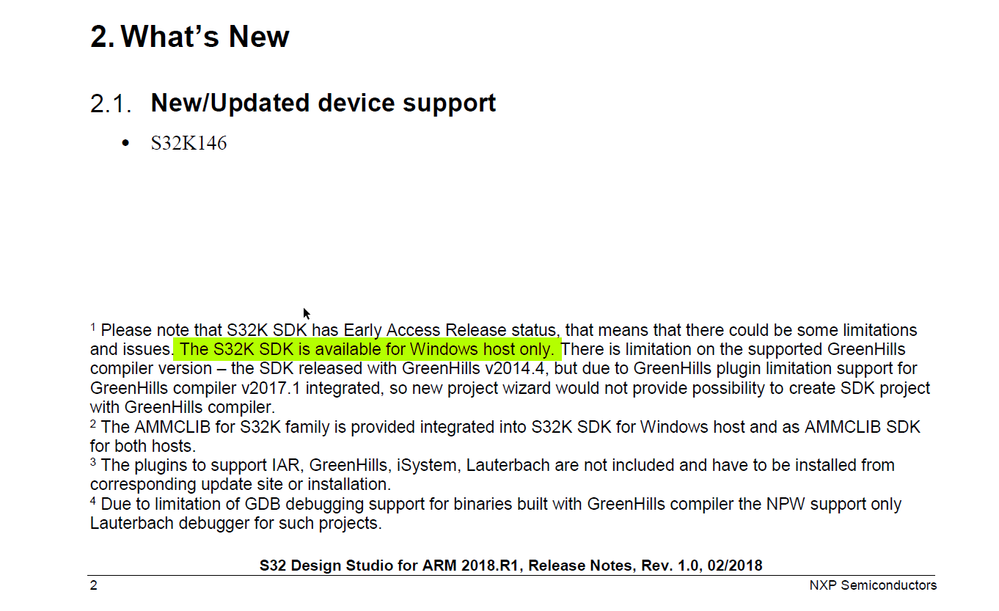
unfortunately SDK is supported only by MS Windows host system. Please see release notes:
Jiri
- Mark as New
- Bookmark
- Subscribe
- Mute
- Subscribe to RSS Feed
- Permalink
- Report Inappropriate Content
Dear Jiri,
thanks,i need work S32K148 in linux?
no use IDE,
how to build env,use bash?
Can you provide documentation?
or example?
BRS
grayli
jiri_kral
- Mark as New
- Bookmark
- Subscribe
- Mute
- Subscribe to RSS Feed
- Permalink
- Report Inappropriate Content
Hi,
Here is build command for hello_clocks_s32k144 example wiht default install paths:
./s32ds -nosplash -application org.eclipse.cdt.managedbuilder.core.headlessbuild -data ~/workspaceS32DS.ARM.2018.R1 -import ~/workspaceS32DS.ARM.2018.R1/hello_clocks_s32k144/ -cleanBuild hello_clocks_s32k144/Debug
Be sure that you are launching this command from eclipse home - by default ~/NXP/S32DS_ARM_v2018.R1/eclipse
parameters are:
-application -> eclipse managed builder
-data -> path to your S32DS workspace
-import -> path to your project
-cleanBuild -> project name including configuration (Debug in this example)
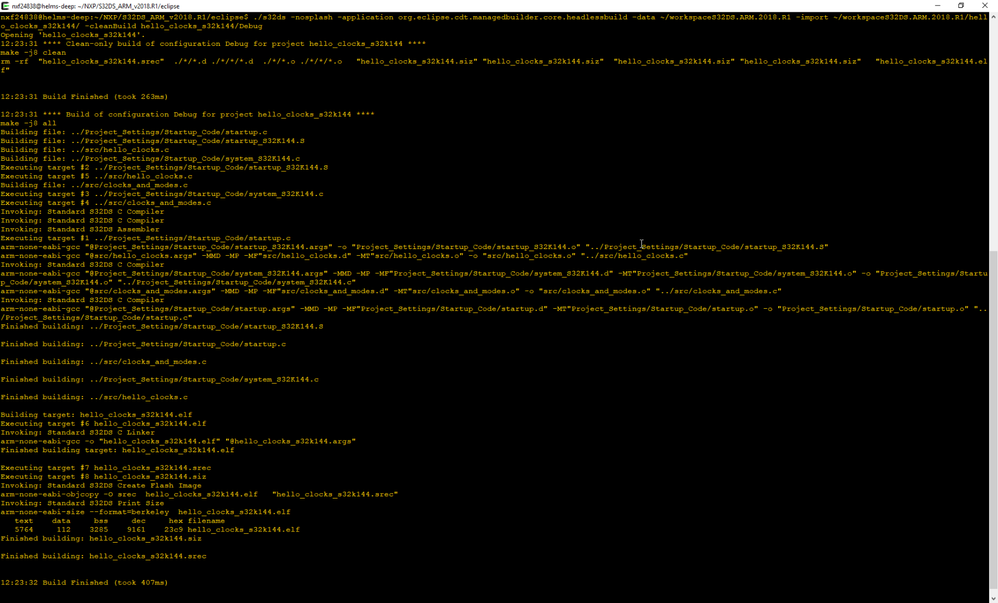
Hope it helps.
Jiri
- Mark as New
- Bookmark
- Subscribe
- Mute
- Subscribe to RSS Feed
- Permalink
- Report Inappropriate Content
hello,
issue 1:
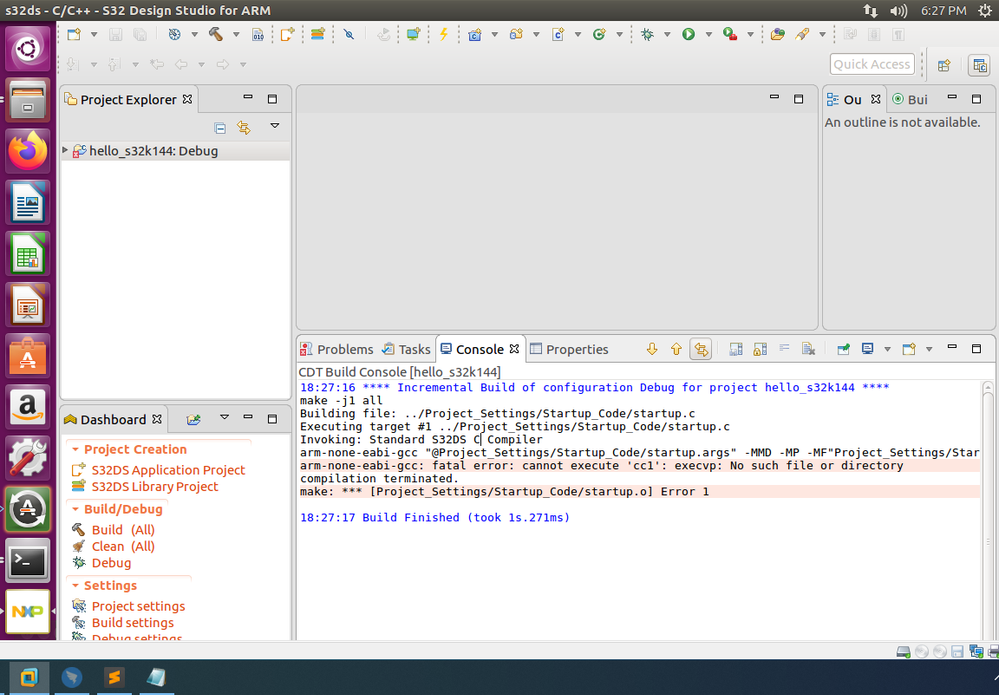
use example,build error!in linux
file->new->S32DS project for example->hell_s32k144
press [build]
issue 2:
i use example in windows,
copy to linux,
into project.debug
make
i need modify what?
grayli
 jiri_kral
- Mark as New
- Bookmark
- Subscribe
- Mute
- Subscribe to RSS Feed
- Permalink
- Report Inappropriate Content
Hi,
the cc1 is normally present in ~/NXP/S32DS_ARM_v2018.R1/Cross_Tools/gcc-arm-none-eabi-4_9/lib/gcc-none-eabi.4.9.3 directory. Can you check if cc1 executable is persent? If not, try to re-install S32DS.
The best way how to compile project from bash is using command mentioned above. It also generates makefile for project and calls correct compiler. By using just make in Debug folder - you need to specify path for arm-none-eabi-gcc in system environment.
To produce .bin output you can use
arm-none-eabi-objcopy -O binary your_project.elf "your_project.bin"
Jiri
- Mark as New
- Bookmark
- Subscribe
- Mute
- Subscribe to RSS Feed
- Permalink
- Report Inappropriate Content
hi,
The coding is done, but put it on ubuntu,
i think modif bash,then make,generate .BIN,
how to modif bash?
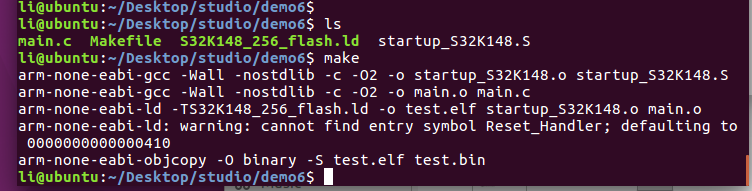
A simple test was done, failed, and the generated .BIN was bad.
Can you give me an example? Like this
main.c
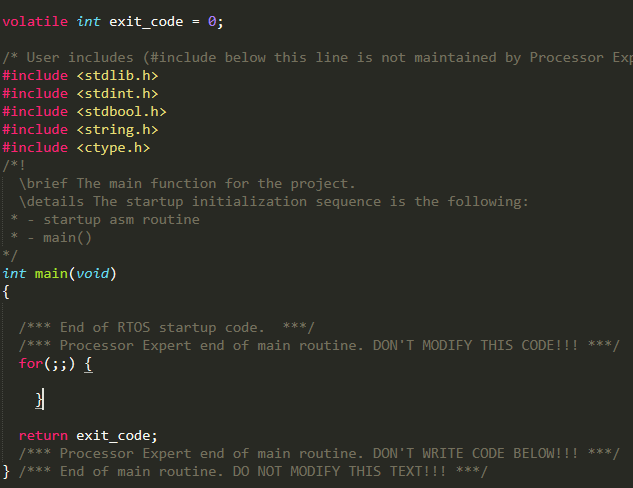
Everything else is SDK 3.0 standard file
jiri_kral
- Mark as New
- Bookmark
- Subscribe
- Mute
- Subscribe to RSS Feed
- Permalink
- Report Inappropriate Content
Hi,
It looks, that you build and link only main.c and startup_S32K148.S sources. The simpliest empty application also should contain startup.c and system_S32K148.c sources.
Anyway, what's your goal?
Jiri
- Mark as New
- Bookmark
- Subscribe
- Mute
- Subscribe to RSS Feed
- Permalink
- Report Inappropriate Content
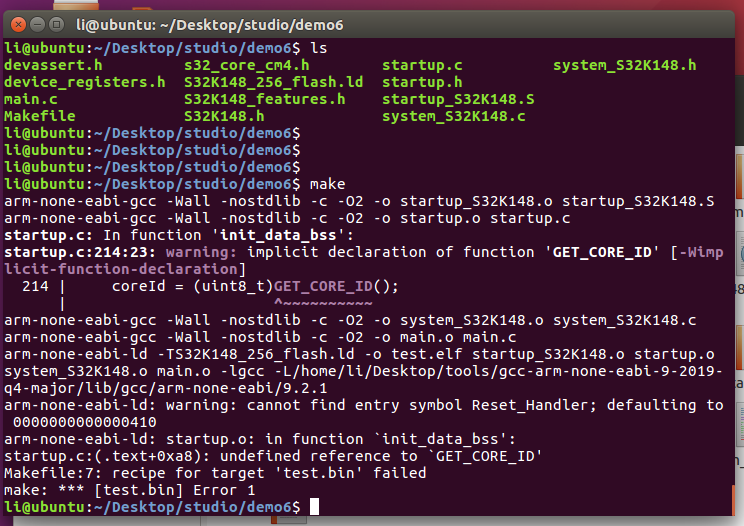
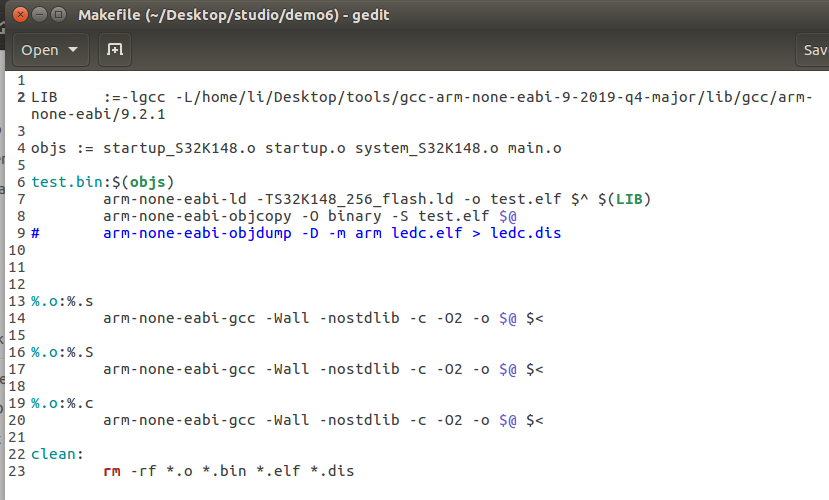 jiri_kral
- Mark as New
- Bookmark
- Subscribe
- Mute
- Subscribe to RSS Feed
- Permalink
- Report Inappropriate Content
Hi,
GET_CORE_ID is macro defined in s32_core_cm4.h header.
So, why you are not using generated makefile from project? With empty project is this file in Debug folder. My email address is [email protected]
Jiri
- Mark as New
- Bookmark
- Subscribe
- Mute
- Subscribe to RSS Feed
- Permalink
- Report Inappropriate Content
Using generated makefile from project, I try to modify makefile , but it fail.
Can you tell me how to modify about makefile from project?
1、add include "s32_core_cm4.h" on startup.c, but error
2、warning: cannot find entry symbol Reset_Handler; how to modify?
jiri_kral
- Mark as New
- Bookmark
- Subscribe
- Mute
- Subscribe to RSS Feed
- Permalink
- Report Inappropriate Content
Hi,
The easiest way - in my opinion - if you for some reason don't like call s32ds in command line mode for building your project (https://community.nxp.com/thread/519285#comment-1241074) is create project in GUI for your target device and build it for first time (this also generates makefile with correct include paths):
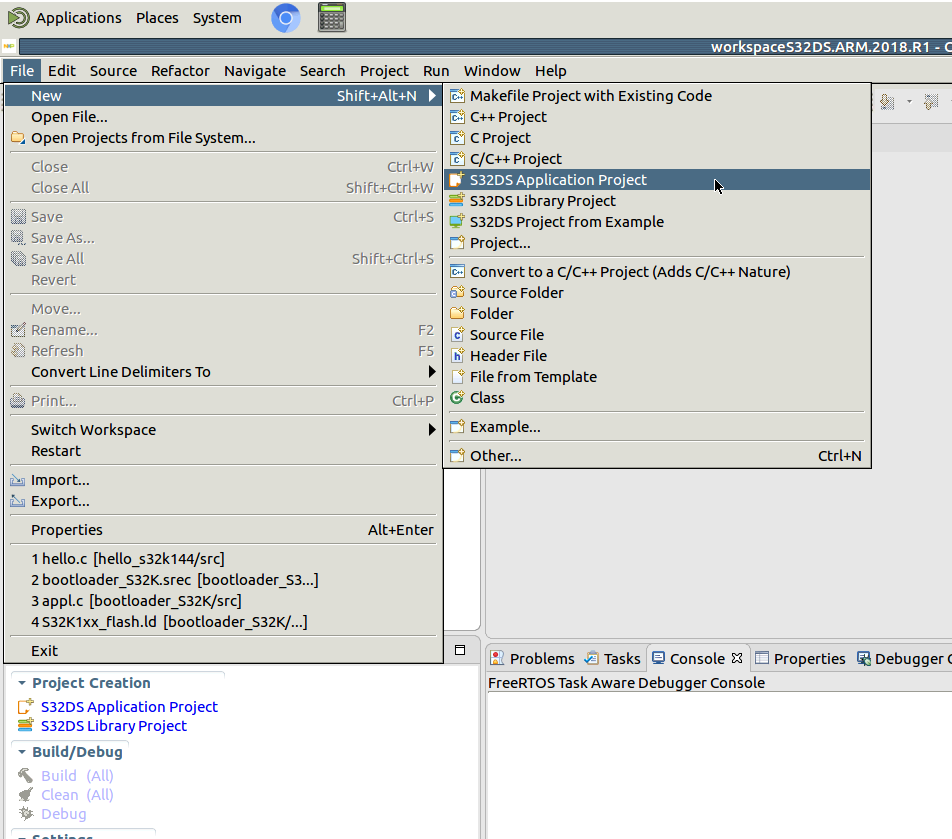
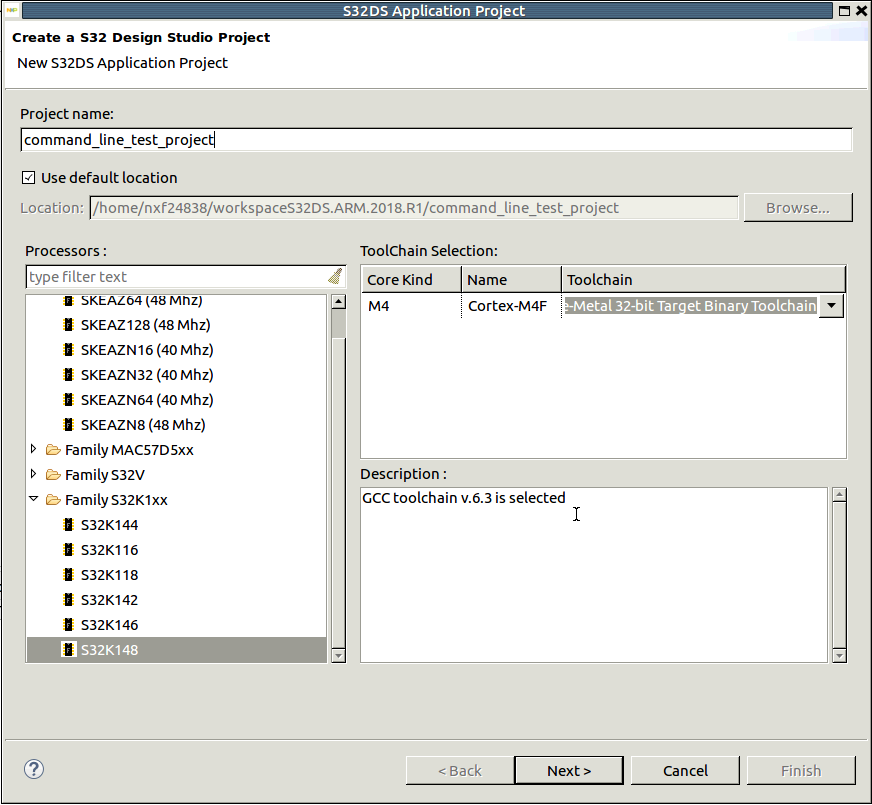
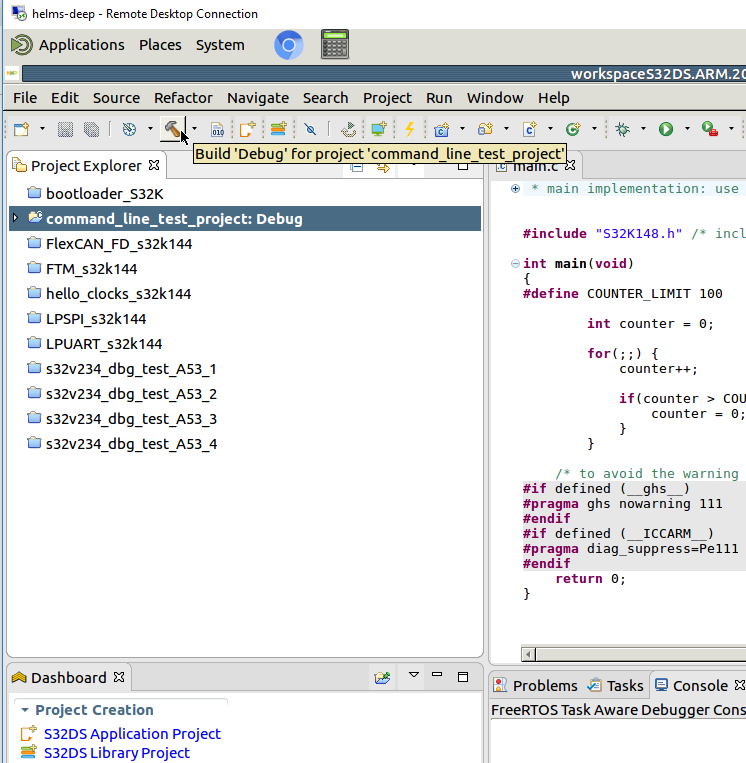
Then you can close S32DS and build project from command line:
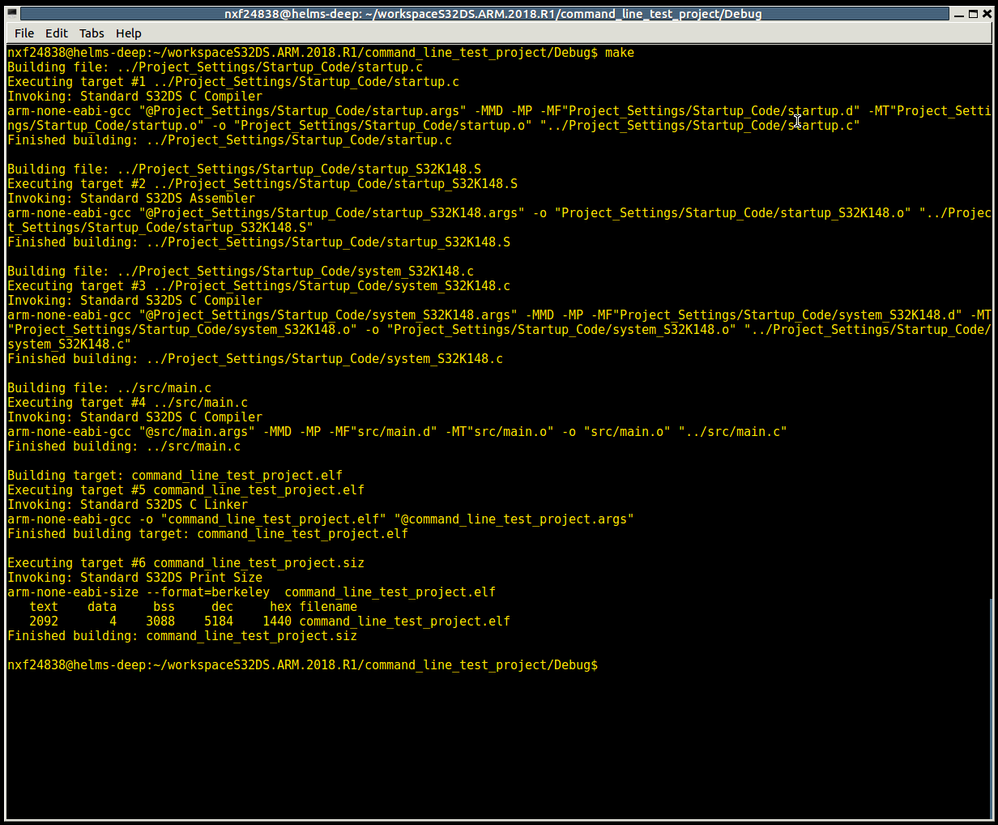
The supported gcc version is 6.3 - part of S32DS Installation. Easiest way is just add path to PATH env variable:

Jiri
- Mark as New
- Bookmark
- Subscribe
- Mute
- Subscribe to RSS Feed
- Permalink
- Report Inappropriate Content
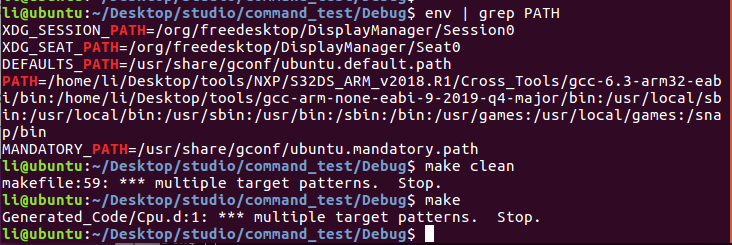 jiri_kral
- Mark as New
- Bookmark
- Subscribe
- Mute
- Subscribe to RSS Feed
- Permalink
- Report Inappropriate Content
Hi,
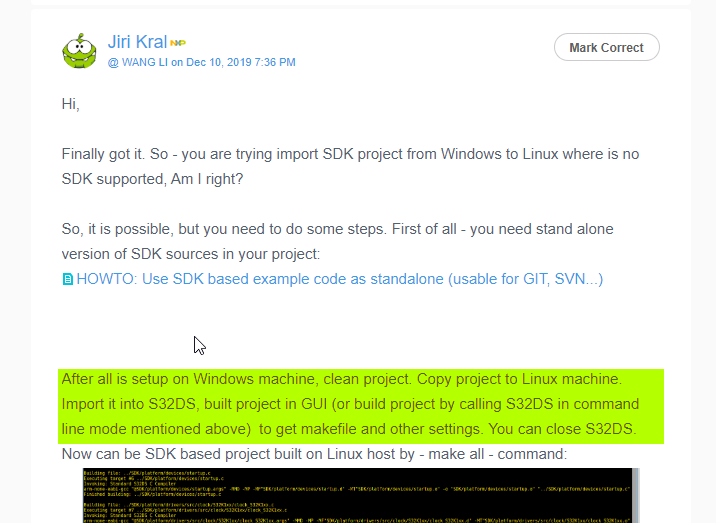
Finally got it. So - you are trying import SDK project from Windows to Linux where is no SDK supported, Am I right?
So, it is possible, but you need to do some steps. First of all - you need stand alone version of SDK sources in your project:
HOWTO: Use SDK based example code as standalone (usable for GIT, SVN...)
After all is setup on Windows machine, clean project. Copy project to Linux machine. Import it into S32DS, built project in GUI (or build project by calling S32DS in command line mode mentioned above) to get makefile and other settings. You can close S32DS. Now can be SDK based project built on Linux host by - make all - command:
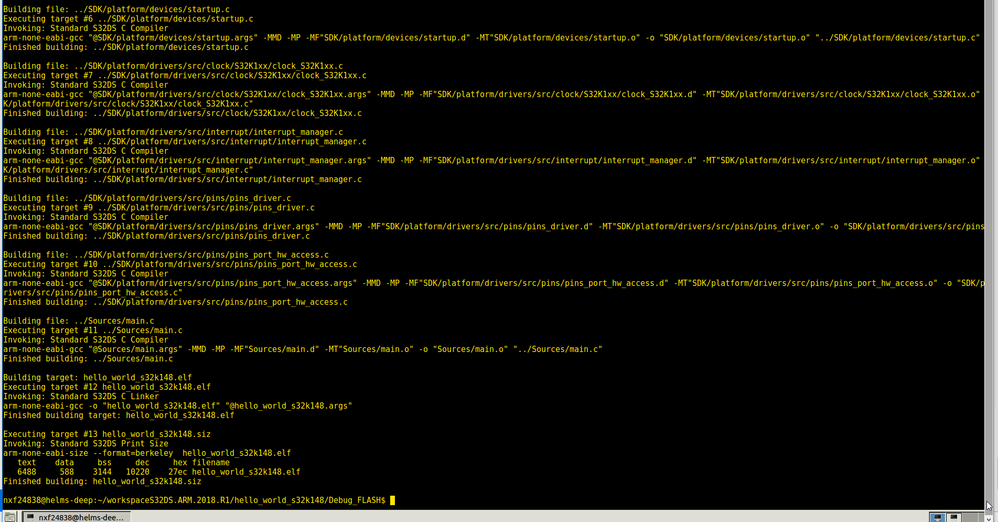
Hope it helps.
Jiri
- Mark as New
- Bookmark
- Subscribe
- Mute
- Subscribe to RSS Feed
- Permalink
- Report Inappropriate Content
hi,
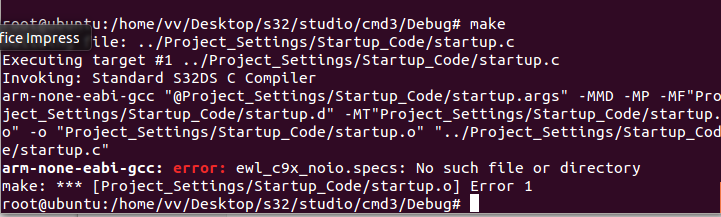
i use other install S32DS on linux, new project, into DEBUG ,"make" is sucessful .
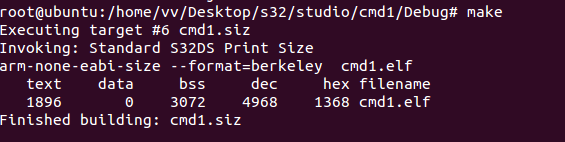
but ,copy project form windows to linux,into DEBUG ,"make" is error.
 jiri_kral
- Mark as New
- Bookmark
- Subscribe
- Mute
- Subscribe to RSS Feed
- Permalink
- Report Inappropriate Content
Hi,
did you clean yout cmd3 project in windows machine, then import it in GUI, built it for first time in GUI? Makefile generated on windows machine doesn't work on Linux host
Jiri
- Mark as New
- Bookmark
- Subscribe
- Mute
- Subscribe to RSS Feed
- Permalink
- Report Inappropriate Content
hi,jiri
I solved the problem myself, modif makefile.
Please ignore the email I sent you.
thanks
BRS
Grayli
- Mark as New
- Bookmark
- Subscribe
- Mute
- Subscribe to RSS Feed
- Permalink
- Report Inappropriate Content
hi,jiri
thanks for helping me.
use S32DS release on Linux, is sucessful.
other methods :arm-none-eabi-gcc, I'm trying to figure out why this failed.
Can you help me with this problem?
send source code to your e-mail.
BRS
Grayli
