
- Forums
- Product Forums
- General Purpose MicrocontrollersGeneral Purpose Microcontrollers
- i.MX Forumsi.MX Forums
- QorIQ Processing PlatformsQorIQ Processing Platforms
- Identification and SecurityIdentification and Security
- Power ManagementPower Management
- Wireless ConnectivityWireless Connectivity
- RFID / NFCRFID / NFC
- Advanced AnalogAdvanced Analog
- Neural Processing UnitsNeural Processing Units
- MCX Microcontrollers
- S32G
- S32K
- S32V
- MPC5xxx
- Other NXP Products
- S12 / MagniV Microcontrollers
- Powertrain and Electrification Analog Drivers
- Sensors
- Vybrid Processors
- Digital Signal Controllers
- 8-bit Microcontrollers
- ColdFire/68K Microcontrollers and Processors
- PowerQUICC Processors
- OSBDM and TBDML
- S32M
- S32Z/E
-
- Solution Forums
- Software Forums
- MCUXpresso Software and ToolsMCUXpresso Software and Tools
- CodeWarriorCodeWarrior
- MQX Software SolutionsMQX Software Solutions
- Model-Based Design Toolbox (MBDT)Model-Based Design Toolbox (MBDT)
- FreeMASTER
- eIQ Machine Learning Software
- Embedded Software and Tools Clinic
- S32 SDK
- S32 Design Studio
- GUI Guider
- Zephyr Project
- Voice Technology
- Application Software Packs
- Secure Provisioning SDK (SPSDK)
- Processor Expert Software
- Generative AI & LLMs
-
- Topics
- Mobile Robotics - Drones and RoversMobile Robotics - Drones and Rovers
- NXP Training ContentNXP Training Content
- University ProgramsUniversity Programs
- Rapid IoT
- NXP Designs
- SafeAssure-Community
- OSS Security & Maintenance
- Using Our Community
-
- Cloud Lab Forums
-
- Knowledge Bases
- ARM Microcontrollers
- i.MX Processors
- Identification and Security
- Model-Based Design Toolbox (MBDT)
- QorIQ Processing Platforms
- S32 Automotive Processing Platform
- Wireless Connectivity
- CodeWarrior
- MCUXpresso Suite of Software and Tools
- MQX Software Solutions
- RFID / NFC
- Advanced Analog
- Neural Processing Units
-
- NXP Tech Blogs
- Home
- :
- Software Forums
- :
- S32 Design Studio
- :
- S32 DS Power IDE is too slow.
S32 DS Power IDE is too slow.
- Subscribe to RSS Feed
- Mark Topic as New
- Mark Topic as Read
- Float this Topic for Current User
- Bookmark
- Subscribe
- Mute
- Printer Friendly Page

- Mark as New
- Bookmark
- Subscribe
- Mute
- Subscribe to RSS Feed
- Permalink
- Report Inappropriate Content
S32 DS Power IDE is too slow.
I'm using MPC5748G for dev. The supported IDE is S32 DS for power architecture.
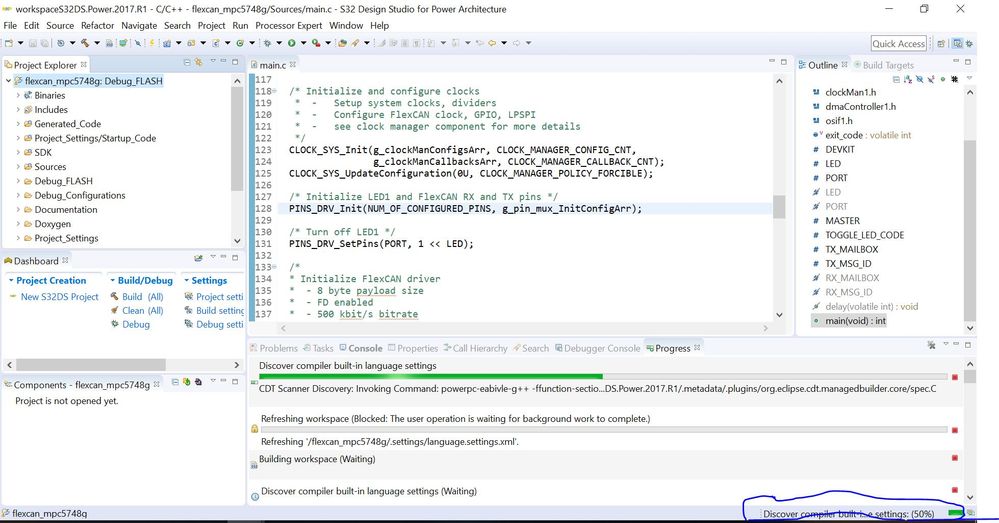
I've installed the latest ver (2017.R1) of S32 DS power architecture with all updates, but the problem is the IDE is too slow.
when i select clean/build a project it takes around 30 min to complete it..
Any reason for this ?
Solved! Go to Solution.

 mikedoidge
- Mark as New
- Bookmark
- Subscribe
- Mute
- Subscribe to RSS Feed
- Permalink
- Report Inappropriate Content
Hello [email protected],
We have seen some similar issues on another tool. Please see Build time is very high with S32DS for ARM V2.0 , and https://community.nxp.com/thread/460814 . It seems the root cause is not yet known, but perhaps the workaround will work for you. Try to disconnect your PC from the network and then build.
Hope it helps,
Mike
mikedoidge
- Mark as New
- Bookmark
- Subscribe
- Mute
- Subscribe to RSS Feed
- Permalink
- Report Inappropriate Content
Hello [email protected],
We have seen some similar issues on another tool. Please see Build time is very high with S32DS for ARM V2.0 , and https://community.nxp.com/thread/460814 . It seems the root cause is not yet known, but perhaps the workaround will work for you. Try to disconnect your PC from the network and then build.
Hope it helps,
Mike
- Mark as New
- Bookmark
- Subscribe
- Mute
- Subscribe to RSS Feed
- Permalink
- Report Inappropriate Content
Mike,
Yes, that work around (disconnecting network) seems working fine.
Thanks.
-Nirmal
- Mark as New
- Bookmark
- Subscribe
- Mute
- Subscribe to RSS Feed
- Permalink
- Report Inappropriate Content
Hello,
I face similar problems (see below) and looking for a solution, I got here. Alright, I can confirm the proposed workaround, disconnecting from the network definitely helps.
There may be another solution for those users, which use Windows and the External Builder in Eclipse, i.e., if Eclipse's hammer icon starts a makefile (or nmake, etc.) as an external process). In this case, it may help to use another set of UNIX tools (i.e., echo.exe, rm.exe, mkdir.exe, etc.) In my builds, I saw the slowdown in executing these commands. Particularly at the beginning, when mkdir creates the folders for the binary artifacts (or checks their presence) it was incredible slow, several seconds per folder. Not using mkdir.exe (and the others) from the S32DS installation (which happens by default) solved the problem.
Since I run the External Builder I can control the behavior by setting the environment accordingly and before I startup Eclipse. The external process sees the other set of commands in the Windows search path variable PATH before the IDE paths show up. The other involved tools, in particular the compiler, seems to be not affected by the problem.
What remains, and what I was actually looking for, is another aspect of the problem. While my build is alright, I still have the same issue with the startup of the debugger (GDB with P&E Multilink for PowerPC, JTAG). It's working without any error or perceivable failure, warning, etc. but it takes several minutes to enter the debug session. During this time, the progress bar is frozen at 61%. Once it progresses again, it takes just three seconds to reach 100%.
The "solution" is the same: Disconnecting the network. If you do it in "frozen" state then it takes another 5s to progress. If you click on the bug with disconnected network then it takes just a few seconds at all to enter the session.
Is there anything I can do, like configuring the firewall or similar?
Kind regards,
Peter
