
- Forums
- Product Forums
- General Purpose MicrocontrollersGeneral Purpose Microcontrollers
- i.MX Forumsi.MX Forums
- QorIQ Processing PlatformsQorIQ Processing Platforms
- Identification and SecurityIdentification and Security
- Power ManagementPower Management
- Wireless ConnectivityWireless Connectivity
- RFID / NFCRFID / NFC
- Advanced AnalogAdvanced Analog
- Neural Processing UnitsNeural Processing Units
- MCX Microcontrollers
- S32G
- S32K
- S32V
- MPC5xxx
- Other NXP Products
- S12 / MagniV Microcontrollers
- Powertrain and Electrification Analog Drivers
- Sensors
- Vybrid Processors
- Digital Signal Controllers
- 8-bit Microcontrollers
- ColdFire/68K Microcontrollers and Processors
- PowerQUICC Processors
- OSBDM and TBDML
- S32M
- S32Z/E
-
- Solution Forums
- Software Forums
- MCUXpresso Software and ToolsMCUXpresso Software and Tools
- CodeWarriorCodeWarrior
- MQX Software SolutionsMQX Software Solutions
- Model-Based Design Toolbox (MBDT)Model-Based Design Toolbox (MBDT)
- FreeMASTER
- eIQ Machine Learning Software
- Embedded Software and Tools Clinic
- S32 SDK
- S32 Design Studio
- GUI Guider
- Zephyr Project
- Voice Technology
- Application Software Packs
- Secure Provisioning SDK (SPSDK)
- Processor Expert Software
- Generative AI & LLMs
-
- Topics
- Mobile Robotics - Drones and RoversMobile Robotics - Drones and Rovers
- NXP Training ContentNXP Training Content
- University ProgramsUniversity Programs
- Rapid IoT
- NXP Designs
- SafeAssure-Community
- OSS Security & Maintenance
- Using Our Community
-
- Cloud Lab Forums
-
- Knowledge Bases
- ARM Microcontrollers
- i.MX Processors
- Identification and Security
- Model-Based Design Toolbox (MBDT)
- QorIQ Processing Platforms
- S32 Automotive Processing Platform
- Wireless Connectivity
- CodeWarrior
- MCUXpresso Suite of Software and Tools
- MQX Software Solutions
- RFID / NFC
- Advanced Analog
- Neural Processing Units
-
- NXP Tech Blogs
- Home
- :
- トピック
- :
- Rapid IoT ナレッジベース
- :
- FreeRTOS advanced programming for NXP Rapid-IoT
FreeRTOS advanced programming for NXP Rapid-IoT
- RSS フィードを購読する
- 新着としてマーク
- 既読としてマーク
- ブックマーク
- 購読
- 印刷用ページ
- 不適切なコンテンツを報告
FreeRTOS advanced programming for NXP Rapid-IoT
FreeRTOS advanced programming for NXP Rapid-IoT
Dear NXP Rapid-IoT users,
Here is another example demonstrating FreeRTOS capabilities for NXP Rapid-IoT and how to display menus using the ui manager module.
(please find the attached code below)
Note: This is an advanced example and requires C code programming skills as well as some background in real-time system programming.
For more information about FreeRTOS see the API reference guide.
This example demonstrates how to use basic multi-task features in order to handle a multi-screen environment application.
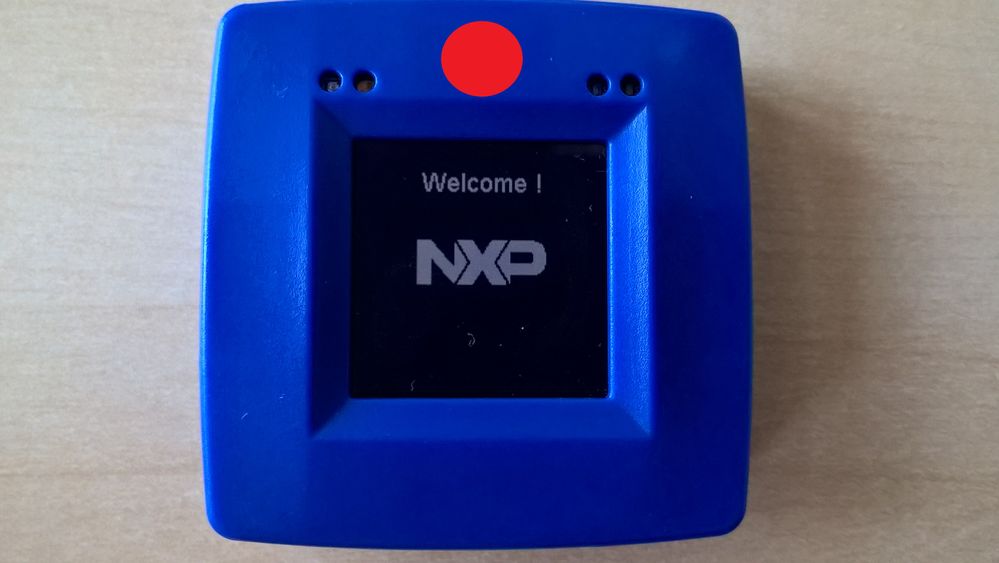
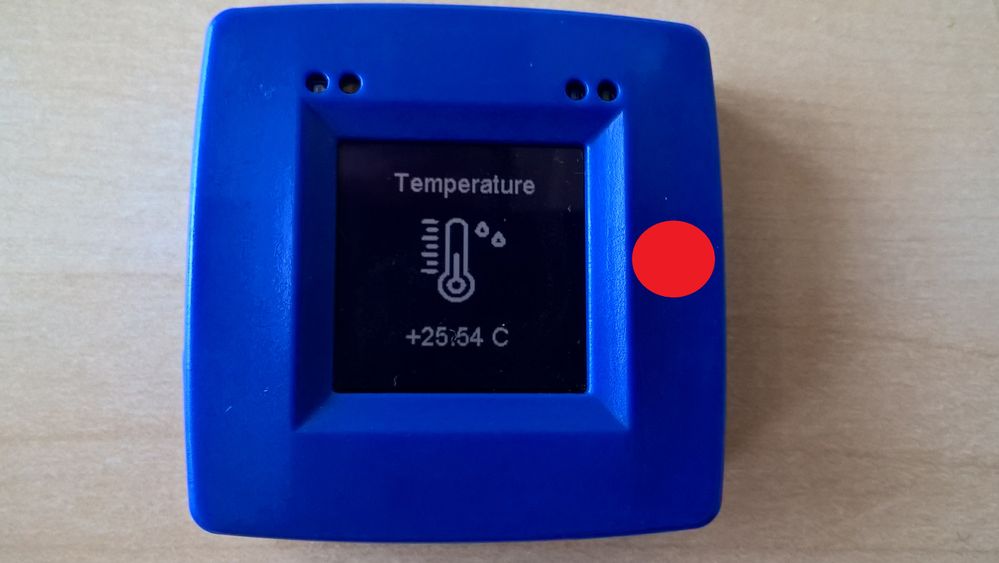
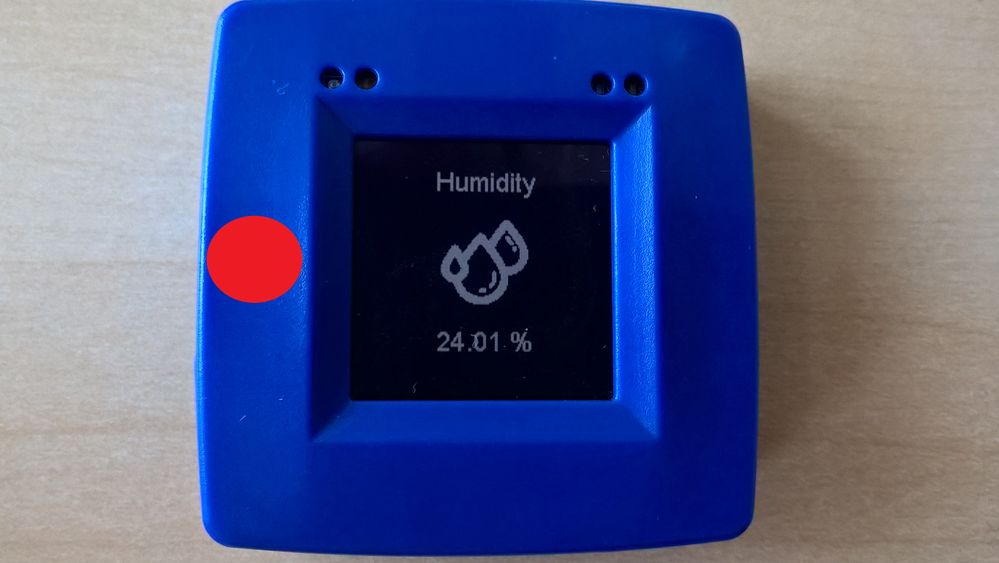
In this example you will find three screens:
Welcome Screen
(T3 / Top Touch)
Temperature screen
(T2 / Right Touch)
(T4 / Left Touch)
Four tasks are created :
- UiManager task: Handle touch buttons event and screen transitions
- Main screen task: Display the main screen
- Temperature screen task: Display the temperature measurements from ENS210 sensor
- Humidity screen task: Display the humidity measurements from ENS210 sensor
- + mutex-semaphore is implemented to handle shared resources between tasks (Display & sensors)
Screens are described in an object-oriented manner to easily manage them in the task's code:
.navigation describe how the menu transition will behave
.title & .image will be used to display correct information
.start/stopTaskFunction will be used to create/pause the according measurement&display task.
example_1b.hstatic guiScreen_t
gui_example1b_mainScreen =
{
.navigation =
{
.up = NULL,
.down = NULL,
.left = &gui_example1b_humScreen,
.right = &gui_example1b_tempScreen
},
.title = "Welcome !",
.image = nxp_logo,
.startTaskFunction = &gui_example1b_mainScreen_StartTask,
.stopTaskFunction = &gui_example1b_mainScreen_StopTask
};Source code is located under "/source" folder
- example_1b.c/h
- main.c (main_task entry point l.272)
Ui manager code is located under "/ui_manager" folder
- ui_manager.c/h
To import project into MCUXpresso :
- Import project(s) from file system...
- Choose archive, then select the downloaded archive
Please, feel free to take a deep look into the code, tinker and develop your own application.
Don't hesitate to share with us any questions/remarks you may have.
Regards,

- 既読としてマーク
- 新着としてマーク
- ブックマーク
- ハイライト
- 印刷
- 不適切なコンテンツを報告
Hi,
Thanks for the example code. I tried creating a thread network from rapid iot board and add a KW 41Z board to it. I have configured pskd, network name and channel to similar in both boards.
But KW41Z is not able to join the network. It is showing "Join Failed".
At the same time I am able to establish a thread network between two KW41Z boards. Any pointers on this would be highly helpful.
Thanks and Regards
Niranjan

- 既読としてマーク
- 新着としてマーク
- ブックマーク
- ハイライト
- 印刷
- 不適切なコンテンツを報告
This is wotrh opening a new topic with more details on your Rapid-IoT thread network configuration.
Regards,
- 既読としてマーク
- 新着としてマーク
- ブックマーク
- ハイライト
- 印刷
- 不適切なコンテンツを報告
Sure. I will go ahead and try a few more time before creating a new thread.
Thank you.
Regards
Niranjan
- 既読としてマーク
- 新着としてマーク
- ブックマーク
- ハイライト
- 印刷
- 不適切なコンテンツを報告
Hello,
This FreeRTOS code has been proved in Thread programs like "router_eligible_device_freertos" from FRDM-KW41Z? What IoT communication is using your freeRTOS program?
Regards,
Diego Comin
- 既読としてマーク
- 新着としてマーク
- ブックマーク
- ハイライト
- 印刷
- 不適切なコンテンツを報告
In this K64F example, there is no Thread or BLE connection initialized. The scope of this project was to demonstrate FreeRTOS API and features in order to build a custom GUI.
Nevertheless, the KW41Z is running, by default, a hybrid black-box application that can run either Thread or BLE communication. It is available in KW41Z SDK:
SDK_2.2_RapidIoT_MKW41Z4\boards\rpk_kw41z\rapid_iot_apps\rpk_kw41z_hybrid
You will need, to enable this feature, to initiate FSCI command on k64f with kw41. Sources and API for that are already included in the project: framework/FSCI
You can take a look at some already developed applications on online IDE: "Out of Box", "Weather Station", ...
Regards,
