
- Forums
- Product Forums
- General Purpose MicrocontrollersGeneral Purpose Microcontrollers
- i.MX Forumsi.MX Forums
- QorIQ Processing PlatformsQorIQ Processing Platforms
- Identification and SecurityIdentification and Security
- Power ManagementPower Management
- Wireless ConnectivityWireless Connectivity
- RFID / NFCRFID / NFC
- Advanced AnalogAdvanced Analog
- Neural Processing UnitsNeural Processing Units
- MCX Microcontrollers
- S32G
- S32K
- S32V
- MPC5xxx
- Other NXP Products
- S12 / MagniV Microcontrollers
- Powertrain and Electrification Analog Drivers
- Sensors
- Vybrid Processors
- Digital Signal Controllers
- 8-bit Microcontrollers
- ColdFire/68K Microcontrollers and Processors
- PowerQUICC Processors
- OSBDM and TBDML
- S32M
- S32Z/E
-
- Solution Forums
- Software Forums
- MCUXpresso Software and ToolsMCUXpresso Software and Tools
- CodeWarriorCodeWarrior
- MQX Software SolutionsMQX Software Solutions
- Model-Based Design Toolbox (MBDT)Model-Based Design Toolbox (MBDT)
- FreeMASTER
- eIQ Machine Learning Software
- Embedded Software and Tools Clinic
- S32 SDK
- S32 Design Studio
- GUI Guider
- Zephyr Project
- Voice Technology
- Application Software Packs
- Secure Provisioning SDK (SPSDK)
- Processor Expert Software
- Generative AI & LLMs
-
- Topics
- Mobile Robotics - Drones and RoversMobile Robotics - Drones and Rovers
- NXP Training ContentNXP Training Content
- University ProgramsUniversity Programs
- Rapid IoT
- NXP Designs
- SafeAssure-Community
- OSS Security & Maintenance
- Using Our Community
-
- Cloud Lab Forums
-
- Knowledge Bases
- ARM Microcontrollers
- i.MX Processors
- Identification and Security
- Model-Based Design Toolbox (MBDT)
- QorIQ Processing Platforms
- S32 Automotive Processing Platform
- Wireless Connectivity
- CodeWarrior
- MCUXpresso Suite of Software and Tools
- MQX Software Solutions
- RFID / NFC
- Advanced Analog
- Neural Processing Units
-
- NXP Tech Blogs
- Home
- :
- RFID / NFC
- :
- NFCナレッジベース
- :
- Using PN7462 to interact with Mifare Ultralight c
Using PN7462 to interact with Mifare Ultralight c
- RSS フィードを購読する
- 新着としてマーク
- 既読としてマーク
- ブックマーク
- 購読
- 印刷用ページ
- 不適切なコンテンツを報告
Using PN7462 to interact with Mifare Ultralight c
Using PN7462 to interact with Mifare Ultralight c
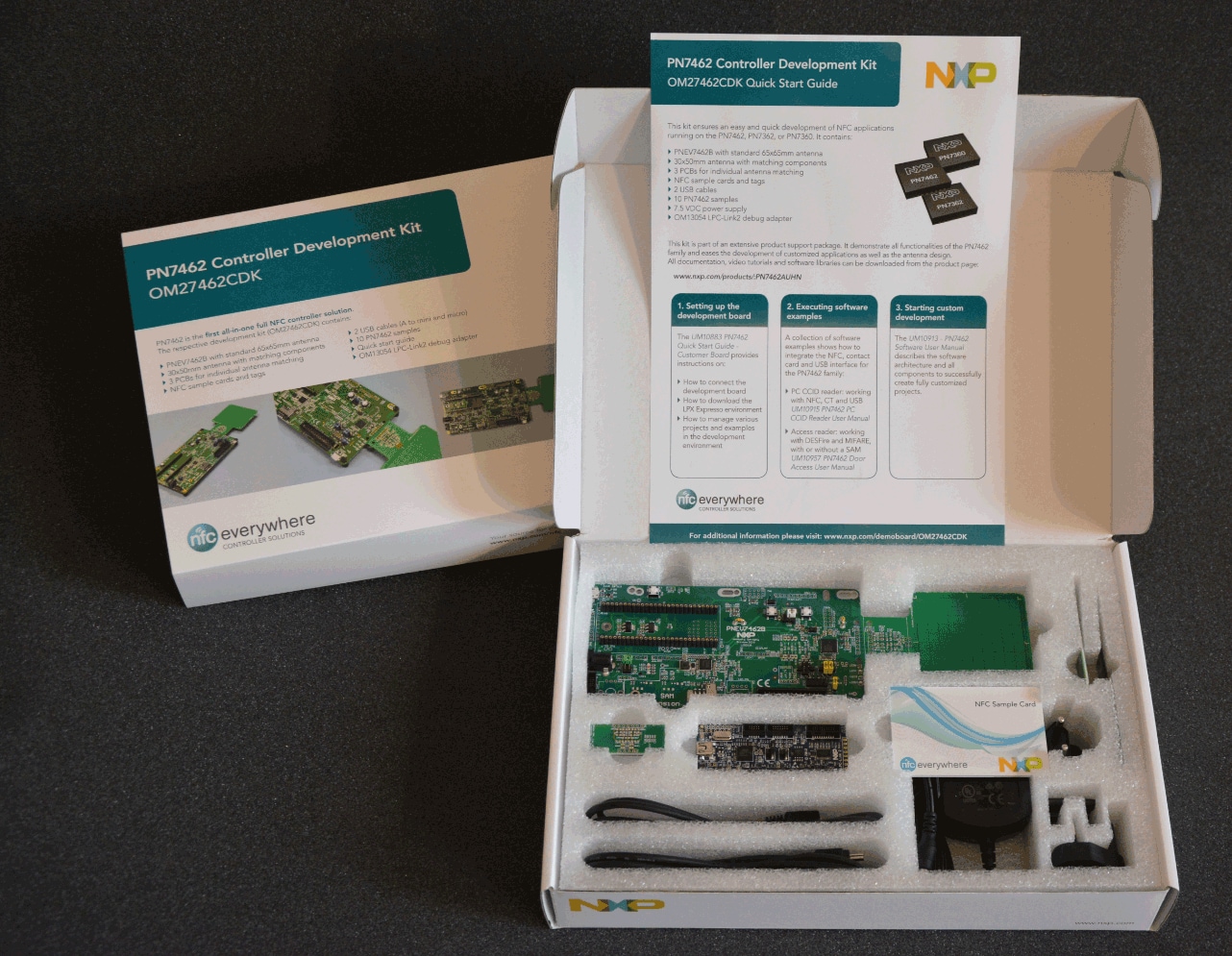
Hello NFC community, as you may know the The PN7462 family consists of 32-bit Arm® Cortex®-M0-based NFC microcontrollers offering high performance and low power consumption. It has a simple instruction set and memory addressing along with a reduced code size compared to existing architectures. PN7462 family offers an all-in-one-solution, with features such as NFC, supporting all NFC Forum modes, microcontroller, optional contact smart card reader, and software in a single chip. It operates at CPU frequencies of up to 20 MHz. and
 MIFARE® Ultralight-based tickets offer an ideal solution for low-cost, high-volume applications such as public transport, loyalty cards and event ticketing. They serve as a perfect contactless replacement for magnetic stripe, barcode, or QR-code systems. The introduction of the contactless MIFARE Ultralight® ICs for limited-use applications can lead to reduced system installation and maintenance costs. As you may know the MIFARE family has the Ultralight C tag which is a contactless IC supporting 3DES cryptography is mostly used in limited use applications such smart ticketing, this tag complies with ISO 14443-3 type A and it is defined as type 2 tag.
In this document I am going to show you how to modify an example that is provided in the NXP Reader Library to authenticate to a not personalized Mifare Ultralight C and perform a Read operation.
Materials:
- PN7462 or PNEV7462 ( this is the evaluation board from NXP)
- PN7462 Reader library
- Mifare Ultralight C
- Mifare Ultralight C Data sheet
- MCUXpresso
First we are going to go to NfcrdlibEx4_MIFAREClassic.c, I am going to explain as much as I can with comments in the code and add some information
here we are going to add the following include:
#define MFULC_READ_DATA_SIZE 16 /* Number of bytes that is read by MIFARE Ultralight Read command */
#define MFULC_USER_MEMORY_BEGIN 0x04 /* Number of bytes that is read by MIFARE Ultralight Read command */
#define MFULC_PAGE_SIZE 0x04 /* Size of page of MIFARE Ultralight card */
#define KEYCOUNT 0x7FU /* number of keys */
#define KEYVERSIONS 0x01U /* number of key versions */
#define RAND_KEY_2K3DES_ADDRESS 0x01U /* Random 2K3DES key address in keystore */
#define RAND_KEY_2K3DES_VERSION 0x00U /* Random 2K3DES key version in keystore */
#define UL_C_KEY_ADDRESS 0x02U /* Ultralight C key address in keystore */
#define UL_C_KEY_VERSION 0x00U /* Ultralight C key version in keystore */
#define KEY_POSITION 0x00U /* Key position */
after this in the Global Variable declaration section we will have to add the following:
phCryptoSym_Sw_DataParams_t cryptoEnc; /* CryptoSym parameter structure for ENC */
phCryptoSym_Sw_DataParams_t cryptoSymRng; /* CryptoSym parameter structure for SymRng */
phCryptoRng_Sw_DataParams_t cryptoRng; /* CryptoRng parameter structure for Rng */
phKeyStore_Sw_DataParams_t keyStore; /* KeyStore parameter structure */
static uint8_t gaUlcKey[] = {0x49, 0x45, 0x4D, 0x4B, 0x41, 0x45, 0x52, 0x42, 0x21, 0x4E, 0x41, 0x43, 0x55, 0x4F, 0x59, 0x46};
phacDiscLoop_Sw_DataParams_t * pDiscLoop; /* Discovery loop component */
void *psKeyStore;
void *psalMFUL;
void *ppalMifare;the variable static uint8_t gaUlcKey[] = {0x49, 0x45, 0x4D, 0x4B, 0x41, 0x45, 0x52, 0x42, 0x21, 0x4E, 0x41, 0x43, 0x55, 0x4F, 0x59, 0x46}; this is the key for default in the Mifare Ultralight c as stated in the datasheet section 7.5.6 this is a reference for the key we should be using.
Then we are going to change the PAL variables
/*PAL variables*/
phKeyStore_Sw_KeyEntry_t aKeyEntry[KEYCOUNT];
phKeyStore_Sw_KeyVersionPair_t aKeyVersion[KEYCOUNT * KEYVERSIONS];
phKeyStore_Sw_KUCEntry_t aKeyUsageCounter[KEYCOUNT];
uint8_t bDataBuffer[DATA_BUFFER_LEN]; /* universal data buffer */
uint8_t bSak; /* SAK card type information */
uint16_t wAtqa; /* ATQA card type information */
then we are going to change this in line 131
psalMFC = phNfcLib_GetDataParams(PH_COMP_AL_MFC);to
psalMFUL = phNfcLib_GetDataParams(PH_COMP_AL_MFUL);so this get the MIFARE Ultralight AL-Components, then after this line we are going to add
ppalMifare = phNfcLib_GetDataParams(PH_COMP_PAL_MIFARE);then we are going to erase the Mifare classic functionality to avoid any kind of error due to Mifare classic not being present in the field.and add the following:
First we are going to proceed with the Authentication part, we are going tu use the API phalMful_UlcAuthenticate(pDataParams, wKeyNumber, wKeyVersion); the first parameter is the structure pointing to the tag that was activated by the discoveryloop, then the key address and last the version of the key. as you can see we do not send the key we only tell the tag where is the key stored and the version if it was updated. to ensure the confidentiality of the communication.
/* Authenticate with the Key even if no memory of Ultralight Card is restricted by Authentication access Authentication with correct key provides access to any part of the memory (beside key storage) . */
/* Send authentication for entire Ultralight C */
status = phalMful_UlcAuthenticate(psalMFUL, UL_C_KEY_ADDRESS, UL_C_KEY_VERSION);
/* Check for Status */
if ((status & PH_ERR_MASK) != PH_ERR_SUCCESS)
{
/* Print Error info */
DEBUG_PRINTF("\nAuthentication Failed!!!");
DEBUG_PRINTF("\nPlease correct the used key");
DEBUG_PRINTF("\nExecution aborted!!!\n");
break;
}
DEBUG_PRINTF("\nAuthentication Successful");
/* after this the status should be OK and no error found, if you have an error in this please check that the card you are using was not tampered before and changed the key or if you distributor delivered a configured key please be sure to use the correct key.
then we are going to proceed to the Read operation:
phalMful_Read(pDataParams, bAddress, pData) as you can see the first parameter is the same as authentication because we are still talking to the same tag, the MFULC_USER_MEMORY_BEGIN its value is 04 this is because as you can see in the datasheet section 7.5 Memory organization the user memory starts in page 4 and ends in page 39 so we just want to read the first page of the tag and the bDataBuffer variable will store the received information.
/* *************** READ operation ****************************** */
/* Empty the bDataBuffer */
memset(bDataBuffer, '\0', DATA_BUFFER_LEN);
DEBUG_PRINTF("\n\nRead data from page %d, %d, %d, %d", MFULC_USER_MEMORY_BEGIN, MFULC_USER_MEMORY_BEGIN + 1, MFULC_USER_MEMORY_BEGIN + 2, MFULC_USER_MEMORY_BEGIN + 3);
/* Read data from custom */
status = phalMful_Read(psalMFUL, MFULC_USER_MEMORY_BEGIN, bDataBuffer);
/* Check for Status */
if (status != PH_ERR_SUCCESS)
{
/* Print Error info */
DEBUG_PRINTF("\nRead operation failed!!!\n");
DEBUG_PRINTF("\nExecution aborted!!!\n\n");
break; /* Break from the loop*/
}
DEBUG_PRINTF("\nRead Success");
DEBUG_PRINTF("\nThe content of page %d is:\n", MFULC_USER_MEMORY_BEGIN);
phApp_Print_Buff(&bDataBuffer[0], MFULC_READ_DATA_SIZE);and that is all of our project, this is a simple project but can help a lot of people to understand how to work with Mifare Ultralight C using the PN7462 and then help people to start doing more complex examples based on this project. if you want to know how to configure a Mifare Ultralight c product using our PEGODA reader please check the document I posted called "Mifare Ultralight C - Changing default password and protecting page address". if you have any questions please let me know.
BR
Jonathan
