
- Forums
- Product Forums
- General Purpose MicrocontrollersGeneral Purpose Microcontrollers
- i.MX Forumsi.MX Forums
- QorIQ Processing PlatformsQorIQ Processing Platforms
- Identification and SecurityIdentification and Security
- Power ManagementPower Management
- Wireless ConnectivityWireless Connectivity
- RFID / NFCRFID / NFC
- Advanced AnalogAdvanced Analog
- Neural Processing UnitsNeural Processing Units
- MCX Microcontrollers
- S32G
- S32K
- S32V
- MPC5xxx
- Other NXP Products
- S12 / MagniV Microcontrollers
- Powertrain and Electrification Analog Drivers
- Sensors
- Vybrid Processors
- Digital Signal Controllers
- 8-bit Microcontrollers
- ColdFire/68K Microcontrollers and Processors
- PowerQUICC Processors
- OSBDM and TBDML
- S32M
- S32Z/E
-
- Solution Forums
- Software Forums
- MCUXpresso Software and ToolsMCUXpresso Software and Tools
- CodeWarriorCodeWarrior
- MQX Software SolutionsMQX Software Solutions
- Model-Based Design Toolbox (MBDT)Model-Based Design Toolbox (MBDT)
- FreeMASTER
- eIQ Machine Learning Software
- Embedded Software and Tools Clinic
- S32 SDK
- S32 Design Studio
- GUI Guider
- Zephyr Project
- Voice Technology
- Application Software Packs
- Secure Provisioning SDK (SPSDK)
- Processor Expert Software
- Generative AI & LLMs
-
- Topics
- Mobile Robotics - Drones and RoversMobile Robotics - Drones and Rovers
- NXP Training ContentNXP Training Content
- University ProgramsUniversity Programs
- Rapid IoT
- NXP Designs
- SafeAssure-Community
- OSS Security & Maintenance
- Using Our Community
-
- Cloud Lab Forums
-
- Knowledge Bases
- ARM Microcontrollers
- i.MX Processors
- Identification and Security
- Model-Based Design Toolbox (MBDT)
- QorIQ Processing Platforms
- S32 Automotive Processing Platform
- Wireless Connectivity
- CodeWarrior
- MCUXpresso Suite of Software and Tools
- MQX Software Solutions
- RFID / NFC
- Advanced Analog
- Neural Processing Units
-
- NXP Tech Blogs
- Home
- :
- 基于模型的设计工具箱(MBDT)
- :
- 基于模型的设计工具箱(MBDT)
- :
- Realize FOC with MBDT and S32DS
Realize FOC with MBDT and S32DS
Realize FOC with MBDT and S32DS

Hello,
i want to realize a FOC on a MPC5777C. I use S32DS.Power.2017.R1.
Until now the FOC runs completely in the eTPU with the eTPU-function set 4. It works fine for simple FOC.
Because we need some individual control functions, i want transfer the control function from eTPU in the main core 0, into an isr from an eTPU-interrupt. The pwm-generation (PWMMAC-module) and the adc-triggering (ASAC-module) stay on eTPU. All other functions (communication, state-machines, etc ) are complete programmed in C (S32DS) on MPC5777c and should stay unchanged.
Now i need only the control-algorithm in form of few c.-/h.-files, which get compiled in S32DS together with the rest of code.
For calculation of FOC in MPC5777C i want to use the AMMCLIB (V1.1.15). For developing the control-algorithm i want to use Simulink (R2018b). Simulation the blocks of AMMCLIB in simulink works fine. But code generation of this blocks ends with ".tlc-file not found".
Then i installed the MBDT for MPC57xx: if i include some blocks of FOC (Park, Clarke, and so on), the error message in simulink is, that the configuration block of MPC5777C is not found. It seems, that the MBDT is only for generation of complete code for MPC5777C and running direct from simulink on a certain board..
I read many posts in your community but i didn't found the correct way with this tools.
Can you describe me the correct way and toolchain to generate only one c./h.-files with simulink and ammclib-functions-blocks, which i can include into me existing S32-project?
Thank you for your response!
Robert.

 mariuslucianand
Hello @robert_metzerot ,
Nice to see you in our community!
For sure you can generate only the code you are interested in and include the algorithm in your S32DS project. As far as I've read in your post, you are using older versions for S32DS and AMMCLIB but let me show you the steps and we can solve this problem later.
I've identified a couple of bullets that I want to explain below.
It seems, that the MBDT is only for generation of complete code for MPC5777C and running direct from simulink on a certain board.
This toolbox provides blocks that can generate C code which configures the microcontrollers' peripherals. Our purpose indeed is to make the engineers' life easier by providing blocks capable of generating C code on top of the SDKs for hardware. This helps the engineers to focus more on the algorithm side and not on the microcontroller peripherals. We insert code only for peripherals access, all the algorithm C code is generated by the MathWorks' Embedded Coder. We try to target controllers and not evaluation boards.
Now i need only the control-algorithm in form of few c.-/h.-files, which get compiled in S32DS together with the rest of code.
Even if our toolbox comes together with the GCC compiler, offering the full solution for the generated code to be automatically compiled and deployed on the target, you can only generate the C code and use it in your project.
For calculation of FOC in MPC5777C i want to use the AMMCLIB (V1.1.15). For developing the control-algorithm i want to use Simulink (R2018b). Simulation the blocks of AMMCLIB in simulink works fine. But code generation of this blocks ends with ".tlc-file not found".
The MBDT for MPC57XX supports code generation for a couple of MCU families controllers. The error you are facing is because the toolbox must identify the target part for which the code is generated, to display the right options, and include the right files. This can be specified by inserting in your model the Config Information. This will change the System target file, (the one that the error refers to) with a proprietary one, but based on the Simulink's ert.tlc.
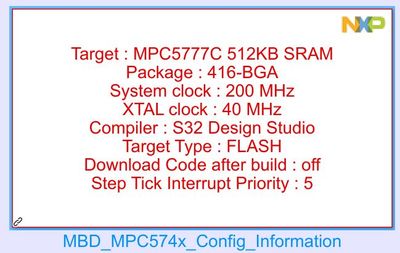
Can you describe me the correct way and toolchain to generate only one c./h.-files with simulink and ammclib-functions-blocks, which i can include into me existing S32-project?
I don't know if this is the right step by step guide, but let me show you a way of getting the generated code and what you should consider using in the S32DS for Power Architecture.
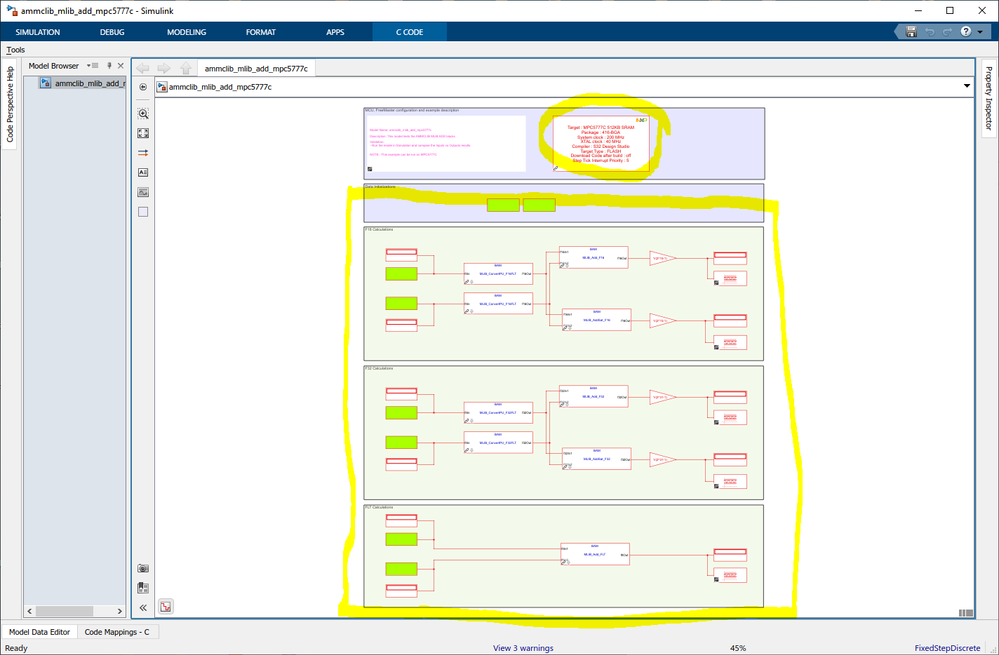
Let's use an example that already comes with our toolbox. I will choose the ammclib_mlib_add_mpc5777c.mdl file from our toolbox. You can see that the model already contains our config block, which has the MPC5777C controller selected. We will consider the yellow block as your desired algorithm that needs to be generated.
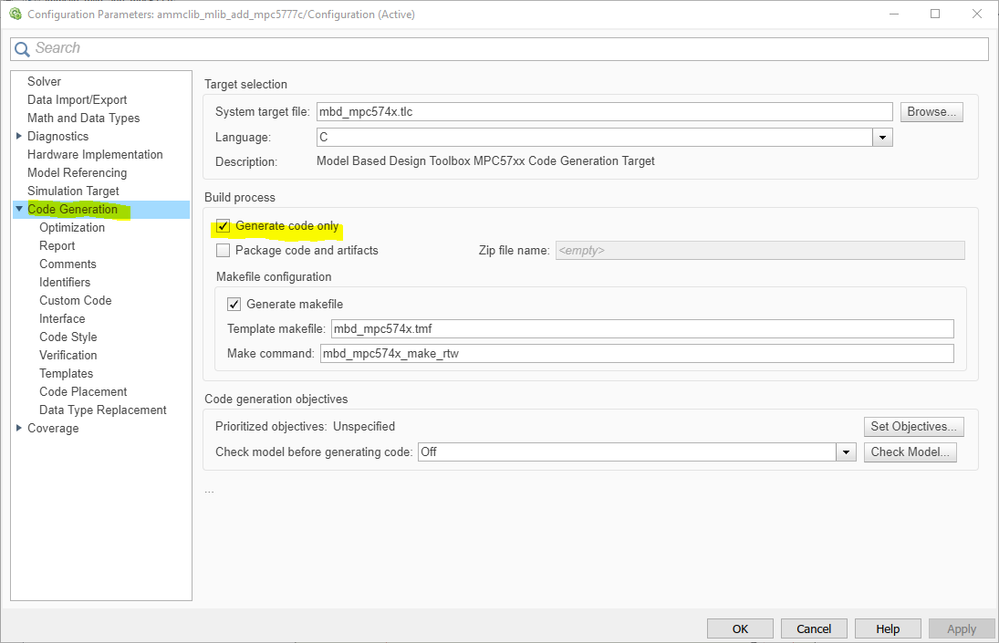
We only want to generate the code, and not compile and deploy the code to the target, so for that, you have to go to Model settings -> Code generation -> and check the Generate code only.
Now go to Embedded coder and generate the code. In R2020a there is a special button called "Generate code" under the Embedded Coder category. But in R2018b, you have to press the Build button; it will only generate the code.
Let me explain the generated code structure:
The main algorithm will be generated in a file called <model name>.c file. This contains three main functions:
ammclib_mlib_add_mpc5777c_initialize - all the core initialization code, not useful for you, because you already have this code in your S32DS project
ammclib_mlib_add_mpc5777c_step - as seen in the image below, this is the function that contains the desired algorithm.
ammclib_mlib_add_mpc5777c_terminate -empty
Obviously, to make this code more usable in your project, you have to tweak the inputs and outputs as shown below. The example I chooseuses data store memory blocks and you have to replace them with desired in and out signals.
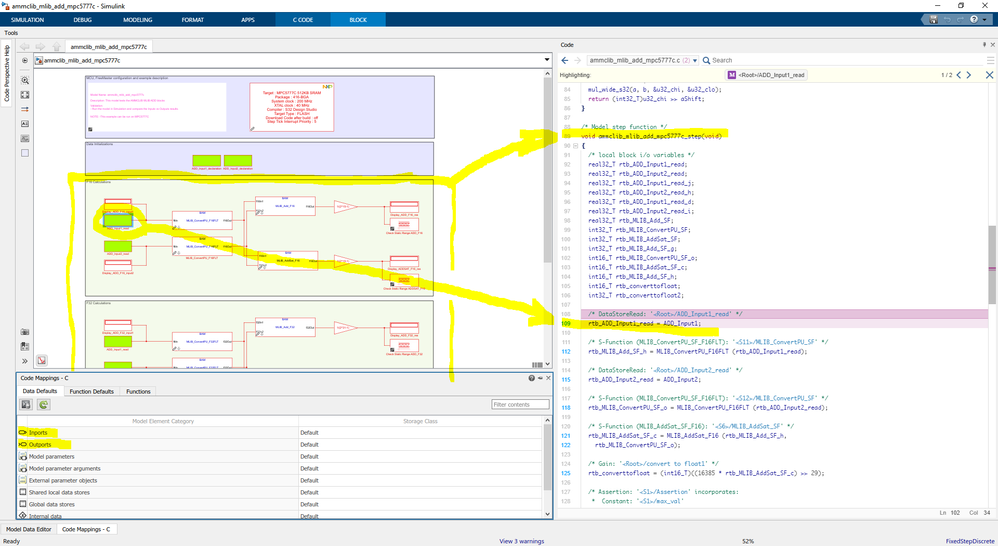
All the code that you need to import in your S32DS project, exists in the <model_name>.c file (you will see there some AMMCLIB wrappers that also have to be copied in your S32DS project).
Once you have copied all the c code in your project alongside the AMMCLIB header files (you can take them directly from the Simulink generated code directory), the last remaining step is to link in the S32DS project the MPC577xC_AMMCLIB.a library (of course, from the Simulink folder generated code directory).
Hope this helps,
Marius
Hello Marius,
thank you very much for detailed description.
My problem is now, that i haven't embedded coder toolbox yet:
The call to "mbd_mpc574x_make_rtw_hook, during the entry hook generated the following error: Undefined function 'ert_make_rtw_hook' for input arguments of type 'struct' ".
So i have to wait, to test it completely. Or is there a way to use the simulink coder? As i said: the coder should "only" put together some AMCLIB-functions, which i want to place in simulink. I want no code generation from other simulink blocks (state machines, other math operations, etc.).
All the examples in my installed MBDT have the designation MPC574x. In the error description above you see that the function "mbd_mpc574x_make_rtw_hook" was searched. I opened the MPC574x-example file, renamed it for MPC5777C and changed in the config-block (which have MPC574X in its name too!) to MPC5777C.
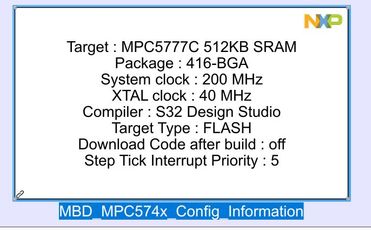
Is this so correct? Or do i have the wrong MBDT after all? My MBDT has the description "MPC57xx". Is there a further location where i have to choose the MPC5777C, as in the config block?
Thank you!
mariuslucianand
Hello @robert_metzerot ,
I don't think it will work without the embedded coder. Indeed the 'ert_make_rtw_hook' error looks like a file from the Embedded Coder, so I think it will work after the embedded coder installation.
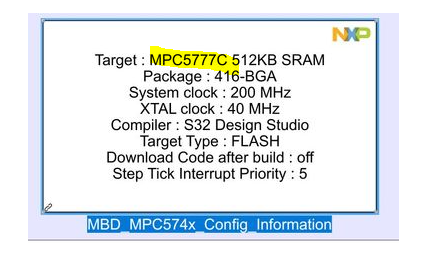
Regarding the block name, it will generate code for the target selected inside the block. For this example, it uses the MPC5777C. Initially, the toolbox supported only the mpc574x parts but during the time we started adding more families. So, to try keeping the back compatibility we did not renamed our critical functions.
Regards,
Marius
