
- Forums
- Product Forums
- General Purpose MicrocontrollersGeneral Purpose Microcontrollers
- i.MX Forumsi.MX Forums
- QorIQ Processing PlatformsQorIQ Processing Platforms
- Identification and SecurityIdentification and Security
- Power ManagementPower Management
- Wireless ConnectivityWireless Connectivity
- RFID / NFCRFID / NFC
- Advanced AnalogAdvanced Analog
- Neural Processing UnitsNeural Processing Units
- MCX Microcontrollers
- S32G
- S32K
- S32V
- MPC5xxx
- Other NXP Products
- S12 / MagniV Microcontrollers
- Powertrain and Electrification Analog Drivers
- Sensors
- Vybrid Processors
- Digital Signal Controllers
- 8-bit Microcontrollers
- ColdFire/68K Microcontrollers and Processors
- PowerQUICC Processors
- OSBDM and TBDML
- S32M
- S32Z/E
-
- Solution Forums
- Software Forums
- MCUXpresso Software and ToolsMCUXpresso Software and Tools
- CodeWarriorCodeWarrior
- MQX Software SolutionsMQX Software Solutions
- Model-Based Design Toolbox (MBDT)Model-Based Design Toolbox (MBDT)
- FreeMASTER
- eIQ Machine Learning Software
- Embedded Software and Tools Clinic
- S32 SDK
- S32 Design Studio
- GUI Guider
- Zephyr Project
- Voice Technology
- Application Software Packs
- Secure Provisioning SDK (SPSDK)
- Processor Expert Software
- Generative AI & LLMs
-
- Topics
- Mobile Robotics - Drones and RoversMobile Robotics - Drones and Rovers
- NXP Training ContentNXP Training Content
- University ProgramsUniversity Programs
- Rapid IoT
- NXP Designs
- SafeAssure-Community
- OSS Security & Maintenance
- Using Our Community
-
- Cloud Lab Forums
-
- Knowledge Bases
- ARM Microcontrollers
- i.MX Processors
- Identification and Security
- Model-Based Design Toolbox (MBDT)
- QorIQ Processing Platforms
- S32 Automotive Processing Platform
- Wireless Connectivity
- CodeWarrior
- MCUXpresso Suite of Software and Tools
- MQX Software Solutions
- RFID / NFC
- Advanced Analog
- Neural Processing Units
-
- NXP Tech Blogs
- Home
- :
- MCUXpresso Software and Tools
- :
- Kinetis Design Studio
- :
- TWR-KV58F220M
TWR-KV58F220M
- Subscribe to RSS Feed
- Mark Topic as New
- Mark Topic as Read
- Float this Topic for Current User
- Bookmark
- Subscribe
- Mute
- Printer Friendly Page
TWR-KV58F220M

- Mark as New
- Bookmark
- Subscribe
- Mute
- Subscribe to RSS Feed
- Permalink
- Report Inappropriate Content
Hi everyone,
I'm back again.
Actually I'm just trying to use my TWR-KV5 but it seems really really difficult freescale provides almost zero information to start from the bottom. Except Precompiled Examples there are no projects examples so okay I can see that LED is blinking but it doesn't help me to create my own project!
I find on the web "Writing my first KSDK1.2 Application in KDS3.0 - Hello World and Toggle LED with GPIO Interrupt"
https://community.freescale.com/docs/DOC-103288
I tryed but page 13 they ask to add :
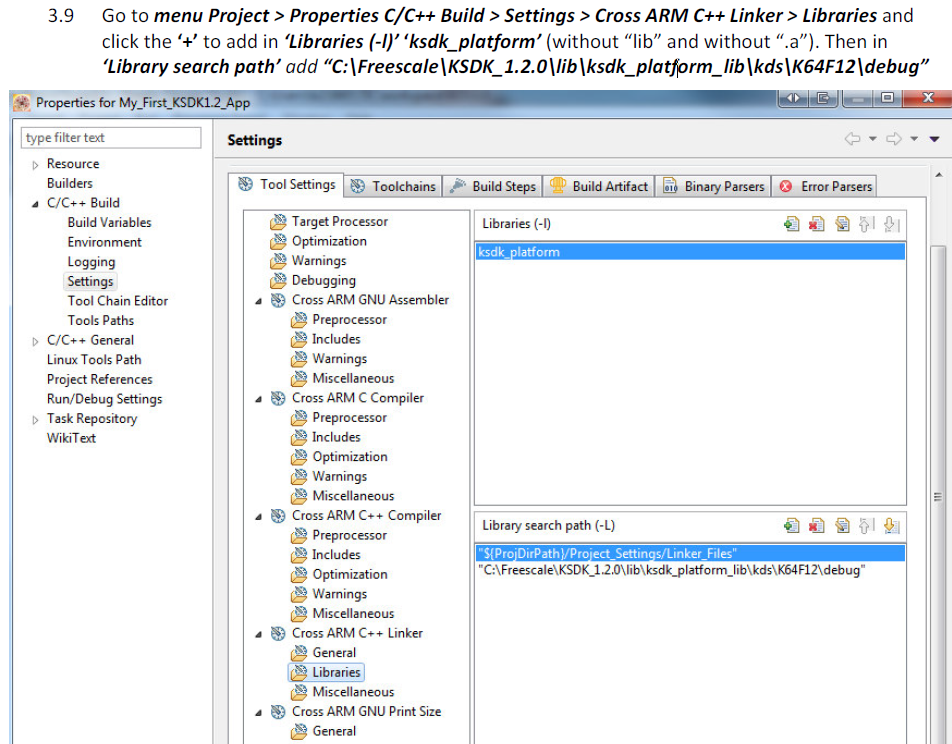
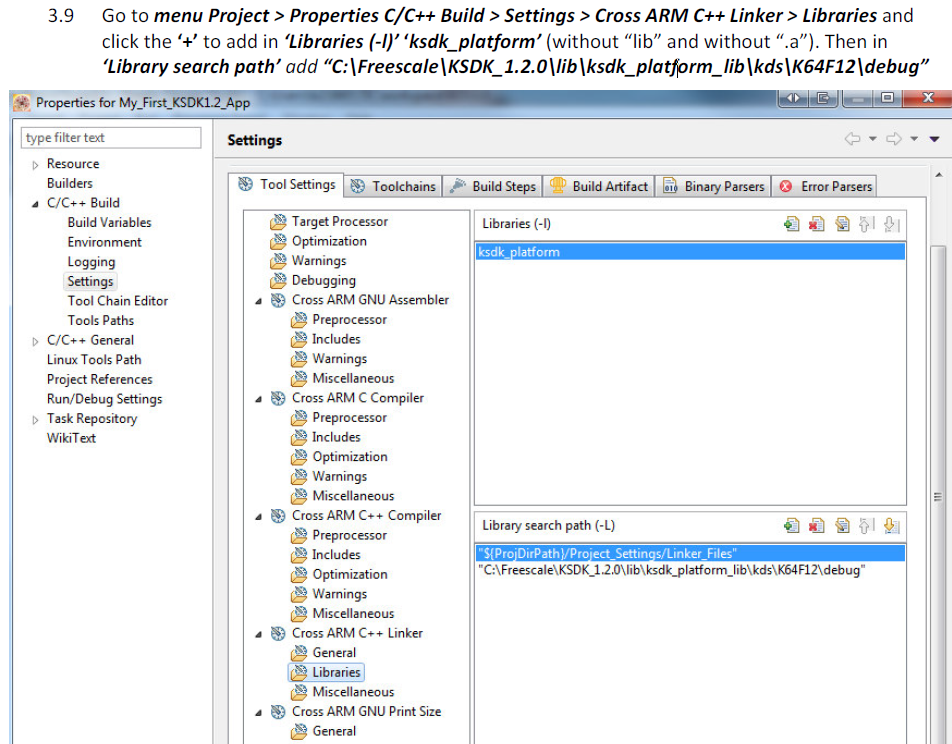
but in my KSDK1.2.0_KV5xF_1.0.0 there are no folder debug?!
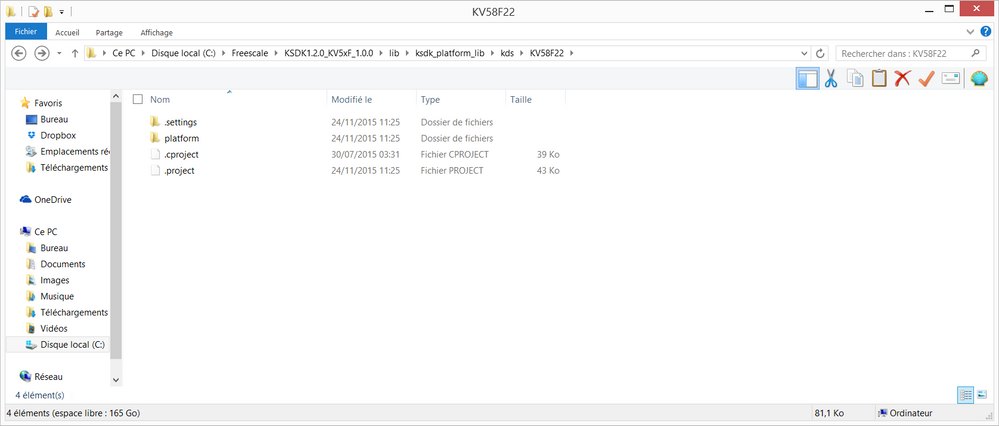
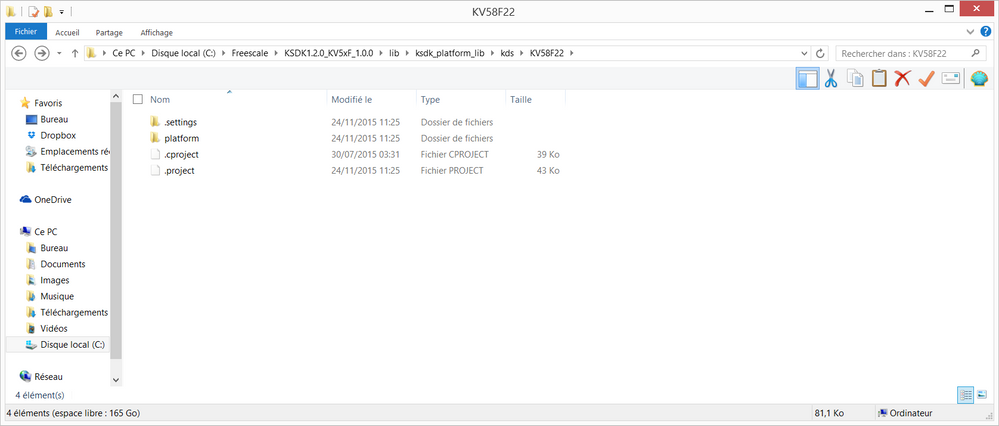
So when I compile it can't find ksdk_platform...
Another question, I need I2C and PWM how can I add library for that. One personn (Alice on the forum) told me to use the the SDK-PE component What does it mean? I shouldn't use my KSDK1.2.0_KV5xF_1.0.0?
Actually sorry if I am unpleasant but I'm a little bit frustrated to take 2 days just to blink a LED on a Cortex M7...
Thank you very much
TWR-KV58F220M

 Jorge_Gonzalez
- Mark as New
- Bookmark
- Subscribe
- Mute
- Subscribe to RSS Feed
- Permalink
- Report Inappropriate Content
Hello alexismaslyczyk:
This is at the beginning of the guide document:
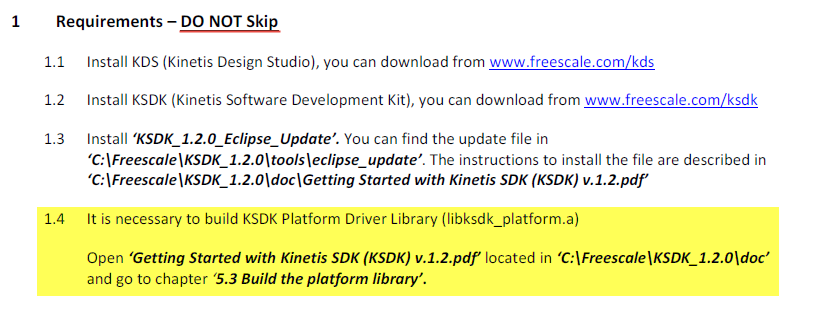
Then yes, the library must be built first so the linker can find it.
Actually there is now a Project Generator that simplifies the process, without having to set paths as in the document. See the details in this link:
New Kinetis SDK Project Generator is available!
Regarding your question, using Processor Expert is an option but not mandatory with KSDK. Basically PE helps you configuring and initializing the KSDK static drivers. In a project with PE + KSDK in your case you would need to add the components fsl_i2c and fsl_ftm (for PWM). Otherwise if not using Processor Expert just include the driver headers, initialize and call the corresponding Driver APIs as required. There are examples (without PE) on how to use the drivers in your KSDK installation:
C:\Freescale\KSDK1.2.0_KV5xF_1.0.0\examples\twrkv58f220m\demo_apps
C:\Freescale\KSDK1.2.0_KV5xF_1.0.0\examples\twrkv58f220m\driver_examples
For a FTM example using PE + KSDK see the project by colleague David Seymour:
Regards!,
Jorge Gonzalez
-----------------------------------------------------------------------------------------------------------------------
Note: If this post answers your question, please click the Correct Answer button. Thank you!
-----------------------------------------------------------------------------------------------------------------------
- Mark as New
- Bookmark
- Subscribe
- Mute
- Subscribe to RSS Feed
- Permalink
- Report Inappropriate Content
Thank you very much Jorge,
Now i'am able to build my code:

but when I try to debug it:
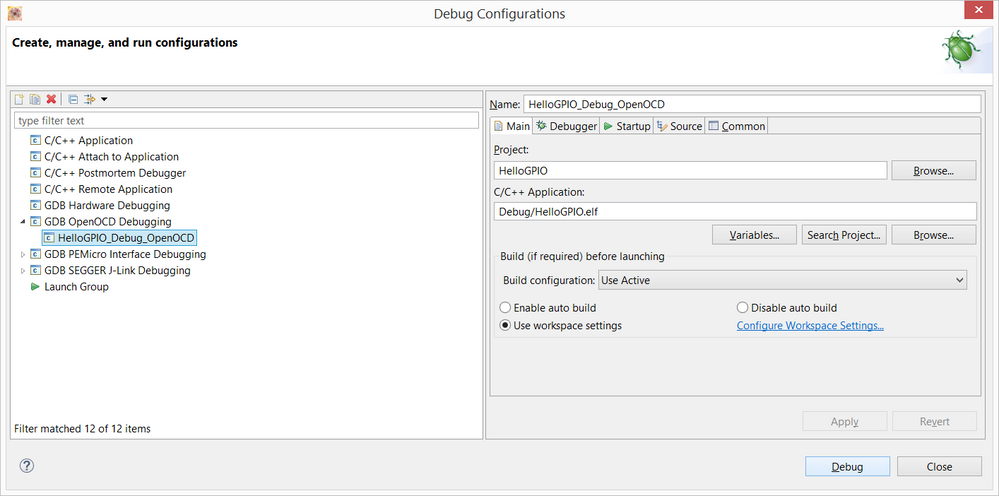
I got this
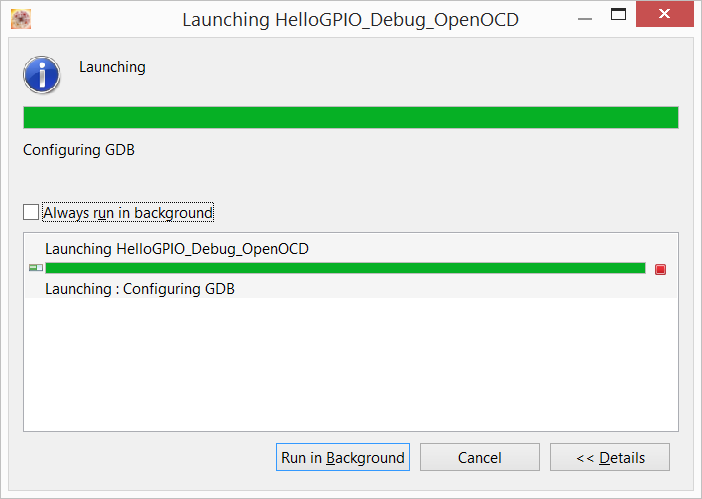
and finally :
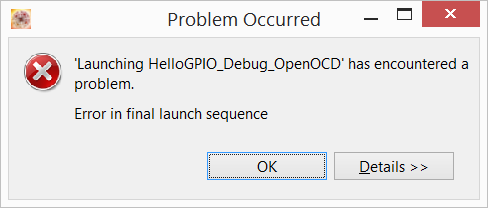
I tryed other thing: build .bin and directly send it to my board via USB MBED, and all the LED onthe board are turned ON (indicate something wrong I guess)
Thank you
- Mark as New
- Bookmark
- Subscribe
- Mute
- Subscribe to RSS Feed
- Permalink
- Report Inappropriate Content
i have the same problem
 Carlos_Mendoza
- Mark as New
- Bookmark
- Subscribe
- Mute
- Subscribe to RSS Feed
- Permalink
- Report Inappropriate Content
Hi Alexis and Xie,
Have you tried using the Segger OpenSDA application instead of the CMSIS-DAP application? You can find the Segger OpenSDA application on the TWR-KV58F220M quick start package:
Hope it helps!
Best Regards,
Carlos Mendoza
Technical Support Engineer
- Mark as New
- Bookmark
- Subscribe
- Mute
- Subscribe to RSS Feed
- Permalink
- Report Inappropriate Content
Thanks Carlos, but I got the same problem,
I draged and dropped JLink_OpenSDA_V2_1_2015-04-23.bin to the boardn and after I do:
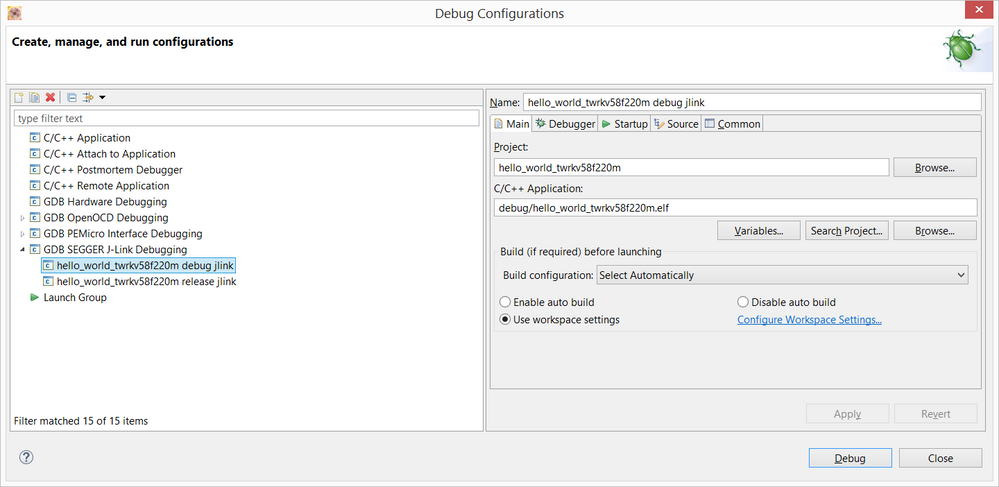
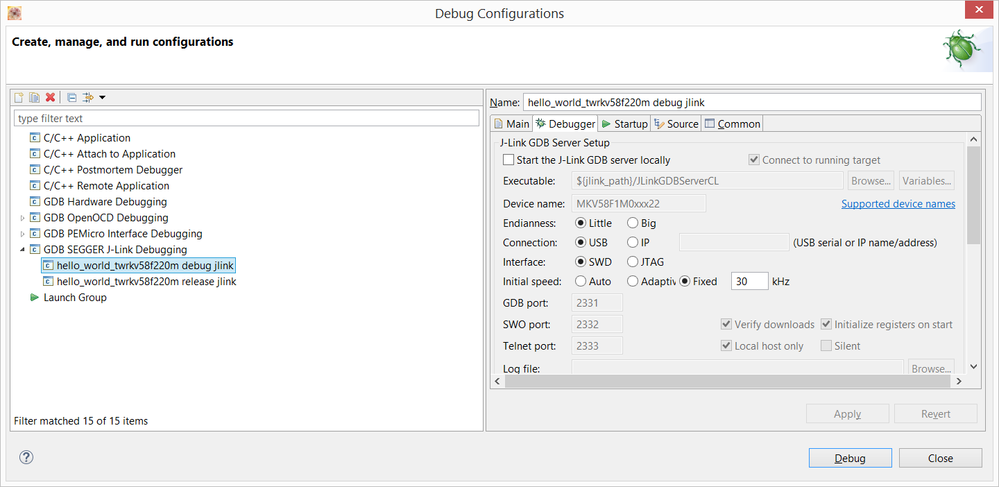
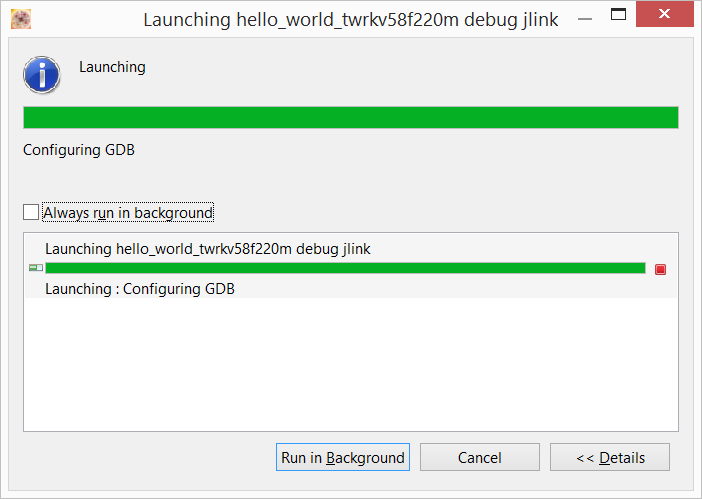
And finnally:
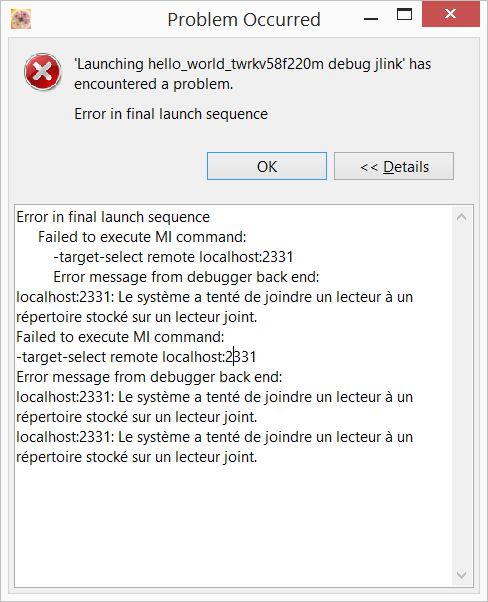
...
chris_brown
- Mark as New
- Bookmark
- Subscribe
- Mute
- Subscribe to RSS Feed
- Permalink
- Report Inappropriate Content
Hi alexismaslyczyk,
I apologize for your troubles (and for being so late to this party but I was unaware of this thread until I just now stumbled upon it). I understand these things can be difficult and frustrating at times and I hope what I write here helps to ease that somewhat. Please also remember that the KV5x device is still in the alpha program so you should be able to contact your local representative and get support that way as well.
I am writing to provide some insight into how things are done to help customers like yourself who are getting started. You should have been provided a Quick Start Guide when you got your board. If not, you can navigate to the Documents section of the TWR-KV58F220M page and download this document from there. This guide should have everything you need to get going. All the way from opening your board to creating and debugging your own project. The link for that is here:
Kinetis KV5x Family Tower System Module|NXP
Please see the User's Guides section of the Documentation tab at that page. This guide should explain that the source for the example code used to support KV5x is found in the Kinetis SDK standalone release. Consequently, we also somewhat rely on their documentation for support of how to navigate the SDK structure, download, and debug programs.
We are also working on a series of videos and web-page rework to make it even easier to get started with our devices but the material for this just isn't quite ready for the KV5x Tower board. (Sorry. :smileysad:).
In reference to the JLink application not working. Segger has changed some things on their end (and we may have made some changes in our IDE as well) so the version of JLink software that you are using is no longer the correct version to use. Please try the latest from Segger's website which can be found at this link:
I believe this will solve your issue. Please let me know if it does not.
Regards,
Chris
- Mark as New
- Bookmark
- Subscribe
- Mute
- Subscribe to RSS Feed
- Permalink
- Report Inappropriate Content
Hi christopher,
I understand that the board and the µC are new ...
I downloaded the lastest version of SEGGER and I'm not able to debbug my programm,
I think a starter guide how to use KDS and debug via open SDA should be made :smileywink:
